
Features · International Teams

Teams and Departments

Organize your workforce with ease by creating teams and departments, assigning specific approvers, and customizing leave policies to fit each team’s unique needs!

Trusted by 60,000+ companies in 100+ countries

1

List of teams

If your company has multiple teams, Day Off makes it easy to manage them by allowing you to create unlimited teams, edit them freely, or delete them as needed, with flexible options to organize and use teams in a way that fits your workflow.
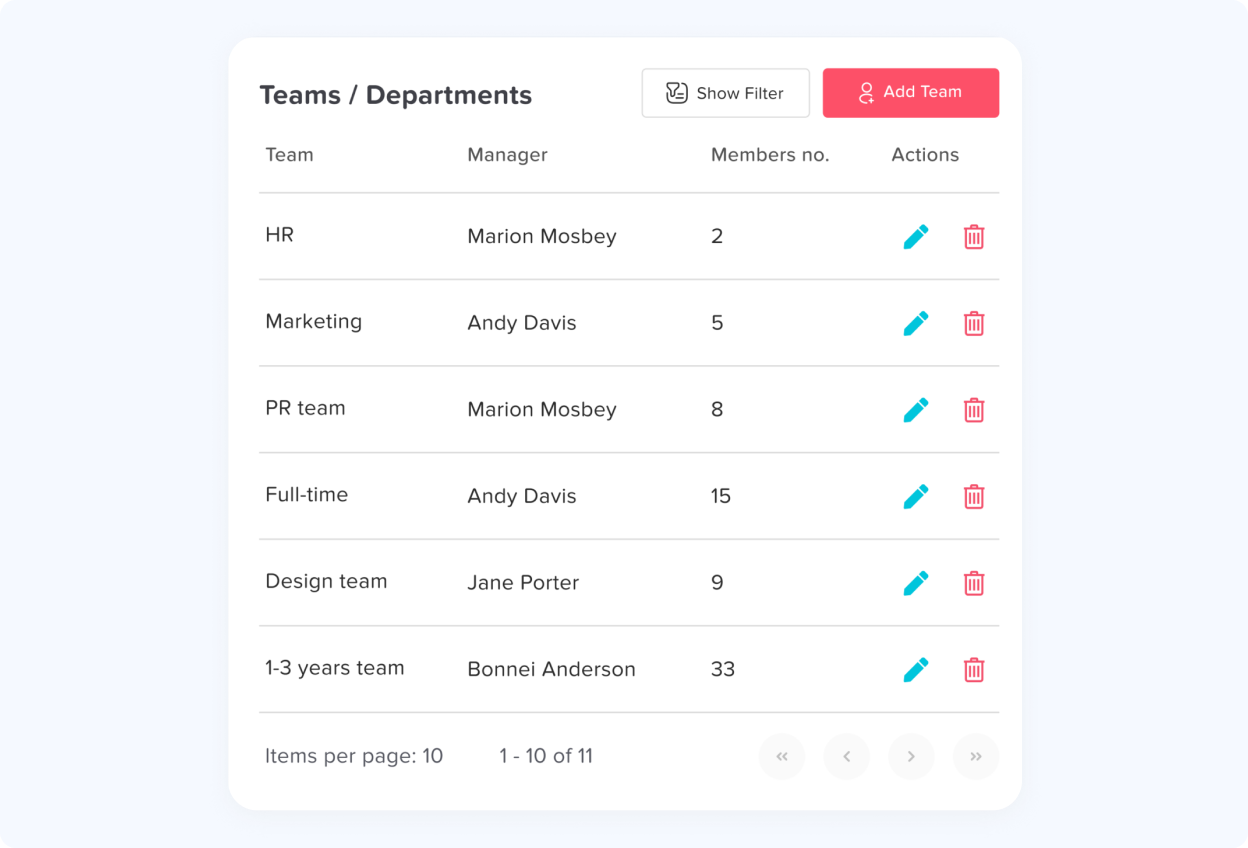
List of teams: Teams and Departments in Day Off
2

Add team and set approver

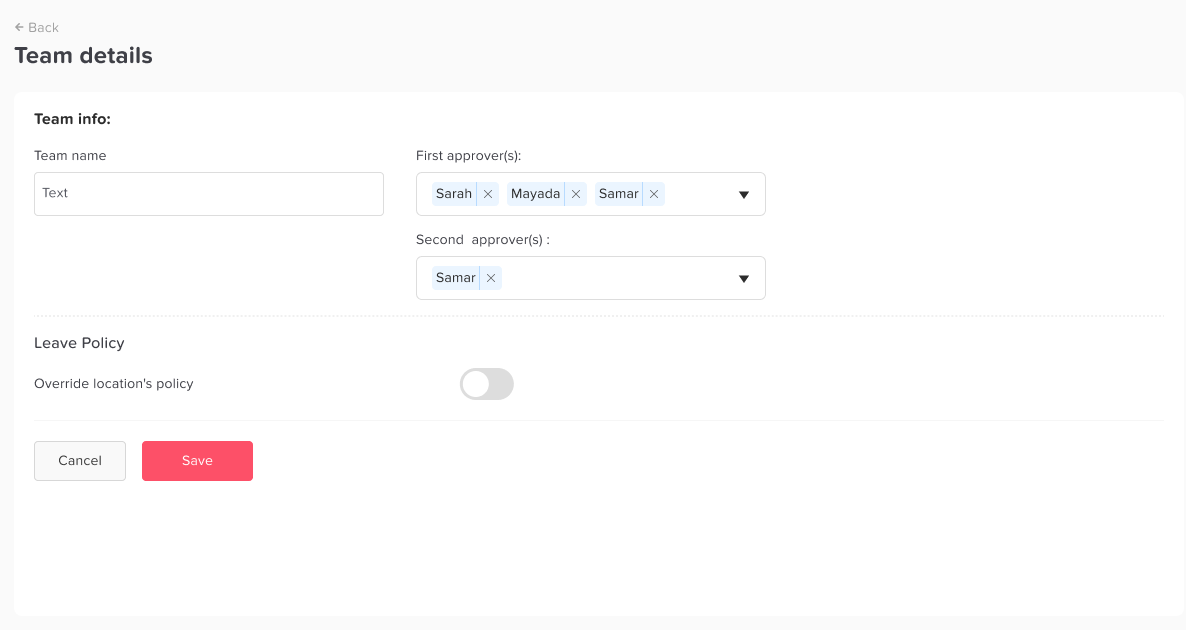
When adding a team, simply enter the team name and assign an approver responsible for reviewing and managing members’ leave requests. You can choose a single approver or assign multiple approvers as needed.

Add team and set approver: Teams and Departments in Day Off
3

Customize the team’s policy

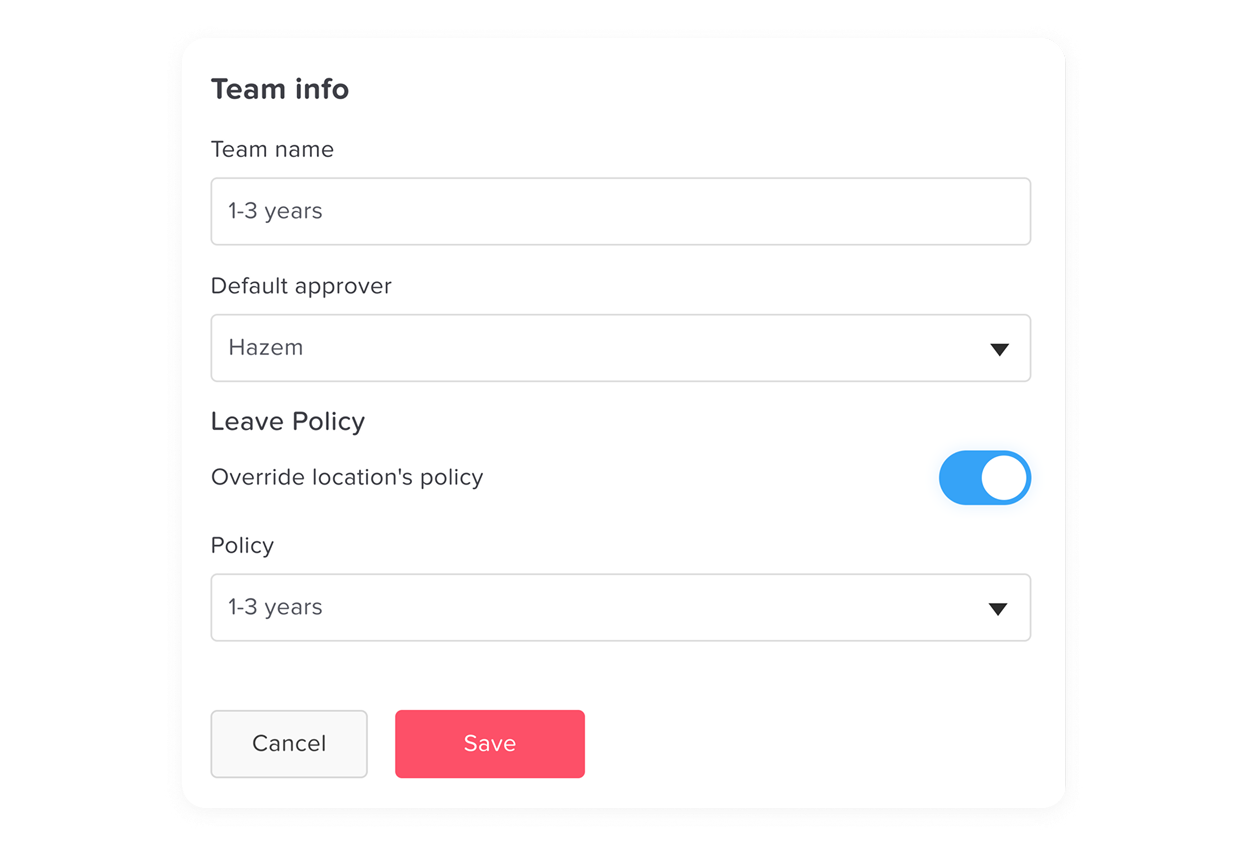
You can assign a specific leave policy to each team based on their needs, choosing from any policy in your company, with all team members automatically following the same policy for consistency and easier management.

Customize the team’s policy: Teams and Departments in Day Off

Make time off the easy part of your week

Join 60,000+ companies that track leave, PTO, attendance and work hours with Day Off. Free to start, no credit card needed.