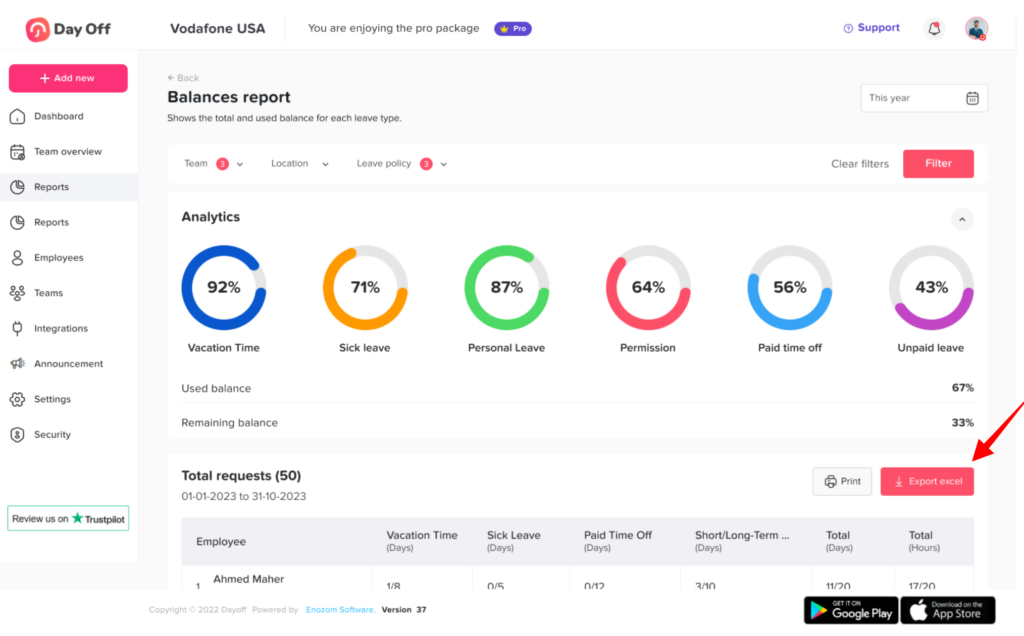
Main Reports How can I export reports in Day Off? Print How can I export reports in Day Off? Day Off provides reporting tools that allow you to extract and analyze leave data, helping HR teams and managers with tracking and decision making. Using the Web Version Report exporting is available on the web platform, where you have full access to reporting features.To export a report:Go to the Reports sectionSelect the type of report you need (e.g., balances, detailed, or total report)Apply filters (e.g., team, date range, or leave type)Click ExportDownload the report (typically in Excel)This allows you to customize reports based on your needs before exporting.