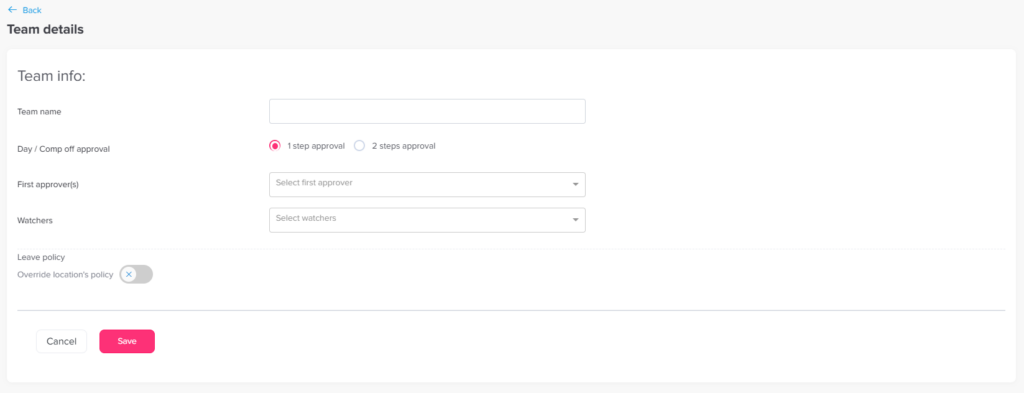
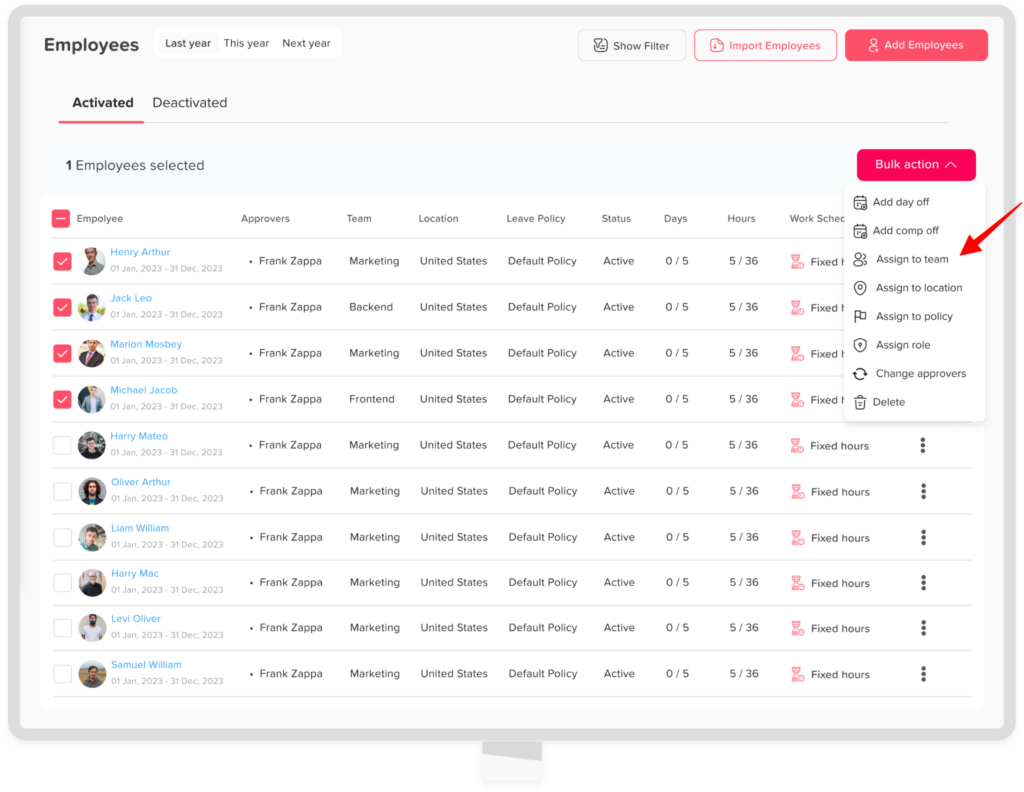
Main Teams How to set departments/Teams? Print You can easily create and manage departments or teams in Day Off to organize your employees and streamline approvals. Steps to Create a Team To add a new team:In the left-hand menu, go to People → TeamsClick on “Add team”Enter the team name (e.g., Marketing, HR, Engineering)Add the approvers and watchersClick Save You can assign employees to specific teams:Go to People → EmployeesSelect the employees you want to assign to same teamClick on bulk actionClick on assign to team Choose the teamClick confirm