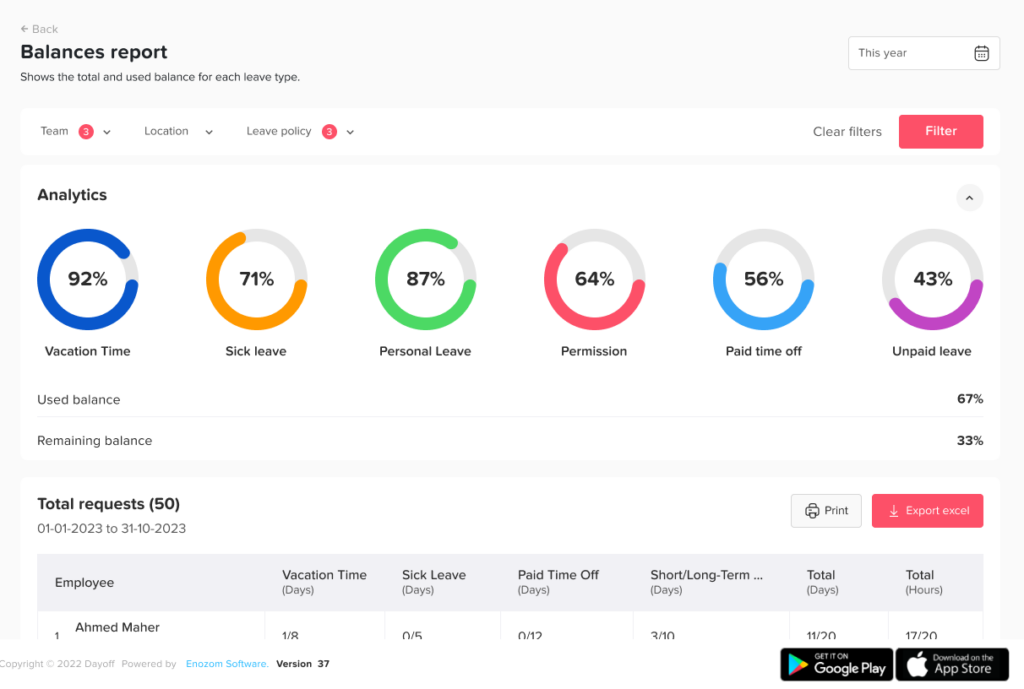
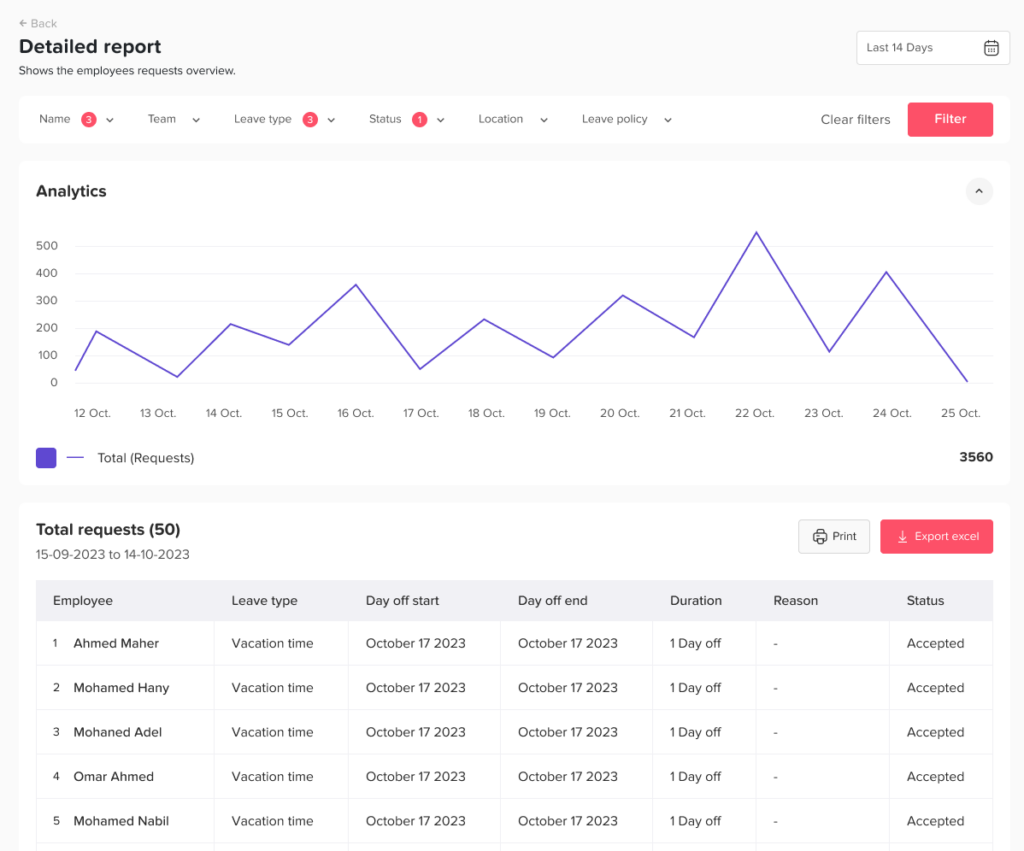
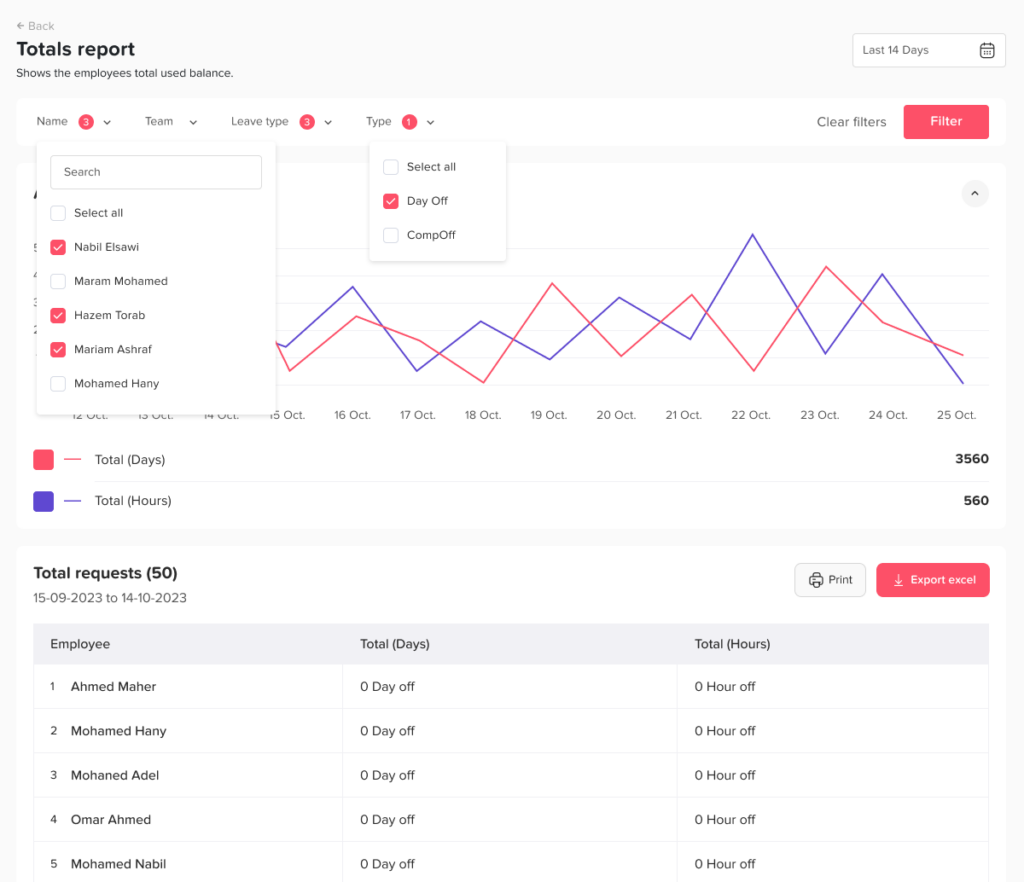
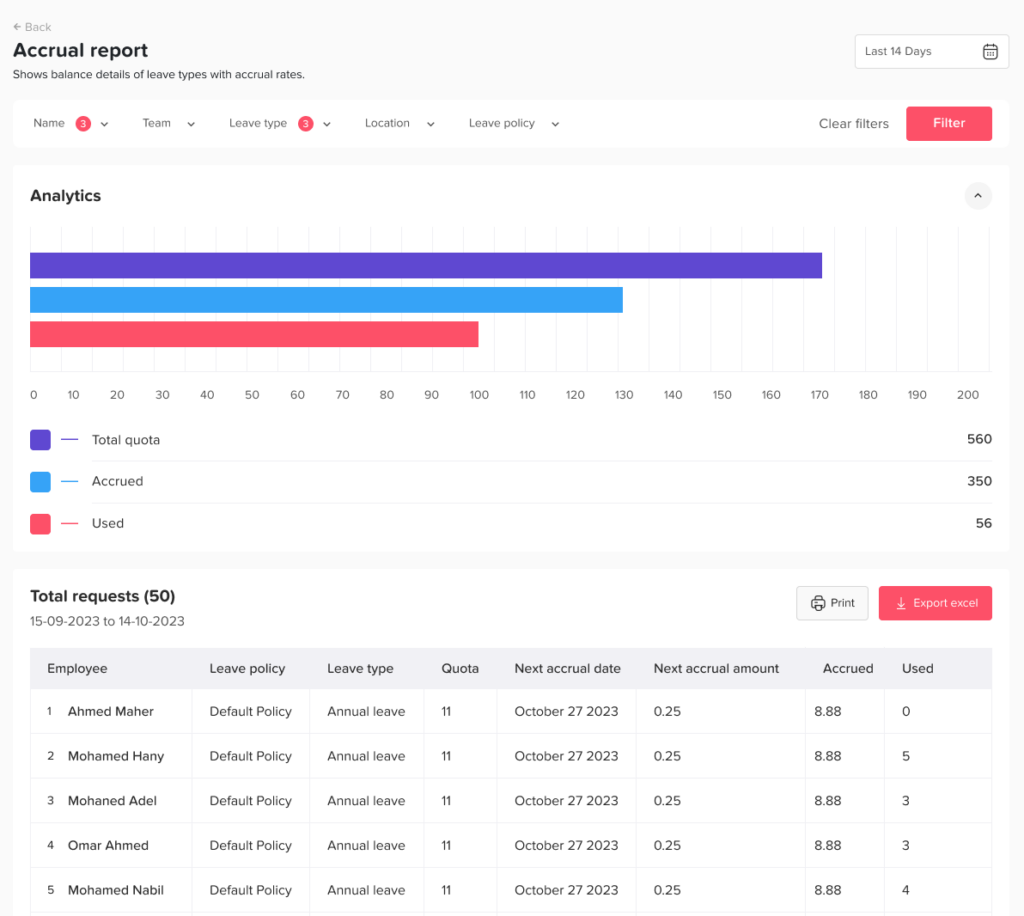
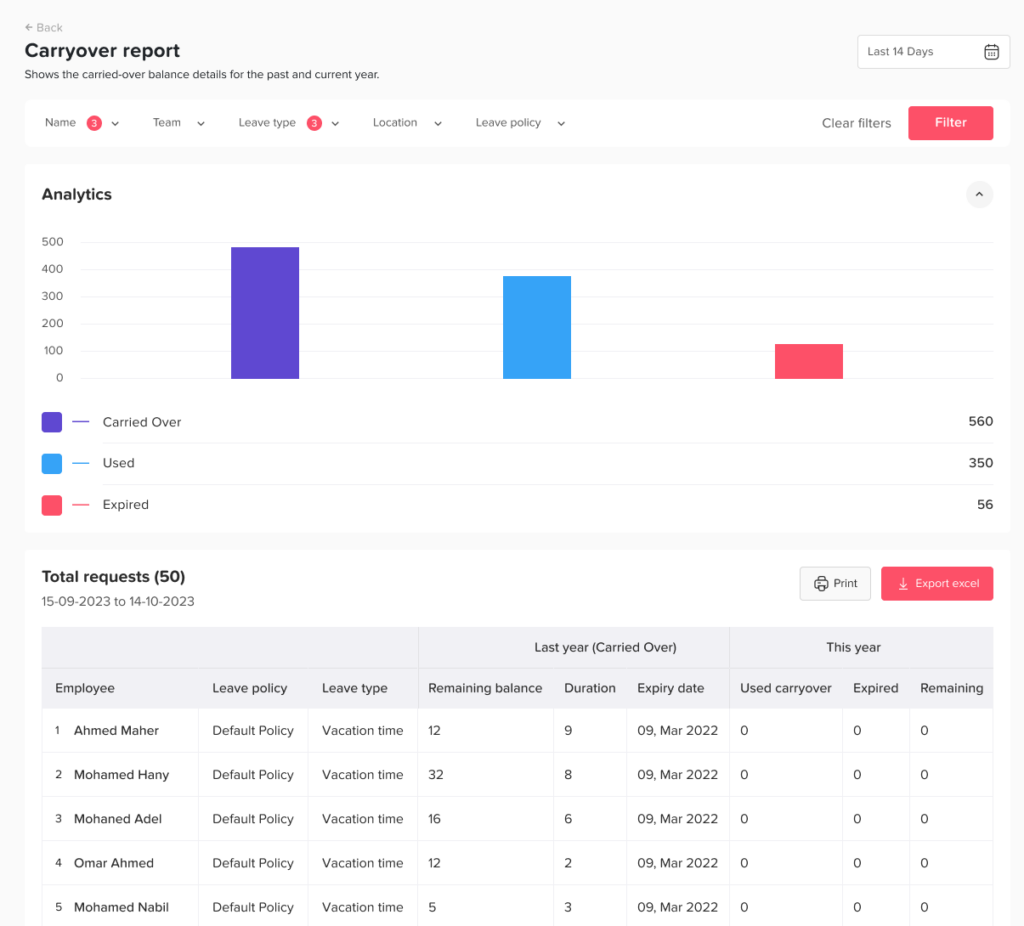
Main Reports What types of reports are available in the Day Off? Print What types of reports are available in the Day Off? Reports in Day Off give you clear visibility into employee time off, helping HR teams and managers make informed decisions. Available Report Types Balances ReportThe balances report helps you monitor employees’ leave balances in detail.You can:Filter by leave policyView how many days are used vs total available for each leave typeSee the total used vs total allocated balance per employee Detailed ReportThis report provides a complete log of leave requests.You can:Filter by a specific date rangeView all requests submitted within that periodSee request statuses including accepted, pending, rejected, or deleted Total ReportThe total report gives you a summarized view of time off usage.You can:Filter by a date rangeSee the total number of days or hours each employee has used within this period Accruals ReportThe accruals report focuses on earned leave over time.You can:Track employees with accrued balancesSee how many days or hours they have earnedView the next accrual date Carryover Report This report helps you track carried over leave balances.You can: Identify employees with carryover balances View the expiry date of carryover days See how many days are used and remaining