







PTO Balance Disputes can quickly damage employee trust, especially when an employee believes that earned vacation, sick leave, or personal time has disappeared from their account. A difference of only a few hours may affect an upcoming vacation request, payroll calculation, leave payout, or an employee’s ability to take time away from work.

When a dispute occurs, HR should not simply change the balance until the employee is satisfied. The correct approach is to reconstruct the balance, identify the source of the difference, document the findings, apply the appropriate correction, and prevent the same problem from affecting other employees.
PTO calculations may involve accrual rates, opening balances, carryover limits, expiration rules, employment status changes, approved requests, cancellations, payroll records, and manual adjustments. Because many transactions can affect the same balance, the number displayed in a leave management system is only the final result. HR must examine the transactions behind that number.
This guide explains how HR teams can investigate PTO balance disputes fairly, correct errors accurately, communicate with employees, and build stronger leave-management controls.
What Is a PTO Balance Dispute?
A PTO balance dispute occurs when an employee disagrees with the amount of paid time off recorded by the employer.
The employee may believe that:
- PTO was not accrued correctly.
- Approved leave was deducted twice.
- A canceled request was never returned.
- Carryover hours disappeared.
- An incorrect expiration rule was applied.
- A manual adjustment reduced the balance without explanation.
- The employee was placed under the wrong leave policy.
- PTO was calculated using the wrong work schedule.
- The balance shown in payroll differs from the HR system.
- Earned vacation was not included in final pay.
A dispute does not automatically mean that the employer’s calculation is wrong. The employee may be looking at an outdated statement, misunderstanding a policy rule, including future accruals that have not yet been earned, or confusing available PTO with pending or scheduled PTO.
However, HR should investigate every reasonable concern instead of assuming that the system is correct.
Why PTO Balance Accuracy Matters
A PTO balance is more than a number on an employee dashboard. It can affect:
- Whether an employee can submit a leave request.
- Whether a request creates a negative balance.
- How much PTO is available for an emergency.
- The employee’s paid hours during a payroll period.
- The value of unused vacation at separation.
- Financial reporting for accrued leave liabilities.
- Employee confidence in HR and payroll systems.
- Compliance with company policy and applicable law.
Federal law generally does not require private employers to provide paid vacation or paid sick time under the Fair Labor Standards Act. Vacation and other paid time-off benefits are usually governed by employer policies, employment agreements, collective bargaining agreements, and applicable state or local laws.
State requirements can be more protective. For example, California treats earned vacation as wages and generally prohibits forfeiting accrued vacation once it has been earned. Colorado law also requires earned and determinable vacation pay to be paid when employment ends. These examples demonstrate why an employer should review the law applicable to each employee’s work location before removing, expiring, or withholding accrued leave.
Common Causes of PTO Balance Disputes
| Source of Dispute | What May Have Happened | Evidence HR Should Review |
|---|---|---|
| Incorrect opening balance | The employee’s balance was entered incorrectly during implementation or migration | Previous system report, spreadsheet, migration file and opening-balance adjustment |
| Wrong accrual policy | The employee was assigned to the wrong location, seniority tier or employment group | Policy assignment history, job record and effective dates |
| Missing accrual | A scheduled accrual failed or the employee was incorrectly marked ineligible | Accrual report, employment status and accrual schedule |
| Duplicate deduction | The same leave was entered in two systems or processed twice | Leave requests, payroll records, attendance entries and integration logs |
| Canceled request not restored | PTO was deducted when approved but was not returned after cancellation | Original request, cancellation timestamp and balance history |
| Carryover error | The wrong limit or reset date was applied | Carryover policy, year-end balance and reset transaction |
| Incorrect expiration | Hours expired too early or under the wrong policy version | Expiration rule, earning date and policy effective date |
| Schedule change | PTO continued to accrue at a full-time rate after a move to part-time status | Work schedule, status history and effective date |
| Manual adjustment | An administrator changed the balance without sufficient explanation | Adjustment history, administrator identity, timestamp and reason |
| Payroll mismatch | HR and payroll used different leave codes, dates or hour totals | Payroll register, PTO export and pay-period records |
| Rounding difference | Repeated rounding created a small cumulative difference | Accrual formula, decimal precision and rounding settings |
| Retroactive change | A past request, schedule or policy was changed after accruals were calculated | Audit history, edited records and recalculation logs |
Available PTO Is Not Always the Same as Accrued PTO
Before investigating a dispute, HR should determine which balance the employee is questioning.
A leave system may display several different figures:
Accrued balance
The amount the employee has earned according to the applicable policy.
Available balance
The amount the employee can currently request. Depending on company settings, this may include future accruals or exclude pending requests.
Current balance
The balance as of today after completed or approved transactions have been applied.
Projected balance
The estimated amount the employee will have on a future date after expected accruals and scheduled leave are considered.
Payroll balance
The leave amount recorded by payroll at the end of a specific pay period.
Payable balance
The amount eligible for payment when employment ends. This may not include every leave type shown in the employee’s account.
An employee may see 40 hours accrued but only 24 hours available because 16 hours are already committed to an approved future vacation. Alternatively, a system may show a projected balance that includes accruals the employee has not yet earned.
The investigation should therefore begin with a precise question:
Which balance is disputed, for which leave type, and as of what date?
Without an “as of” date, HR may compare records from different pay periods and mistakenly create a new error while attempting to fix the original one.
How HR Should Investigate PTO Balance Disputes
A consistent investigation process helps HR avoid rushed decisions and ensures that similar cases are handled fairly.
Record the Employee’s Concern
Ask the employee to explain the difference they have identified.
HR should collect:
- The leave type involved.
- The balance the employee expected.
- The balance currently displayed.
- The date on which the balance was viewed.
- Any leave requests the employee believes were deducted incorrectly.
- Relevant screenshots, pay statements or previous balance reports.
- The employee’s calculation, when available.
The employee should not be required to prove that the employer made an error before HR reviews the records. The initial report is a starting point for investigation, not a formal accusation against either party.
Create a case record or support ticket so that the dispute does not remain in an informal email thread.
Confirm the Correct Policy
Identify the exact policy that applied during the disputed period.
Check the employee’s:
- Work location.
- Department or business unit.
- Employment classification.
- Full time or part time status.
- Standard weekly hours.
- Hire or service date.
- Seniority tier.
- Collective bargaining coverage, when applicable.
- Leave policy assignment history.
- Previous policy versions and effective dates.
Do not rely only on the employee’s current policy assignment. An employee may have moved from one policy to another during the period being reviewed.
For example, an employee who changed from 40 hours per week to 24 hours per week on April 1 may have earned PTO under one rate through March 31 and another rate beginning April 1. Applying the current part-time rate to the entire year would understate the balance.
Establish the Starting Balance
Every reconciliation needs a verified starting point.
The starting balance may be:
- The balance at the beginning of the leave year.
- The balance on the employee’s hire date.
- The amount imported during system implementation.
- The closing balance from the previous payroll period.
- The balance immediately after a previous verified correction.
HR should confirm where the opening amount came from. If it was imported from a spreadsheet, compare it with the previous system’s final report. If it was entered manually, locate the adjustment record and supporting documentation.
An incorrect opening balance cannot be fixed reliably by adjusting later accruals. The underlying starting amount must first be corrected.
Reconstruct the Balance Transaction by Transaction
The most reliable investigation method is to rebuild the disputed balance chronologically.
A basic reconciliation formula is:
Expected balance = Opening balance + earned accruals + eligible carryover + credits − used PTO − expired PTO − authorized deductions
The exact formula may vary according to the employer’s policy. For example, a company may allow advances, negative balances, donated leave, purchased leave or front-loaded grants.
Example PTO balance reconciliation
| Balance Activity | Hours | Running Balance |
|---|---|---|
| Opening balance on January 1 | 32 | 32 |
| Accruals earned January–June | +48 | 80 |
| Approved vacation used | −24 | 56 |
| Correction from prior-year carryover | +8 | 64 |
| Manual attendance adjustment | −4 | 60 |
| Canceled request that should have been restored | +8 | 68 |
The correct balance is 68 hours, but the system displays 60 hours because the eight hours connected to the canceled request were never restored.
The correction should address the missing reversal transaction. HR should not enter an unexplained eight hour credit without linking it to the canceled request.
Review the Full Transaction History
Examine every event that changed the employee’s balance during the relevant period.
This may include:
- Scheduled accruals.
- Annual grants.
- Front loaded leave.
- Carryover transactions.
- Carryover expiration.
- Approved leave.
- Canceled leave.
- Rejected or withdrawn requests.
- Retroactive requests.
- Manual additions or deductions.
- Policy transfers.
- Schedule changes.
- Employment status changes.
- Leave donations.
- Payroll corrections.
- Negative balance repayments.
- Separation and rehire transactions.
Each transaction should have a date, amount, source, user or automated process, and reason.
A total balance without a detailed history is difficult to audit. HR teams should use systems that preserve original entries and later changes rather than overwriting previous records.
Compare PTO Records With Attendance and Payroll
A PTO system may show that eight hours were deducted, while payroll shows that no PTO was paid. The reverse can also occur: payroll may have paid PTO that was never deducted from the leave balance.
Compare:
- Approved leave dates.
- Actual work schedule.
- Timesheet entries.
- Attendance records.
- Payroll earning codes.
- Paid hours.
- Unpaid hours.
- Overtime calculations.
- Leave system exports.
- Payroll import results.
Paid leave generally does not count as hours worked when calculating federal overtime under the FLSA, although employers may provide a more generous policy. A dispute involving payroll should therefore distinguish hours paid from hours actually worked.
Consider an employee who worked 36 hours and used eight hours of PTO. The employee may receive pay for 44 hours, but the eight PTO hours generally do not create four hours of federal overtime because only 36 hours were actually worked.
If HR mistakenly imported all 44 paid hours as worked hours, the error could affect both payroll and the employee’s leave balance.
Check Effective Dates Carefully
Many disputes are really effective date problems.
Important dates may include:
- Hire date.
- Benefit eligibility date.
- End of a waiting period.
- First accrual date.
- Policy assignment date.
- Promotion date.
- Seniority anniversary.
- Schedule change date.
- Leave year reset date.
- Carryover expiration date.
- Request date.
- Approval date.
- Date the leave was taken.
- Payroll processing date.
- Separation or rehire date.
Suppose an employee becomes eligible for a higher accrual rate on their third service anniversary. The policy may apply the new rate:
- On the exact anniversary date.
- At the start of the anniversary pay period.
- At the beginning of the next full pay period.
- At the start of the next leave year.
The correct answer depends on the written policy and applicable law. HR should not choose an effective date based only on what the software can calculate most easily.
Verify Rounding and Decimal Precision
Small PTO balance disputes often result from rounding.
For example, an employee earning 120 hours annually across 26 biweekly pay periods has a mathematical accrual rate of:
120 ÷ 26 = 4.6153846 hours per pay period
If the system rounds each accrual to 4.62 hours, the annual result becomes:
4.62 × 26 = 120.12 hours
If it rounds each period to 4.61 hours, the result becomes:
4.61 × 26 = 119.86 hours
Possible approaches include:
- Retaining additional decimal places internally.
- Rounding only the displayed balance.
- Adjusting the final accrual of the year.
- Defining an approved rounding rule in the policy.
- Using minutes instead of decimal hours.
HR should apply one method consistently. Changing the method between employees or pay periods can create avoidable disputes.
Review Manual Adjustments
Manual adjustments require special attention because they bypass normal automated calculations.
For each adjustment, verify:
- Who entered it.
- When it was entered.
- The effective date.
- The leave type affected.
- Whether it increased or reduced the balance.
- The stated reason.
- Supporting documents.
- Whether approval was required.
- Whether the employee was informed.
- Whether payroll was also updated.
An adjustment labeled only “correction” is not a sufficient audit explanation. A better description would be:
Restored eight vacation hours deducted from canceled request #4821 dated June 12.
The description should allow another HR or payroll employee to understand the correction without reconstructing the entire case again.
Determine the Root Cause
After identifying the balance difference, determine why it happened.
Possible root causes include:
- Incorrect policy configuration.
- Incomplete data migration.
- Integration failure.
- Duplicate employee record.
- Wrong payroll code.
- User entry error.
- Missing approval status.
- Unprocessed cancellation.
- Incorrect schedule assignment.
- Policy wording that does not match system settings.
- Unauthorized manual change.
- Software calculation defect.
- Inconsistent rounding.
- Insufficient staff training.
Correcting the employee’s balance solves the immediate problem. Correcting the root cause prevents the same issue from affecting other employees.
If the cause is a policy configuration error, HR should identify every employee assigned to that policy and test their balances instead of waiting for additional complaints.
How to Correct a PTO Balance Error
| Correction Method | Appropriate Use | Required Control |
|---|---|---|
| Reverse an incorrect transaction | A leave request, expiration or deduction was processed incorrectly | Preserve the original transaction and record the reversal |
| Restore a canceled request | Approved PTO was deducted but not returned after cancellation | Link the credit to the original request |
| Recalculate accruals | An employee had the wrong accrual rate or eligibility date | Verify the correct policy and effective period before recalculating |
| Correct an opening balance | Migration or initial setup used the wrong amount | Attach evidence from the previous system or verified report |
| Enter a manual adjustment | No automated reversal or recalculation method is available | Require a detailed reason, supporting evidence and approval |
| Correct payroll | PTO pay was underpaid, overpaid or coded incorrectly | Coordinate with payroll and follow wage-correction requirements |
| Restore expired hours | Expiration was applied under the wrong rule | Confirm policy wording and location-specific law |
| Correct policy assignment | Employee was placed under the wrong leave policy | Apply the correct effective date and review all affected transactions |
Correct the Source, Not Only the Total
Changing the current balance may hide the visible problem while leaving the historical records incorrect.
For example, if a duplicate leave request deducted eight hours twice, HR should reverse the duplicate request. Adding eight hours through an unrelated manual credit would make the current total correct, but reports would still show both leave requests.
Incorrect history can later affect:
- Usage reports.
- Payroll exports.
- Manager dashboards.
- Attendance reports.
- Leave liability calculations.
- Year end carryover.
- Employee history reports.
- Future audits.
Whenever possible, reverse or correct the original transaction.
Use the Correct Effective Date
A correction should normally be recorded on the date the original error occurred or using a clearly documented correction date that references the original event.
The chosen date can affect:
- Historical balance reports.
- Whether a request should have been approved.
- Carryover calculations.
- Expiration rules.
- Accrual caps.
- Payroll periods.
- Final-pay calculations.
For example, restoring ten hours using today’s date may produce the correct current balance but fail to correct the employee’s balance at the previous year-end reset. That can affect how much PTO should have carried into the current year.
Preserve the Audit Trail
Do not delete evidence of the original transaction merely because it was incorrect.
The correction record should preserve:
- The original value.
- The corrected value.
- The reason for the correction.
- The person making the change.
- The date and time.
- The effective date.
- Supporting evidence.
- Required approval.
- The related request or payroll period.
Accurate records are especially important when PTO affects employee pay. Federal recordkeeping rules require covered employers to maintain accurate records concerning employee hours and wages. Payroll records generally must be retained for at least three years, while records used to calculate wages, such as timecards and work schedules, generally must be retained for two years.
State laws, industry rules, contracts or company retention policies may require longer periods.
Correct Payroll When Necessary
A PTO balance correction may also require a payroll correction.
Examples include:
- PTO was deducted but not paid.
- PTO was paid but not deducted.
- The wrong leave type was used.
- Paid PTO was recorded as unpaid leave.
- Unpaid leave was recorded as paid PTO.
- The wrong hourly rate was applied.
- The employee’s final PTO payout was incorrect.
- A correction affected a previous tax year.
HR should not assume that changing the leave balance automatically updates payroll. The payroll team may need to issue an off-cycle payment, make a future adjustment, correct an earning code, or update final-pay records.
Any recovery of an overpayment should be reviewed under applicable wage-deduction laws before money is withheld from a future paycheck.
Notify the Employee Clearly
After completing the investigation, provide the employee with a concise explanation.
The response should include:
- The balance reviewed.
- The relevant leave type.
- The period investigated.
- The starting balance.
- Accruals earned.
- Leave used.
- Carryover, expiration or adjustments.
- The identified error, if any.
- The correction made.
- The corrected balance.
- When the updated balance will appear.
- Who to contact with additional questions.
Avoid sending only a message such as “The balance has been fixed.” Employees are more likely to trust the result when they can understand how it was calculated.
If the employer’s original calculation was correct, explain the policy rule responsible for the difference. For example, the disputed hours may relate to pending requests or future accruals that have not yet been earned.
What HR Should Avoid During a PTO Dispute
Do not assume the software is always correct
Software calculates according to its configuration. A technically accurate calculation can still be wrong if the employee was assigned to the wrong policy or if the policy settings do not match the employee handbook.
Do not edit the balance without documentation
An unexplained adjustment may resolve one complaint but create future reconciliation problems.
Do not rely on screenshots alone
Screenshots can show what an employee saw, but they may not show the full transaction history, effective date or policy configuration.
Do not overwrite historical records
Preserve the original transaction and add a reversal, correction or documented adjustment.
Do not ignore small differences
A difference of a few minutes may reveal a rounding error affecting hundreds of employees.
Do not apply current rules retroactively without review
A policy introduced this year may not govern PTO earned under an earlier policy.
Do not treat every leave type identically
Vacation, statutory sick leave, floating holidays, compensatory time and personal leave may have different earning, carryover, expiration and payout rules.
Do not delay a payroll related correction
A disputed dashboard balance may be an administrative concern. Missing pay can create a more urgent wage issue.
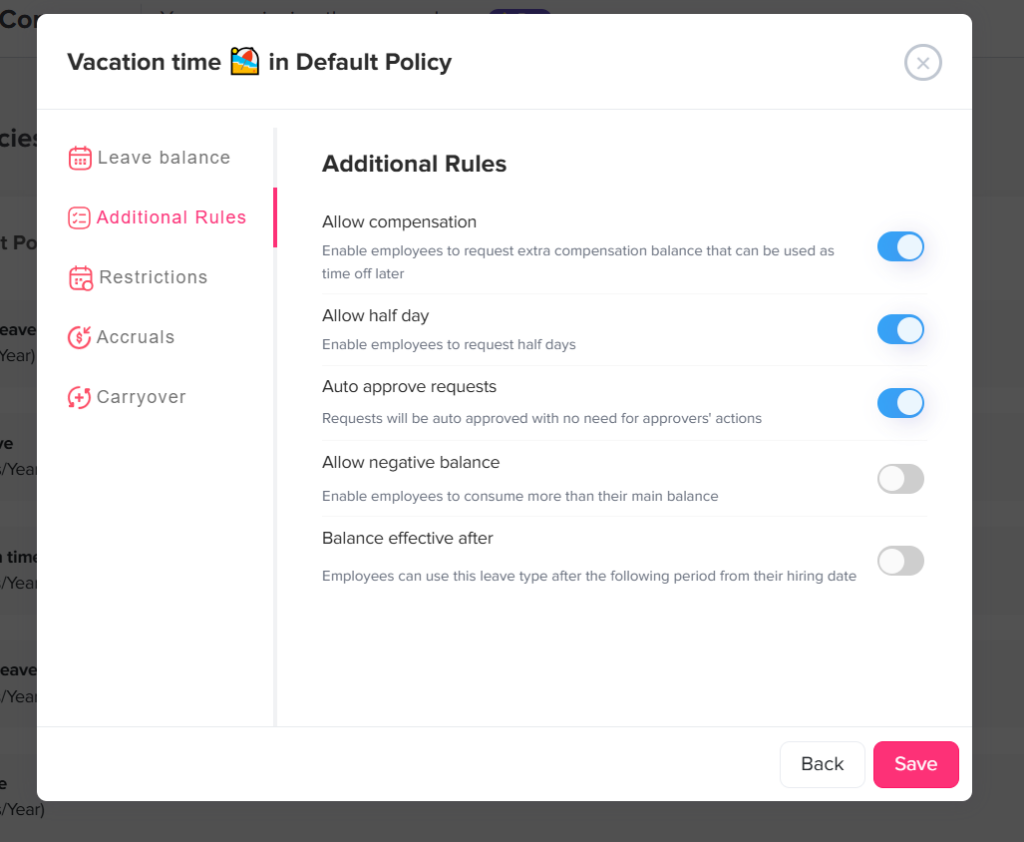
Creating a Formal PTO Balance Dispute Procedure
Employers should define a standard process before disputes occur.
A practical procedure may include:
- Employees submit disputes through a specified HR channel.
- The employee identifies the leave type, disputed amount and relevant date.
- HR acknowledges receipt and creates a case record.
- A designated reviewer reconstructs the balance.
- Payroll participates when paid hours are affected.
- A second reviewer approves material corrections.
- HR records the root cause.
- The employee receives a written explanation.
- Related employees or policies are reviewed when the error may be widespread.
- The case and supporting records are retained according to the employer’s recordkeeping policy.
The procedure should also define a target response period. Straightforward cases may be resolved quickly, while historical disputes involving multiple policy changes may require more investigation.
Controls That Prevent Future PTO Balance Disputes
The best dispute process is supported by preventive controls.
Maintain one primary source of truth
Define whether the leave system, HRIS or payroll platform controls each data element.
For example:
- HRIS: employee name, status, manager and department.
- Leave system: policy assignment, accruals, requests and balances.
- Timekeeping system: hours worked and attendance.
- Payroll system: earnings, deductions and payments.
When multiple systems independently calculate the same PTO balance, differences are more likely.
Use effective dated policy assignments
Do not overwrite an old policy assignment when an employee changes status. Keep the previous assignment and record when the new one begins.
Restrict manual balance changes
Only authorized HR or payroll users should be able to adjust balances. Material adjustments may require approval by a second person.
Require adjustment reasons
Make a reason mandatory for every manual change. Use clear categories such as:
- Migration correction.
- Payroll correction.
- Canceled request restoration.
- Policy assignment correction.
- Carryover correction.
- Accrual correction.
- Administrative error.
Reconcile PTO regularly
HR and payroll should compare leave activity before payroll closes and at important points such as:
- Month end.
- Quarter end.
- Leave year reset.
- Calendar year end.
- Payroll system migration.
- Policy change.
- Employee separation.
Test policy changes before activation
Before changing an accrual rate, carryover rule or reset date, test representative employees with different hire dates, schedules and balances.
Provide employee access to transaction history
Employees are less likely to dispute a balance when they can see how it was calculated. A transparent history should show accruals, requests, cancellations, carryover, expiration and adjustments.
Review exception reports
Useful exception reports include:
- Employees with negative balances.
- Employees who received no scheduled accrual.
- Duplicate leave entries.
- Large manual adjustments.
- Accruals above policy limits.
- Employees assigned to inactive policies.
- Canceled requests without restoration transactions.
- Differences between payroll and PTO exports.
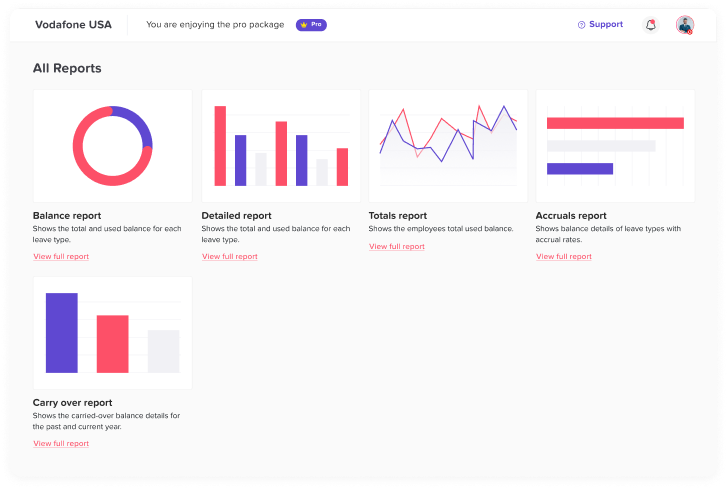
How Day Off Helps Reduce PTO Balance Disputes
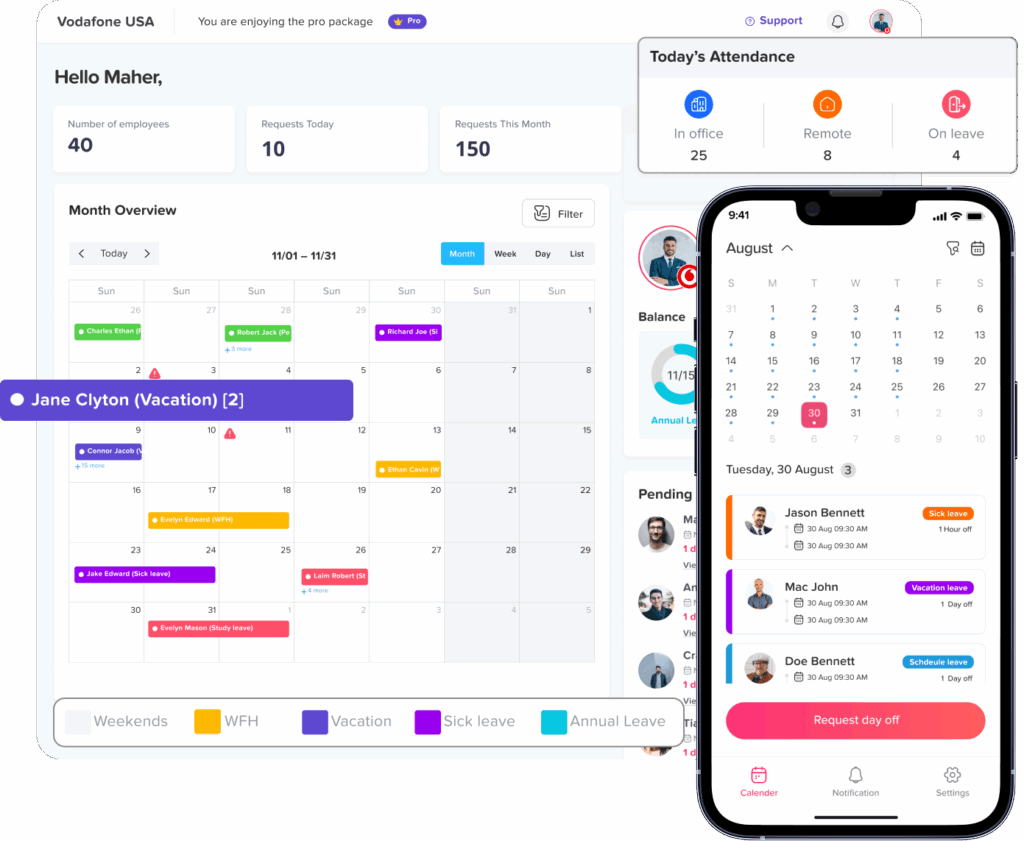
Day Off gives HR teams, managers, and employees a centralized place to manage leave requests, balances, policies, accruals and reports.
Organizations can use Day Off to:
- Configure different leave policies and accrual schedules.
- Assign employees to the appropriate policy.
- Automate recurring PTO accruals.
- Apply carryover limits and reset rules.
- Track approved, rejected, pending and canceled requests.
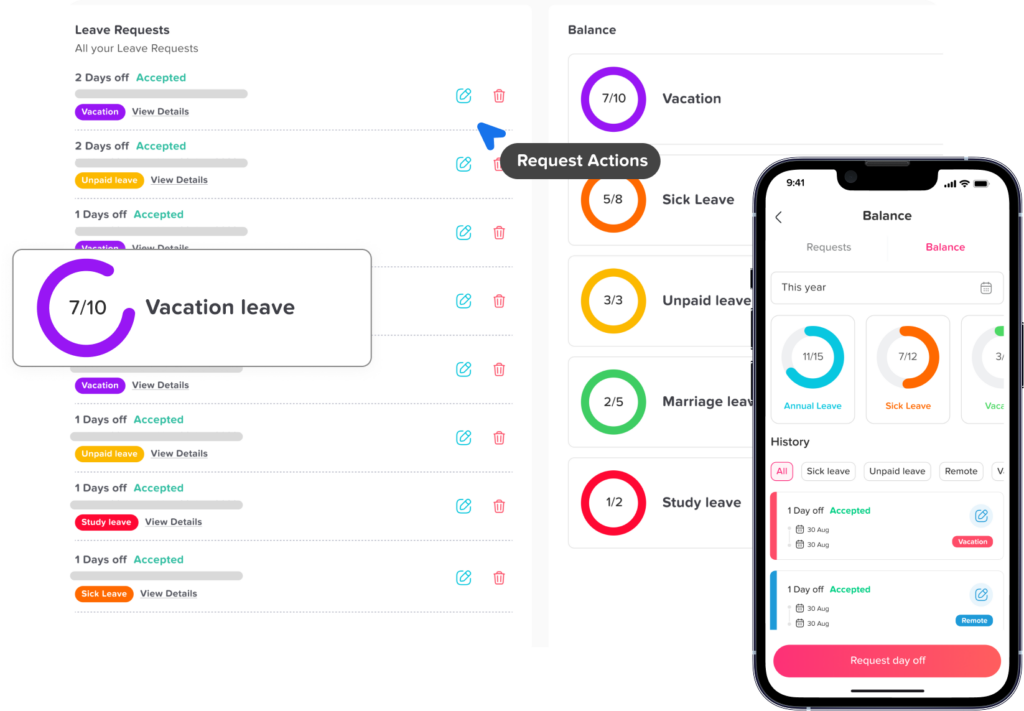
- Review employee balance and leave history.
- Make documented balance adjustments.
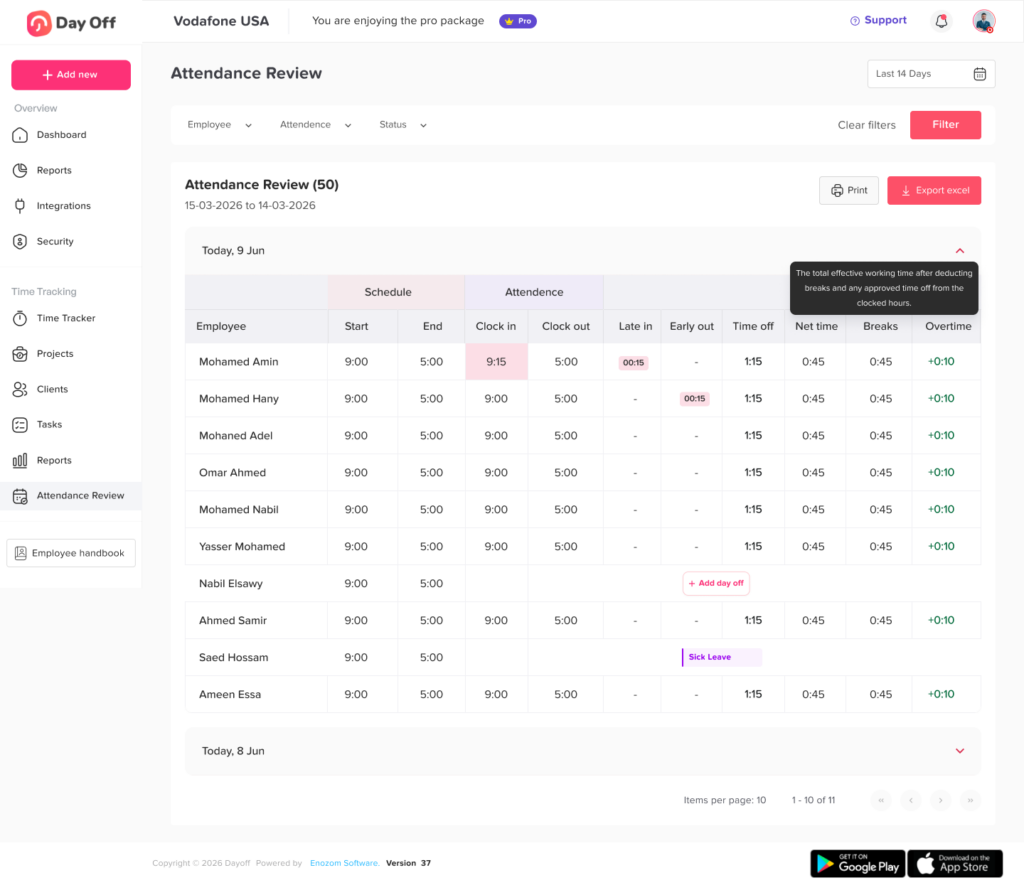
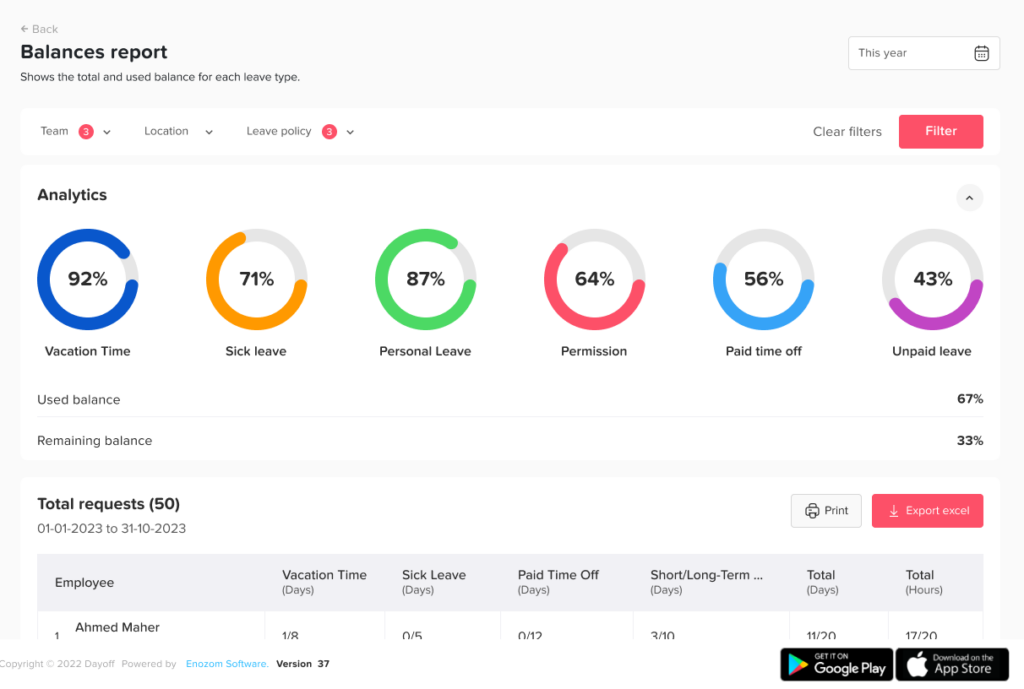
- Export reports for payroll and reconciliation.
- Manage leave across teams, departments and locations.
- Give employees self service access to their balances and requests.
- Maintain better visibility into who changed a record and when.
Centralizing leave data reduces reliance on disconnected spreadsheets and informal manager records. It also gives HR a clearer transaction history when a balance question arises.
Frequently Asked Questions
What should an employee do if their PTO balance is wrong?
The employee should report the concern to HR or the designated leave administrator. The report should identify the leave type, expected balance, displayed balance, relevant date and any transactions believed to be incorrect.
Screenshots, pay statements and previous balance reports may help HR identify the difference.
How should HR calculate the correct PTO balance?
HR should begin with a verified opening balance and reconstruct the account chronologically.
The calculation should include:
- Accruals or grants.
- Eligible carryover.
- Approved PTO used.
- Canceled-request reversals.
- Expired hours.
- Manual adjustments.
- Policy or schedule changes.
- Any other credits or deductions.
The result should be calculated as of a specific date.
Can HR manually change an employee’s PTO balance?
HR may be able to make a manual adjustment if company policy and the leave system allow it. However, the adjustment should include a reason, effective date, supporting evidence and appropriate approval.
Whenever possible, HR should correct or reverse the original transaction instead of adding an unrelated manual adjustment.
What happens if PTO was deducted twice?
HR should locate the duplicate requests or deductions, verify which transaction is valid and reverse the duplicate. Payroll should also be reviewed to determine whether the employee was paid correctly.
What happens when a canceled PTO request is not returned?
HR should verify that the request was approved and deducted before cancellation. If the balance was not restored, HR should process a reversal or documented credit linked to the canceled request.
Can an employer remove PTO that was added by mistake?
The answer depends on the reason for the error, the employer’s written policy, the employee’s location, whether the PTO has already been used, and applicable wage or leave law.
Employers should review legal requirements before removing accrued time or recovering related pay. This is particularly important in jurisdictions where earned vacation is treated as wages.
Should employees receive retroactive PTO accrual corrections?
If the investigation confirms that the employee earned PTO under the applicable policy but did not receive it, the employer should generally correct the affected accruals.
The correction should cover the appropriate historical period and account for any accrual caps, status changes, leave usage or carryover rules that would have applied.
How far back should HR investigate a PTO dispute?
HR should review the full period necessary to identify a reliable starting balance and explain the difference. This may involve the current leave year, previous carryover period, date of hire, policy-change date or system-migration date.
Applicable record-retention rules, contracts and limitation periods should also be considered.
Should HR investigate other employees after finding an error?
Yes, when the root cause may affect more than one employee.
For example, a wrong accrual setting, carryover rule, integration mapping or rounding method may affect everyone assigned to the same policy. HR should test the broader group and make corrections proactively.
Can a PTO dispute affect an employee’s final paycheck?
Yes. If unused vacation is payable at separation under applicable law or company policy, an incorrect balance can cause an incorrect final payment.
California, for example, requires earned and unused vacation to be included in final wages, subject to applicable rules.
How can employers prevent PTO balance disputes?
Employers can reduce disputes by using clear policies, automated accruals, effective-dated assignments, restricted adjustment permissions, regular payroll reconciliation, transparent transaction histories and documented audit trails.
Employees should also be able to review their balances regularly instead of discovering an error immediately before a vacation or separation.
Conclusion
PTO Balance Disputes should be handled as structured reconciliations, not informal balance changes. HR must identify the exact balance and date being questioned, confirm the applicable policy, verify the opening balance, reconstruct every transaction, compare payroll and attendance records, and document the result.
When an error is confirmed, the correction should address the original transaction, use the appropriate effective date, preserve the audit trail, and clearly explain the outcome to the employee. HR should then investigate whether the same problem may have affected anyone else.
Accurate leave records protect employee trust, support reliable payroll, improve financial reporting, and reduce the risk of larger disputes. A centralized PTO tracking system such as Day Off can help organizations automate accruals, preserve leave history, control adjustments, and give employees clearer visibility into how their balances are calculated.