







PTO tracker is crucial for both employees and HR departments. A well designed PTO tracker ensures seamless vacation management, compliance with company policies, and employee satisfaction. Here are features that your PTO tracker should include to maximize its effectiveness:

Why Choosing the Right PTO Tracker Matters
Before diving into features, it’s important to understand the impact of using the right tool. A well designed PTO tracking system can:
- Eliminate manual errors
- Improve employee experience
- Save HR teams hours of administrative work
- Ensure compliance with company policies and labor laws
- Provide real time visibility into team availability
Without these capabilities, even small teams can quickly run into scheduling conflicts, payroll inaccuracies, and employee dissatisfaction.
Easy Time Off Requests and Approvals
At the core of any PTO tracker is the ability for employees to request time off easily and for managers to approve it quickly.
A good system should allow employees to:
- Submit requests in seconds
- Select leave types (vacation, sick leave, etc.)
- Add notes or attachments if needed
Managers, on the other hand, should be able to:
- Approve or reject requests with one click
- View overlapping requests
- Receive instant notifications
This eliminates long email threads and keeps everything centralized.
Automated Leave Balance Tracking
Manual calculations are one of the biggest sources of errors in PTO management. A reliable PTO tracker should automatically:
- Calculate leave balances
- Deduct approved time off
- Handle accruals (Monthly, Semi Monthly, Weekly and bi weekly)
- Adjust balances based on tenure or policy changes
This ensures that employees always see accurate balances, reducing confusion and unnecessary HR inquiries.
Shared Team Calendar
Visibility is key when managing time off across a team. A shared calendar allows everyone to see who is out and when.
Look for features like:
- Team wide calendar view
- Department or location filtering
- Public holiday integration
- Conflict detection
This helps teams plan better, avoid understaffing, and maintain productivity even during peak vacation periods.
Multiple Leave Types and Custom Policies
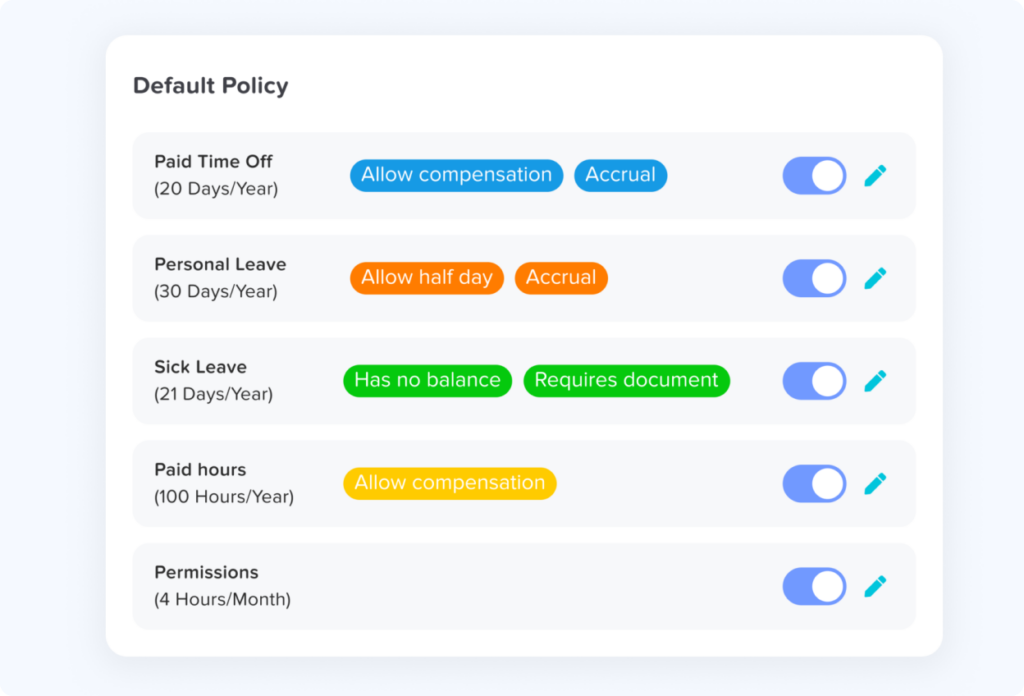
Every organization has different leave policies. A flexible PTO tracker should support:
- Vacation leave
- Sick leave
- Personal days
- Unpaid leave
- Custom leave types (e.g., parental leave, study leave)
Additionally, it should allow you to:
- Set different rules for different teams
- Create location based policies
- Customize accrual rates and carryover limits
This flexibility ensures the system adapts to your company not the other way around.
Mobile Accessibility
Work doesn’t happen only at a desk anymore. Employees expect to manage their time off on the go.
A modern PTO tracker should offer:
- Mobile apps for iOS and Android
- Easy request submission from anywhere
- Push notifications for approvals and updates
- Real time balance checks
Mobile access increases adoption and ensures that requests don’t get delayed just because someone isn’t at their computer.
Notifications and Reminders
Communication gaps can lead to missed requests or delayed approvals. Built-in notifications help keep everyone informed.
Important notification features include:
- Alerts for new requests
- Approval or rejection updates
- Reminders for pending actions
- Policy updates or balance changes
These automated notifications reduce back and forth communication and keep workflows moving smoothly.
Reporting and Analytics
Data driven decisions are essential for effective workforce management. A good PTO tracker should provide insights such as:
- Time off trends
- Department level absence patterns
- Remaining leave balances
- Peak vacation periods
With these insights, HR teams can:
- Plan staffing more effectively
- Identify burnout risks
- Improve leave policies
Integrations with Other Tools
Your PTO tracker shouldn’t operate in isolation. Integration with other workplace tools enhances efficiency.
Look for integrations with:
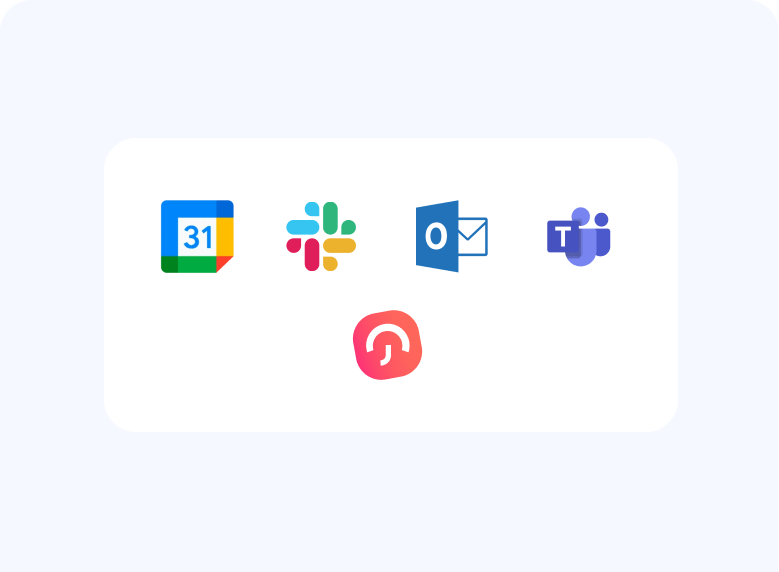
- Calendar tools (Google Calendar, Outlook)
- Communication platforms (Slack, Microsoft Teams)
This ensures seamless data flow and reduces the need for duplicate entries.
Why Modern Tools Like Day Off Stand Out
While many tools offer basic PTO tracking, modern solutions go further by combining simplicity with powerful features. For example, Day Off provides:
- A clean and intuitive interface
- Fully automated leave tracking
- Mobile first experience
- Flexible leave policies for different teams
- Real-time team calendar visibility
Compared to manual tracking or spreadsheets, using a dedicated tool like Day Off significantly reduces administrative work and improves accuracy across the board.
FAQ
What is a PTO tracker?
A PTO (Paid Time Off) tracker is a tool that helps businesses manage and monitor employee leave, including vacation days, sick leave, and other types of time off. It automates calculations, tracks balances, and simplifies the request and approval process.
Why is a PTO tracker important for businesses?
A PTO tracker helps reduce manual errors, saves time for HR teams, and improves transparency across the organization. It also ensures that leave policies are applied consistently and that teams can plan around employee absences effectively.
Can small businesses benefit from a PTO tracker?
Yes, PTO trackers are especially useful for small businesses. They eliminate the need for spreadsheets and manual tracking, making it easier to manage leave even with limited HR resources. Many tools, including Day Off, are designed to be simple and affordable for small teams.
What features should I prioritize when choosing a PTO tracker?
You should prioritize features like automated leave tracking, easy request and approval workflows, a shared team calendar, mobile access, and customizable leave policies. Reporting and integrations are also important for growing teams.
Does a PTO tracker handle different leave types?
Yes, most modern PTO trackers support multiple leave types such as vacation, sick leave, unpaid leave, and custom categories. They also allow businesses to create tailored policies for different teams or locations.
Can employees access PTO trackers on mobile devices?
Most modern PTO tracking tools offer mobile apps for iOS and Android. This allows employees to request time off, check their balances, and receive notifications anytime, from anywhere.
How does a PTO tracker calculate leave balances?
A PTO tracker automatically calculates leave balances based on company policies. This includes accrual rules (monthly or yearly), carryover limits, and adjustments based on tenure or role.
Is it better to use a PTO tracker instead of spreadsheets?
Yes, using a PTO tracker is far more efficient than spreadsheets. It reduces errors, automates repetitive tasks, and provides real time visibility into employee availability. Tools like Day Off make the entire process faster and more reliable.
Can a PTO tracker integrate with other tools?
Many PTO trackers integrate with tools like Google Calendar, Slack, outlook calendar and Microsoft Temas. These integrations help streamline workflows and ensure that all systems stay in sync.
Is employee data safe in a PTO tracker?
Reputable PTO tracking tools prioritize data security by offering features like role based access, secure storage, and compliance with data protection standards. Always choose a trusted solution to ensure your data is protected.
Conclusion
Choosing the right PTO tracker can transform how your organization manages time off. The best tools go beyond simple tracking they automate processes, improve communication, and provide valuable insights.
When evaluating your options, make sure your solution includes these essential features:
- Easy requests and approvals
- Automated balance tracking
- Shared calendar visibility
- Flexible leave policies
- Mobile accessibility
- Smart notifications
- Reporting and analytics
- Integrations
- Strong security
Investing in the right PTO tracker isn’t just about convenience it’s about building a more efficient, transparent, and employee friendly workplace.