







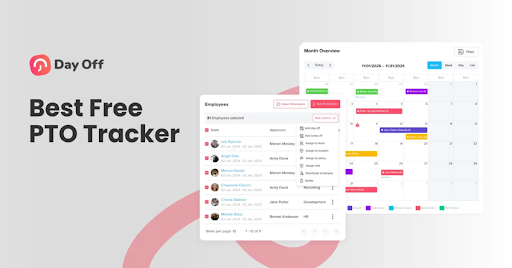
Managing employee leave, whether paid time off, sick days, vacation, or custom leave types, is one of the most critical administrative tasks in any organization. Yet many companies still rely on spreadsheets, email threads, or scattered calendars to track who is absent and when. This often leads to errors, resourcing issues, misunderstandings, and even legal disputes if leave balances are not tracked or enforced accurately.
Fortunately, modern free paid leave tracking tools make absence management smooth, transparent, and precise. Among them, Day Off stands out as one of the most powerful and user-friendly solutions available today. In this article, we will explore why accurate leave tracking is essential, what features the best tracking tools should offer, and how Day Off meets all these requirements with a free, scalable tool.

Why Is Accurate Paid Leave Tracking Essential?
Before choosing a leave tracking tool, it is important to understand why accurate and reliable leave management plays a crucial role in employee satisfaction and business operations.
Avoids Manual Errors
Manual leave tracking methods, such as spreadsheets, emails, or paper documents, are highly susceptible to human error. Small mistakes like incorrect formulas, forgotten updates, or duplicate entries can quickly lead to inaccurate leave balances. Over time, these errors create confusion, disputes, and even payroll issues. An accurate tracking system automates calculations, consistently enforces company policies, and ensures balances are always up to date, eliminating the risks associated with manual management.
Improves Transparency and Trust
Lack of visibility into leave balances often leads to misunderstandings between employees, managers, and HR. When employees do not know how much leave they have left or why a request was rejected, frustration sets in. Accurate tracking systems give employees self-service access to their leave balances, request history, and approval status. This transparency builds trust, reduces unnecessary back-and-forth with HR, and helps employees feel confident that leave policies are applied fairly.
Streamlines Planning
Without accurate leave data, managers struggle to plan workloads and ensure adequate coverage, especially during peak periods, public holidays, or critical project deadlines. A reliable tracking system provides real-time visibility into who is on leave, who has requested time off, and who is available. This allows managers to make informed decisions, prevent simultaneous absences, and maintain productivity without overloading the rest of the team.
Supports Compliance and Reporting
Leave policies are often shaped by labor laws, regional regulations, and internal company rules. These rules may include accrual rates, carry-over limits, expiration policies, or mandatory public holidays. Enforcing these rules manually is a complex and risky process. Accurate tracking systems automatically apply compliance rules, reduce the risk of legal or financial penalties, and generate clear reports for audits, payroll processing, and management reviews.
What to Look for in a Leave Tracking Tool
Whether you are evaluating leave management tools in general or considering Day Off specifically, a reliable tracking tool should offer features that reduce administrative work, improve accuracy, and enhance the employee experience.
Automated Leave Balances and Accurate Accruals
A good leave tracking tool should automatically calculate and update leave balances based on your company’s policies. Whether leave accrues annually, monthly, per pay period, or based on seniority, the system should handle this process automatically without manual intervention.
Self-Service Leave Requests
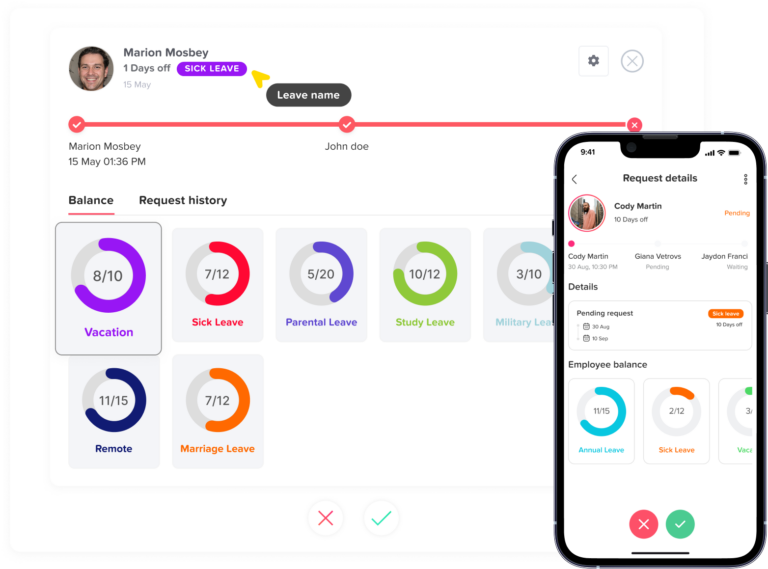
Employees should be able to request leave easily through a web or mobile interface. Rather than relying on emails or messages, a self-service system allows employees to select dates, choose leave types, add notes if needed, and submit requests in just a few clicks.
Clear Approval Workflows
Every organization has a different approval structure. A good leave tracking tool should support flexible approval workflows, whether that means single-manager approval or multi-step approval processes across departments.
Centralized Shared Calendar
A centralized team calendar provides real-time visibility into who is absent and when. This helps managers and teams plan ahead, avoid overlapping absences, and maintain adequate coverage during critical periods.
Flexible Leave Policies
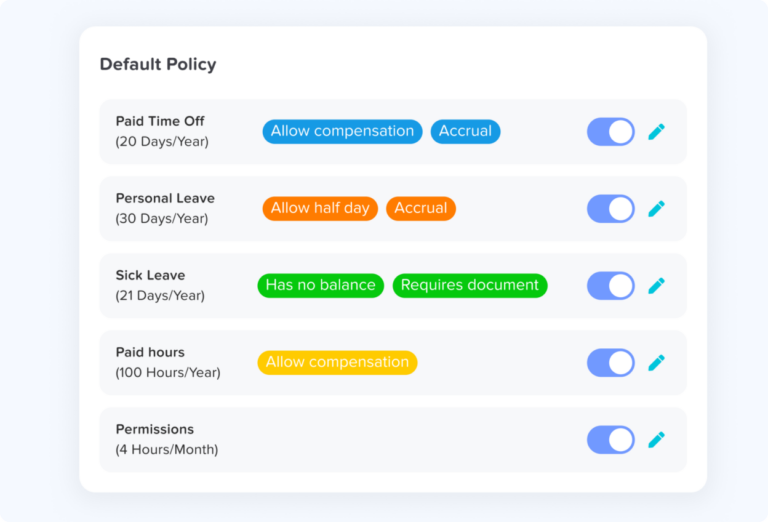
No two organizations manage leave the same way. The ideal tool lets you create unlimited custom leave types, vacation, sick leave, parental leave, unpaid leave, or volunteer days, and configure accrual rules, carryover limits, expiration dates, and blocked periods.
Robust Reporting
Detailed, reliable reporting is essential for HR, finance, and leadership teams. A good tool should offer reports on balances, accruals, usage trends, and carry-overs, supporting payroll accuracy, compliance audits, and strategic workforce planning.
Integrations
Seamless integrations with everyday tools, such as Google Calendar, Outlook, Slack, and Microsoft Teams, ensure that leave information is visible wherever teams already work.
Day Off Vacation Tracker: A Powerful and Free Tool
Day Off is a cloud-based leave tracking and absence management solution designed to simplify employee time off management for teams of any size. Built with ease of use in mind, Day Off combines an intuitive interface with scalable, enterprise-grade features. Most importantly, it offers a genuinely robust free tier, ensuring that essential leave tracking tools are not hidden behind a paywall.
Automated Leave Balances
Day Off automatically calculates and updates leave balances based on the rules you define. Whether you offer annual allocations, monthly accruals, seniority-based increases, or apply carryover limits and expiration dates, the system handles it all. Employees always see accurate, real-time entitlements, eliminating confusion and manual adjustments.
Self-Service Requests
Employees can submit vacation, PTO, sick leave, or any other type of leave request through intuitive web and mobile interfaces in just a few clicks. Managers and HR teams receive instant notifications, ensuring requests are reviewed promptly without resorting to emails, chats, or spreadsheets.
Flexible Approval Workflows
Day Off supports single-step and multi-step approval workflows, allowing organizations to reflect their internal hierarchy and approval processes. Approvers can review and act on requests directly from their inbox, synced calendars, or within the Day Off platform, keeping decisions fast and visible.
Shared Team Calendars
With shared calendars, teams gain clear visibility into who is absent and when, across departments and locations. Approved leave can be automatically synced with Google Calendar and Outlook, making it easier to schedule meetings, deadlines, and workloads based on actual availability.
Custom Policies and Multi-Location Support
Day Off allows organizations to define custom leave policies for different teams, departments, or locations. Configure work weeks, public holiday calendars, accrual rules, and leave types to comply with local labor laws and regional practices — making it an ideal solution for distributed and global teams.
Detailed Reports and Analytics
Powerful reporting tools provide insights into leave balances, accruals, carry-overs, and historical leave usage. Reports can be filtered by team, location, or leave type, supporting payroll accuracy, compliance audits, and strategic workforce planning.
Mobile and Desktop Access
With full mobile and desktop support, employees and managers can request, approve, and review leave anytime, anywhere. This flexibility is particularly valuable for remote, hybrid, and field teams.
Free for All Teams
Day Off’s free plan includes unlimited employees and essential leave tracking features with no hidden restrictions, making it an excellent choice for startups, growing businesses, and cost-conscious organizations.
Advanced HR Benefits of Using Day Off
Data-Driven Decisions
With built-in analytics and historical trend tracking, Day Off enables leaders and HR teams to move beyond reactive leave management. By identifying trends such as peak leave periods, frequent short absences, or underutilized leave, organizations can anticipate staffing needs and proactively support employee wellness initiatives.
Improved Employee Experience
Day Off empowers employees with self-service access to real-time leave data, including balances, accruals, and request statuses. This transparency minimizes administrative back-and-forth, reduces frustration, and helps employees feel confident that policies are applied fairly.
Compliance and Record-Keeping
Day Off automatically logs all leave activity, requests, approvals, rejections, accruals, and carryovers, creating a reliable, timestamped audit trail. This supports compliance with labor laws and internal policies across different regions.
Integration with Work Tools
By integrating with the tools teams already rely on, such as calendars and communication platforms, Day Off embeds leave management into daily workflows, reducing context switching and improving visibility.
How to Get Started with Day Off
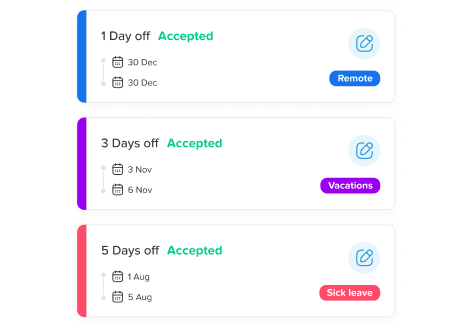
Getting started with Day Off is quick and intuitive, allowing teams to transition from manual or spreadsheet-based tracking to a modern, automated leave system with minimal setup.
Create a Workspace
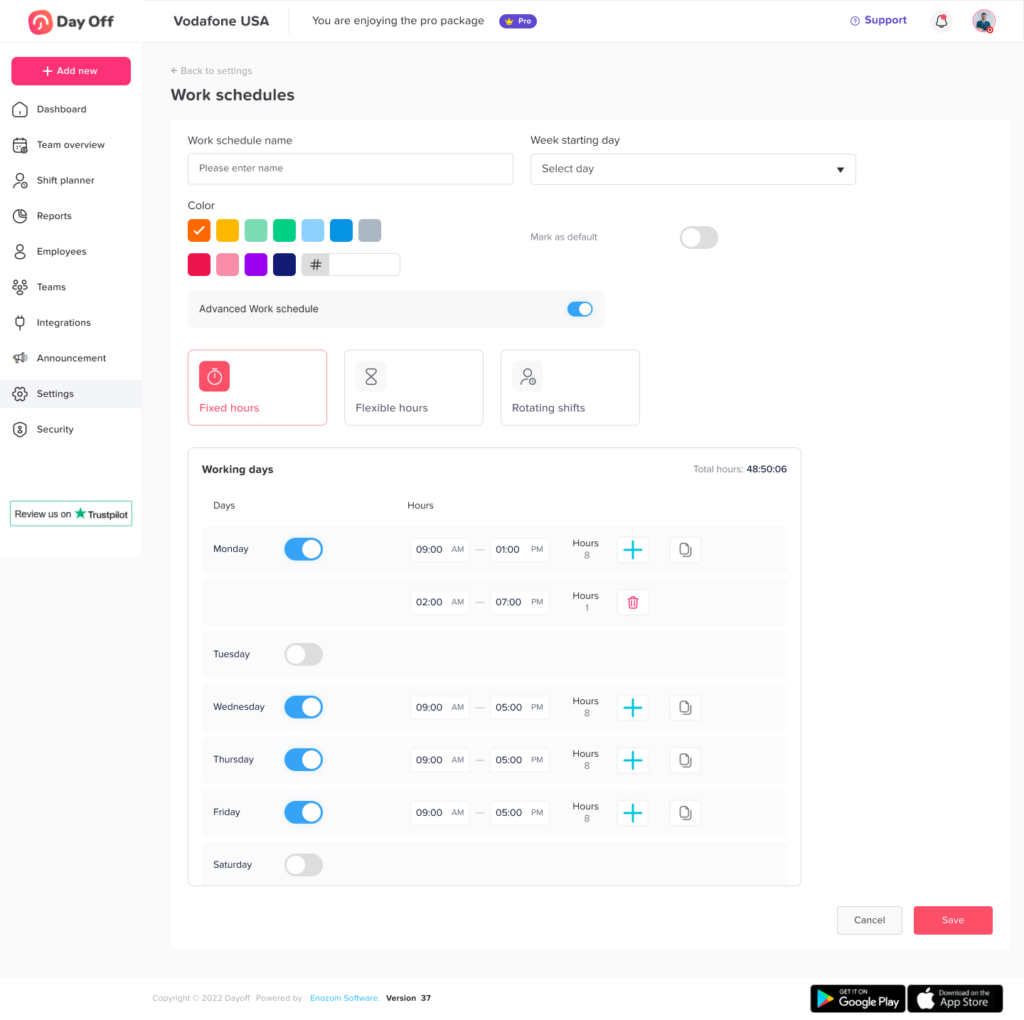
Set up your organization in minutes by defining your default work schedule, time zone, and company-wide settings.
Define Leave Types
Add the leave types your organization supports, such as PTO, vacation, sick leave, parental leave, or unpaid leave. You can customize each type to match your internal policies.
Set Accrual and Carryover Rules
Configure accrual schedules, carryover limits, and expiration rules to automatically calculate leave balances.
Invite Your Team
Invite employees by email or share a simple invitation link. Once onboarded, employees can immediately view their balances and begin submitting leave requests.
Set Up Approvals
Establish approval workflows that reflect your organizational hierarchy, whether single-step or multi-step.
In just a few hours, you can replace spreadsheets and manual processes with a scalable, reliable leave management system that grows with your business.
FAQ about Day Off
Can I customize leave types beyond standard PTO, vacation, and sick leave?
Absolutely. Day Off lets you create unlimited custom leave types, including unpaid leave, parental leave, volunteer days, or any company-specific leave category. Each leave type can be configured with unique accrual rules, carryover limits, blocked dates, and approval workflows.
Does Day Off support multiple locations or global teams?
Yes. Day Off supports multi-location and distributed teams. You can configure work weeks, public holiday calendars, and accrual rules specific to each location to comply with local labor laws.
Can employees access Day Off on mobile devices?
Yes. Day Off is fully accessible on both mobile and desktop devices, allowing employees and managers to request, approve, or review leave anytime, anywhere.
How does Day Off handle approval workflows?
Day Off provides flexible approval workflows that match your organizational structure. Whether single-step approvals or multi-step processes across departments, the system automatically routes requests to the right approvers.
Can Day Off integrate with tools like Google Calendar, Outlook, or Slack?
Yes. Day Off integrates seamlessly with popular work tools including Google Calendar, Outlook, Slack, and Microsoft Teams. Approved leave syncs directly with calendars, and notifications can appear in communication platforms.Yes. Day Off integrates seamlessly with popular work tools including Google Calendar, Outlook, Slack, and Microsoft Teams. Approved leave syncs directly with calendars, and notifications can appear in communication platforms.
Does Day Off provide reports and analytics?
Yes. Day Off offers detailed reports and analytics covering leave balances, accruals, carry-overs, usage trends, and historical data. Reports can be filtered by team, department, location, or leave type.
Is Day Off compliant with labor laws?
Day Off helps maintain compliance with labor regulations by automatically tracking accruals, carry-overs, expirations, and approval histories. All leave actions are logged with timestamps, providing an audit-ready record.
Can Day Off fully replace spreadsheets?
Yes. Day Off is designed to completely replace manual tracking methods. With automated leave balances, approval workflows, shared calendars, and robust reporting, spreadsheets, email chains, and scattered files are no longer necessary.
How long does it take to get started with Day Off?
Setup is quick and intuitive. Within just a few hours, you can create your workspace, define leave types, configure accrual and carry-over rules, invite employees, and establish approval workflows.
Conclusion
Effective paid leave management is far more than simply counting days off, it is a critical element in building a productive, transparent, and compliant work environment. Manual methods such as spreadsheets, emails, and scattered calendars can lead to errors, confusion, and inefficiencies that impact both employee satisfaction and business operations.
Modern leave tracking tools like Day Off simplify absence management by automating accruals, centralizing approvals, providing real-time visibility, and generating actionable reports. Beyond accurate tracking, Day Off supports data-driven decision-making, improves the employee experience, ensures compliance, and integrates seamlessly with existing workflows.
Whether you are a small startup or a growing enterprise, adopting a tool like Day Off allows your team to break free from manual tracking and embrace a scalable, reliable system that grows with your organization. With its intuitive design and robust free plan, Day Off makes leave management accurate, transparent, and efficient, accessible to every team.
Take the first step today: streamline your leave tracking, empower your employees, and create a work environment where managing time off is simple and fully transparent.