








What to Look for in an Absence Management App for Small Teams
Before diving into the tools, here are the features that matter most at this team size:
- Simple request and approval workflow: employees submit, managers approve, everyone gets notified.That’s the core loop.
- Shared team calendar: so the whole team can see who’s out at a glance.
- Leave type customization: vacation, sick leave, remote work, parental leave, and anything specific to your policies.
- Public holiday support: automatic by country, so you’re not manually entering bank holidays.
- Integrations: Google Calendar, Slack, or Microsoft Teams, depending on where your team lives.
- Affordable pricing: ideally with a free tier or low per-user cost.
With those criteria in mind, here are the seven best options.
Day Off: Best Option for Teams of Any Size
Pricing: Free plan available · Paid from 2$/user/month
Best for:Teams of 2–50 who want fast setup and clean leave management
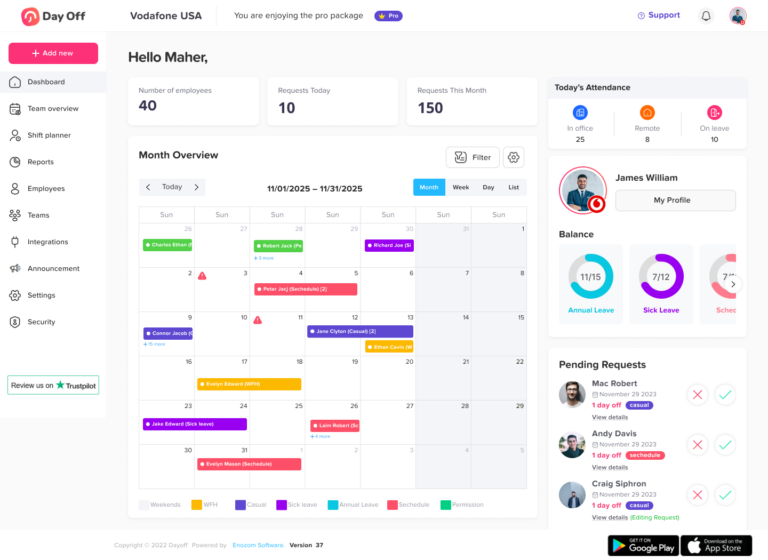
Day Off is the strongest absence management app for small teams, and it’s not particularly close. While other tools in this space are either stripped-down and limiting or bloated with HR features you’ll never use, Day Off lands exactly where a sub-50 team needs it: genuinely useful, immediately usable, and priced for the real world.
Why Day Off leads
Setup takes under five minutes
Create your account, define your leave types, set your approval workflow, and invite your team. There’s no implementation process, no sales call, and no professional services fee. Most teams are fully operational the same day they sign up.
The shared team calendar is excellent
Multi-country public holiday support is built in
The approval workflow is frictionless
Slack and Google Calendar integrations work out of the box
The free plan is genuinely usable
Potential limitations
Day Off is a focused tool: it does leave management, and it does it well. It’s not a payroll integration hub, it doesn’t handle shift scheduling, and its reporting stays basic on the free plan. For teams whose primary need is absence tracking, which describes most teams under 50, none of those gaps matter.
If you’re managing a team under 50 and want absence management handled cleanly and without fuss, start with Day Off. It’s the most sensible default choice in this category.
BambooHR: Best for Teams Planning to Grow
Custom pricing (demo required)
Best for:Teams approaching 50 who anticipate needing broader HR features
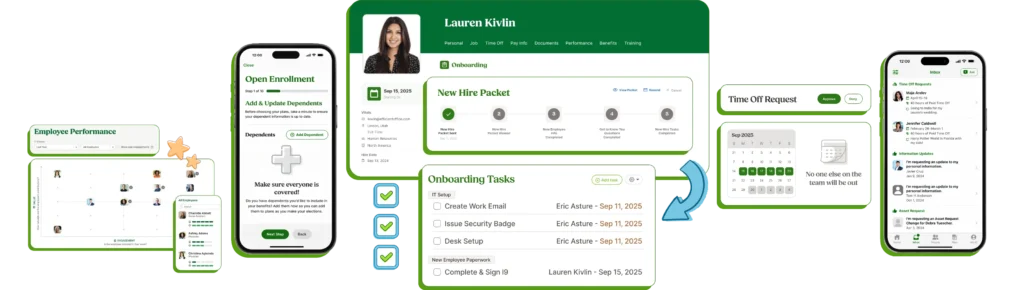
BambooHR is a full HR platform with employee records, onboarding, performance management, and more, with leave management built in as a core module rather than an add-on. The time off feature set is robust: it handles accruals, rollover policies, overlapping request logic, and offers solid reporting.
For pure leave tracking, BambooHR is more tool than most small teams need. But if you know you’ll be adding headcount and want an HR system that can grow with you, it’s a credible long-term investment. The trade-off is pricing opacity (you’ll need to talk to sales) and meaningful setup time.
Verdict:A strong choice if you’re buying for where your team will be in 18 months, not where it is today.
Calamari: Best for Teams That Need Attendance and Leave Together
Pricing:From ~$2/user/month per module
Best for:Teams with hourly workers or mixed remote/in-office setups
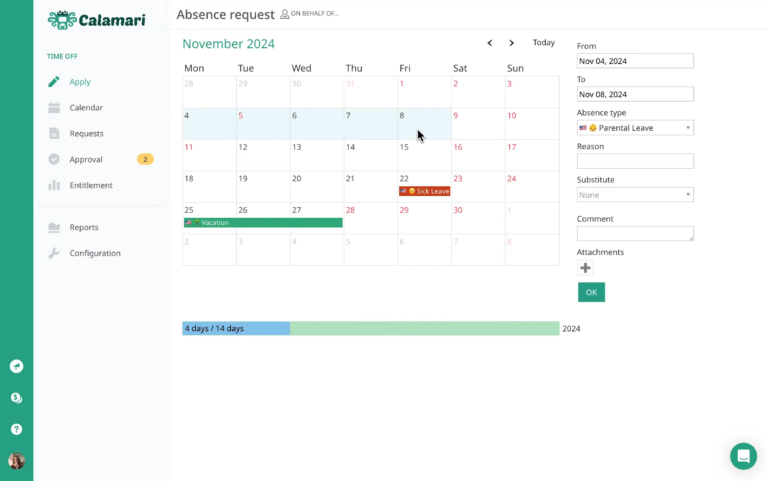
Calamari covers both clock-in/clock-out attendance tracking and leave management under one roof, a combination that most tools in this list don’t offer. The leave module handles multiple leave types, accruals, and a team calendar view. Integration with Slack, Google Workspace, and Microsoft Teams is solid.
The interface is more functional than beautiful, and the two-module pricing structure (you pay separately for attendance and leave) can add up. But for teams where physical attendance tracking matters alongside absence management, Calamari fills a real gap.
Verdict:A practical pick for operations-heavy teams who need both time tracking and leave in one place.
Timetastic: Best Budget Option
Pricing:~$1.50/user/month (no free tier)
Best for:Teams that want something reliable at low cost
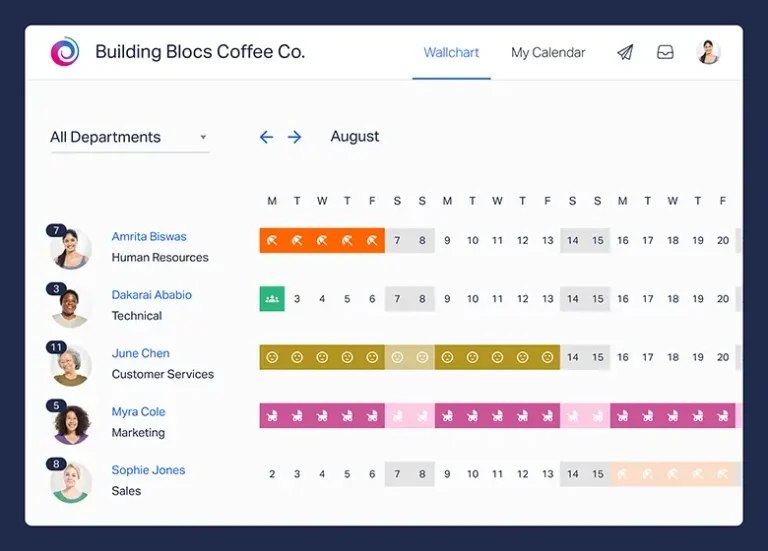
Timetastic is the no-surprises option. The wall chart (their name for the team calendar), leave request approvals, and email and Slack notifications all work reliably. Pricing is flat and transparent. There’s no free plan, but at roughly $1.50 per user per month, it’s hard to argue with the value.
Where Timetastic falls short is in customization and reporting, both of which are limited. Teams with straightforward leave policies and no reporting requirements will never notice. Teams with complex accrual rules or HR reporting needs will bump into the ceiling quickly.
Verdict:A dependable, no-frills choice for teams that want absence management handled and don’t want to think about it again.
Factorial: Best All-in-One HR Lite Option
Pricing:From ~$5/user/month
Best for:European teams or those wanting HR features beyond leave
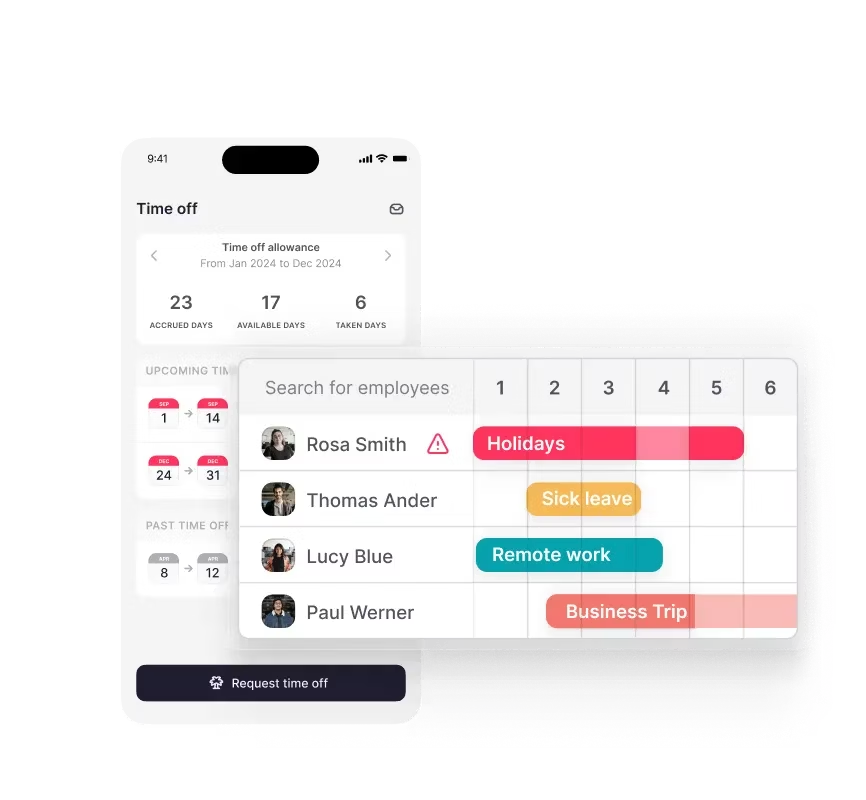
Factorial is a lightweight HR platform covering leave management, shift scheduling, document storage, and expense tracking. It’s particularly popular in Europe, where its compliance features align well with local labor regulations. The UI is modern and clean, noticeably more polished than some older tools in this space.
The leave module handles complex policies well, making it a reasonable step up from pure leave tools for teams that want room to expand. The trade-off is cost, at $5/user/month and up, it’s meaningfully more expensive than Day Off or Timetastic for a team that really only needs absence management.
Verdict:Worth considering if you’re a European team or expect to need HR features beyond leave tracking in the near term.
LeaveBot: Best for Slack-First Teams
Humaans: Best for Design-Forward Teams
Pricing:From ~$8/user/month
Best for:Teams that care about software quality and employee experience
Humaans is arguably the best-designed HR tool in this category. Every screen is intentional. The product feels premium in a way that most HR software, notoriously clunky, does not. Leave management is part of a broader people operations platform that also covers employee records, onboarding, and analytics.
The price reflects the quality: at $8/user/month and up, it’s the most expensive option on this list. For a team under 50 that just needs leave tracking, it’s hard to justify purely on functionality grounds. But for companies where product quality matters and the employee experience with internal tools reflects the overall culture, Humaans is genuinely excellent.>
Verdict: A premium choice for teams that want the best possible product experience and are willing to pay for it.
Side-by-Side Comparison
Compare Day Off with Other Leave Management Tools
See how Day Off stacks up against popular HR and PTO tracking solutions.
| App | Free Plan | Slack Sync | Accruals | Mobile App | Starting Price |
|---|---|---|---|---|---|
|
Best Value
Day Off
|
✓ | ✓ | ✓ | ✓ | Free / $2 user/mo |
| BambooHR | ✕ | ✓ | ✓ | ✓ | Custom |
| Calamari | ✕ | ✓ | ✓ | ✓ | ~$2 user/mo |
| Timetastic | ✕ | ✓ | ✓ | ✓ | ~$1.50 user/mo |
| Factorial | ✕ | ✕ | ✓ | ✓ | ~$5 user/mo |
| LeaveBot | ✓ | ✓ | ✓ | ✕ | Free / ~$1 user/mo |
| Humaans | ✕ | ✓ | ✓ | ✓ | ~$8 user/mo |
Frequently Asked Questions
What is absence management software?
What is the best absence management software for small teams?
How much does absence management software cost?
What is the difference between absence management and leave management?
What is the difference between absence management software and time tracking software?
Can absence management software integrate with Slack?
Does absence management software integrate with Google Calendar or Outlook?
How do small teams track employee vacation and sick days without software?
What happens to unused vacation days, can absence management software handle rollover?
Is absence management software GDPR compliant?
Do employees need to download an app to use absence management software?
How long does it take to set up absence management software?
Can absence management software support teams in multiple countries?
What’s the difference between a free absence management tool and a paid one?
Which Absence Management App Should You Choose?
Start with Day Off
If you’re managing a team under 50 and want absence management up and running today. The free plan is genuinely useful, setup takes minutes, and the tool handles every core use case, requests, approvals, team calendar, public holidays, without unnecessary complexity.
Choose BambooHR or Factorial
If you’re buying ahead of growth and want a platform that can handle broader HR needs as your headcount scales.
Choose Calamari
If you manage a mix of salaried and hourly workers and need attendance tracking alongside leave management.
Choose Timetastic
If you want the simplest possible paid option with predictable, transparent pricing.
Choose LeaveBot
If your team lives in Slack and adoption of standalone tools is your biggest obstacle.
Choose Humaans
If product quality and employee experience are top priorities and the budget is flexible.
Conclusion
For teams under 50, absence management doesn’t need to be complicated. Employees submit requests, managers approve them, and everyone can see who’s out, that’s the entire job. The right tool makes it invisible.
If you’re starting fresh, begin with Day Off. It’s purpose-built for small teams, takes minutes to set up, and the free plan covers everything most teams actually need. You can always upgrade or switch as your team grows, but for the majority of teams under 50, Day Off will handle the job without ever feeling like a limitation.
For teams with more specific needs, the alternatives are clear: BambooHR or Factorial if you’re scaling toward a full HR platform, Calamari if you need attendance tracking alongside leave, Timetastic if budget is the primary concern, LeaveBot if your team lives in Slack, and Humaans if product quality is non-negotiable.
Whichever tool you choose, one thing is certain: anything is better than a spreadsheet.