








Holiday PTO planning becomes one of HR’s biggest scheduling challenges every year. Thanksgiving, Christmas, New Year’s Day, school breaks, travel plans, unused PTO balances, and year-end deadlines all push employees toward requesting many of the same days off.
For employers, the challenge is not simply deciding who gets vacation. HR and managers also have to maintain enough coverage, apply PTO policies consistently, avoid unfair treatment, account for public holidays, and manage unused balances before the leave year closes.
The best approach is to start before requests begin piling up.

A clear holiday PTO plan should tell employees:
When holiday PTO requests open
When requests must be submitted
How competing requests will be decided
How many employees can be away at once
Which dates, if any, have restrictions
When employees will receive a decision
What happens to unused PTO at year-end
This guide explains how to manage peak holiday PTO requests from Thanksgiving through New Year, including the important 2026 dates, fair approval methods, staffing strategies, U.S. leave considerations, and ways Day Off can help HR teams manage the entire process.
Why Holiday PTO Planning Matters
Holiday time off is unusually difficult because employee demand becomes concentrated into a small number of dates.
Travel is one reason.
AAA projected a record 81.8 million travelers traveling at least 50 miles from home during the 2025 Thanksgiving period. For the 2025 year-end holiday period, AAA projected another record of 122.4 million travelers between December 20 and January 1.
Although 2026 travel forecasts have not yet been published, employers can reasonably expect the same basic pattern: requests tend to increase around Thanksgiving week, Christmas, school holidays, and the days connecting Christmas to New Year.
There is another reason holiday PTO becomes complicated: having access to paid holidays does not mean employees automatically receive every surrounding day off.
According to the Bureau of Labor Statistics, 81% of private-industry workers had access to paid holidays in March 2026. Paid-holiday arrangements vary by employer, however, and days such as Christmas Eve, New Year’s Eve, or the Friday after Thanksgiving may still require employees to work or use PTO.
When many employees want the same dates, waiting until December to create a process can lead to:
Last-minute denials
Understaffing
Inconsistent approvals
Employee frustration
Manager conflicts
Confusion over unused PTO
Too many employees trying to use expiring balances at once
Good holiday PTO planning turns these problems into a predictable process.
Important Holiday PTO Dates for 2026
For U.S. employers, Thanksgiving falls on Thursday, November 26, 2026, while Christmas Day falls on Friday, December 25, 2026. New Year’s Day falls on Friday, January 1, 2027. These dates are listed on the official federal holiday schedules published by the U.S. Office of Personnel Management.
That calendar creates several particularly attractive opportunities for employees to extend their time away from work.
| Date | Day | Holiday Period | Why PTO Demand May Increase |
|---|---|---|---|
| Nov. 23 to 25 | Mon. to Wed. | Before Thanksgiving | Employees may take the full Thanksgiving week off |
| Nov. 26 | Thursday | Thanksgiving Day | U.S. federal holiday |
| Nov. 27 | Friday | Day after Thanksgiving | One PTO day can create a four-day weekend for employees off on Thanksgiving |
| Dec. 21 to 23 | Mon. to Wed. | Christmas week | Travel, school breaks, and family plans |
| Dec. 24 | Thursday | Christmas Eve | Some employers close early, while others operate normally |
| Dec. 25 | Friday | Christmas Day | U.S. federal holiday |
| Dec. 28 to 31 | Mon. to Thu. | Between Christmas and New Year | Four PTO days can create a long continuous break |
| Jan. 1, 2027 | Friday | New Year’s Day | U.S. federal holiday |
For an employee who normally works Monday through Friday and receives Christmas Day and New Year’s Day off, taking December 28 through December 31 as PTO can create ten consecutive days away from work, from December 25 through January 3.
That makes these four days likely to be among the most competitive dates of the season.
Employers should identify these high-demand periods before opening holiday PTO requests.
When Should Holiday PTO Requests Open?
For major year-end holidays, employers should generally give employees several weeks to plan and submit requests.
There is no federal rule requiring a specific holiday PTO request deadline. Employers can establish reasonable notice requirements through their own leave policies, subject to applicable laws, contracts, and accommodation requirements.
A practical holiday PTO planning process could look like this:
| Period | HR Action |
|---|---|
| Early October | Review last year’s holiday absences and business needs |
| Mid-October | Publish holiday PTO rules and open requests |
| Early November | Close Thanksgiving requests |
| Mid-November | Close Christmas and New Year requests |
| Late November | Publish final approval decisions |
| Early December | Reopen remaining available dates |
| Mid-December | Perform final staffing and coverage review |
| Early January | Review carryover, expired balances, and year-end records |
The exact dates are less important than consistency.
Employees should know in advance:
When requests open.
When they close.
How conflicts will be resolved.
When decisions will be announced.
That prevents employees from wondering whether submitting a request six months early gives them an automatic advantage or whether managers can change the rules once demand becomes high.
How to Approve Holiday PTO Requests Fairly
When more employees request a date than the business can reasonably accommodate, managers need an objective method for deciding.
There are several common approaches.
First-Come, First-Served
Requests are approved in the order they are received until the staffing limit is reached.
Advantages
Easy to understand
Easy to administer
Encourages employees to plan early
Works well when conflicts are uncommon
Disadvantages
Employees who cannot plan far ahead may be disadvantaged
A difference of minutes or hours can determine who receives Christmas off
The same highly organized employees may receive the best dates every year
First-come, first-served can work well for smaller teams with flexible coverage.
Holiday Rotation
Employees alternate priority for highly requested holidays.
For example, an employee who receives Christmas week off in 2026 may have lower priority for the same period in 2027.
Advantages
Spreads desirable dates across employees over time
Particularly useful for teams that must operate during holidays
Reduces repeated conflict
Disadvantages
Requires accurate historical records
Managers must clearly explain how priority carries forward
Changes in team membership can complicate the system
Rotation is especially useful for customer service, healthcare, retail, hospitality, operations, and other teams that cannot close completely.
Seniority
Employees with longer service receive priority.
This system is sometimes used where seniority rules already exist, particularly in unionized or shift-based workplaces.
It is straightforward but can create a disadvantage for newer employees if senior workers receive the most desirable dates year after year.
If seniority is used, it should be documented and consistently applied.
Lottery
When several employees have equal claims to a limited number of available spots, HR conducts a random draw.
Advantages
Neutral
Easy to explain
Useful for highly contested dates
Disadvantages
Random selection may feel frustrating
It does not reward early planning
Employees who lose the lottery still need alternatives
A lottery works best when all requests are collected during a defined submission period and are treated equally.
Related reading: Vacation Bidding: How Seniority, Lottery, and PTO Priority Systems Work
A Hybrid PTO Approval System Often Works Best
Employers do not necessarily need to use one method for every request.
A practical approach is:
Approve ordinary, non-conflicting dates first-come, first-served.
Collect requests for a defined period before deciding on highly contested dates.
Use rotation or another documented tie-breaker when too many employees request the same dates.
For example, if six support employees request December 28 but only three can be away, HR might use the team’s holiday rotation history to determine priority.
The important part is that employees know the method before approvals begin.
Set Minimum Holiday Staffing Before Approving PTO
One of the biggest mistakes in holiday PTO planning is approving individual requests without first establishing how much coverage the business actually needs.
Managers should define minimum staffing before requests are reviewed.
Instead of saying: No more than three employees can be off.
A stronger rule might be: At least two customer-support employees and one supervisor must be available each business day.
This focuses on operational capability rather than total headcount.
Different roles may require different coverage.
For example:
| Role | Employees | Minimum Working | Maximum Away |
|---|---|---|---|
| Customer Support | 8 | 5 | 3 |
| Sales | 6 | 3 | 3 |
| Finance | 4 | 2 | 2 |
| IT Support | 3 | 2 | 1 |
This approach also helps managers explain denials.
Instead of saying: Your request was rejected because of business needs.
They can say: The maximum number of approved absences for the support team has already been reached on December 28.
That is clearer and easier for employees to understand.
Should Employers Use PTO Blockout Dates?
A PTO blackout date is a period when vacation requests are restricted or prohibited because the organization expects unusually high staffing needs.
Examples may include:
Black Friday for retailers
Inventory periods
Major product launches
Tax deadlines
Year-end financial closing
Large events
Seasonal peaks
Blackout dates can be useful, but they should not become the default response to holiday scheduling.
If ordinary staffing limits can solve the problem, a complete blackout may be unnecessary.
A better approach can sometimes be to allow a limited number of employees to take PTO rather than preventing everyone from requesting it.
When using blackout dates:
Publish them as early as possible.
Explain why they are necessary.
Apply them consistently.
Keep the restricted period as narrow as reasonably possible.
Consider protected leave and accommodation obligations separately.
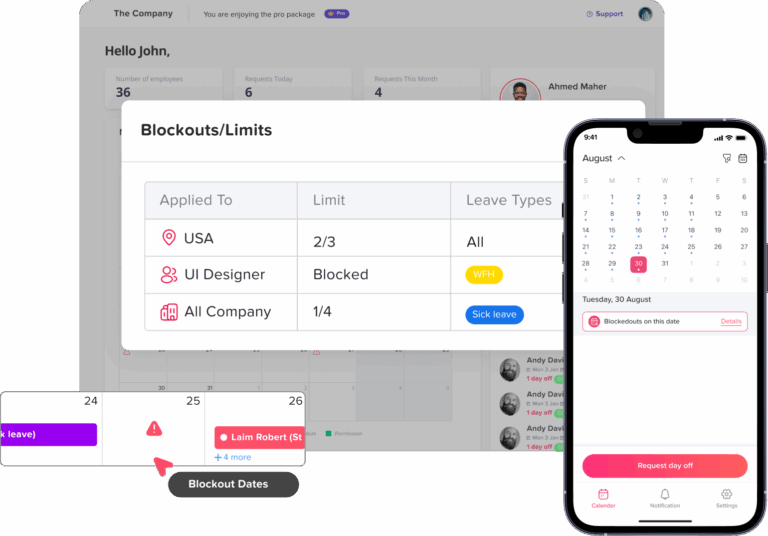
Day Off, for example, allows employers to create Blockout Dates and either prevent requests entirely during a period or set a maximum number of requests that can be submitted. Restrictions can be applied according to operational needs.
Do Employers Have to Approve Holiday PTO?
Under the federal Fair Labor Standards Act, employers are generally not required to provide vacation, holiday, or sick pay.
The U.S. Department of Labor states that the FLSA does not require payment for time not worked, including vacations and holidays. These benefits are generally determined by agreements, employer policies, applicable state laws, or collective bargaining agreements.
The FLSA also does not generally require employees to receive premium pay simply because they work on a holiday. Federal overtime requirements may still apply when a covered nonexempt employee works more than 40 hours in a workweek.
This means an employer can often deny an ordinary vacation request when the business does not have sufficient coverage.
However, HR should not treat every request as an ordinary vacation request.
Some absences may involve:
Religious accommodation
FMLA leave
State-mandated leave
Disability accommodation
Sick leave protections
Collective bargaining agreements
Other legally protected circumstances
Employers should review applicable requirements before denying those requests.
Holiday PTO and Religious Accommodation
Religious observances deserve particular attention during holiday scheduling.
Title VII of the Civil Rights Act generally requires covered employers to reasonably accommodate an employee’s sincerely held religious beliefs or practices unless doing so would create an undue hardship.
Following the Supreme Court’s 2023 decision in Groff v. DeJoy, the EEOC explains that an undue hardship requires a burden that is substantial in the overall context of the employer’s business. Factors can include the particular accommodation, its practical effect, and the employer’s nature, size, and operating costs.
Possible accommodations can include:
Shift swaps
Schedule changes
Flexible arrival or departure times
Voluntary substitutes
Floating holidays
Changes to break times
Time off for religious observance
The EEOC specifically identifies scheduling changes and voluntary shift substitutions among common religious accommodations.
For this reason, a religious accommodation request should not automatically be placed into the same first-come or lottery process used for ordinary vacation requests.
HR should evaluate it individually.
What Happens to Unused PTO at Year-End?
Before the holiday request period begins, HR should remind employees exactly what happens to unused balances.
Your policy may provide for:
Full carryover
Carryover up to a limit
PTO payout
Accrual caps
Another arrangement permitted by applicable law
State rules matter.
California, for example, treats earned vacation as wages. According to the California Division of Labor Standards Enforcement, accrued vacation cannot simply be forfeited under a use-it-or-lose-it policy, although employers can establish a reasonable cap on further accrual.
Employers operating in multiple states should not assume that one year-end PTO rule works everywhere.
Clear carryover rules also reduce December panic.
When employees know that unused PTO can carry into the next year, they may feel less pressure to request the final available days simply to avoid losing their balance.
How to Reduce Holiday PTO Conflicts Before They Happen
Many holiday PTO problems can be prevented before an approval decision is ever required.
Publish the Rules Early
Employees should not discover the holiday approval method after submitting a request.
Communicate:
Submission dates
Approval criteria
Coverage requirements
Blackout dates
Carryover rules
Expected decision dates
Ideally, put these rules in a written PTO policy that employees can easily access.
Make Team Availability Visible
A shared PTO calendar helps employees understand when a date is already becoming crowded.
They may voluntarily choose another date rather than submit a request likely to be denied.
This also helps managers identify gaps before they become operational problems.
Cross-Train Employees
Holiday PTO becomes risky when only one employee knows how to complete a critical task.
Before peak leave periods:
Identify essential duties.
Assign backup owners.
Document important processes.
Train employees to cover key responsibilities.
Cross-training gives managers more flexibility when approving time off.
Offer Alternatives Instead of a Simple Rejection
If an employee cannot take the exact dates requested, consider whether another solution is possible.
Options might include:
A half-day request
Different dates
A shift swap
Remote work, when appropriate
A floating holiday
An alternative week
Splitting a longer request
Even when the original request cannot be approved, offering alternatives can make the process feel much fairer.
Review Last Year’s PTO Data
Your own historical data is often more useful than general holiday trends.
Ask:
Which dates had the most requests?
Which departments struggled with coverage?
How many requests were denied?
Which employees worked the major holidays?
Did carryover rules create a December rush?
Were there last-minute cancellations or sick calls?
Use that information to adjust staffing limits and approval rules for the coming year.
A Sample Holiday PTO Planning Timeline for 2026
Here is a practical timeline HR teams can adapt.
Early October
Review:
Company holidays
Work schedules
Minimum staffing requirements
Previous holiday PTO data
Carryover and expiry rules
Known blackout periods
Managers should identify critical roles that need coverage.
Mid-October
Announce the holiday PTO process.
Tell employees:
When requests open
The submission deadline
How conflicts will be decided
When decisions will be published
Any staffing restrictions
Then open requests for Thanksgiving through early January.
Early November
Close the first request window for Thanksgiving.
Review competing requests and staffing levels.
Publish Thanksgiving decisions early enough for employees to finalize travel arrangements.
Mid-November
Close the request window for Christmas and New Year.
Run any rotation, seniority, or lottery process needed to settle competing requests.
Late November
Publish Christmas and New Year decisions.
When denying a request, provide a clear explanation and, where possible, alternative dates.
Early December
Reopen any dates that still have capacity.
These remaining requests can often be handled first-come, first-served.
Mid-December
Run a final coverage review.
Confirm:
Who is working
Who is on PTO
Holiday closures
Backup employees
On-call assignments
Critical responsibilities
Early January
Reconcile:
PTO balances
Carryover
Expired balances
Manual adjustments
Pending requests
This is also a good time to record what worked and what should change before next year’s holiday season.
How Day Off Helps With Holiday PTO Planning
Managing peak holiday requests through spreadsheets, emails, and messages quickly becomes difficult when several employees request overlapping dates.
Day Off centralizes employee PTO requests, balances, policies, holidays, approvals, and team availability so managers can make holiday decisions with more context.
See Holiday Absences in One Calendar
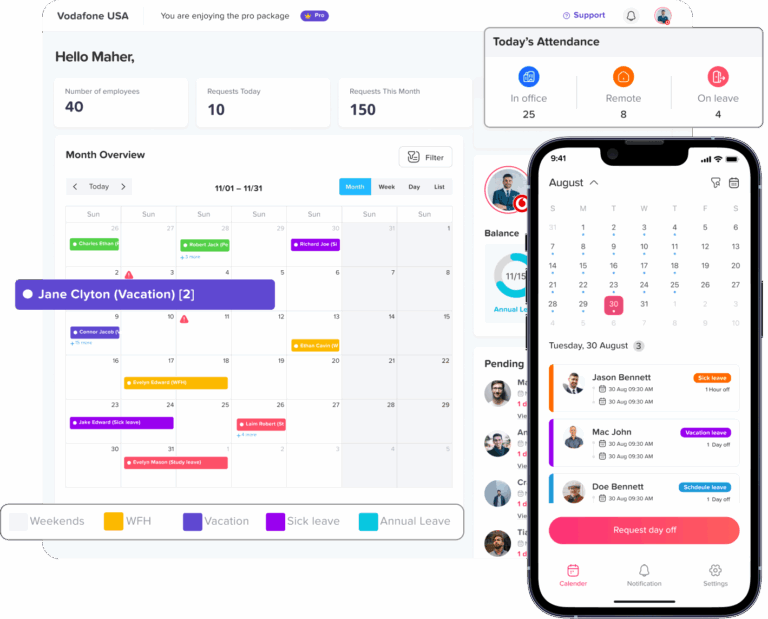
Day Off’s dashboard calendar displays approved leave and official holidays in monthly, weekly, and list views.
That helps managers see where multiple absences overlap before approving another request.
Instead of checking a spreadsheet and several email chains, managers can review team availability from one shared calendar.
Add Holidays for Different Locations
International teams may not share the same public holidays.
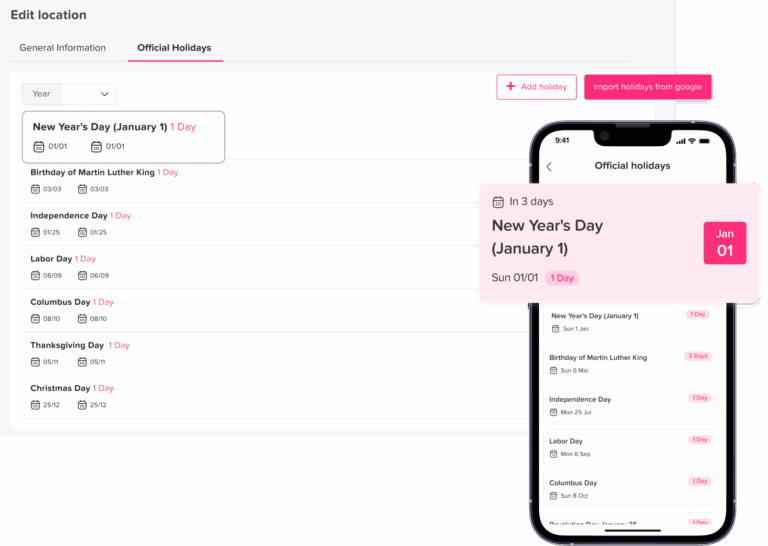
Day Off allows companies to create multiple locations, customize working days and weekends, and add official holidays by importing them from Google Calendar or entering them manually.
This is particularly useful during year-end planning when employees in different countries may observe different holidays.
Use Blockout Dates or Request Limits
When certain days require additional coverage, companies can use Day Off’s Blockout Dates feature.
Administrators can either:
Prevent requests during the selected period, or
Limit how many requests can be made.
This can be applied during periods such as Black Friday, year-end closing, major events, or other critical business dates.
Using a limit instead of a full blackout can allow employees to continue requesting PTO while protecting minimum staffing.
Create Flexible Leave Policies
Different employee groups may need different holiday rules.
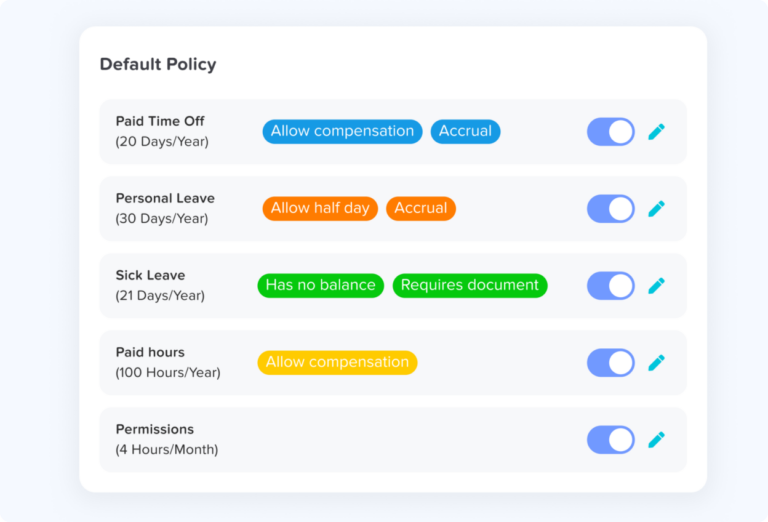
Day Off supports configurable leave policies, including:
Vacation and sick leave
Accrual rules
Carryover
Carryover limits
Carryover expiration
Work schedules
Half-day options
Minimum and maximum request duration
Other leave rules
Accruals can be configured on schedules such as weekly, biweekly, semimonthly, or monthly.
This gives HR more control over how balances behave before and after year-end.
Manage Approval Workflows
Holiday requests often need more oversight than ordinary leave requests.
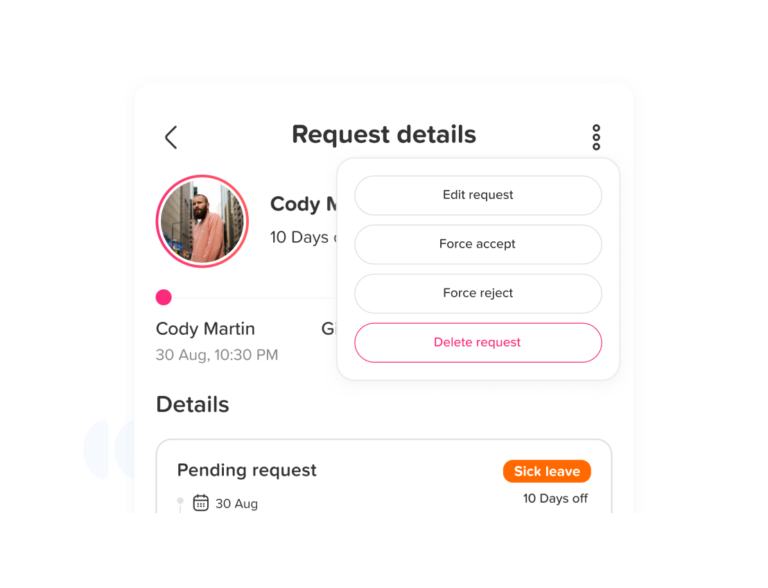
Day Off supports approval workflows and multiple approvers, helping organizations route requests according to their management structure. Pro accounts can also use teams and team-level configurations.
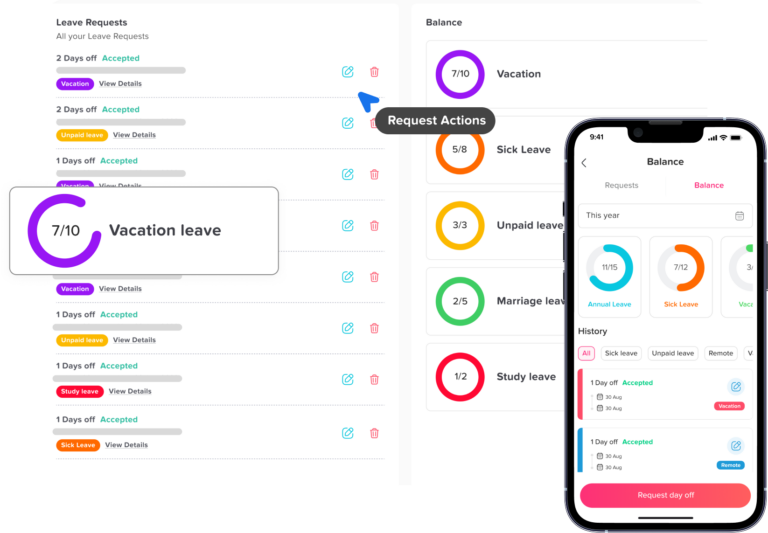
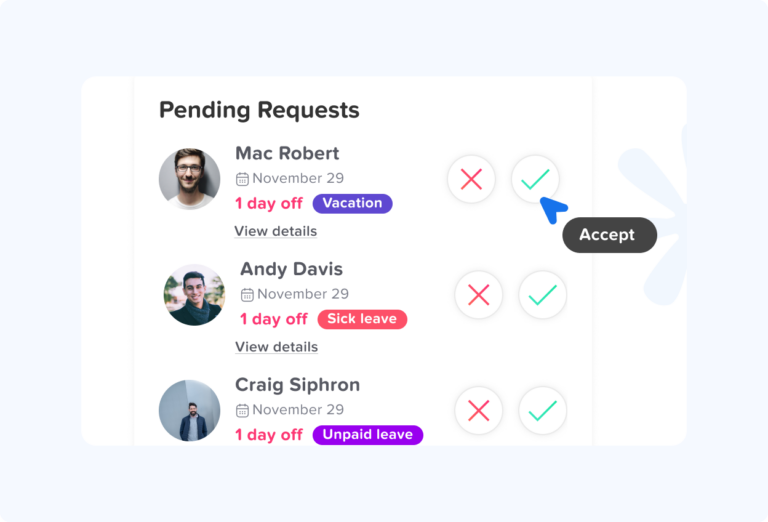
Managers can review requests with the employee’s existing balance and team availability in view.
Track Carryover Before Year-End
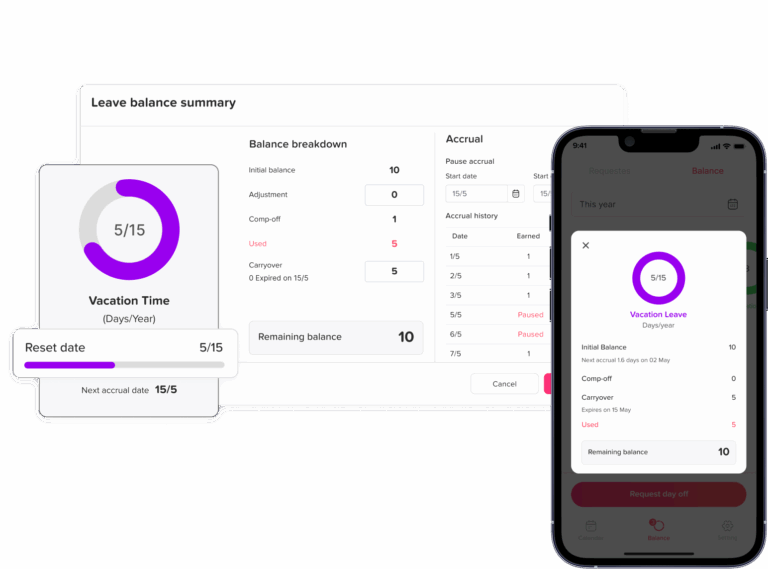
Day Off includes carryover controls that let employers determine whether unused leave rolls forward, how much can carry over, and when carried balances expire.
Reports also help HR review employee balances, accruals, carryover, and leave usage.
This can make the year-end reconciliation process easier and help identify employees with unusually high unused balances before December.
Use Work Schedules for More Accurate PTO
Not everyone works Monday through Friday.
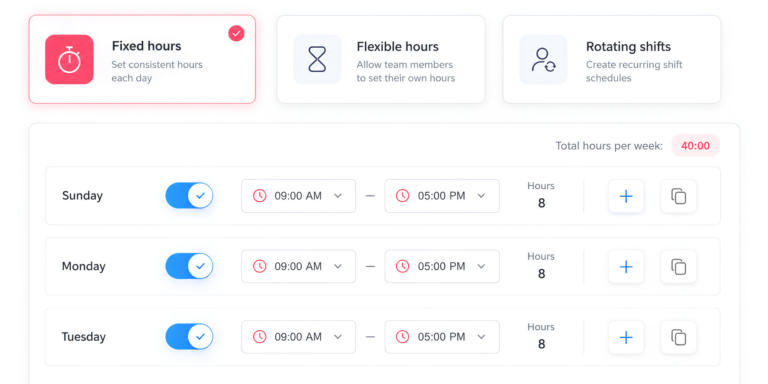
Day Off supports fixed, flexible, and shift-based work schedules, helping leave calculations reflect when an employee is actually expected to work.
This becomes especially useful around holidays when alternative schedules, rotating shifts, and different weekends can make manual calculations difficult.
Connect PTO With Attendance and Time Tracking
Companies that also need employee working-time records can use Day Off Pro + Time Tracker.
The plan includes features such as:
Clock In / Clock Out
Task Tracking
Projects, Tasks & Clients
Attendance Review
Detailed reports
Summary reports
The current Day Off pricing page lists:
Free: $0 for up to 10 employees
Pro: $2 per seat per month, with a $20 monthly minimum
Pro + Time Tracker: $3 per seat per month, with a $30 monthly minimum
Annual billing is advertised with a 17% saving, and paid plans currently offer a free trial without requiring a credit card.
For companies managing holiday leave and employee attendance together, this can reduce the need to keep PTO, work schedules, and employee hours in separate systems.
Holiday PTO Planning Checklist
Before holiday requests begin, HR can use this checklist:
Confirm company holidays and closures.
Review federal, state, local, and contractual requirements that may apply.
Review last year’s holiday PTO demand.
Identify high-demand dates.
Set minimum staffing by role.
Choose an approval method.
Establish request opening and closing dates.
Publish blackout dates or request limits.
Review religious accommodation procedures.
Explain year-end carryover and expiry rules.
Cross-train backup employees.
Make the PTO calendar available to managers.
Publish decisions before travel deadlines.
Review final staffing in December.
Reconcile balances after year-end.
Holiday PTO Planning FAQ
How far in advance should employers ask employees to submit holiday PTO requests?
For major holiday periods such as Thanksgiving, Christmas, and New Year, employers should usually open requests several weeks in advance. A practical approach is to begin planning in October, close the main request window in early or mid-November, and communicate decisions before employees finalize travel plans. The exact timeline can vary by business, but the process should be clearly documented and applied consistently.
What is the fairest way to decide between employees who request the same holiday dates?
There is no single method that works for every team. Common approaches include first-come, first-served, seniority, rotation, and lotteries. Rotation is often useful for recurring peak dates because it spreads desirable holidays across employees over time. Whatever method you choose, employees should know how conflicts will be handled before requests open.
Can an employer deny a holiday PTO request because too many employees are already off?
In many cases, yes. Employers can generally deny ordinary vacation requests when approving them would leave the business without enough coverage, subject to applicable laws, contracts, and company policies. A better practice is to define minimum staffing levels in advance and explain denials using those rules rather than relying on vague reasons such as “business needs.”
Should employers use blackout dates during Thanksgiving, Christmas, or New Year?
Only when the business genuinely requires additional staffing. Blackout dates can be useful during critical periods such as Black Friday, year-end closing, or other seasonal peaks, but they should be limited, communicated early, and applied consistently. In many workplaces, a cap on simultaneous absences is more flexible than completely blocking PTO requests.
How can HR prevent the same employees from getting the best holiday dates every year?
A rotation system is one of the simplest ways to improve long-term fairness. HR can record who received priority for high-demand periods and adjust priority the following year. This works especially well in teams that must remain operational during Christmas, New Year, or other popular holiday periods.
What should HR do if an employee books holiday travel before their PTO request is approved?
The company policy should clearly state that travel arrangements do not guarantee PTO approval. Managers should still review the request fairly under the normal process, but employees should understand that flights, hotels, or other bookings should ideally be made after approval. Communicating this rule early can prevent disputes later.
How should religious holiday requests be handled differently from normal vacation requests?
Religious accommodation requests should not automatically be treated like ordinary vacation requests. In the U.S., covered employers may have obligations under Title VII to reasonably accommodate sincerely held religious practices unless doing so creates an undue hardship. HR should review these requests individually rather than simply putting them into a first-come or lottery system.
How can companies reduce the year-end rush to use unused PTO?
HR can reduce last-minute demand by reminding employees of their balances earlier in the year, encouraging managers to discuss time off before December, and clearly explaining carryover, payout, expiration, and accrual rules. Employees are more likely to save large balances for year-end when they are unsure what will happen to unused PTO.
Should holiday PTO limits be based on total headcount or specific roles?
Role-based limits are usually more useful. A team may technically have enough employees working but still lack coverage for an essential function. Instead of saying “only three people can be off,” a company might require at least two support agents, one supervisor, and one IT contact to remain available.
How can PTO software make holiday planning easier?
PTO software can centralize requests, balances, public holidays, approval workflows, work schedules, and team availability so managers can see conflicts before making decisions. With Day Off, businesses can also use shared calendars, Blockout Dates, carryover rules, work schedules, reports, and multi-step approvals. Teams using Pro + Time Tracker can also connect leave planning with attendance and working-time records.
Conclusion
Effective holiday PTO planning is about balancing employee flexibility with the coverage the business needs to keep running smoothly. The best results come from setting clear deadlines, choosing a fair approval method, defining minimum staffing levels, and communicating year-end PTO rules before requests begin to pile up.
HR teams should also review holiday pay policies, carryover rules, blackout dates, and any requests that may involve legal protections or religious accommodations. Applying the same process consistently helps reduce confusion and makes approval decisions easier to explain.
Using a PTO management system such as Day Off can simplify this process by bringing leave requests, balances, work schedules, public holidays, approvals, Blockout Dates, carryover settings, and team calendars into one place. For companies that also need attendance and time tracking, Day Off Pro + Time Tracker adds Clock In / Clock Out, Task Tracking, Attendance Review, and detailed reporting.
Planning early gives both employees and managers more certainty and helps the business move through Thanksgiving, Christmas, and New Year with fewer scheduling conflicts and last-minute surprises.