





Finding a free time tracker sounds simple until you start comparing the limits. Some tools are free only for a handful of users. Others allow unlimited employees but reserve approvals, payroll features, PTO management, advanced reports, or invoicing for paid plans.
For a small business, the best choice is not necessarily the tool with the longest feature list. It is the one that matches how your team actually works.
A project-based agency may need timers, projects, and billable hours. A restaurant or retail business may care more about clock-ins, schedules, breaks, and attendance. An HR team may need employee working hours to connect with PTO, leave balances, and absences.

This guide compares 9 of the best free time tracking software options for small teams in 2026, including their free-plan limits, important features, ideal use cases, and what happens when your business outgrows the free version.
Related reading: Time Tracking Software Pricing: What You’ll Actually Pay in 2027
Pricing and plan details were reviewed against vendor information available in October 2026. Software pricing changes regularly, so businesses should confirm current prices before purchasing.
Quick Answer: What Is the Best Free Time Tracker?
There is no single best free time tracker for every business.
For small teams, these are some of the strongest options depending on the use case:
Jibble: Good for businesses that want free time tracking without a user limit.
Clockify: Strong for small project-based teams that need timers and timesheets.
TimeCamp: Useful for teams that want unlimited users and projects.
Connecteam: A strong option for businesses with up to 10 deskless or frontline employees.
Homebase: Designed for hourly businesses operating from one location.
Toggl Track: Good for freelancers and small project teams.
Harvest: Best suited to individual freelancers who also need invoicing.
Kimai: A flexible open-source option for companies comfortable managing their own software.
Day Off: Best for businesses that want to manage PTO, attendance, schedules, and employee working hours in the same system.
What Is a Free Time Tracker?
A free time tracker is software that allows individuals or teams to record working hours without paying for a basic subscription.
Depending on the product, employees may record time by:
starting and stopping a timer
clocking in and out
completing a digital timesheet
assigning hours to projects or tasks
using a shared time clock
tracking activity automatically
recording time through mobile or desktop apps
However, the word free can mean very different things.
One product may offer unlimited users but basic functionality. Another may provide advanced tools but restrict the free account to five or ten people. Some products focus on project tracking, while others are built for hourly employees and shift-based businesses.
That is why you should compare the restrictions before comparing the feature lists.
What Should You Look for in a Free Employee Time Tracker?
User Limits
Start by checking how many employees can use the free account.
A plan that works for three employees may become expensive as soon as you hire your fourth or fifth person. Other platforms offer free tracking for considerably larger teams.
If you expect to grow, consider both the free limit and the price of the first paid plan.
Clock In and Clock Out vs. Project Timers
Not every business tracks working hours in the same way.
A restaurant, store, clinic, warehouse, or similar workplace may need employees to clock in when their shifts begin and clock out when they leave.
Agencies, consultants, freelancers, and software teams are more likely to need timers associated with:
clients
projects
tasks
billable activities
Choose software designed around the type of time records your business actually needs.
Timesheets and Reports
Recording hours is only the first step.
Managers may also need to:
review employee timesheets
identify missing hours
compare scheduled and actual working time
review overtime
analyze time by project
calculate payroll hours
export employee time records
A free time tracker can become difficult to use if the information you need is recorded but cannot be reviewed or exported conveniently.
Attendance Management
Employee time tracking and attendance overlap, but they are not identical.
A timer can tell you how many hours somebody recorded. Attendance software may also help managers understand whether an employee was:
on time
late
absent
on approved leave
working overtime
on a break
Businesses that manage hourly employees should therefore consider the complete attendance workflow rather than only the timer.
PTO and Leave Management
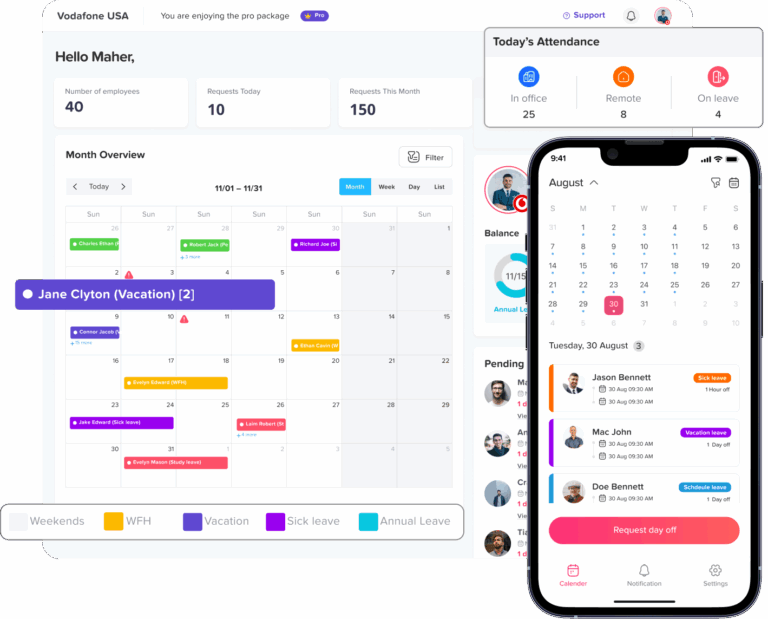
Employee working hours do not exist separately from employee absences.
Suppose an employee normally works eight hours on Monday but takes an approved vacation day. If your time tracking software does not communicate with your PTO system, managers may have to manually determine why Monday contains no recorded hours.
Combining time tracking with leave and attendance can reduce that reconciliation work.
Mobile Access
Mobile time tracking can be important for:
field employees
construction crews
service workers
remote teams
employees who move between locations
Office-based teams may instead prefer web or desktop tracking.
Make sure the free plan supports the platforms your employees will actually use.
Payroll and Approval Requirements
Before choosing a free timesheet app, ask what happens after employees submit their hours.
For example:
Can a manager review the timesheet?
Can incorrect entries be corrected?
Is there an approval workflow?
Can hours be exported?
Can overtime be identified?
Can the data be transferred into payroll?
These management functions are often where businesses eventually outgrow free software.
Free Time Tracker Comparison
| Time Tracker | Free Option | Best For | Paid Plans Start At* |
|---|---|---|---|
| Day Off | Free PTO and leave management for up to 10 users. Time tracking is paid. | Teams combining PTO, attendance, schedules, and working hours | $3/user/month for Pro + Time Tracker |
| Jibble | Free forever with unlimited users | Growing teams that do not want a free user cap | Premium from $3.49/user/month |
| Clockify | Up to 5 total users | Small project teams and agencies | From $3.99/user/month |
| TimeCamp | Unlimited users and unlimited projects | Teams needing scalable free project time tracking | $3.99/user/month annually |
| Connecteam | Up to 10 users | Deskless, frontline, and mobile teams | Operations plans from $29/month for up to 30 users |
| Homebase | 1 location and up to 10 employees | Restaurants, retail, and hourly teams | $30/location/month |
| Toggl Track | Free plan for small teams | Freelancers and project-focused teams | $9/user/month annually |
| Harvest | 1 seat and 2 projects | Solo freelancers who invoice clients | $9/seat/month annually |
| Kimai | Free self-hosted open-source software | Technical teams wanting infrastructure control | Self-hosted core software is free |
*Starting prices are the lowest paid tier each vendor lists and may change. Check each vendor’s pricing page for current details.
Day Off: Best for Combining PTO and Time Tracking
Best for: Small and growing businesses that want working hours, attendance, schedules, and employee leave in one system.
Day Off takes a different approach from traditional timer-only applications.
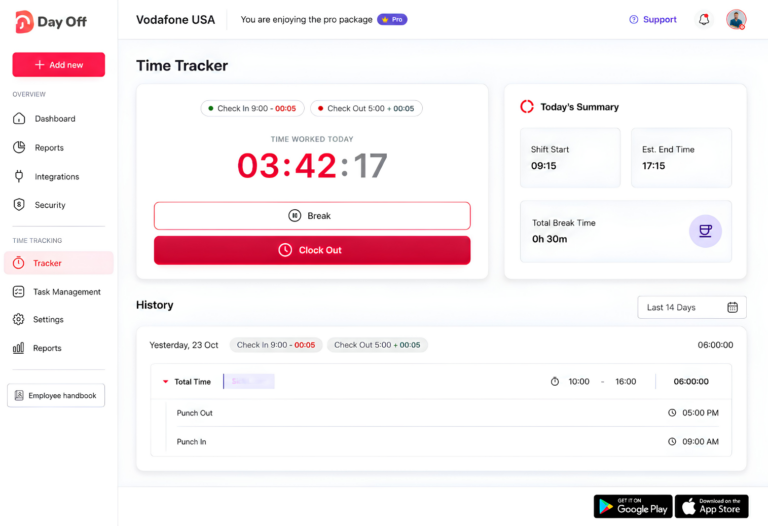
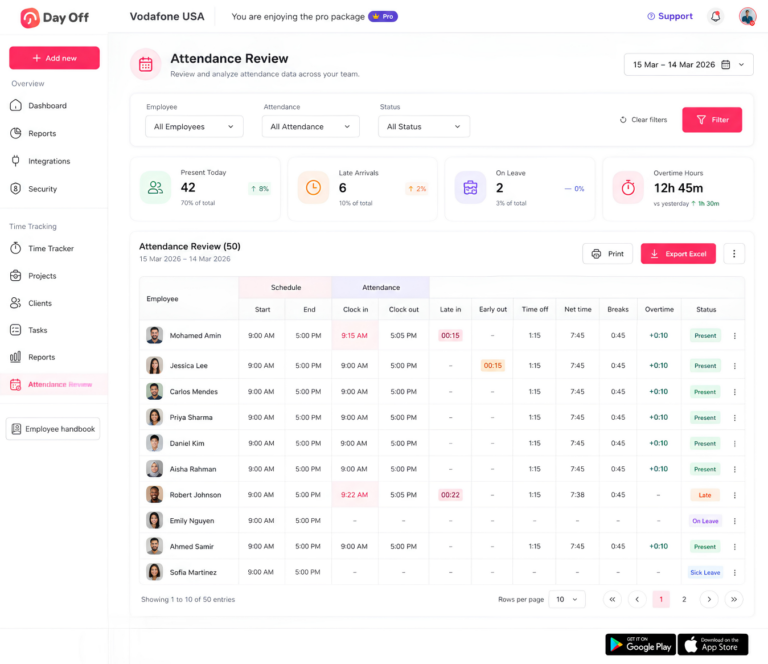
Its Free plan is focused on PTO and leave management and is available for up to 10 employees. It includes a calendar view, customizable leave types, one-step leave approvals, and management reports.
Businesses that also need employee working-hour tracking can move to Pro + Time Tracker, currently priced at $3 per employee per month with a $30 monthly minimum.
The plan combines the Pro leave-management functionality with:
Clock In / Clock Out mode
Task Tracking mode
Projects
Tasks
Clients
Detailed time reports
Summary reports
Attendance Review
Day Off currently advertises a 17% saving with annual billing.
Why Day Off Stands Out
Many businesses eventually use one application for employee timesheets, another for PTO requests, another calendar for absences, and spreadsheets for balancing everything.
Day Off is useful when you want those records to work together.
If an employee is absent because of approved PTO, managers can understand the absence in the context of the company’s leave and attendance records rather than treating it simply as missing tracked time.
Pros
Free PTO management for up to 10 employees
PTO and time tracking can be managed within the same platform
Clock In / Clock Out and task-based tracking options
Projects, tasks, and clients
Attendance Review
Detailed and summary reports
Suitable for businesses that are replacing separate PTO and timesheet systems
Limitations
Time tracking is not included in the Free plan
Pro + Time Tracker has a $30 monthly minimum
Choose Day Off If
Choose Day Off if managing employee hours is only part of the problem and you also need to manage PTO, leave balances, work schedules, attendance, and absences.
Jibble: Best for Unlimited Users
Best for: Businesses that want a free employee time tracker without paying as the team grows.
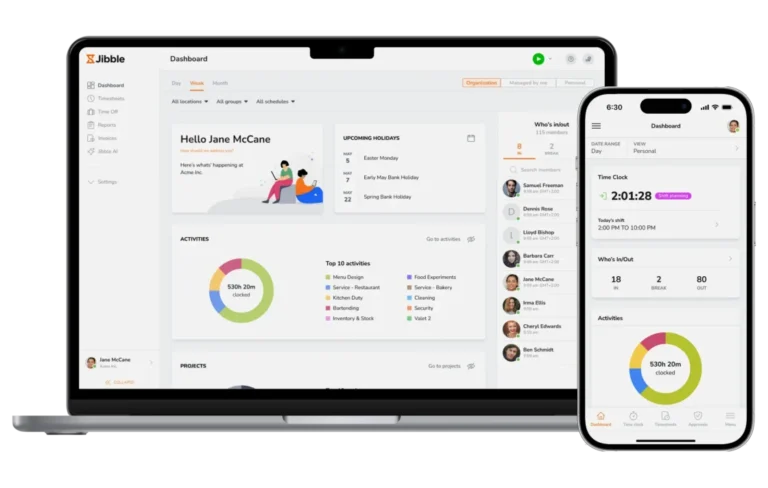
One of Jibble’s main advantages is its free plan for unlimited users.
Jibble describes its Free plan as free forever and positions it around time tracking, attendance, productivity monitoring, and reporting. Its current Premium price is listed at $3.49 per user per month.
This makes it worth considering for companies whose main concern is avoiding an employee cap.
Pros
Unlimited users on the free plan
Designed specifically around employee time and attendance
Suitable for growing teams
No need to upgrade simply because another employee joins
Limitations
Businesses needing more advanced functionality should compare Jibble’s current feature matrix carefully because some capabilities require paid tiers.
Choose Jibble If
Jibble is particularly attractive if team size is your main concern and you want to continue using a free time tracking plan as headcount grows.
Clockify: Best for Small Project Teams
Best for: Agencies, consultants, developers, and other teams that record time by project.
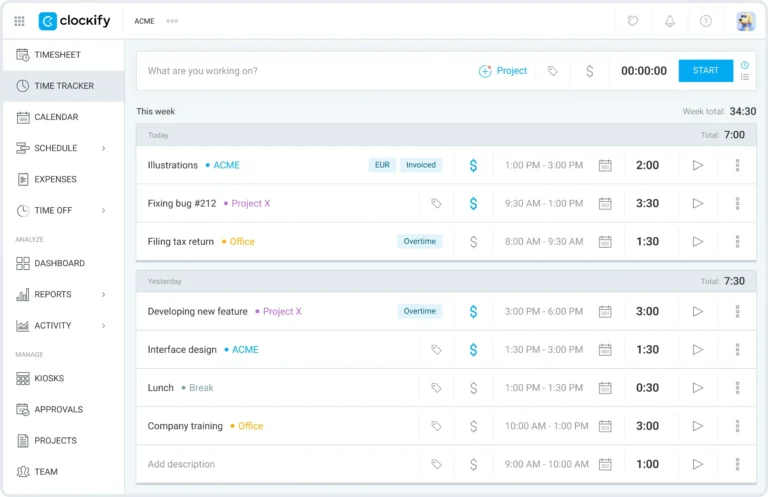
Clockify combines timers with traditional timesheets.
Its current free offering supports five total users, while additional users are available on paid plans starting at $3.99 per user.
Employees can record work using a timer or enter their hours manually into a timesheet. Clockify can also organize work around projects and tasks, making it particularly suitable for businesses that want to understand where project hours are going.
Pros
Simple timer-based tracking
Manual timesheet entry
Project-based organization
Web and app-based tracking
Good fit for agencies and knowledge-work teams
Free for five users
Limitations
A five-user limit means growing teams may reach the paid tier relatively quickly.
Businesses also need to check whether the management, attendance, reporting, approval, or billing capabilities they require are available in their selected plan.
Choose Clockify If
Choose Clockify if you have a small project-based team and need a straightforward way to answer:
Who worked on what, and for how long?
TimeCamp: Best for Unlimited Users and Projects
Best for: Teams that want a scalable free project time tracking system.
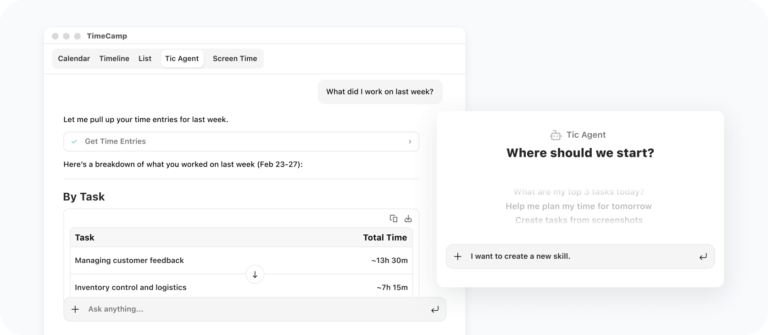
TimeCamp currently offers a Free forever plan with unlimited users and unlimited projects. Its free version includes time tracking, automatic tracking, timesheets, and browser-based tracking features.
Its first paid plan, Starter, is currently advertised at $3.99 per user per month when billed annually.
This combination makes TimeCamp one of the more interesting free options for teams that do not want to be restricted by headcount.
Pros
Unlimited users
Unlimited projects
Automatic time tracking
Timesheets
Useful for project-based organizations
Clear upgrade path
Limitations
Advanced management capabilities are distributed across paid plans, so businesses should check the current feature comparison before choosing the Free plan for payroll or approval-heavy workflows.
Choose TimeCamp If
TimeCamp is worth considering if you want unlimited free users and projects and primarily need to record how employees spend their working time.
Connecteam: Best for Small Frontline Teams
Best for: Deskless, field, shift-based, and mobile workforces with 10 or fewer users.
Connecteam’s Small Business plan is currently free for businesses with up to 10 users.
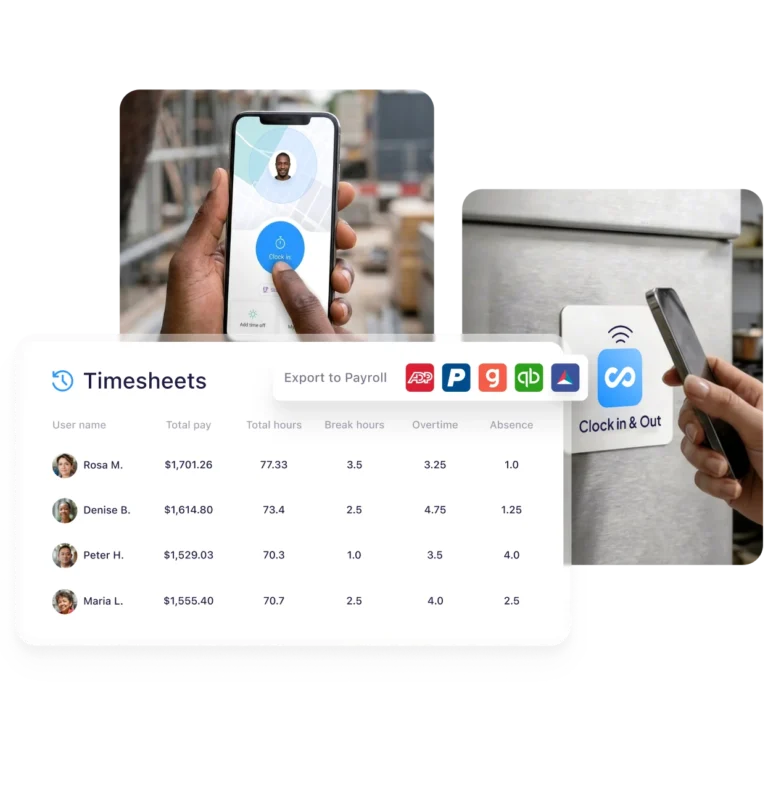
Unlike many limited free tiers, Connecteam says this plan provides access to all three of its hubs and the features intended for small businesses. Its Operations tools include Time Clock and Scheduling alongside forms and task functionality.
This makes Connecteam particularly relevant to teams whose employees spend most of their day away from a desk.
Pros
Free for up to 10 users
Designed for deskless teams
Time clock functionality
Scheduling
Operations and communication tools
Useful for field and mobile employees
Limitations
The biggest free-plan restriction is team size. Once your organization grows beyond 10 users, you will need to evaluate Connecteam’s paid packages.
Choose Connecteam If
Connecteam is a strong option if you manage 10 or fewer frontline or mobile employees and need more than basic project timers.
Homebase: Best for a Single-Location Hourly Business
Best for: Restaurants, cafés, retail stores, salons, and other businesses with hourly employees.
Homebase takes a location-based approach rather than focusing primarily on projects.
Its Basic plan is currently free for one location and up to 10 employees and includes:
basic employee scheduling
basic time tracking
point-of-sale integrations
the option to add payroll
The next plan, Essentials, is currently listed at $30 per location per month.
Pros
Designed around hourly teams
Scheduling and time tracking in one product
Free for one location and up to 10 employees
Suitable for restaurants and retail
POS integrations
Limitations
The free plan is limited to one location and 10 employees.
This means a growing business may need to upgrade because it opens a second location even if its total employee count remains relatively small.
Choose Homebase If
Choose Homebase if you operate a single physical workplace with hourly employees and scheduling is just as important as tracking hours.
Toggl Track: Best for Freelancers and Small Knowledge-Work Teams
Best for: Freelancers, consultants, creative teams, and small project-based businesses.
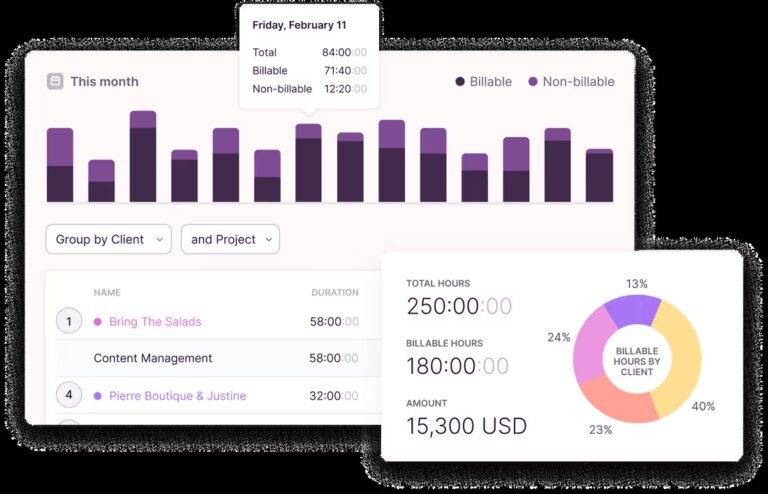
Toggl Track focuses heavily on making timer-based work tracking simple.
Its Free plan includes manual and real-time timers, calendar integrations, task planning, and personal reporting. Toggl’s published material describes its free option as being intended for individuals and small teams.
The Starter plan currently costs $9 per user per month when billed annually and adds capabilities such as billable rates, team reporting, planning tools, and capacity features.
Pros
Simple real-time timer
Manual time entry
Calendar integrations
Suitable for professional and creative work
Project and task-oriented workflow
Limitations
Businesses that need deeper team reporting, billing, workload management, approvals, or PTO features may need a paid plan.
Choose Toggl Track If
Toggl Track is a good choice if the biggest priority is making it easy for employees to record time spent on projects and tasks.
Harvest: Best for Solo Freelancers Who Invoice Clients
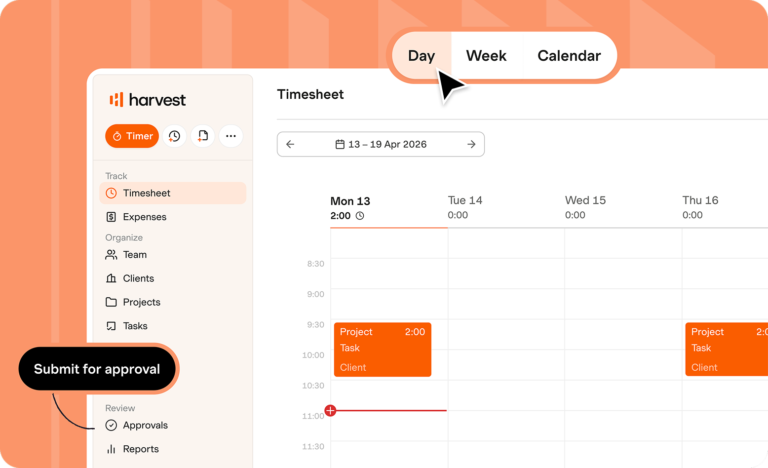
Best for: Freelancers who need time tracking and client invoicing in one application.
Harvest’s Free plan is designed specifically for individual freelancers.
It currently includes:
1 seat
2 projects
time tracking
invoicing
expense tracking
The Teams plan starts at $9 per seat per month with annual billing.
Pros
Time tracking and invoicing together
Expense tracking
Free forever option
Good fit for freelancers billing clients for time
Limitations
The free version includes only one seat, so it is not really a free employee time tracking solution for a multi-person business.
Choose Harvest If
Choose Harvest if you work alone, track billable hours, and invoice clients.
If you manage employees, another product on this list will probably be more suitable.
Kimai: Best Open-Source Free Time Tracker
Best for: Technical organizations that want control over hosting, customization, and time-tracking data.
Kimai is different from most SaaS products in this comparison because it can be self-hosted as open-source software under the AGPL 3 license.
Organizations can deploy Kimai through Docker or a manual installation and maintain control over their infrastructure and data. Kimai also offers a managed cloud version for businesses that do not want to operate their own server.
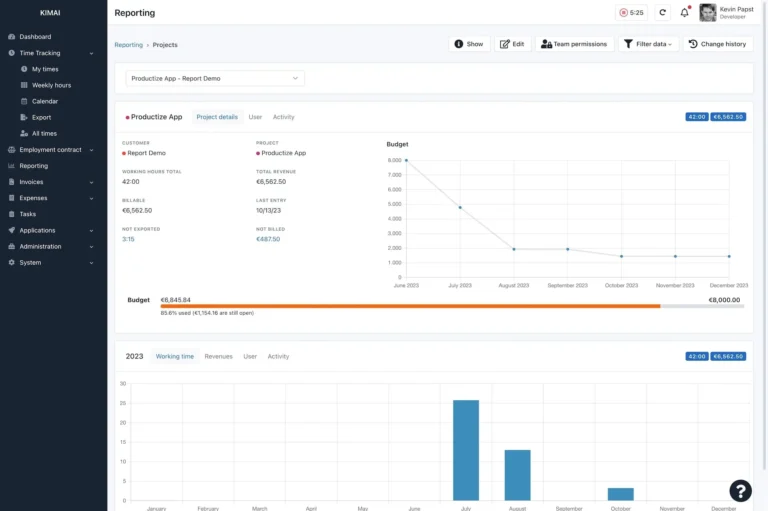
Its functionality includes time-clock capabilities, reporting by users and projects, authentication options, invoicing, and a JSON API.
Pros
Open-source
Self-hosting available
Full infrastructure and data control
API access
Project and customer reporting
No traditional per-seat charge for the core self-hosted software
Limitations
Free software does not mean zero operating cost.
A self-hosted deployment still requires:
server infrastructure
installation
updates
backups
security management
technical maintenance
Some additional Kimai functionality is also offered through commercial plugins.
Choose Kimai If
Choose Kimai if your organization has the technical resources to maintain its own system and values open-source software and data control more than a fully managed SaaS experience.
Which Free Time Tracker Is Best for Your Team?
A useful way to narrow the choices is to start with your working model.
| Your Team | Options Worth Considering |
|---|---|
| Solo freelancer | Harvest or Toggl Track |
| Small project team | Clockify or Toggl Track |
| Growing team that wants unlimited free users | Jibble or TimeCamp |
| 10 or fewer frontline employees | Connecteam |
| Single-location hourly business | Homebase |
| Business combining PTO and working hours | Day Off |
| Technical team wanting self-hosted software | Kimai |
There is an important distinction here.
The best free time tracker is not necessarily the product that remains free for the largest number of employees. A tool is only useful if it supports the workflow your business needs.
For example, unlimited project timers will not solve an HR team’s problem if managers still have to reconcile employee absences against a separate PTO spreadsheet.
Similarly, sophisticated attendance features may be unnecessary for a three-person design agency that simply needs to track project hours.
Free Time Tracking Software vs. a Spreadsheet
Excel or Google Sheets may seem like the simplest free employee time tracker.
For one or two people, that can work.
Employees can manually record:
date
start time
end time
break duration
total hours
project
notes
The problems usually appear as the team grows.
Managers may spend increasing amounts of time dealing with:
forgotten entries
incorrect formulas
missing timesheets
overwritten cells
duplicate files
inconsistent formats
manual overtime calculations
PTO recorded somewhere else
Dedicated time tracking software reduces much of that administrative work by creating structured time records.
A spreadsheet can still be appropriate for a very small operation, but it should be treated as a process that may eventually need replacing rather than automatically assuming it will scale indefinitely.
Why Accurate Employee Time Records Matter
Time tracking is not only about productivity.
For U.S. employers covered by the Fair Labor Standards Act, employers must keep certain records for covered nonexempt employees, including their hours worked each day and total hours worked each workweek. The Department of Labor does not require employers to use one particular timekeeping method, but the records must be complete and accurate.
The Department of Labor also states that payroll records generally must be retained for at least three years, while records used to calculate wages, including time cards and work schedules, generally should be retained for two years.
Different state, local, and international requirements can also apply, so businesses should verify the rules relevant to their employees.
This article provides general information and is not legal advice.
When Should You Upgrade From a Free Time Tracker?
Free time tracking software can work extremely well for a small team.
The question is whether the free plan still saves more time than it creates.
Consider upgrading when you need:
Timesheet Approvals
Managers may eventually need a formal review process before employee hours are used for payroll or billing.
Better Attendance Management
Growing teams may need clearer visibility into lateness, absences, breaks, overtime, and employee attendance patterns.
Payroll Workflows
Manually copying employee hours into payroll becomes increasingly risky as headcount grows.
PTO Integration
If managers repeatedly compare a timesheet with a separate vacation spreadsheet to determine why an employee has missing hours, your systems are creating unnecessary administrative work.
Better Reporting
Managers may need to compare:
employees
departments
projects
clients
attendance
overtime
leave
scheduled vs. actual hours
More Users or Locations
Sometimes the software still meets your needs, but you simply exceed the free plan’s user or location limit.
At that stage, compare the cost of upgrading with the administrative time currently spent maintaining the free workflow.
Frequently Asked Questions About Free Time Trackers
What is the best free time tracker for a small business?
It depends on how your employees work. Jibble and TimeCamp are useful when a free plan without a small user cap is important. Clockify is well suited to small project teams, while Connecteam and Homebase are designed more around frontline and hourly employees. If your company also needs PTO and leave management alongside employee time tracking, Day Off combines those functions in its paid time tracking plan.
Is there a completely free time tracker?
Yes. Several products provide ongoing free plans rather than only free trials. Jibble and TimeCamp currently offer free plans with unlimited users, while Kimai can be self-hosted as open-source software. Keep in mind that a free plan may still exclude specific management or advanced features.
What is the best free time tracker with unlimited users?
Jibble and TimeCamp are two options worth comparing. Both currently advertise free plans with unlimited users. TimeCamp also lists unlimited projects on its Free plan.
Is Clockify free?
Yes. Clockify currently allows up to five total users to use its free time tracking offering. Paid usage is advertised from $3.99 per user.
Can I track employee hours for free?
Yes. Free time clock and timesheet applications can record employee hours without a subscription, provided your team fits within their limits. Businesses should still confirm that the free version includes the reporting, management, and recordkeeping functionality they need.
Can I use Excel instead of time tracking software?
Yes. A spreadsheet can work for a very small team with a simple schedule. However, it requires more manual entry and management than dedicated time tracking software and may become harder to maintain as employee count, overtime, projects, locations, and leave requests increase.
Does a free time tracker calculate overtime?
Some time tracking platforms can help identify overtime, but functionality varies considerably by product and plan. Employers should also remember that software does not determine whether an employee is legally entitled to overtime. Your payroll and employment rules still need to be configured and applied correctly.
Can time tracking software manage employee PTO?
Some systems combine time tracking and leave management, while others treat PTO as a separate or paid feature. Day Off, for example, provides leave management on its Free and Pro plans and combines those capabilities with employee time tracking in Pro + Time Tracker.
Are employers required to use a time clock?
Not necessarily. Under the U.S. FLSA, employers can choose their timekeeping method as long as required employee working-time records are complete and accurate. The Department of Labor explicitly notes that employers may use time clocks, timekeepers, employee-recorded hours, or other suitable methods.
When should a small business stop using a free time tracker?
Consider upgrading when the free plan forces managers to perform important processes manually. Common signs include repeatedly correcting timesheets, exporting data by hand, reconciling PTO against employee hours, needing approval workflows, exceeding the employee limit, or spending significant time preparing hours for payroll.
Final Thoughts
A free time tracker can be an excellent starting point for a small team, but the right choice depends on more than whether the monthly price is $0.
Start by looking at your workflow.
If you need unlimited users, compare Jibble and TimeCamp. If your employees primarily track projects, Clockify or Toggl Track may fit better. Connecteam is designed for small frontline teams, while Homebase makes sense for many single-location hourly businesses. Harvest is better suited to solo freelancers, and Kimai gives technical organizations an open-source alternative.
If your business needs to understand both when employees work and when they are legitimately away from work, it may make more sense to manage those records together.
Day Off provides free PTO management for up to 10 employees and offers Clock In / Clock Out, Task Tracking, attendance tools, projects, clients, and detailed time reports through its Pro + Time Tracker plan.
The goal should not be to stay on a free plan forever. It should be to choose a system that reduces administrative work today without creating a bigger problem as your team grows.