Print

Yes, Day Off is available on iOS, Android, and web, giving teams the flexibility to manage time off anytime, anywhere. While both versions are connected in real time and share the same core data, each platform focuses on a slightly different experience.

Mobile App (iOS & Android)

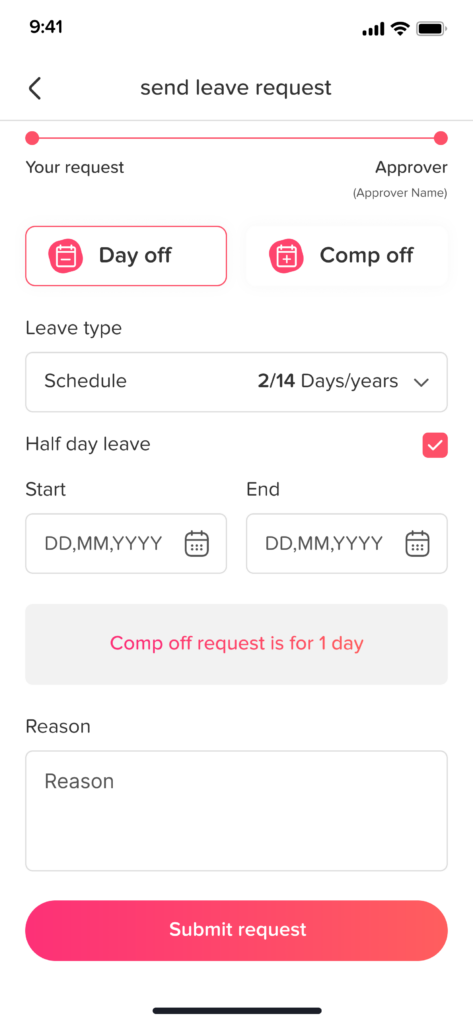
The mobile app is built for speed and convenience, making it perfect for employees and managers on the go.

With the Day Off mobile app, you can:

  • Request time off in seconds
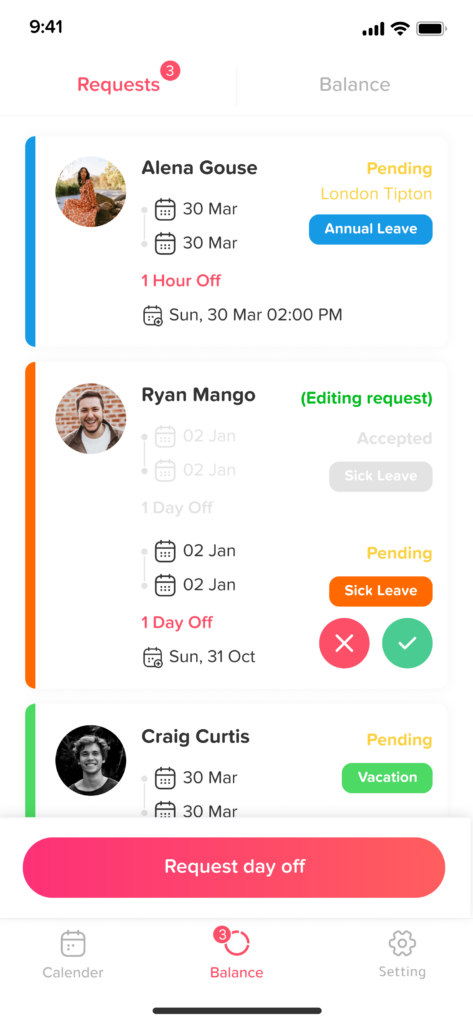
  • Approve or reject requests instantly
  • Get real time notifications
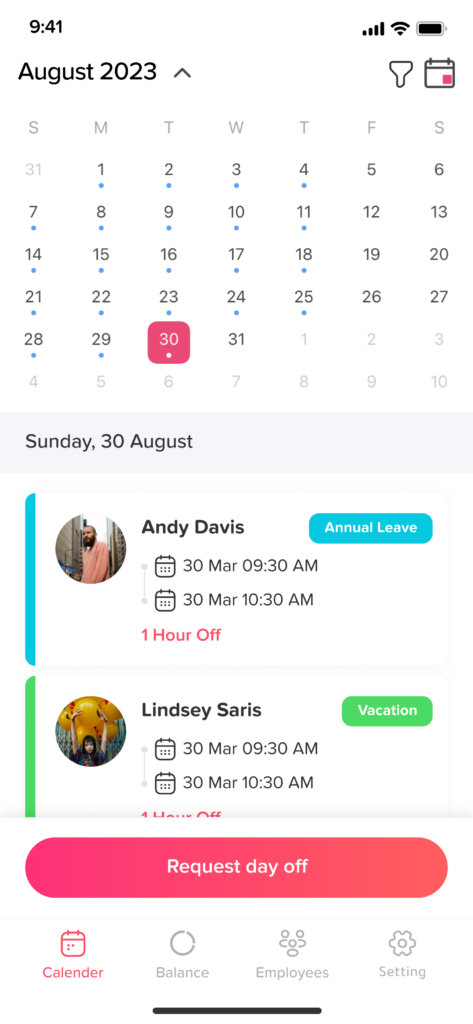
  • Check your leave balance anytime
  • View team calendars and upcoming absences

The mobile experience is ideal for quick actions, keeping everyone connected without needing to open a laptop.

Leave management screen in Day Off app showing employee time off requests, approvals and absence tracking – Day OffDay Off
Leave balance overview in Day Off app showing remaining PTO days, sick leave and vacation entitlements – Day OffDay Off
Leave request workflow in Day Off app showing how employees submit and managers approve time off – Day OffDay Off

Web Version

The web version is designed for deeper control, making it especially useful for HR teams and administrators.

With the Day Off web app, you can:

  • Set up and manage leave policies
  • Customize approval workflows
  • Manage teams, roles, and permissions
  • Access detailed reports and analytics
  • Configure company settings and integrations
  • Add Work schedules.
  • Add Blackouts 

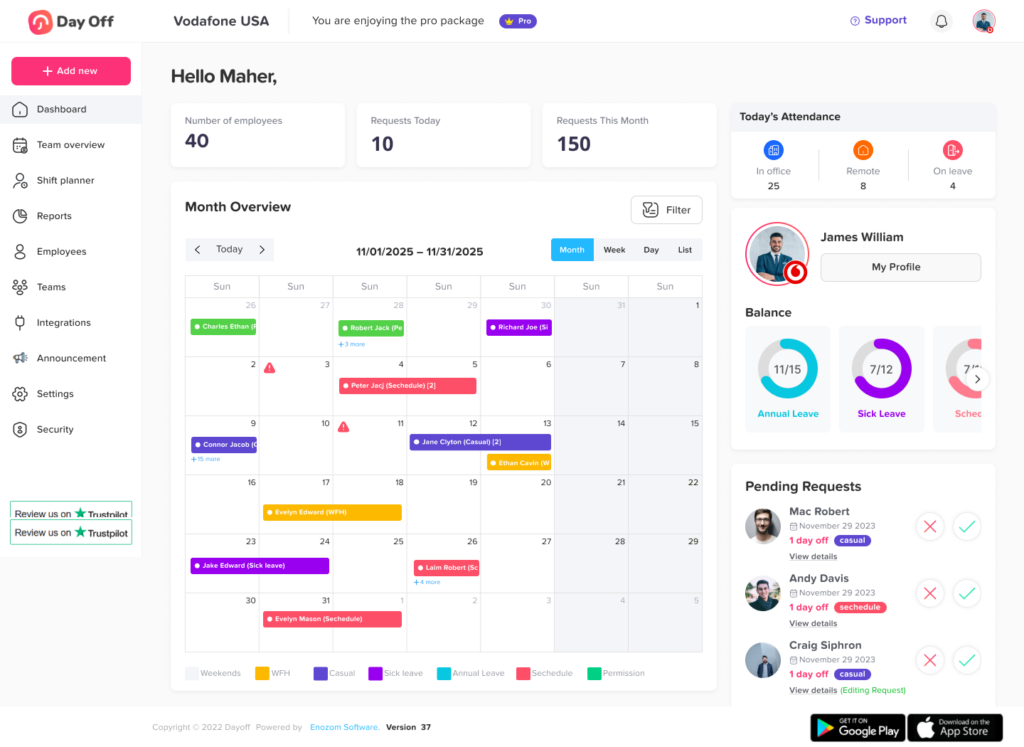
The web platform provides a more comprehensive dashboard for managing your organization’s leave system.

Day Off dashboard displaying employee leave balances, upcoming absences and PTO overview for team managers – Day OffDay Off

One System, Fully Synced

No matter which platform you use, everything stays in sync. A request submitted on mobile appears instantly on the web dashboard, and approvals made on web are reflected on mobile in real time.

On this page