





Day Off Knowledge Base
-
Employees
- Can I request leave for past dates?
- How can I check my leave balance?
- How can I check the status of my request?
- How do I change my password?
- How do I check public holidays and weekends?
- How do I update my personal information?
- How do I upload or update my profile picture?
- How do I view my leave history?
Print
Tracking your request status helps you stay informed about whether your time off requests are pending, approved, or rejected, and allows you to plan accordingly.
To check your request status in Day Off (web version):
- Go to your dashboard
After logging in, you’ll be directed to your main dashboard. This page provides an overview of your leave balances, recent activity, and quick access to your requests. It’s the starting point for managing all your time-off actions. - Click on “My requests”
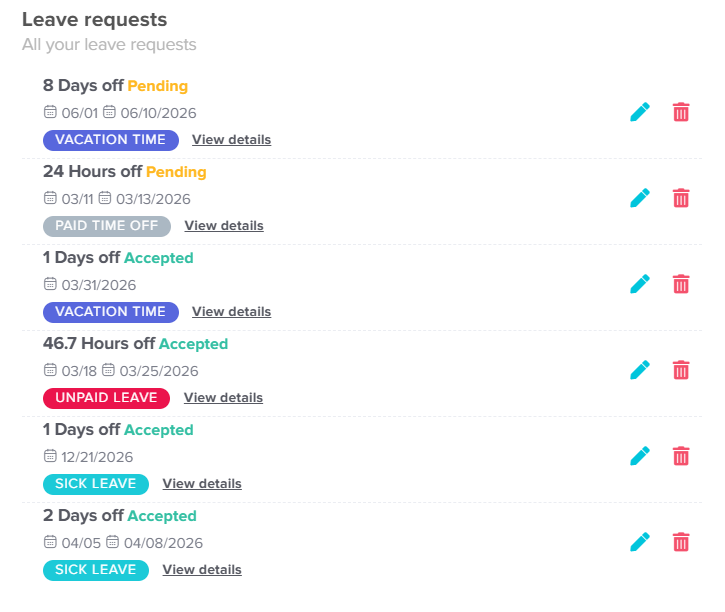
In your dashboard, locate the My requests button next to your profile section. You can also go to Absence → My balance in the left-hand menu. Either way, you’ll reach a dedicated page where all your submitted requests are organized in one place.
- Review your requests list
On the Leave requests page, you’ll see a list of all your requests. Each entry includes key details such as the number of days, leave type, request dates, and its current status (e.g., Pending, Accepted, or Rejected). This allows you to quickly understand the progress of each request. - Check detailed information
For more insight, click on View details next to any request. This will open a detailed view where you can see additional information such as approval steps, timestamps, and any actions taken by managers or administrators.
How can I check the status of my request on mobile?
Keeping track of your request status helps you stay updated on approvals and better plan your time off.
- Open the main menu
From the bottom of the screen, tap on the menu icon to open the main navigation menu. This is where you can access all key sections of the app. - Go to “Requests”
Tap on Requests from the menu. This will take you to a dedicated page that displays all your time off requests in one place. - View your pending requests
At the top of the screen, you’ll see your current pending requests, allowing you to quickly check which requests are still awaiting approval. - Scroll to view request history
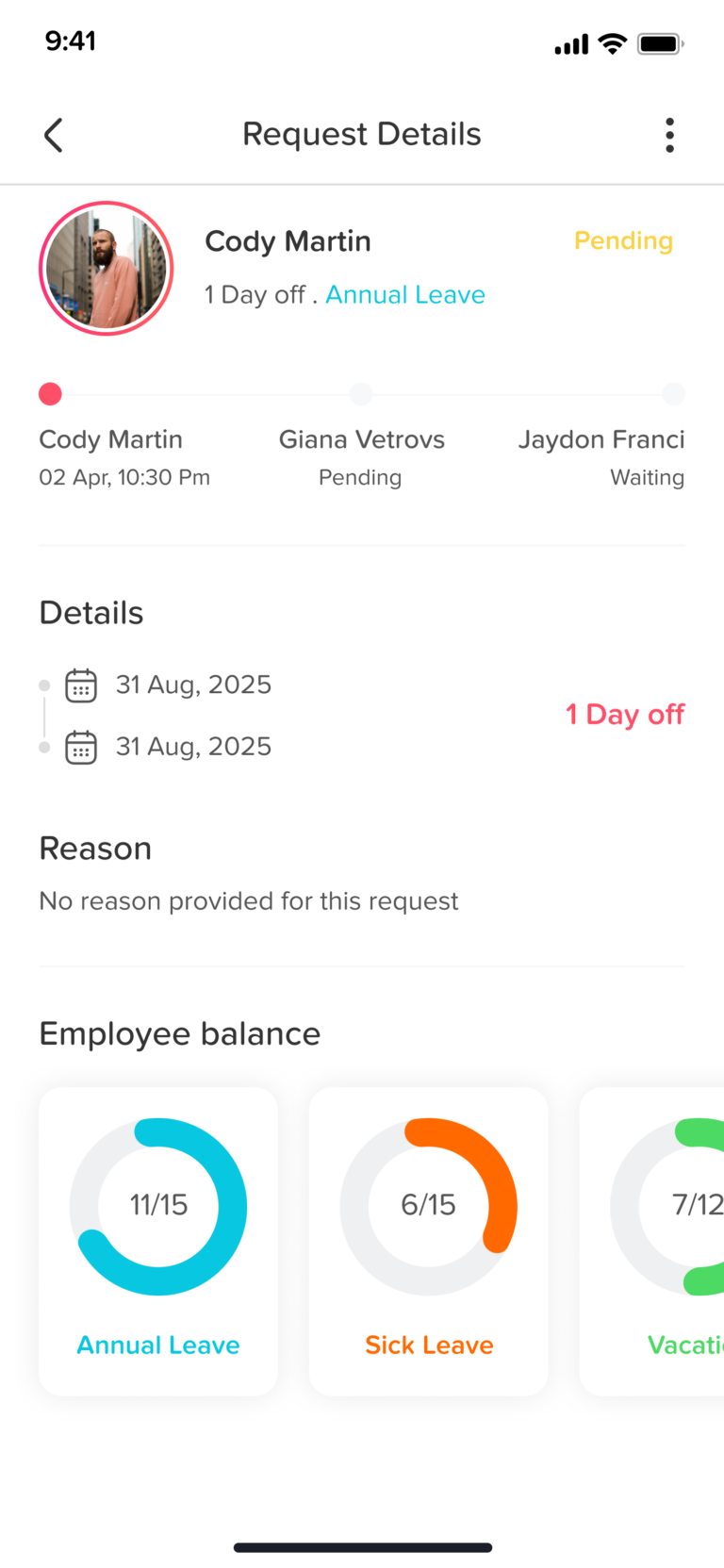
Scroll down to see a full history of all your submitted requests. Each request will show its status (such as Pending, Accepted, or Rejected), along with key details like dates and leave type. - Check request details
Tap on any request to view more detailed information, including the request timeline and any updates or actions taken.
If you have any questions about a specific request or notice anything unusual, you can reach out to your manager or HR administrator for clarification. Regularly reviewing your requests helps you stay organized and informed.
On this page