





-
Blockout Dates
- Can admins override blockout dates?
- Can employee request time off during blockout dates?
- Can I apply blockout dates to specific teams or departments?
- How can I check blockout dates in the Day Off app?
- How do blockout dates work?
- How do I set blackout dates in Day Off?
- How to prevent overlapping holidays/leave requests?
Blockout dates act as automated rules within the Day Off system that control how and when employees can request time off. Instead of relying on manual approvals alone, these rules proactively guide user behavior by restricting or limiting availability during specific periods.
They are commonly used during high-demand business periods, important internal events, or any time when maintaining team availability is critical.
How blockout dates are applied
When an admin creates a blockout date, it becomes an active rule that is immediately enforced across the system.
- The admin defines key parameters such as the date range, type of restriction, and target audience (e.g., company-wide, specific teams, or locations)
- Once saved, the blockout is automatically reflected in the calendar, making it visible to all affected users
- The system continuously checks all leave requests against these rules in real time
This means that employees do not need to guess availability, any restriction is clearly enforced and communicated during the request process. The automation reduces errors, avoids conflicts, and ensures consistency in how time off policies are applied.
Types of blockout behavior
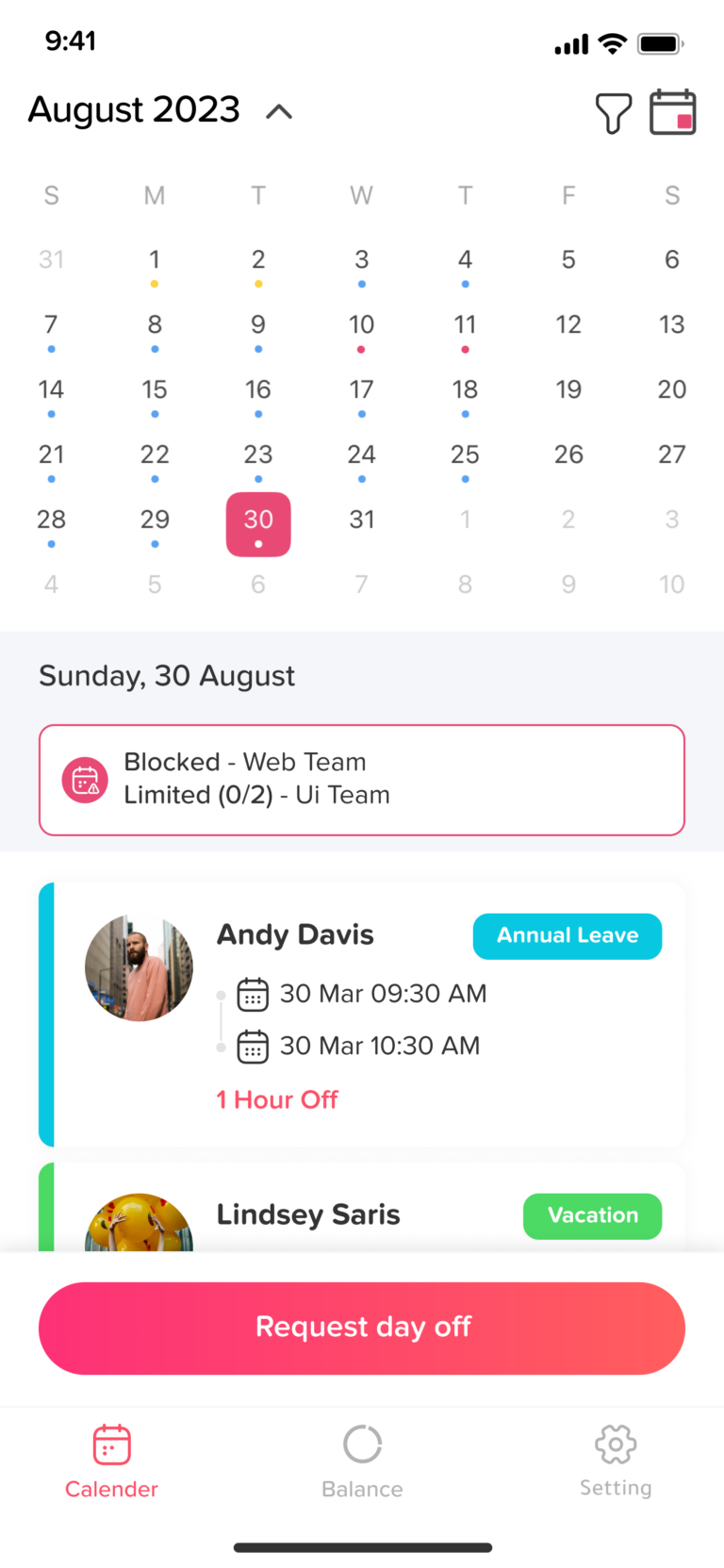
Blockout dates can be configured in different ways depending on how strict the organization needs to be during a given period.
Fully blocked (No requests allowed)
In this mode, the blockout acts as a strict restriction:
- Employees are completely prevented from selecting or submitting requests for the affected dates
- The days appear grayed out in the calendar when is the employee is trying to add a request, clearly signaling that they are unavailable
- This approach is typically used during critical operations such as major deadlines, peak seasons, or company-wide events
Because the restriction is absolute, it eliminates any risk of understaffing during these periods.
Limited (Restricted number of requests)
This option introduces controlled flexibility:
- Admins define a maximum number of employees who can be off during the selected period
- The calendar displays these dates with an orange dot, indicating that availability is limited but not fully blocked
- Employees can still submit requests as long as the defined limit has not been reached
- Once the limit is met, the system automatically prevents additional requests or displays a warning
This setup is ideal for maintaining a minimum workforce while still allowing some employees to take time off.
How it affects employees
From the employee’s perspective, blockout dates are seamlessly integrated into the request flow.
- The employee selects dates from the calendar
- The system instantly evaluates whether a blockout rule applies
- Based on the configuration:
- The date may be unavailable and unselectable
- The date may be available with limitations
- A warning message may appear if the request exceeds allowed limits
Additionally, employees can click on any marked date to view detailed information, including the reason for the blockout, who it applies to, and any specific conditions. This transparency helps employees understand restrictions rather than encountering unexpected rejections.
How it helps organizations
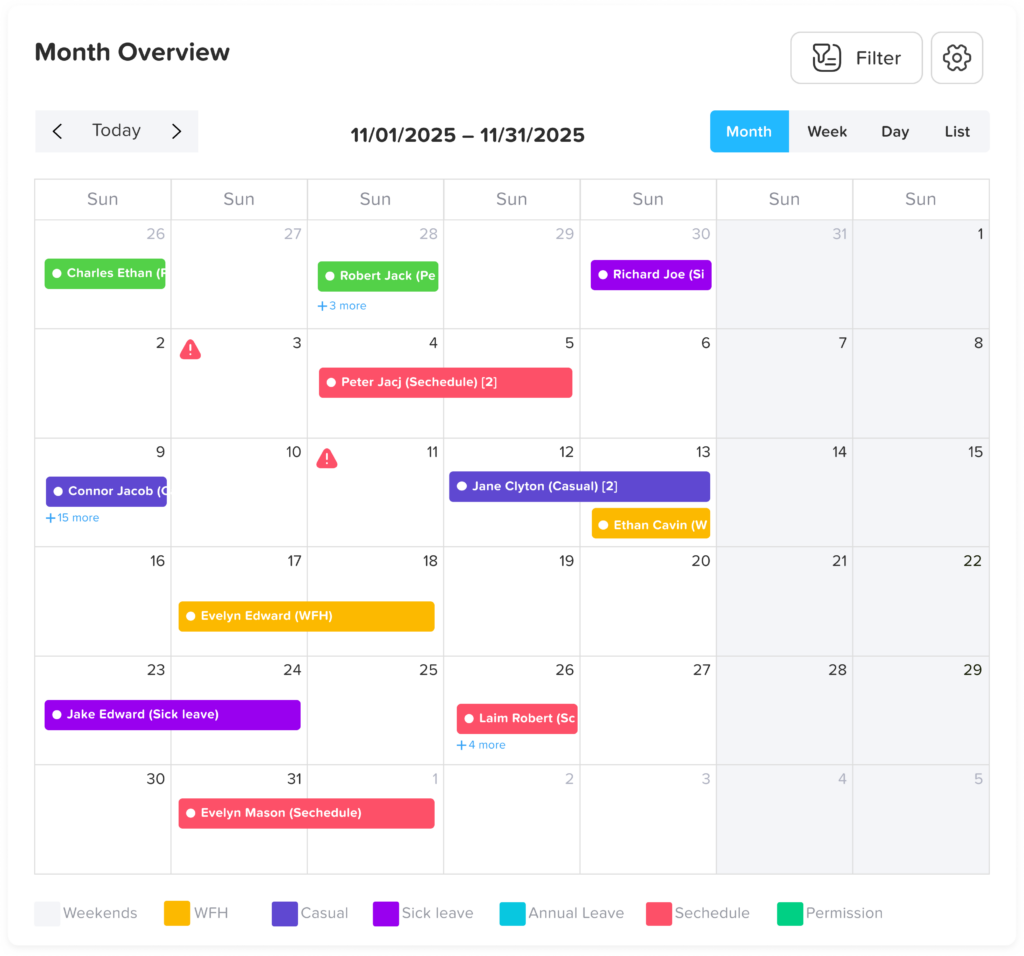
Blockout dates are a powerful tool for balancing operational needs with employee flexibility.
- They prevent scheduling conflicts by ensuring too many employees are not off at the same time
- They protect critical business periods, ensuring sufficient staffing when it matters most
- They reduce administrative workload by automating restrictions instead of relying solely on manual approvals
- They increase transparency, as employees can clearly see and understand restrictions in advance
By using blockout dates effectively, organizations can maintain smooth operations while still providing a fair and structured approach to managing time off.