

Skip to content
Day Off app feature showing employee leave tracking, PTO management and absence scheduling – Day OffDay Off
  • Home
  • Features
        • Employees management

          employees

          Employees management

          Centralized system for managing employee leave.

          approvals

          Approval workflow

          Quick leave approvals with two approvers.

        • Time tracking

          time-tracker

          Time tracker

          Track work hours with punch in and punch out.

          work-schedule

          Work schedule

          Set fixed, flexible, or shift based schedules.

          attendance-review

          Attendance review

          Review daily attendance and hours in one place.

        • International Teams

          location

          Multi locations

          Customize locations, schedules, and track globally.

        • Calendars

          dashboard

          Dashboard calendar

          View holidays and leaves in calendar.

          accrual

          Blockout dates

          Limit time-off during critical periods.

        • Policies

          leave-policies

          Leave policies

          Set multiple leave policies with different rules.

          accrual

          Accrual

          Set different accrual rates for different leave types.

          carryover

          Carryover

          Set different carryover rules for each leave policy.

        • Reports

          reports

          Detailed Reports

          Track all employee leave requests easily.

        • Integrations

          dashboard

          Google calendar

          Sync time-off with Google Calendar automatically.

          accrual

          Outlook calendar

          Sync approved time-off with Outlook Calendar.

          slack

          Slack

          Boost productivity with Slack leave management.

          dashboard

          MS teams

          Manage leave and updates within Teams.

          api

          API

          Connect Day Off with your own tools using our open API.

        • See all features
  • Pricing
  • Resources
        • Help & Resources

          knowledge

          Knowledge base

          Centralized information empowers learning.

          faq

          FAQ

          Quick answers simplify doubts, guiding users.

        • Product Updates

          log

          Change log

          Track updates, improvements, and progress.

          roadmap

          Product roadmap

          Future plans reveal direction and vision.

        • Insights & Stories

          success

          Success stories

          Real experiences inspire trust and motivation.

          blog

          Blog

          Expert perspectives to elevate your workflow.

        • Why Day Off

          success

          Compare

          Check why Day Off is the right tool for your team.

  • Support
  • English
    • English
    • Deutsch
    • Français
    • Español
  • Login
  • Create your team
Day Off Knowledge Base
  • Approvals

    • How can I assign approvers for an employee?
    • How many approvers can I set per employee?
    • How to set up "Auto Approval" for specific leave types (e.g., Bereavement)?
    • What happens to a request if the designated approver is also on leave?
    • What level of authority is assigned to an approver’s role?
    • Whats the difference between 2 steps approvals and multi approvers in single step?
    • Whats the difference between approvers and watchers?
  • Main
  • Approvals

Leave approval process in Day Off showing manager review, approval and notification of employee requests – Day OffDay Off Approvals

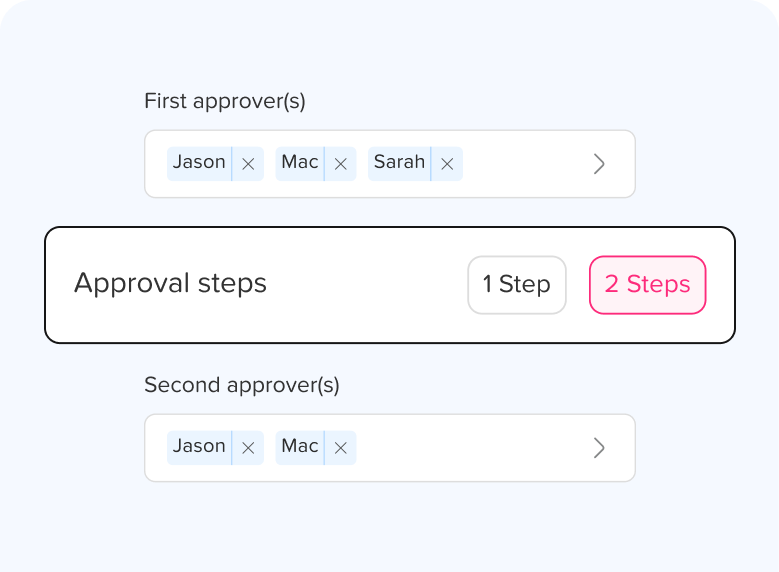
Assign approvers to review and manage leave requests, ensuring a smooth and consistent approval workflow across your team.

Articles

How can I assign approvers for an employee?
How many approvers can I set per employee?
How to set up "Auto Approval" for specific leave types (e.g., Bereavement)?
What happens to a request if the designated approver is also on leave?
What level of authority is assigned to an approver’s role?
Whats the difference between 2 steps approvals and multi approvers in single step?
Whats the difference between approvers and watchers?

Ready to build your company ?

Build your company profile and invite your team to manage leave in minutes.

Get started
Day Off app feature showing employee leave tracking, PTO management and absence scheduling – Day OffDay Off
capterra-logo
  • LinkedIn
  • Instagram
  • Facebook
  • Twitter
  • Integrations
  • Google calender
  • Outlook
  • Slack
  • Microsoft teams
  • Public API Access
  • Downloads
  • Day Off for Android
  • Day Off for iOS
  • Support
  • Knowledge Base
  • FAQ
  • Contact Us

© Copyright 2026 Day Off

Security

Privacy Policy