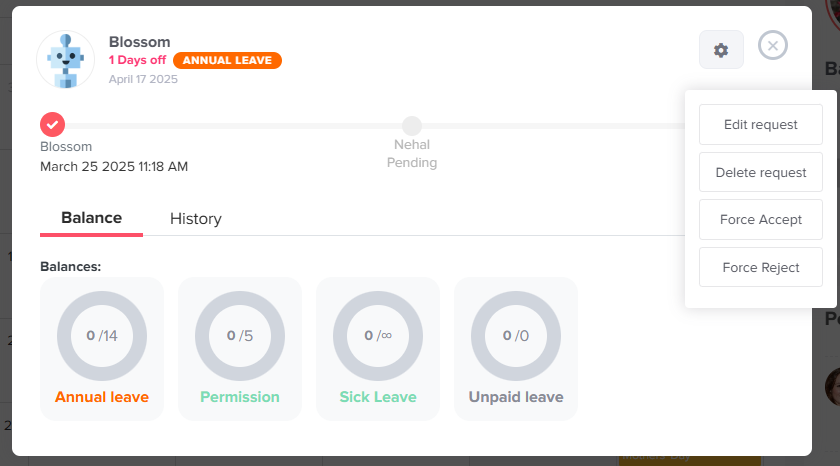
Main Approvals What happens to a request if the designated approver is also on leave? Print What happens to a request if the designated approver is also on leave? In Day Off, if the assigned approver is on leave, the request can still be processed depending on how your approval setup is configured. If There Are Multiple Approvers If the employee has multi approvers assigned in the same step:The request is sent to all approversAny available approver can approveThe workflow continues normally without delays If There Is Only One Approver If only one approver is assigned:The request will remain pending until action is taken Admin Override Admins have full visibility and control:Admins can view all pending requests, even if they are not assigned as approversThey can force accept or force reject any requestThis allows admins to step in and prevent delays when approvers are unavailable. Steps to Force Accept or Reject To take action on a request:Go to the dashboardClick on the pending request you want to manageClick on view detailsClick on the settings icon to:Edit requestDelete requestForce AcceptForce Reject