





Day Off Knowledge Base
-
Work schedules
- Can I customize schedules for part-time or remote employees?
- Can I temporarily edit an employee's work schedule?
- How do I set working days and weekends?
- How to set a flexible hours schedule?
- How to set a shift-based schedule?
- How to set different working days for different employees?
- How to set the working hours?
- What are work schedules in Day Off?
- What Is the Shift Planner?
Print
Admins can add a flexible hours schedule to define the total number of hours an employee must work per day. The system will then use this to deduct from their hourly leave balance accordingly.
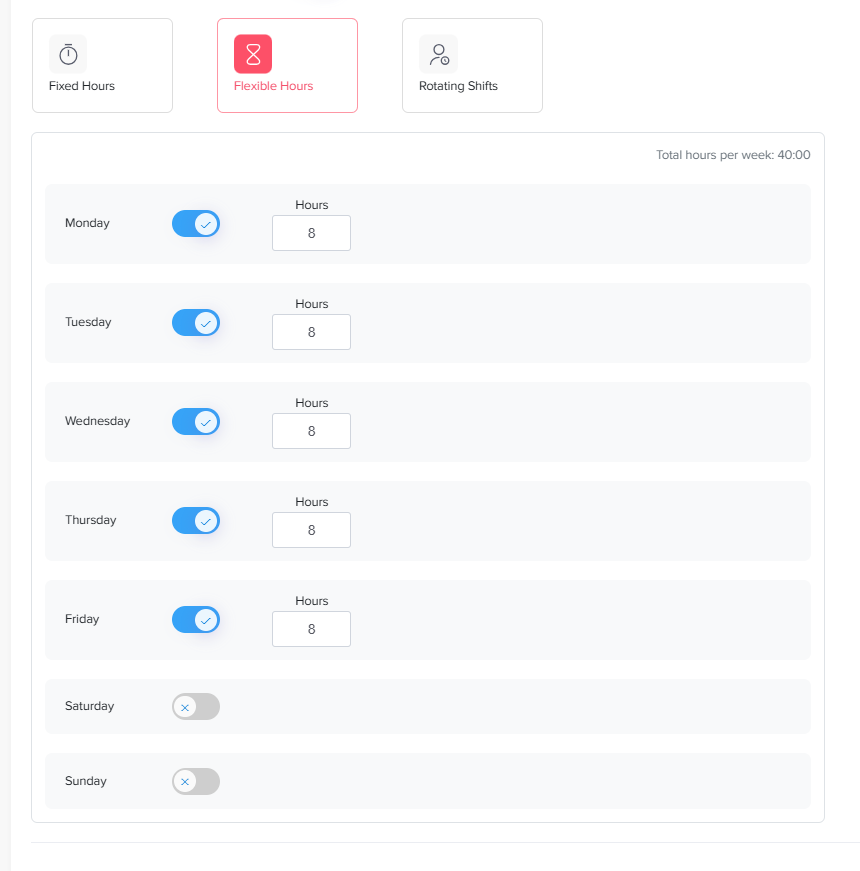
To create a flexible hours schedule:
Go to Settings & integrations → Settings and select Work schedules.
Add a new schedule or edit an existing one.
Enable the Advanced work schedule toggle.
Select Flexible hours.
Toggle ON the working days and leave weekends toggled OFF.
Enter the required number of working hours per day and click Save.
On this page