Yes, admins can temporarily edit an individual employee’s work schedule to adjust their hours, change a working day to a non-working day, or vice versa.
To temporarily edit a schedule:
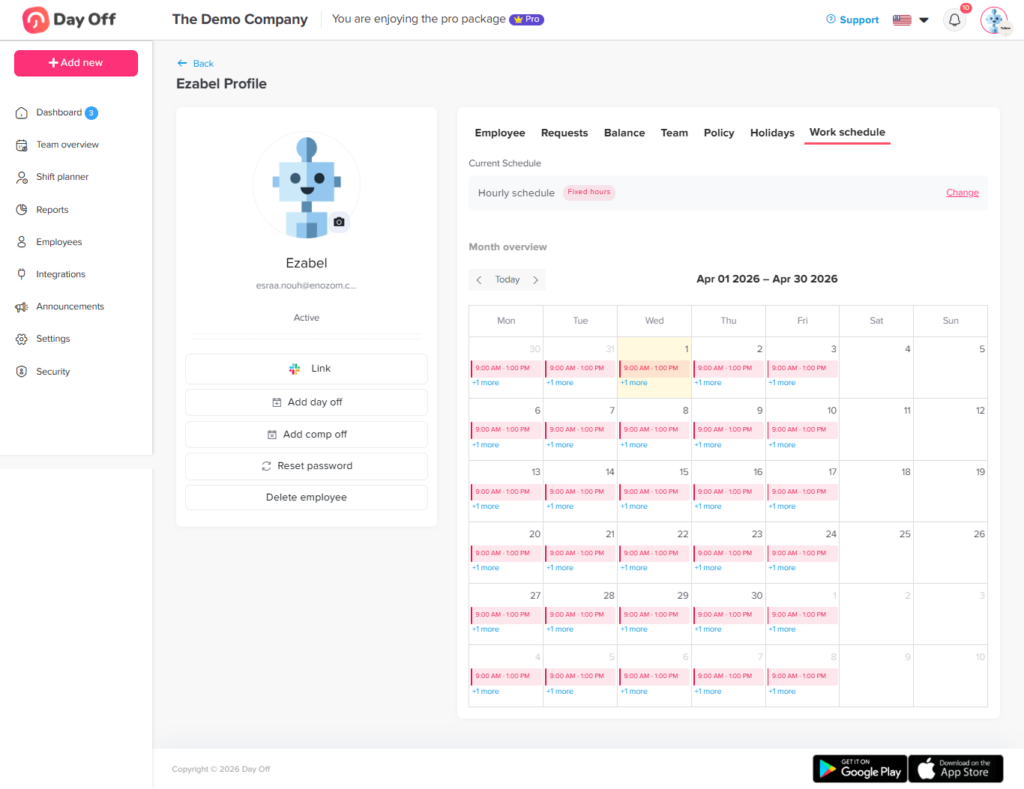
From People → Employees, open the required employee’s profile.
Navigate to the Work schedule tab.
If the employee is assigned to an hourly schedule, you will see a calendar view displaying the working hours for each day.
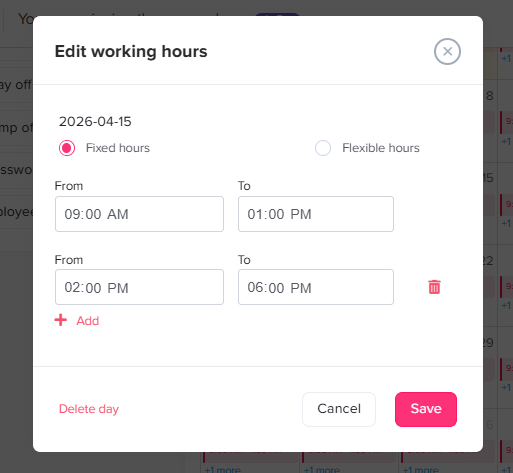
Click on the specific day you want to edit. A pop-up will appear with the default work hours, allowing you to do any of the following:
Change the default work hours: Adjust the specific times or total hours for that day.
Change the schedule type: Switch that specific day from fixed hours to flexible hours, or vice versa.
Make it a non-working day: Delete the work hours to turn it into a day off.
Make a non-working day a working day: Add work hours to a day that is normally scheduled as a weekend or non-working day.