







Most small teams don’t have a leave approval process. They have a habit.
Someone messages their manager on Slack. The manager says “sure, sounds good.” Someone, maybe the manager, maybe the employee, maybe nobody, updates a spreadsheet. The holiday is taken. Whether it was properly approved, whether the balance was correct, whether anyone else knew about it, that’s anyone’s guess.

This works until it doesn’t. And when it stops working, it tends to stop working at the worst possible moment: a key project is understaffed because two people assumed the other’s leave hadn’t been approved, or an employment dispute surfaces and there’s no record that a request was ever formally agreed.
This guide will walk you through how to build a leave approval process that’s clear, consistent, and light enough that your team will actually use it, not work around it. Where relevant, we’ll show exactly how Day Off handles each part of the process automatically, so you can compare the DIY approach against the software approach and decide what’s right for your team size and situation.
Why informal leave approval breaks down
Before getting into the solution, it’s worth understanding why the informal approach fails. It’s not because managers are careless or employees are irresponsible. It’s because the informal approach has structural flaws that only become visible under pressure.
It lives in too many places at once. Leave requests arrive via Slack, email, WhatsApp, face-to-face conversations, and the occasional Post-it note. There’s no single source of truth. When someone asks “was Alex’s leave approved?”, the answer requires checking four different channels.
It depends on one person’s memory and availability. When the person who “handles leave” is on holiday themselves, the whole system pauses. New requests pile up unanswered. Employees don’t know if they can book flights yet.
It has no audit trail. If an employee later disputes whether their leave was approved, or if there’s a question about how many days they’ve taken, there’s no reliable record. A Slack message from four months ago is not a compliance-grade approval log.
It scales linearly with team size. At five people, an informal process is manageable. At 15, someone is spending a meaningful portion of their week fielding leave questions. At 25, it’s a part-time job.
It creates perceived unfairness. When approval is informal, some employees feel more comfortable asking than others. The confident ones take more leave. The ones who don’t want to bother the manager take less. This is rarely intentional, but it’s a real outcome of unstructured processes.
What a good leave approval process looks like
1. A single, defined channel for requests
Every leave request should come through one channel. Not Slack sometimes and email other times. One channel.
This doesn’t have to be software. It could be a shared form, an email address, or a dedicated Slack channel. What matters is that everyone knows where requests go, managers know where to look, and the record exists in one place.
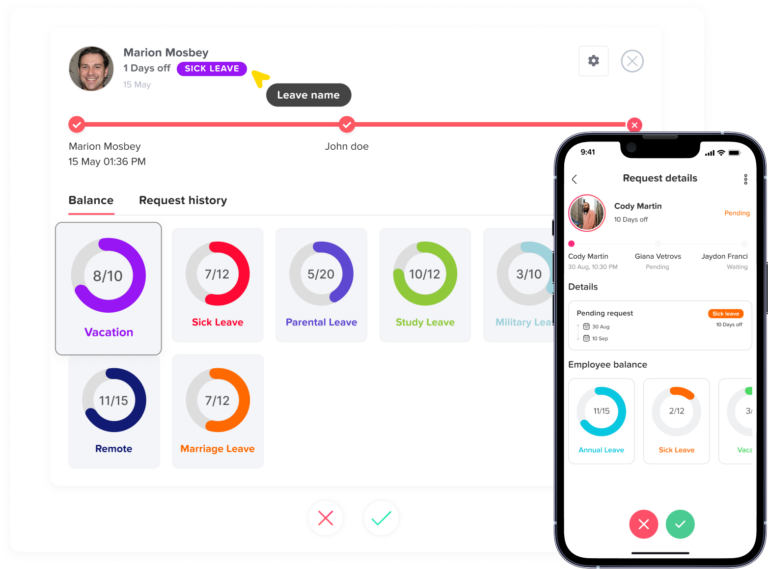
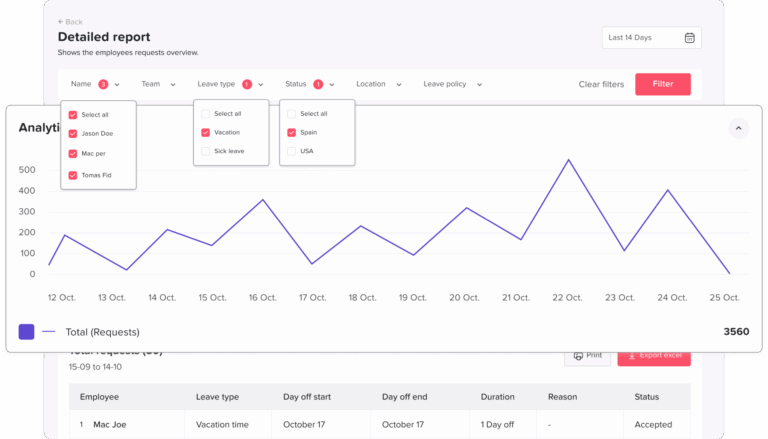
If you’re using dedicated leave management software like Day Off, this is handled automatically: employees submit requests through the app (on web or mobile), managers receive a notification instantly, and the approval or rejection is logged with a timestamp, all in one place, with no manual record-keeping required.
How Day Off handles this:
2. Clear criteria for approval and rejection
Common approval criteria include:
How Day Off handles this:
3. A defined response time
How Day Off handles this:
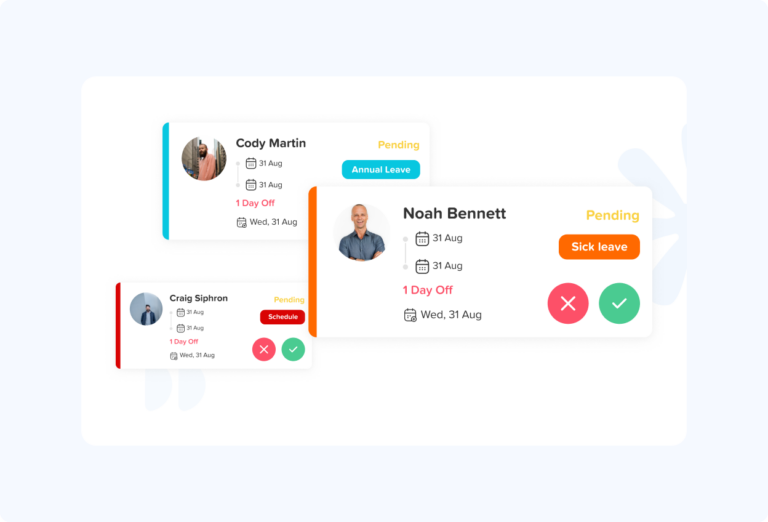
4. A clear backup approver
How Day Off handles this:
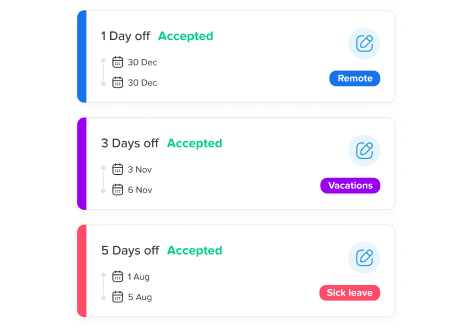
5. A record of every decision
How Day Off handles this:
How to build your leave approval process: a step-by-step guide
Step 1: Define your leave types
Step 2: Define your approval rules
Step 3: Write it down in a simple policy document
Step 4: Choose your request channel
This is where many teams get this decision wrong. They default to a new Slack channel or a shared Google Form, which are better than nothing, but introduce new problems (the Slack channel gets noisy, the Form has no approval workflow built in, the record-keeping is manual).
Your options, roughly in order of formality:
Option A: A dedicated Slack or Teams channel. Simple to set up, familiar to employees. Works for very small teams but has no approval workflow, no automatic balance tracking, and no audit trail.
Option B: A shared form (Google Forms, Typeform, etc.). Captures requests in a consistent format. Requires someone to manually check responses and notify employees of decisions. No balance tracking.
Option C: A leave management app. Requests, approvals, balance tracking, notifications, and audit trail in one place. Takes under 10 minutes to set up. Removes the manual work from every step of the process.
For teams of 10 or more, Option C is almost always the right choice. The time saved on administration in the first month typically exceeds the annual cost of the software.
Why teams choose Day Off for this:
Step 5: Set up your tool
1. Create your company profile
2. Add your leave types
3. Add your public holiday calendar
4. Set your approval rules
5. Connect your integrations
6. Invite your employees
Step 6: Communicate the new process clearly
Communicate the new process in three ways:
Step 7: Review it after 90 days
How Day Off helps with this:
Common mistakes to avoid
Overcomplicated approval chains
Approval criteria that live only in one person’s head
Treating all leave types the same
Forgetting about part-time employees
Not training backup approvers
Announcing the process once and assuming it stuck
What a leave approval process looks like with Day Off
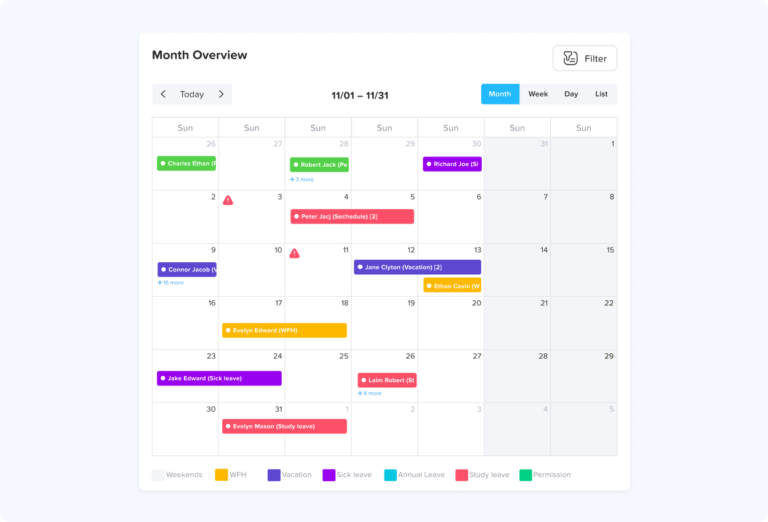
The employee submits a request. They open Day Off (on web or mobile), select the leave type, choose their dates, add an optional note, and submit. The system checks whether the dates fall within a blackout period, whether they have sufficient balance, and whether the dates conflict with another approved absence on the team.
The manager is notified immediately. The approver receives an email notification (and a Slack or Teams message, if integrated) with the request details. They can approve or reject with a single click from the notification, they don’t need to log into the app.
The employee is notified of the decision. As soon as the manager acts, the employee receives a notification with the outcome. If rejected, the manager can include a note explaining why or suggesting alternative dates.
The balance updates automatically. Approved leave is deducted from the employee’s balance immediately. Public holidays within the requested period are excluded automatically. If the employee is entitled to accrued leave, the balance reflects the latest accrual calculation.
Frequently asked questions
What is a leave approval process?
Who should approve leave requests?
How quickly should managers respond to leave requests?
What should a leave approval email or notification include?
Can a manager change their mind after approving leave?
What happens if two employees request the same dates?
How do you handle leave requests when the manager is on holiday?
Do I need leave management software, or can I manage this in a spreadsheet?
The bottom line
A leave approval process doesn’t need to be complicated. It needs to be clear, consistent, and easy enough that your team doesn’t work around it.
The teams that do this well share a few common traits: they’ve written down their approval criteria, they’ve named backup approvers, they’ve given employees a single channel for requests, and they’ve committed to a response time. None of that requires expensive software or an HR department.
What software does is take the manual work out of every step. When requests, approvals, balance tracking, notifications, and audit trails are all handled automatically, the process doesn’t depend on anyone remembering to update a spreadsheet or reply to a Slack message. It just works, every time, for every employee, without administrative overhead