








PTO for project-based teams can be difficult to manage because work is often tied to deadlines, client expectations, task dependencies, and team availability. When one employee takes time off, the impact may go beyond their own workload. A delayed task can affect another team member, slow down a project phase, or create pressure before a launch, delivery date, or client review.
That does not mean employees should avoid taking time off. Project-based teams still need healthy PTO practices. Employees need rest, personal time, sick leave, vacations, and work-life balance. The challenge is creating a process that allows people to take leave without putting projects at risk.

For agencies, software teams, consulting firms, marketing teams, design studios, construction teams, and professional service companies, PTO planning should be connected to project planning. Managers need to know who is available, what work is urgent, what can wait, and who can cover important responsibilities.
In this guide, we will explain how to manage PTO for project-based teams without delaying work, overloading employees, or creating confusion. We will also show how a leave management tool like Day Off can help teams manage requests, approvals, balances, shared calendars, and availability in one place.
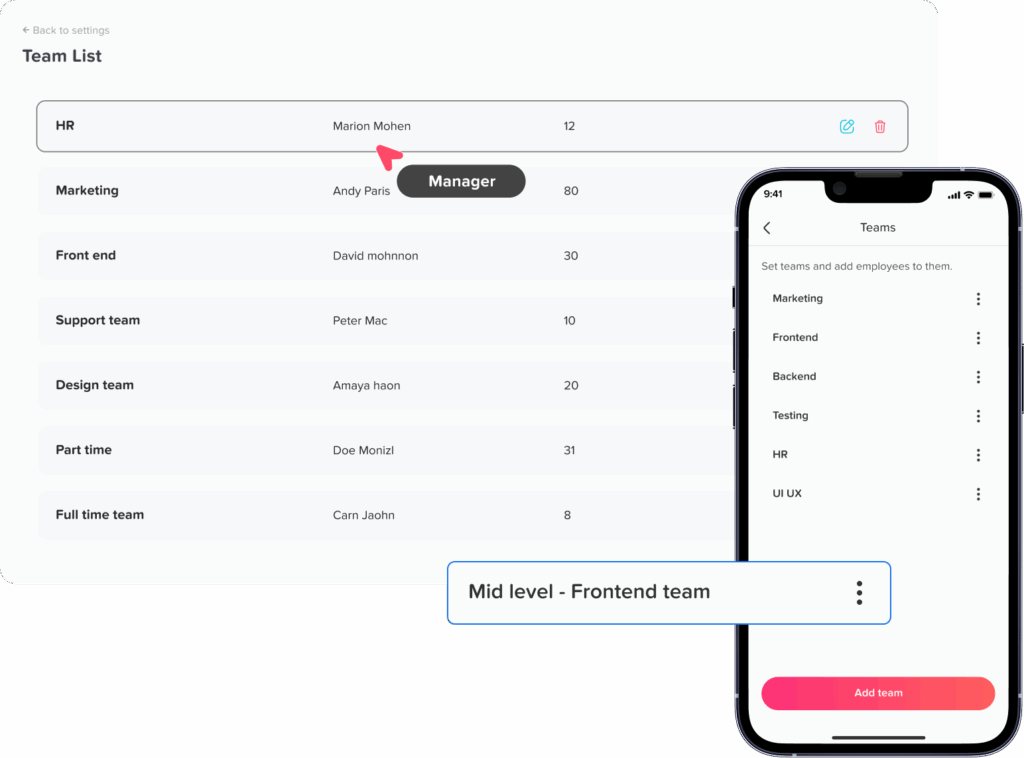
Why PTO Is More Complicated for Project-Based Teams
Project-based teams work differently from teams with routine daily tasks. Their work is usually organized around milestones, phases, deliverables, timelines, and dependencies. One person’s absence can affect the flow of the whole project.
For example, if a designer is off during the final review stage, the development team may not receive approved assets on time. If a project manager is unavailable during a client handoff, communication may become unclear. If a developer takes PTO during a release week without a handoff, bug fixes may be delayed.
PTO becomes more complicated when:
- Projects have fixed deadlines.
- Client work depends on specific people.
- Tasks are connected across departments.
- Team members have specialized skills.
- Several employees request PTO at the same time.
- Managers do not have visibility into upcoming absences.
- Handoffs are unclear or incomplete.
- Leave requests are tracked manually in emails, spreadsheets, or chat messages.
The solution is not to deny PTO automatically. The solution is to build a better planning process.
What Makes Project-Based PTO Different From Regular PTO Tracking?
Regular PTO tracking focuses on leave balances, requests, approvals, and records. Project-based PTO tracking needs all of that, but it also needs project visibility.
Managers need to understand how an absence affects:
- Project deadlines
- Task ownership
- Client communication
- Internal reviews
- Approvals
- Dependencies
- Workload distribution
- Team capacity
- Delivery risk
For project-based teams, PTO should not be reviewed in isolation. It should be reviewed alongside project schedules, sprint plans, client timelines, campaign calendars, or delivery milestones.
This helps managers make better decisions before approving leave and helps employees prepare proper handoffs before they go.
Common PTO Challenges for Project-Based Teams
Before building a better process, it helps to understand the most common problems.
One Person Owns Too Much Project Knowledge
Many project delays happen because one person is the only one who knows the details. They may know the client history, technical setup, design direction, reporting process, or next steps. If they take PTO without documenting this information, the team may struggle.
PTO Requests Overlap With Key Deadlines
Employees may request vacation during a launch, delivery week, client presentation, sprint review, or campaign deadline. Without a shared calendar, managers may not see the conflict until it is too late.
Managers Approve Leave Without Checking Capacity
If PTO requests are approved only based on leave balance, the project impact may be missed. An employee may have enough PTO days available, but their absence may still create a coverage issue.
Handoffs Are Too Vague
A message like “the team knows what to do” is not enough. Project-based teams need clear handoff notes, especially when work involves multiple steps, clients, tools, or approvals.
The Same Employees Always Cover
Reliable employees often become the default backup for everyone. Over time, this can create stress, resentment, and burnout.
Employees Feel Guilty Taking PTO
When there is no coverage plan, employees may feel that taking time off hurts the project. They may check messages during vacation or delay their leave. A clear PTO process helps employees disconnect without guilt.
How to Manage PTO for Project-Based Teams
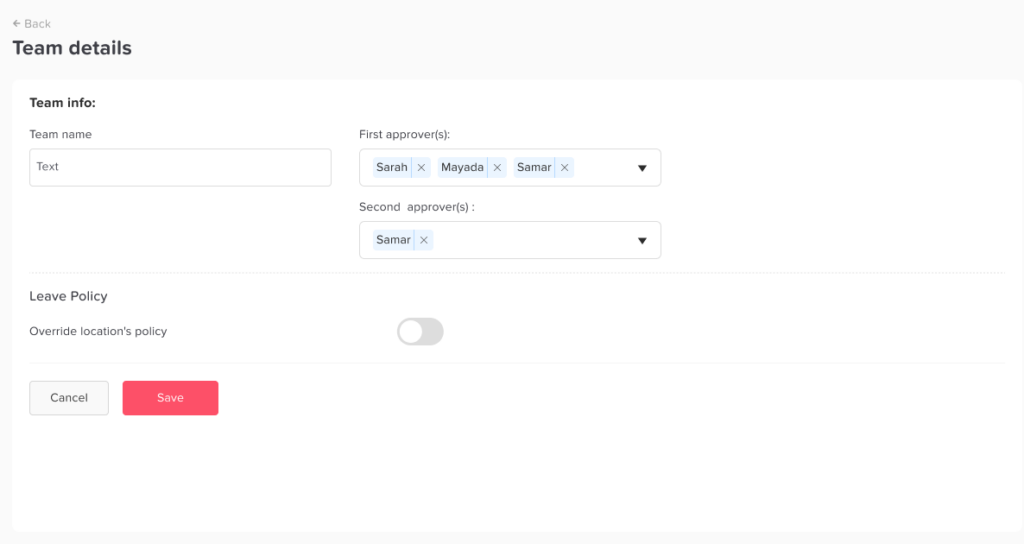
A strong PTO process for project-based teams should protect both employee well-being and project delivery. Here are practical steps HR teams and managers can follow.
Connect PTO Planning With Project Planning
PTO should be part of project planning from the beginning, not an afterthought.
When planning a project, managers should ask:
- Who is expected to work on this project?
- Are any team members already planning time off?
- Are there public holidays during the project timeline?
- Which deadlines require specific people to be available?
- Are there backup employees for key roles?
- Can the timeline include buffer days for absences or delays?
This is especially important for long projects. A project that lasts three or six months will almost certainly include vacations, sick days, personal leave, or public holidays.
If PTO is considered early, managers can build more realistic timelines.
Use a Shared PTO Calendar
A shared PTO calendar is essential for project-based teams. It helps managers see who is off before assigning work, planning deadlines, or approving new requests.
A shared calendar helps answer questions like:
- Who is off during the project launch?
- Will the designer be available before the client review?
- Is the project manager away during the handoff?
- Are several team members off during the same week?
- Can the team meet the deadline with the available capacity?
With Day Off, managers and HR teams can view employee time off in one place. This helps teams avoid overlapping absences and plan around employee availability more easily.
Review Project Milestones Before Approving PTO
Before approving PTO, managers should check whether the requested dates overlap with important project milestones.
Important milestones may include:
- Project kickoff
- Client discovery sessions
- Design review
- Development sprint
- Quality assurance testing
- Internal approval
- Client presentation
- Product launch
- Campaign launch
- Final delivery
- Post-launch support
If the PTO request does not affect any major milestone, approval may be simple. If it overlaps with a critical point, the manager may need a coverage plan before approving.
This does not mean the request must be denied. It means the manager should understand the impact and decide how to handle it.
Create Clear PTO Approval Criteria
Project-based teams need fair approval rules. Without clear criteria, employees may feel that decisions are personal or inconsistent.
Approval criteria may include:
- Available PTO balance
- Notice period
- Project deadline impact
- Team coverage
- Role criticality
- Overlapping PTO requests
- Client commitments
- Emergency versus planned leave
- Ability to complete work before leave
- Availability of a backup person
The policy should explain how PTO is reviewed during important project periods. This helps employees understand why some dates may require extra planning.
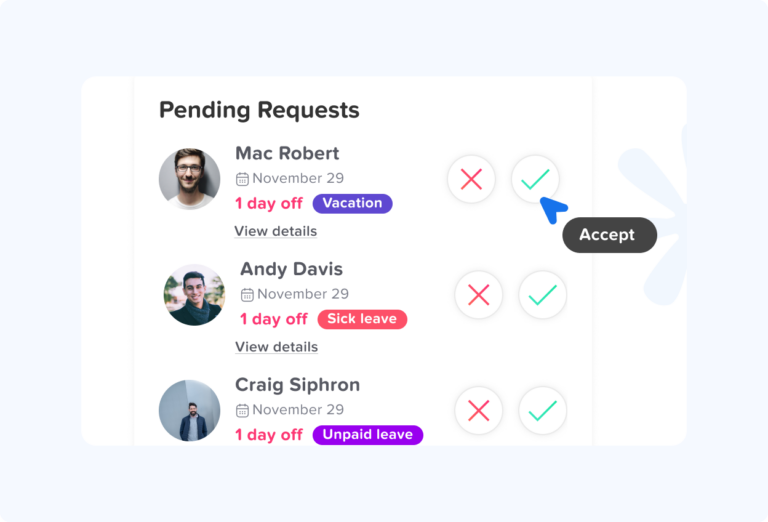
Require Handoff Notes for Planned PTO
A handoff is one of the most important parts of PTO management for project-based teams.
For planned PTO, employees should prepare handoff notes before their leave starts. These notes should make it easy for another person to understand what is happening and what needs attention.
A good PTO handoff should include:
- Project name
- Current project status
- Tasks completed
- Tasks still pending
- Upcoming deadlines
- Important contacts
- Client or stakeholder updates
- Links to files, documents, or tools
- Known risks or blockers
- Decisions waiting for approval
- Meetings that need coverage
- Tasks that can wait until return
- Backup owner name
The goal is simple: the project should not stop because one employee is unavailable.
Assign Backup Owners for Critical Work
Every project should have backup owners for important responsibilities. This is especially important when a team member has specialized knowledge.
Backup ownership can apply to:
- Client communication
- Design files
- Code reviews
- QA testing
- Project reporting
- Budget approvals
- Content publishing
- Sprint management
- Vendor communication
- Technical support
- Final delivery tasks
The backup person does not need to do the entire role. They only need enough information and access to handle urgent tasks during the absence.
Separate Urgent Work From Work That Can Wait
Not everything needs to be covered while someone is on PTO. Managers should separate tasks into three groups:
| Task Type | What It Means | Example |
|---|---|---|
| Complete before PTO | Work that should be finished before the employee leaves. | Finalize a client report before vacation. |
| Delegate during PTO | Work that must continue while the employee is away. | Assign another designer to handle urgent revisions. |
| Pause until return | Work that can wait without hurting the project. | Internal improvement ideas or non-urgent research. |
This keeps coverage realistic and prevents backup employees from becoming overloaded.
Add Buffer Time Around Important Deadlines
Project plans should not be so tight that one PTO day causes a major delay. Good project planning includes buffer time.
Buffer time helps teams manage:
- Employee PTO
- Sick leave
- Client feedback delays
- Technical issues
- Approval delays
- Scope changes
- Unexpected rework
For example, if a campaign must launch on Friday, the team should avoid scheduling all final approvals on Thursday afternoon. A better plan gives the team time to handle changes before the deadline.
PTO planning works best when project timelines are realistic.
Avoid Overloading the Same Backup Employees
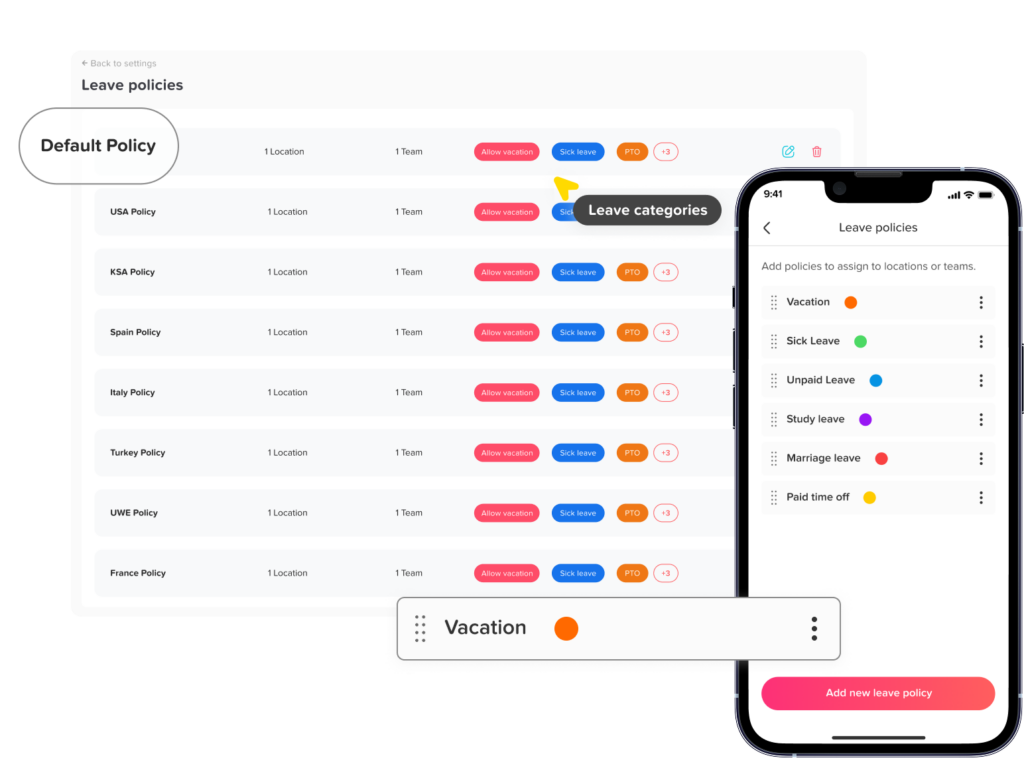
Project-based teams often rely on the most experienced employees to cover for others. While this may work in the short term, it can create long-term problems.
Managers should watch for signs that backup work is not being distributed fairly.
Signs include:
- One employee always covers urgent work.
- The same person joins every project handoff.
- Backup employees work longer hours during PTO periods.
- Employees delay their own PTO because they are covering others.
- Team members complain about uneven workload.
To prevent this, managers should rotate backup responsibilities when possible and cross-train employees before coverage is needed.
Cross-Train the Team Before PTO Happens
Cross-training helps project-based teams avoid dependency on one person.
It can include:
- Pairing employees on important tasks
- Documenting project processes
- Sharing client background during meetings
- Recording short process videos
- Creating templates for recurring work
- Allowing junior team members to shadow senior employees
- Rotating responsibilities across projects
Cross-training should happen during normal work, not only when someone is about to take leave. This makes the team more flexible and resilient.
Use Leave Data to Plan Better Projects
PTO records can help managers plan future projects more accurately.
HR and managers can review:
- Which months have the most PTO requests
- Which teams often have overlapping leave
- Which project phases are most affected by absences
- Whether approval delays are common
- Whether certain employees are always covering work
- Whether public holidays affect project capacity
- Whether PTO patterns create delivery risks
This data helps companies plan realistic timelines and avoid repeating the same problems.
Day Off helps teams keep accurate leave records, making it easier for HR and managers to review patterns and improve planning.
Set Rules for Client Communication During PTO
Project-based teams often work with clients, vendors, or external stakeholders. If an employee owns client communication, their PTO should be clearly managed.
Before the employee leaves, the team should decide:
- Who will respond to client messages
- Whether the client should be notified
- What response time should be expected
- Which issues should be escalated
- Who can make decisions during the absence
- What information should be shared with the client
For example, a project manager may send a short message before PTO saying that another team member will be the main contact during their absence. This keeps communication professional and prevents delays.
Protect Employee Time Off
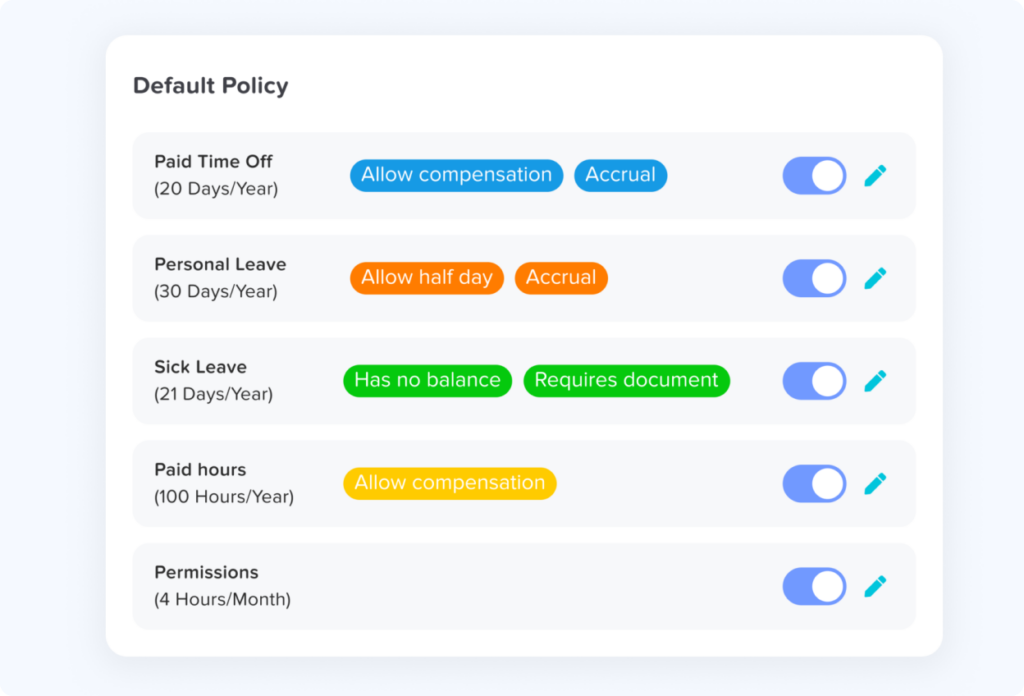
One of the main reasons to plan PTO properly is to help employees disconnect.
If a project cannot continue without contacting someone on PTO, the handoff process needs improvement. Employees should not be expected to monitor messages, answer client questions, or solve routine problems while they are away.
Managers should define what counts as a true emergency. Most project questions should be handled by the backup owner, not the employee on leave.
Respecting PTO helps reduce burnout and supports a healthier team culture.
PTO Planning Checklist for Project-Based Teams
Use this checklist before approving or starting planned PTO during a project:
| Checklist Item | Why It Matters |
|---|---|
| Check project timeline | Confirms whether PTO overlaps with key milestones. |
| Review shared PTO calendar | Shows who else is off during the same period. |
| Confirm leave balance | Ensures the employee has available PTO. |
| Identify urgent tasks | Helps decide what must be covered. |
| Assign backup owner | Prevents work from stopping. |
| Prepare handoff notes | Gives the backup person clear context. |
| Notify stakeholders | Keeps clients and internal teams aligned. |
| Update project tools | Makes task ownership visible. |
| Adjust deadlines if needed | Prevents unrealistic timelines. |
| Confirm return plan | Helps the employee restart smoothly. |
How Day Off Helps Project-Based Teams Manage PTO
Day Off helps project-based teams manage PTO more clearly by bringing leave requests, approvals, balances, shared calendars, and employee availability into one system.
Instead of relying on spreadsheets, emails, or chat messages, teams can use Day Off to:
- Track PTO requests
- Manage approval workflows
- View who is off and when
- Check employee leave balances
- Organize teams and departments
- Manage different leave types
- Use shared calendars
- Reduce overlapping absences
- Keep accurate leave records
- Export reports when needed
For project-based teams, this visibility is valuable. Managers can check availability before approving leave. HR can maintain accurate records. Employees can request time off easily and see the status of their requests.
Day Off also supports growing teams that need more structure around PTO, approvals, policies, and visibility.
Best Practices for PTO in Project-Based Teams
To manage PTO without delaying work, project-based teams should follow these best practices:
- Include PTO in project planning.
- Use a shared leave calendar.
- Review milestones before approving leave.
- Create fair approval rules.
- Require handoff notes for planned PTO.
- Assign backup owners for critical tasks.
- Cross-train employees before they are needed.
- Avoid overloading the same people.
- Separate urgent work from work that can wait.
- Communicate clearly with clients and stakeholders.
- Protect employees from working during PTO.
- Review leave patterns after major projects.
These practices help companies support employee time off while keeping projects on track.
Common Mistakes to Avoid
Project-based teams should avoid these PTO management mistakes:
- Approving PTO without checking project deadlines
- Relying on one person for critical project knowledge
- Skipping handoff notes
- Contacting employees during PTO for non-emergencies
- Assigning all backup work to the same person
- Ignoring overlapping PTO requests
- Failing to update project management tools
- Waiting until the day before leave to plan coverage
- Using spreadsheets that are not updated in real time
- Treating all projects the same, even when some have higher risk
Avoiding these mistakes can reduce delays, stress, and communication problems.
FAQ: PTO for Project-Based Teams
How do you manage PTO in a project-based team?
To manage PTO in a project-based team, connect time-off planning with project timelines. Managers should review upcoming milestones, deadlines, client commitments, and team availability before approving leave. A shared PTO calendar, clear approval rules, and proper handoff notes help employees take time off without delaying the project.
How do you plan employee vacation around project deadlines?
To plan employee vacation around project deadlines, managers should identify critical project dates early and check who will be available during each phase. Employees should submit PTO requests as early as possible, especially before launches, client presentations, sprint reviews, or final delivery dates. If the requested dates overlap with important work, the manager can adjust deadlines, assign backup coverage, or approve alternative dates.
Can employees take PTO during a project deadline?
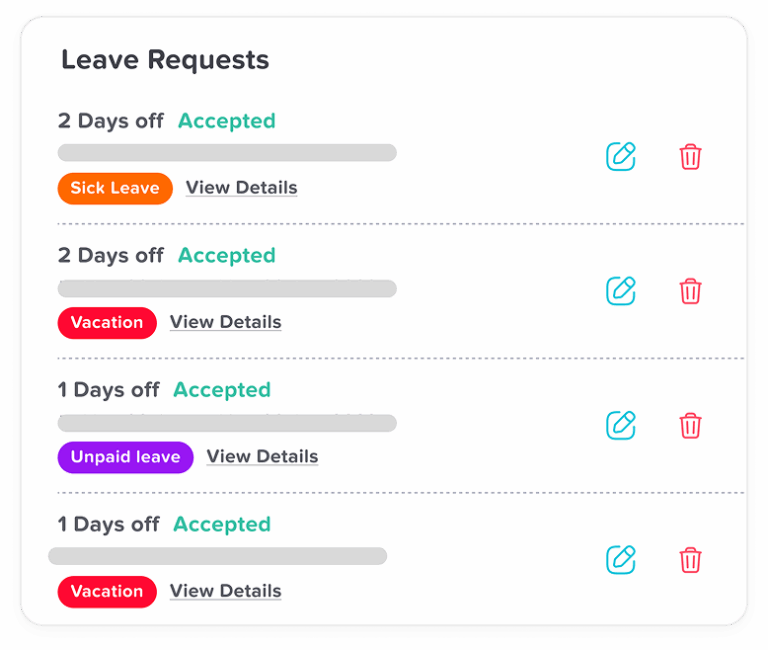
Employees may be able to take PTO during a project deadline if their responsibilities can be completed early, covered by another team member, or moved without affecting delivery. If the absence creates a serious risk to the project, the manager may need to discuss alternative dates, partial approval, or a coverage plan. The decision should follow the company’s PTO policy and be applied fairly.
Can a manager deny PTO because of a project deadline?
In many companies, managers can consider business needs, staffing levels, and project deadlines when reviewing PTO requests. However, the rules depend on the company policy, employment agreement, location, and type of leave. To avoid confusion, companies should clearly explain when PTO may be delayed or denied because of project coverage needs.
How far in advance should employees request PTO on a project team?
The right notice period depends on the company policy and the type of work. For planned vacation, employees on project-based teams should usually request PTO early enough for the manager to review deadlines, assign backup coverage, and adjust project plans. For urgent sick leave or emergency leave, the process should be more flexible because employees cannot always give advance notice.
What should be included in a PTO handoff before vacation?
A PTO handoff should include the project name, current status, pending tasks, upcoming deadlines, important links, client updates, blockers, meeting notes, approval needs, and the name of the backup owner. The goal is to make sure the project can continue without needing to contact the employee while they are away.
Who should cover work when someone is on PTO?
The backup person should be someone who understands the project, has the right access, and has enough capacity to handle urgent responsibilities. For larger projects, coverage may need to be split between more than one person so one employee does not become overloaded.
How do you avoid project delays when an employee takes PTO?
Managers can avoid project delays by planning PTO early, reviewing the shared leave calendar, assigning backup owners, documenting important tasks, and adding buffer time around major deadlines. Clear handoff notes also reduce confusion and help the team continue essential work during the employee’s absence.
How do you handle overlapping PTO requests on a project team?
When multiple employees request the same dates, managers should review project deadlines, team capacity, role coverage, and minimum staffing needs. The company may use first come, first served, rotation, business priority, or manager review to make the decision. The most important thing is to use a fair and consistent process.
Should employees work during PTO if a project is urgent?
Employees should generally be able to disconnect during PTO. If a project needs coverage, the team should prepare a handoff and assign a backup owner before the employee leaves. Contacting employees during PTO should be limited to true emergencies, not routine project questions.
How can project managers track team availability?
Project managers can track team availability by using a shared PTO calendar, reviewing approved and pending leave requests, checking public holidays, and planning around key deadlines. A tool like Day Off helps managers see who is off and when, making it easier to plan project work without relying on spreadsheets or scattered messages.
What is the best PTO policy for project-based teams?
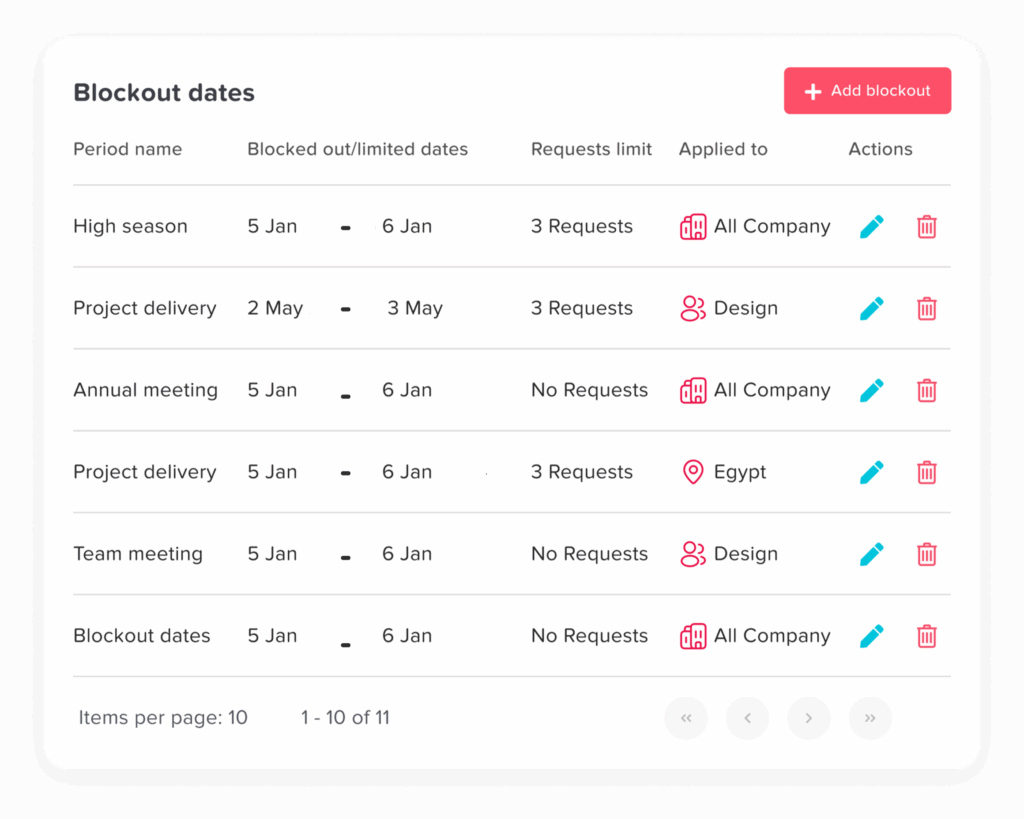
The best PTO policy for project-based teams should explain notice periods, approval rules, handoff expectations, overlapping request rules, emergency leave procedures, and how managers review project coverage before approving time off. It should also make sure PTO decisions are fair, consistent, and clearly communicated.
How can PTO software help project-based teams?
PTO software helps project-based teams manage leave requests, approvals, balances, shared calendars, and reports in one place. With Day Off, managers can check employee availability before approving PTO, avoid overlapping absences, and keep accurate records without using manual spreadsheets.
How do you manage PTO for client projects?
To manage PTO for client projects, teams should identify client-facing responsibilities before the employee leaves. This includes deciding who will respond to client messages, attend meetings, share updates, and handle urgent requests. If needed, the client can be informed that another team member will be the main contact during the absence.
How can employees take vacation without affecting project delivery?
Employees can take vacation without affecting project delivery by requesting PTO early, completing urgent tasks before leaving, preparing a clear handoff, updating project tools, and sharing key information with the backup person. Managers should support this by planning coverage and avoiding unrealistic timelines.
Conclusion
PTO for project-based teams requires more than tracking days off. It requires planning, communication, coverage, and visibility. When time off is not connected to project timelines, teams may face missed deadlines, unclear ownership, overloaded employees, and unnecessary stress.
A strong process helps employees take time off without delaying work. Managers should review project milestones, use shared calendars, assign backup owners, require handoff notes, and protect employees from working during PTO.
Day Off helps make this process easier by keeping leave requests, approvals, balances, shared calendars, and reports organized in one place. With the right PTO process and the right tools, project-based teams can support employee time off while keeping projects moving forward.