





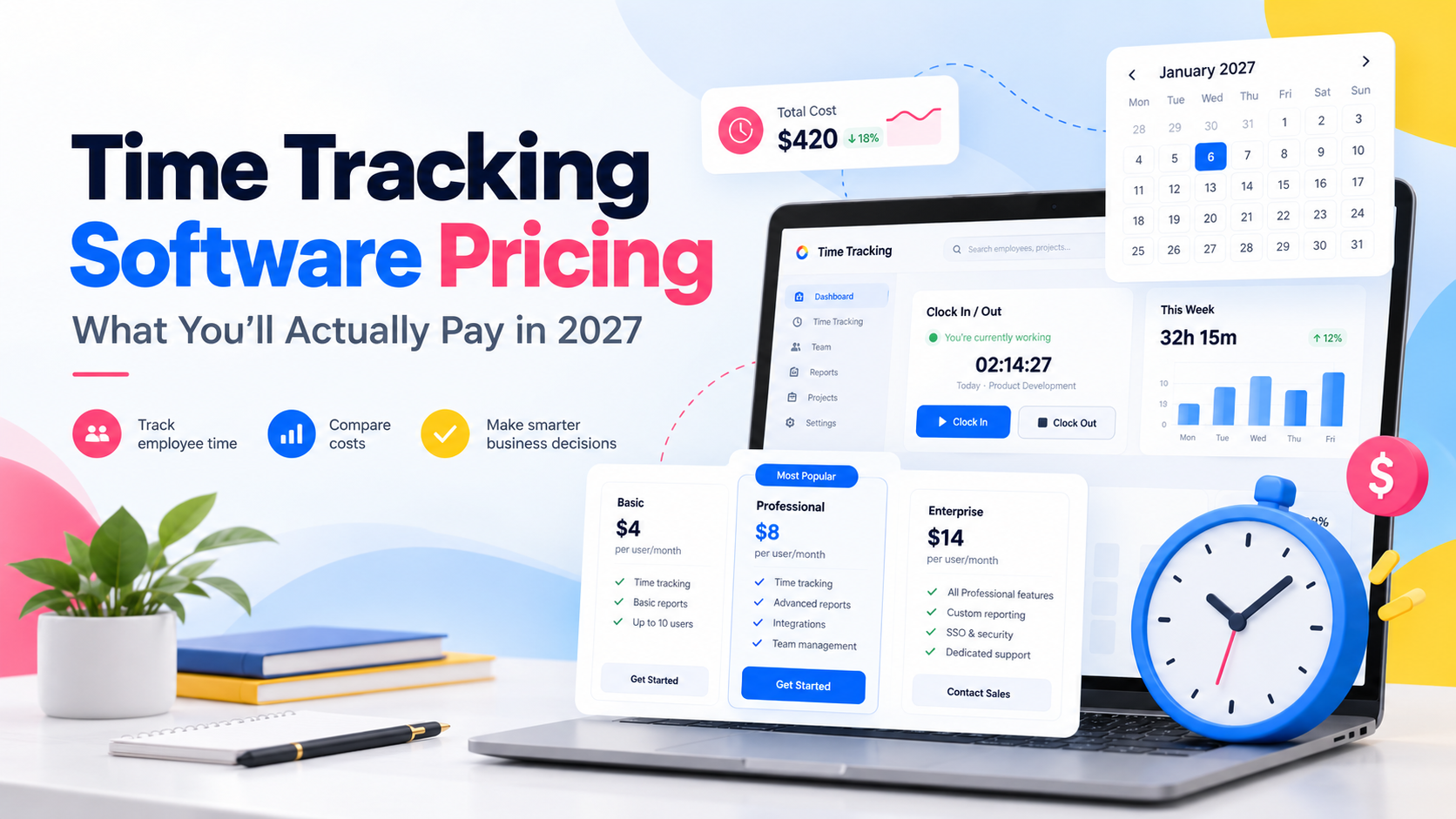
Time tracking software pricing can range from completely free to more than $20 per employee per month, depending on the features your business needs. Basic plans may simply record working hours, while more advanced platforms add attendance management, overtime tracking, PTO, timesheet approvals, projects, labor costs, scheduling, payroll integrations, and workforce reporting.
That makes comparing prices more complicated than looking at the number shown on a pricing page

A platform advertised at $3 per user can become significantly more expensive when time clocks, approvals, payroll, reporting, or attendance features require additional plans or add-ons. At the same time, a slightly higher-priced platform may replace several separate HR and workforce tools.
This guide explains how time tracking software pricing works, compares popular tools using prices available in October 2026, and shows what businesses should actually consider when budgeting for 2027.

Time Tracking Software Pricing at a Glance
Here is the quickest way to understand the market:
Free time tracking software exists, although free plans usually limit users, reports, advanced attendance features, approvals, or workforce controls.
Entry-level paid plans commonly cost around $3 to $9 per employee per month.
Advanced functionality such as timesheet approvals, labor-cost reports, overtime management, SSO, GPS tracking, and profitability reporting may require higher plans.
Some platforms charge per employee, while others charge per location or for a set number of users.
Annual subscriptions are often cheaper than monthly billing.
Some vendors require minimum monthly payments or minimum seat counts.
Payroll, HR, scheduling, GPS, advanced analytics, and other modules may be sold separately.
The cheapest advertised plan is therefore not always the cheapest solution for your business.
How Does Time Tracking Software Pricing Work?
Most time tracking platforms use one of several pricing structures.
Per User, Per Month
This is one of the most common models.
You pay a fixed amount for each employee or seat using the platform.
For example:
20 employees × $5 per user = $100 per month
This model is used by platforms such as Day Off, Clockify, Toggl Track, Deputy, Hubstaff, and Jibble.
It works well for businesses that want predictable costs, but expenses increase as the team grows.
Flat Monthly Pricing
Some systems charge one amount for a certain number of employees instead of charging separately for every person.
Connecteam, for example, prices its Operations Hub at a fixed amount for the first 30 users, then charges an additional amount for users above that limit. Its Operations Hub includes tools such as the time clock, scheduling, forms, and tasks.
This model can become attractive for companies with larger workforces.
Per-Location Pricing
Other workforce platforms are designed around physical workplaces rather than individual employees.
Homebase is a good example.
Its paid plans are priced per location and support unlimited employees at that location. This structure can work particularly well for restaurants, cafés, retail stores, salons, and other businesses with many hourly employees working from a small number of locations.
Base Product Plus Add-Ons
Some vendors advertise a relatively low starting price but charge separately for additional functionality.
Possible add-ons include:
Time and attendance
Payroll
HR
Advanced analytics
GPS tracking
Scheduling
Messaging
Additional locations
Productivity monitoring
For example
When I Work advertises scheduling plans beginning at $2.50 per user per month and provides Time Tracking & Attendance as part of its workforce-management offering, with pricing depending on the selected setup.
Always calculate the price of the configuration you actually need.
Free Plan With Paid Upgrades
Many time tracking companies use a freemium model.
The basic timer may be free, but advanced administration, attendance, PTO, reporting, approvals, or security tools require a paid plan.
For example, Clockify currently offers its Free plan for up to five users, while Jibble promotes unlimited time tracking on its free plan.
Free software can work well for freelancers and very small teams, but employers should compare the management controls included before relying on price alone.
Time Tracking Software Price Comparison
The following prices were checked against currently available vendor information in October 2026.
| Software | Free Option | Entry Time Tracking Price | Pricing Model |
|---|---|---|---|
| Day Off | Free PTO plan for up to 10 users | $3/user/month | Per user |
| Clockify | Free for up to 5 users | $3.99 annual / $4.99 monthly | Per seat |
| Deputy | Free trial | $5/user/month | Per user |
| Hubstaff | Free trial | $4.99 annual / $7 monthly | Per seat |
| Toggl Track | Free limited-user plan | $9 annual / $12 monthly | Per license |
| When I Work | Free trial | Starts at $2.50/user/month | Per user |
| Connecteam | Small Business plan available | From $29/month annually for first 30 users | Flat + extra users |
| Homebase | Free plan | $30/location/month | Per location |
Pricing and plan structure vary, so these numbers should not be interpreted as identical products.
For example, one platform may concentrate on project profitability while another combines PTO, attendance, work schedules, and employee time records.
That distinction matters more than a difference of one or two dollars per employee.
What Popular Time Tracking Tools Cost
Day Off
Day Off is useful for businesses that want PTO management, attendance, and employee time tracking in the same system rather than maintaining separate tools.
There are three main plans.
Free
$0 per month for up to 10 employees
The Free plan focuses on leave management and includes features such as:
Shared calendar
Customizable leave types
One-step leave approval
Management reports
The Free plan does not include the Time Tracker.
Pro
$2 per employee per month
Minimum charge: $20 per month
Pro expands the PTO and workforce-management side of Day Off with features such as:
Advanced leave policy settings
Advanced work schedules
Accrual and carryover management
Hour-based or day-based leave
Bulk actions
Integrations
More advanced approval workflows
Calendar and leave controls
Pro + Time Tracker
$3 per employee per month
Minimum charge: $30 per month
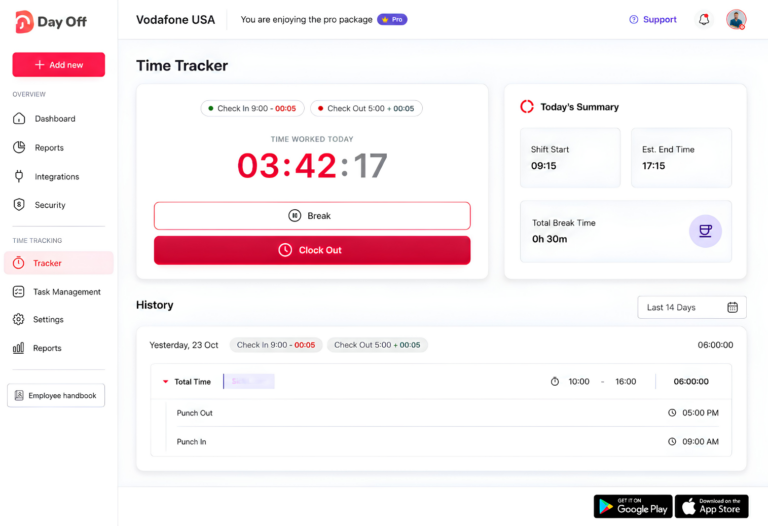
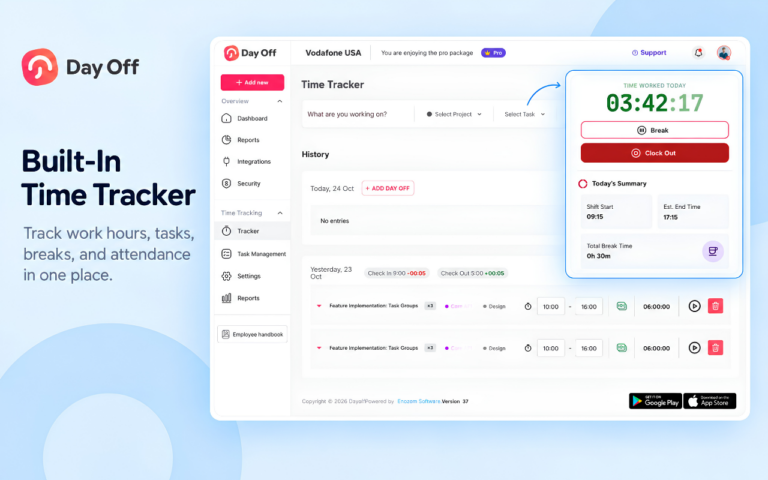
This plan includes Pro features plus Day Off’s employee time tracking system.
Businesses can use:
Clock In / Clock Out mode
Task Tracking mode
Projects
Tasks
Clients
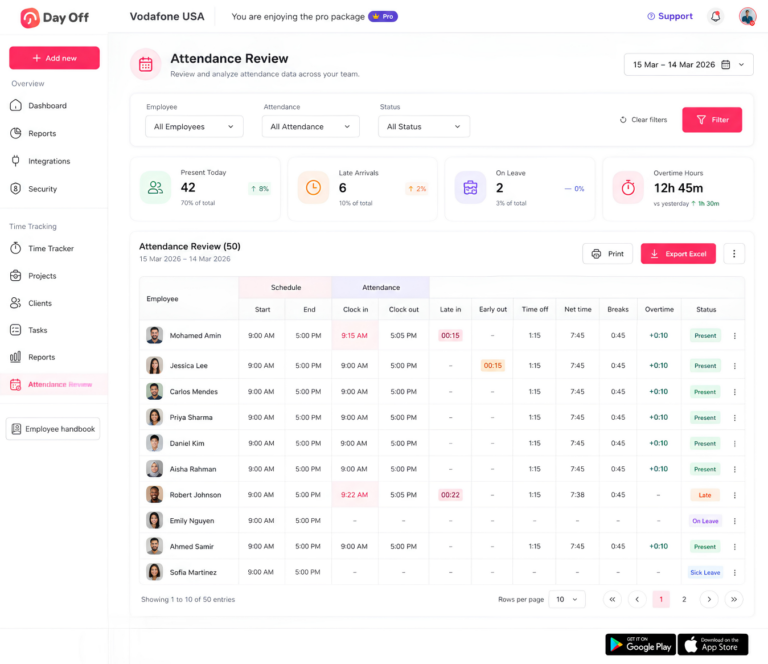
Attendance Review
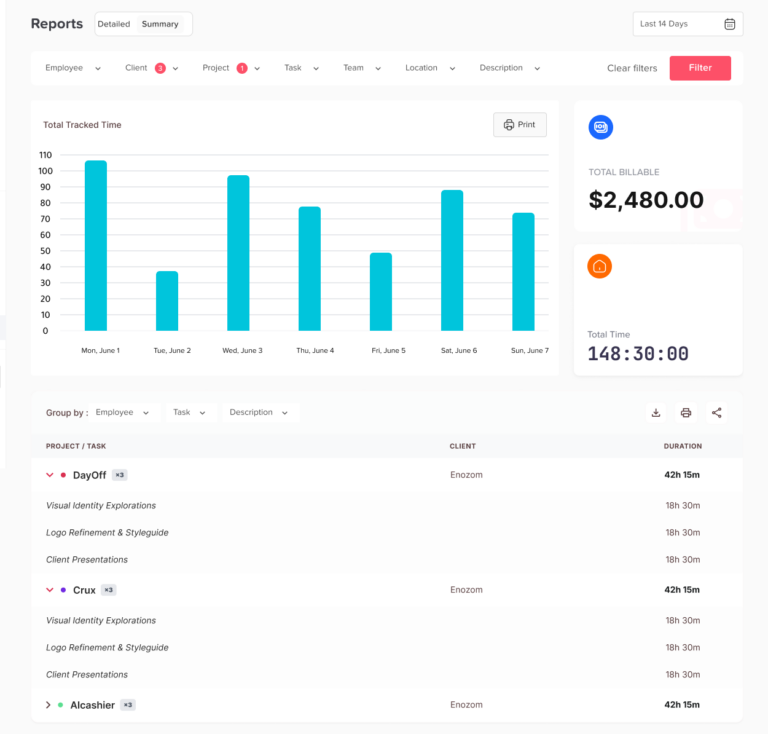
Detailed time reports
Summary reports
Day Off currently advertises a 17% saving with yearly billing.
Why Day Off’s Pricing Is Different
The main advantage is not simply the $3 price.
It is that PTO and working-time information exist within the same workforce system.
For example, an HR manager can manage:
Vacation
Sick leave
Employee balances
Leave approvals
Work schedules
Clock-in and clock-out records
Attendance
Overtime
Project time
Employee reports
without maintaining one subscription for PTO and another for time tracking.
That can make the effective software cost lower for companies that need both.
Clockify
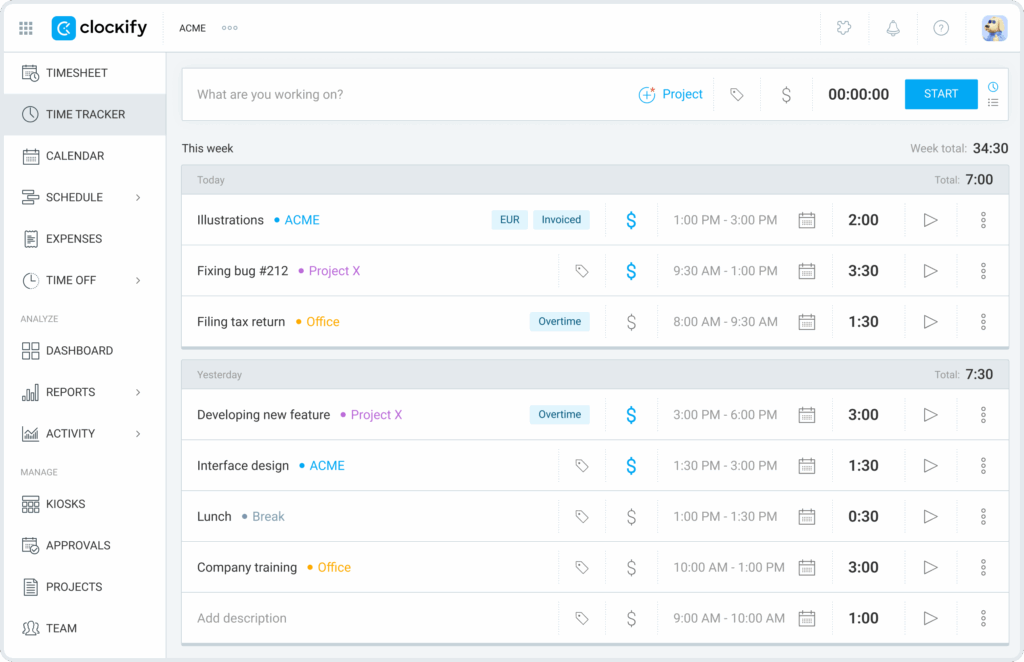
Clockify offers several paid tiers.
Current listed pricing includes:
Free: up to 5 users
Basic: $3.99 per seat/month annually or $4.99 monthly
Standard: $5.49 annually or $6.99 monthly
Pro: $7.99 annually or $9.99 monthly
Enterprise: $11.99 annually or $14.99 monthly
Clockify’s Basic plan includes administration functionality, while Standard adds features such as:
Time off
Approvals
Attendance and overtime
Rounding
Invoicing
QuickBooks integration
Pro adds more advanced capabilities, including:
Scheduling
Forecasting
GPS tracking
Labor cost and profit
Expenses
Budgets and estimates
Clockify therefore becomes more expensive when a business needs more than basic time recording.
Deputy
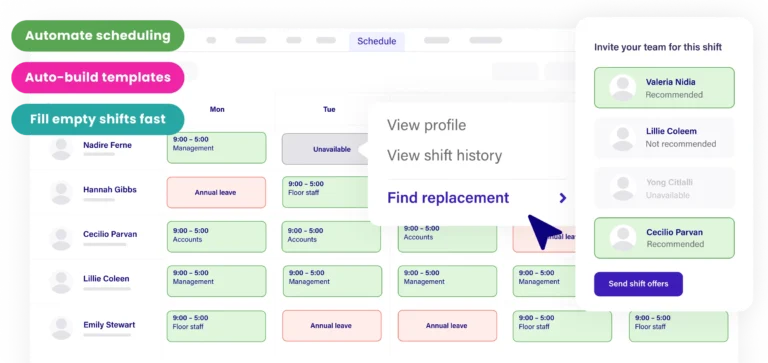
Deputy currently offers:
Lite: $5 per user/month
Core: $6.50 per user/month
Pro: $9 per user/month
There’s also a $30 minimum monthly spend per invoice on Deputy’s standard monthly plans.
Lite includes basic scheduling, timesheets, time clocking, leave management, and reporting.
Core adds features such as:
Timesheet auto-approval
Biometric time clocking
Advanced scheduling
Labor forecasting
Labor optimization
Optional products can increase the final bill.
For example, Deputy currently lists:
HR: $2 per user/month
Messaging+: $1.95 per user/month
Analytics+: $1.50 per user/month
Payroll: $8 per user/month plus a $49 monthly base fee for eligible US businesses
Businesses comparing Deputy should therefore calculate both the workforce plan and any required add-ons.
Hubstaff
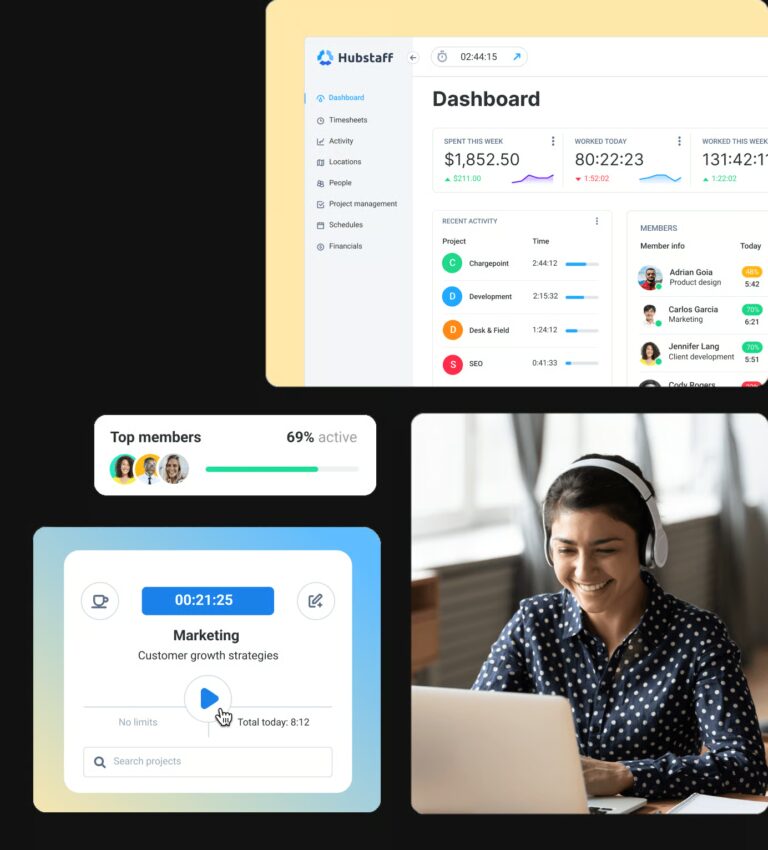
Hubstaff currently lists the following annual prices:
Starter: $4.99 per seat/month
Grow: $7.50
Team: $10
Enterprise: $25
Monthly Starter pricing is currently $7 per seat, and paid plans have a two-seat minimum.
Starter focuses on time tracking, timesheets, reports, activity levels, screenshots, clients, and invoices.
Grow adds functionality such as:
Tasks
Work breaks
Expenses
Project budgets
Additional reporting
One integration
Team adds more advanced workforce capabilities, including scheduling, attendance, payroll-related features, and unlimited integrations.
Hubstaff is particularly focused on employee time, productivity, projects, and distributed teams.
Toggl Track

Toggl Track currently lists:
Free: $0 for a limited number of users
Starter: $9 per user/month annually
Premium: $16 per user/month annually
Enterprise: custom pricing
Its support documentation currently lists monthly Starter pricing from $12 and monthly Premium pricing from $20.
Starter focuses on areas such as:
Billable rates
Team reports
Project estimates
Team planning
PTO and capacity visibility
Premium adds functionality including:
Labor costs
Profitability reports
Fixed-fee projects
Project dashboards
Timesheet approvals
SSO
This makes Toggl especially relevant to agencies, consultancies, professional services companies, and teams that want to measure profitability as well as hours.
Connecteam
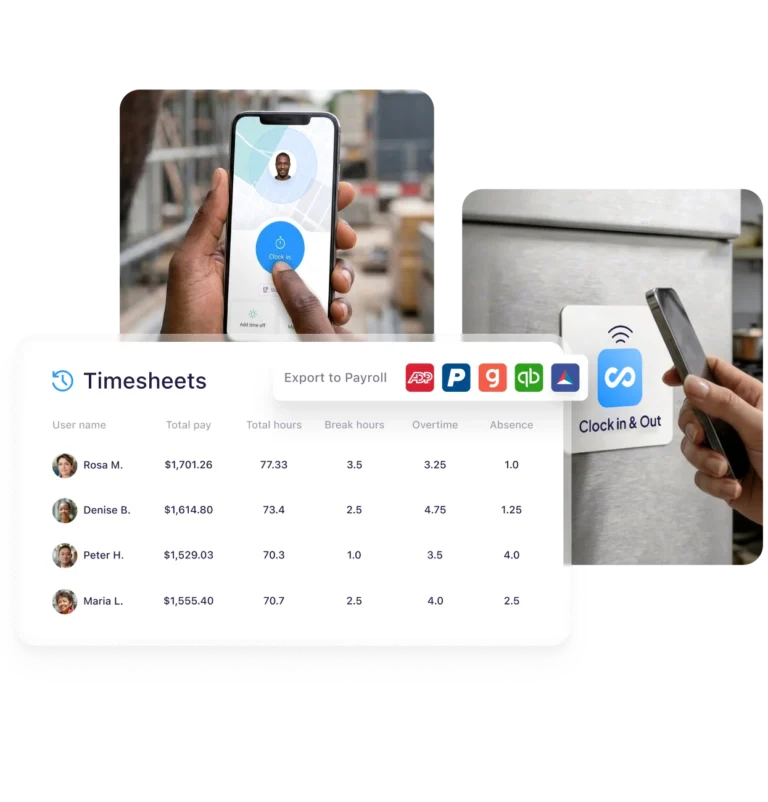
Connecteam uses a different pricing model.
Its Operations Hub includes:
Time Clock
Job Scheduling
Forms
Quick Tasks
Current annual pricing starts at:
Basic: $29/month for the first 30 users
Advanced: $49/month for the first 30 users
Expert: $99/month for the first 30 users
Monthly billing is higher.
Additional users above the included 30 are charged separately, and the amount depends on both the tier and billing cycle.
For example, Connecteam currently lists Basic Operations at an additional $0.80 per user on annual billing or $1 per user with monthly billing.
This pricing structure can become attractive as team size increases.
Homebase
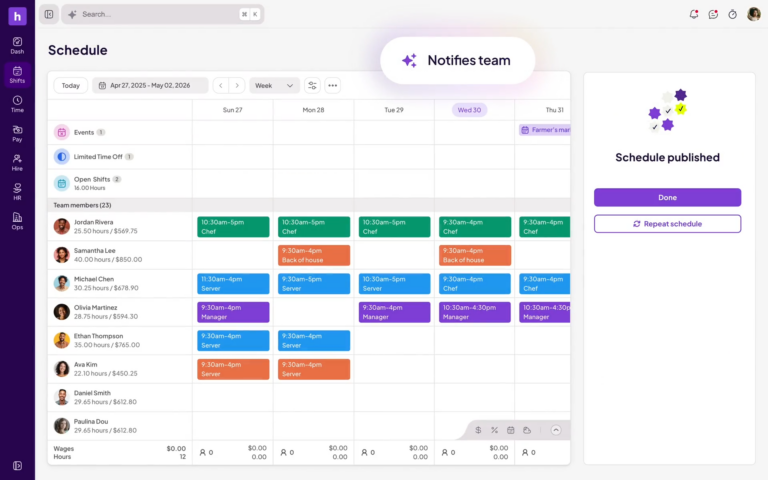
Homebase takes another approach by charging primarily per location instead of per employee.
Current monthly prices include:
Basic: $0
Essentials: $30/location
Plus: $70/location
All-in-One: $120/location
Essentials includes advanced scheduling and time tracking.
Plus adds PTO and time-off controls as well as additional workforce-management functionality.
All-in-One includes broader HR, onboarding, and labor-cost management features.
Payroll is available as an additional product and currently carries a base and employee charge.
Annual billing can reduce the effective monthly subscription price.
For a restaurant or retail location with many hourly workers, a per-location model may be cheaper than paying for every employee separately.
Hidden Costs in Time Tracking Software Pricing
The subscription price shown on the homepage is only one part of your real cost.
Before choosing software, check these areas.
Higher Plans for Essential Features
The cheapest paid tier may not contain the feature you actually need.
For example:
Clockify puts approvals and attendance/overtime functionality in Standard rather than Basic.
Toggl’s timesheet approvals and profitability reports are Premium features.
Some workforce tools require a separate attendance package.
Always compare the feature tier, not simply the lowest advertised price.
Minimum Monthly Charges
Minimum charges matter most for very small companies.
For example:
Day Off Pro has a $20 monthly minimum.
Day Off Pro + Time Tracker has a $30 minimum.
Deputy applies a $30 minimum monthly spend to relevant plans.
Hubstaff has a two-seat minimum on its main paid plans.
A five-person company should therefore calculate the actual monthly minimum instead of multiplying the headline per-seat price by five.
Payroll Costs
Time tracking and payroll are related, but they are not always part of the same subscription.
Payroll may carry:
A base monthly fee
A per-employee fee
Additional tax-service costs
If payroll is important, compare the combined price rather than treating the time clock as the complete system cost.
Admin and Manager Seats
Another frequently overlooked question is:
Who counts as a paid user?
Some platforms charge for managers and administrators in addition to employees.
Clockify, for example, states that active or invited users on paid plans occupy paid seats, including owners, admins, managers, and members. Toggl similarly bills based on licenses assigned to the organization.
A business with 45 employees and five managers could therefore require 50 paid seats.
Monthly vs. Annual Billing
Annual billing can reduce costs considerably.
For example:
Day Off advertises 17% yearly savings.
Clockify offers lower annual per-seat prices than monthly prices.
Connecteam’s annual plans are effectively cheaper than monthly subscriptions.
Homebase advertises lower equivalent prices with annual billing.
Deputy advertises a 10% annual saving.
The trade-off is that an annual subscription may require more money upfront.
Extra Hubs or Modules
Modern workforce software is increasingly modular.
You may pay separately for:
HR
Communication
Scheduling
Payroll
Analytics
GPS
Productivity monitoring
Expense management
Project management
Ask whether the quoted price represents the entire workflow or only one part of it.
Taxes
Published prices are often shown before tax.
Depending on the company’s location and the vendor’s tax obligations, VAT, sales tax, or another tax may be added at checkout.
Example Costs for Different Team Sizes
To understand why pricing models matter, consider Day Off Pro + Time Tracker.
At the current monthly rate of $3 per employee:
| Employees | Monthly Cost | Approx. Annual Cost on Monthly Billing |
|---|---|---|
| 5 | $30 minimum | $360 |
| 10 | $30 | $360 |
| 25 | $75 | $900 |
| 50 | $150 | $1,800 |
| 100 | $300 | $3,600 |
| 200 | $600 | $7,200 |
With annual billing, Day Off advertises approximately 17% savings.
The important point is not that one pricing model is always cheaper.
It is that pricing changes differently as your organization grows.
A per-user product increases steadily with headcount.
A per-location product can remain nearly unchanged as more employees join the same location.
A flat plan covering 30 users may remain inexpensive until the organization moves beyond that threshold.
This is why companies should calculate their expected cost at their future headcount, not only today’s headcount.
Is Free Time Tracking Software Enough?
Sometimes.
Free plans can be a good fit for:
Freelancers
Startups
Very small businesses
Teams testing time tracking
Organizations with simple requirements
The problem appears when the organization starts needing administrative controls.
Common limitations include:
Fewer users
Limited historical reporting
No timesheet approvals
Limited overtime controls
Fewer schedules
Limited PTO functionality
Fewer integrations
Limited permissions
Limited security features
For example, Clockify currently limits its new Free plan to five active users, although it still provides unlimited time tracking.
The right question is therefore not:
“Is there a free plan?”
It is:
“Does the free plan support the workflow we actually need?”
PTO Tracking Can Change the Real Cost
Time tracking is rarely completely separate from employee leave.
Imagine an employee is scheduled to work eight hours but has an approved vacation day.
A time tracking platform that does not know about the employee’s PTO may simply show missing hours.
That can create extra work for HR or managers, who must determine whether the employee:
Forgot to clock in
Was absent
Was on approved PTO
Was scheduled differently
Was working another shift
This is where combining PTO and attendance information becomes useful.
How Day Off Connects PTO and Time Tracking
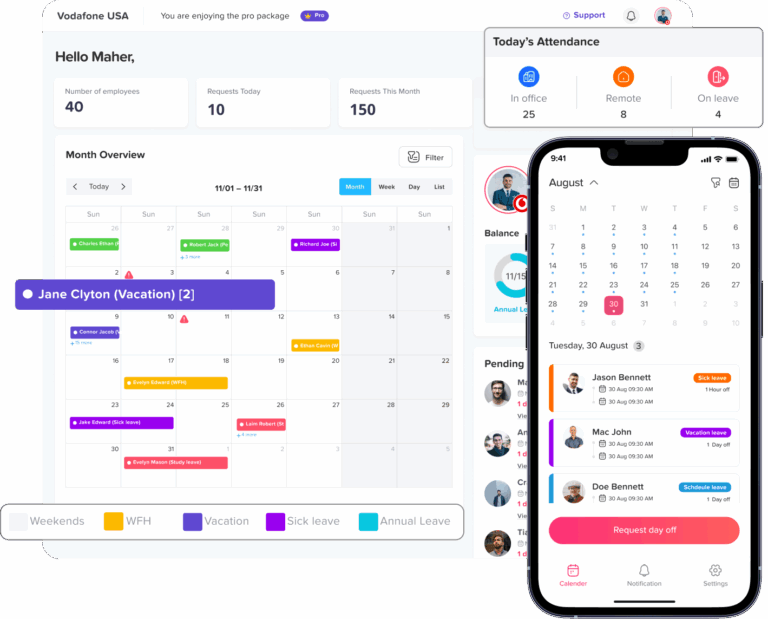
Day Off allows businesses to manage employee leave and working-time records inside the same platform.
For example, companies can configure leave types such as:
Vacation
Sick leave
Personal leave
Unpaid leave
Maternity or paternity leave
Bereavement
Compensation time
Depending on the plan and configuration, businesses can also manage:
Leave balances
Accruals
Carryover
Waiting periods
Blockout dates
Leave notice requirements
Full-day, half-day, or hourly leave
Multi-step approval workflows
Company holidays
Different employee schedules
With Pro + Time Tracker, this can be combined with actual working-time data.
That gives managers a more complete picture of why an employee has or has not worked expected hours.
How Day Off Helps With Attendance and Time Tracking
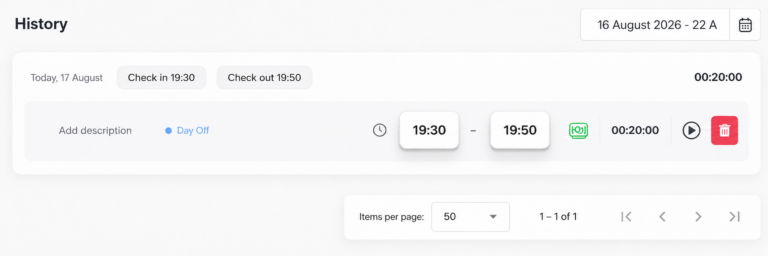
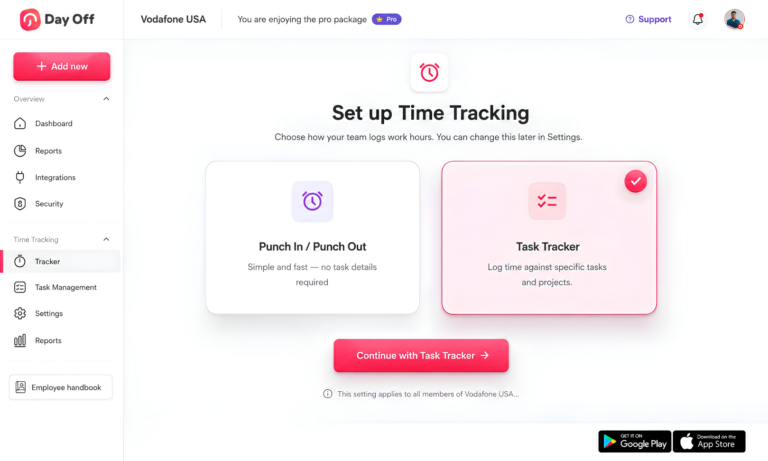
Day Off’s Time Tracker is designed around two main tracking approaches.
Clock In / Clock Out
Employees record when they begin and finish working.
This is useful for teams that primarily need:
Working hours
Attendance
Late arrivals
Break tracking
Overtime visibility
Daily employee records
The information can then be reviewed through Attendance Review and reports.
Task Tracking
Task Tracking is more suitable when businesses want to understand what the employee worked on, not simply whether they were present.
Time can be associated with:
Projects
Tasks
Clients
This helps companies review how working time is distributed across different areas of the business.
Attendance Review
Attendance Review brings schedule and recorded working-time information together so managers can inspect attendance records more efficiently.
Depending on how the employee’s workday is configured, managers can review information such as:
Clock-in time
Clock-out time
Worked hours
Late time
Breaks
Overtime
Leave
This can reduce the manual comparison between separate PTO spreadsheets, schedules, and timesheets.
Time Tracking Software Cost vs. Manual Tracking
Businesses sometimes compare a paid time tracker with a spreadsheet and conclude that the spreadsheet is free.
Technically, the spreadsheet does not have a subscription.
But manual tracking still has a cost.
Managers may spend time:
Collecting timesheets
Fixing missed entries
Calculating total hours
Reviewing overtime
Checking PTO separately
Correcting payroll discrepancies
Creating attendance reports
Searching historical records
Even a few administrative hours per month can exceed the subscription cost of a small time tracking system.
For this reason, software should be evaluated based on total administrative cost, not only monthly subscription cost.
How to Choose the Right Time Tracking Software Plan
Before buying, work through these questions.
How Many People Need Access?
Count:
Employees
Managers
Administrators
Part-time workers
Seasonal employees
Then check how the vendor defines a billable seat.
Are You Tracking Attendance or Projects?
They are related but different goals.
Attendance-focused businesses care about:
Clock-ins
Clock-outs
Late arrivals
Breaks
Overtime
Schedule adherence
Project-focused companies often care about:
Clients
Projects
Tasks
Billable time
Project budgets
Labor cost
Profitability
Choose software designed for your main use case.
Do You Need PTO in the Same System?
If employees also request vacation and sick leave, consider whether it makes sense to manage PTO and working hours together.
For businesses that need both, Day Off Pro + Time Tracker is designed to combine these workflows for $3 per employee per month.
Do You Need Timesheet Approvals?
Some tools include approvals only on higher tiers.
Check this before comparing prices.
Do You Need Payroll?
If yes, determine whether the system:
Processes payroll itself
Integrates with payroll software
Exports timesheets
Charges extra for payroll
Do You Need GPS or Location Tracking?
This can be important for:
Construction
Cleaning
Field service
Delivery
Mobile workforces
But office teams may not need to pay extra for it.
How Large Will Your Team Be Next Year?
A pricing model that looks cheap for 10 employees may look completely different at 100.
Calculate the cost at:
Current headcount
Expected 12-month headcount
Expected number of locations
Which Pricing Model Is Best?
There is no single answer.
Choose per-user pricing if:
You want predictable cost per employee
Your workforce is relatively stable
You need the same system for everyone
Go with per-location pricing if:
You operate restaurants or retail stores
Many employees work from relatively few locations
Headcount changes frequently
Flat pricing makes sense if:
Your employee count fits comfortably inside the included user limit
You expect moderate growth
Choose an integrated PTO + time tracking platform if:
HR currently manages leave separately from attendance
Managers need to understand both worked time and employee absence
You want to reduce the number of workforce tools your company maintains
FAQ: Time Tracking Software Pricing
What should I compare when evaluating time tracking software pricing?
Start with the features included in the plan, not just the advertised monthly price. Check whether the plan includes time clocking, timesheet approvals, overtime tracking, PTO management, attendance reporting, project tracking, integrations, and payroll-related features. Also review minimum monthly charges, user limits, add-ons, annual billing discounts, and whether managers or administrators require paid seats.
How do I calculate the real cost of time tracking software?
Calculate the number of billable users, multiply that by the monthly price, and then add any minimum charges, extra modules, payroll fees, location fees, or other add-ons. You should also compare monthly and annual billing separately because annual subscriptions can reduce the effective monthly cost. For a more accurate budget, calculate the cost based on your expected team size in 6 to 12 months, not only your current headcount.
Is cheaper time tracking software always better for a small business?
Not necessarily. A lower-priced plan may be suitable if your business only needs basic clock-in and clock-out functionality. However, if you also need PTO tracking, attendance review, overtime reporting, approvals, or project tracking, a slightly more expensive plan that includes those features can be more cost-effective than paying for several separate tools.
Do managers, admins, and supervisors usually count as paid users?
On many per-user platforms, yes. Anyone who needs an active account may count toward the total number of paid seats, including managers, administrators, part-time employees, and supervisors. Some vendors handle these roles differently, so businesses should check exactly how billable users are defined before estimating costs.
Are free time tracking plans suitable for growing companies?
Free plans can be useful for freelancers, startups, and very small teams with simple requirements. As a company grows, however, it may need features such as advanced reporting, approval workflows, overtime tracking, PTO management, integrations, additional users, or stronger administration controls. At that point, upgrading to a paid plan may be necessary.
Related reading: Free Time Tracker for Small Teams: 9 Best Options Compared in 2026
Can time tracking software help reduce payroll mistakes?
Yes, because it can create more consistent records of worked hours, clock-in and clock-out times, breaks, and overtime. This can reduce manual calculations and make it easier for managers to review employee hours before payroll is processed. However, the software still needs to be configured correctly and employee records should be reviewed regularly.
Is it better to use one system for PTO and time tracking?
For many businesses, it can be more efficient. When PTO and time tracking are managed in separate systems, HR may need to compare leave requests, schedules, timesheets, and attendance records manually. A combined system can give managers a clearer view of whether an employee was working, on approved leave, absent, or scheduled differently.
What hidden fees should I look for before choosing a time tracking platform?
Common hidden or additional costs include payroll modules, advanced reporting, HR tools, scheduling, GPS tracking, extra locations, additional users, implementation fees, and minimum monthly charges. Some platforms also reserve approvals, overtime controls, or advanced attendance features for higher-priced plans, so businesses should review the complete plan structure before subscribing.
How does time tracking software pricing change as a company grows?
It depends on the pricing model. Per-user software becomes more expensive as you add employees, while flat-rate or per-location pricing may increase more slowly. A plan that is affordable for 10 employees may become significantly more expensive at 100 employees, so companies should compare future costs before committing to a platform.
How do I know whether a higher-priced time tracking plan is worth the cost?
Look at the additional features and the amount of administrative work they can reduce. A higher-priced plan may be worthwhile if it includes approvals, attendance review, PTO management, overtime reporting, project tracking, or detailed reports that would otherwise require manual work or another software subscription. The best value is the plan that covers the workflows your business actually needs without unnecessary extras.
Conclusion
Choosing the right time tracking software is not only about finding the lowest monthly price. The real value comes from choosing a system that matches how your team works and includes the features you actually need, whether that is clocking in and out, attendance tracking, overtime visibility, project tracking, approvals, reporting, or PTO management.
For businesses that want to manage both employee leave and working time in one place, Day Off Pro + Time Tracker combines PTO management with Clock In / Clock Out, Task Tracking, projects, tasks, clients, Attendance Review, and detailed time reports for $3 per employee per month, with a $30 monthly minimum.
The best time tracking software is ultimately the one that gives your team the right balance of functionality, simplicity, and cost, without forcing you to pay for features you do not need or maintain several separate systems.