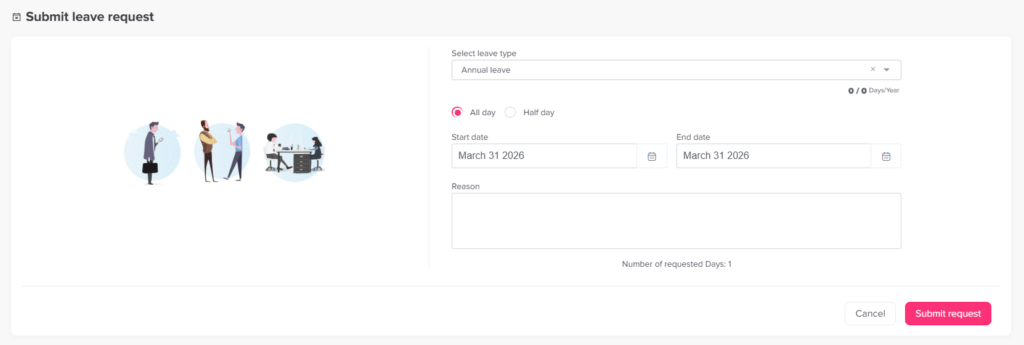
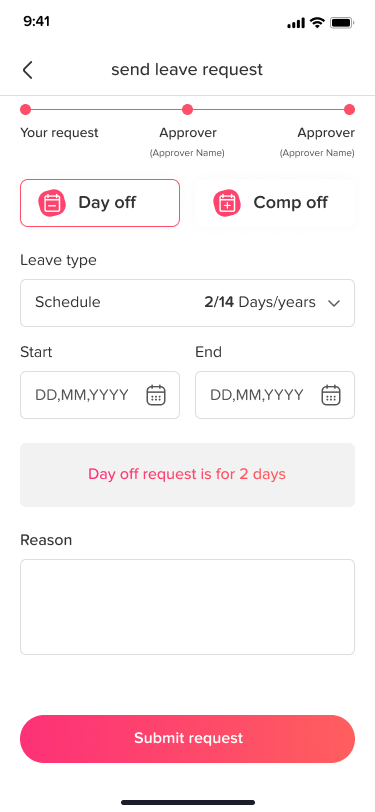
Main Requests How do I submit a leave request? Print Submitting a leave request in Day Off is quick and simple, whether you’re using the web or mobile app. Steps to Submit a Request To request time off:Go to the dashboardClick on “Add new”Click on “Request day off”Select the leave type (e.g., vacation, sick leave)Choose the start and end dateAdd a reason (optional)Click Submit Request What Happens Next Your request is sent to the assigned approver(s)It goes through the approval workflow (Step 1 → Step 2, if configured)You’ll receive a notification once it’s approved or rejectedIf the leave type auto approval, the request will be accepted instantly. Web & Mobile You can submit requests from both the web version and mobile appThe process is the same and fully synced