





Day Off Knowledge Base
-
Requests
- Can employees edit /delete an approved request?
- Can employees edit/delete a pending request?
- How can an admin edit/delete a request of an employee?
- How can I add a day off request for an employee?
- How can I request a half day?
- How can I request an hourly?
- How can I request comp/time off?
- How do I submit a leave request?
- what is comp off request?
Print
You can request hourly leave in Day Off if your leave policy allows time off to be tracked in hours instead of full days.
Steps to Request Hourly Leave
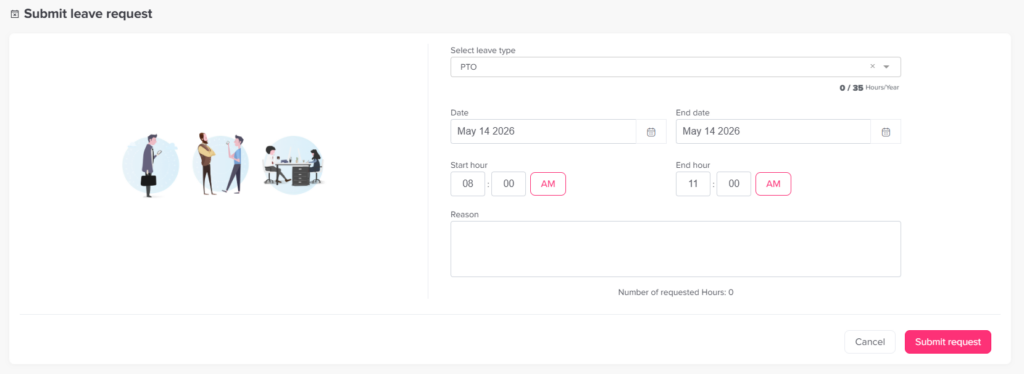
To submit an hourly request:
- Open the Day Off web app
- Click “+ Add new” at the top of the left-hand menu
- Click on “Request day off”
- Select the leave type
- Set the request start and end dates, and if the request is for one day, enter the start and end times.
- Click Submit Request
What Happens Next
- Your request is sent to the assigned approver(s)
- It follows the normal approval workflow
- Once approved, the requested hours are deducted from your balance
Important Notes
- Leave types in hours balance unit ust be added and activated in leave policy
- You need to have an available hourly balance
- Hourly requests must be enabled in your leave policy
- The system calculates the exact hours automatically
On this page