







Managing employee attendance is one of the most important responsibilities for any growing business. Whether a company has a small team, multiple departments, remote employees, hybrid workers, hourly staff, or project-based employees, knowing when people start work, when they finish, how many hours they worked, and whether they were late or worked overtime is essential for smooth operations.
For many years, companies relied on paper timesheets, spreadsheets, manual check-ins, or basic punch cards to track employee attendance. While these methods may work for very small teams, they quickly become difficult to manage as the business grows. Manual tracking often leads to mistakes, missing records, inaccurate work hours, payroll issues, and confusion between employees, managers, and HR teams.
This is why choosing the best time attendance system is now more important than ever.

A modern time attendance system helps businesses track employee working hours accurately, manage punch in and punch out records, calculate late arrivals and overtime, support different work schedules, and create attendance reports that can be used for payroll and workforce planning. Even better, when time attendance is connected with leave management, companies get a complete picture of employee availability in one place.
Day Off, known for its simple and powerful PTO tracking and leave management tools, now offers time attendance features as well. This means businesses can manage employee leave, absence, PTO balances, attendance records, work schedules, punch in and punch out activity, late time, overtime, and attendance reports from one centralized platform.
In this article, we will explain what makes the best time attendance system, why businesses need one, which features to look for, and how Day Off helps companies combine time tracking and leave management in one easy-to-use solution.
What Is a Time Attendance System?
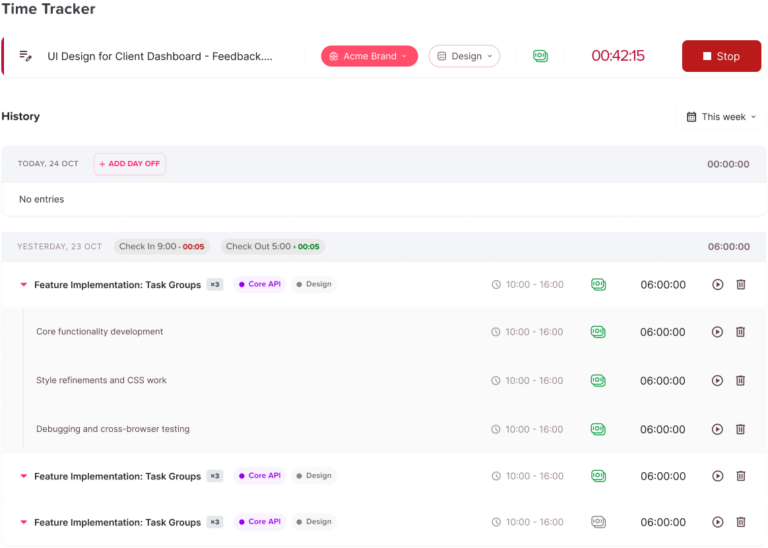
A time attendance system is a digital tool that helps companies track when employees start and finish work. It records attendance activity such as clock in, clock out, breaks, late arrivals, early departures, overtime, working hours, and absences.
Instead of relying on spreadsheets, paper forms, or manual updates, a time attendance system automates the process. Employees can punch in and punch out using a web app, mobile app, tablet kiosk, or other digital method, while managers and HR teams can review attendance data in real time.
A good time attendance system usually includes:
- Employee clock in and clock out tracking
- Work hour calculations
- Late time and overtime tracking
- Attendance reports
- Work schedule management
- Support for fixed, flexible, and rotating shifts
- Payroll export options
- Employee attendance history
- Manager approval or review tools
- Integration with leave and absence tracking
For businesses that manage both attendance and PTO, the best solution is not just a basic time clock. It is a complete attendance management system that connects working hours with employee leave, absence, and time off data.
Why Businesses Need the Best Time Attendance System
Every business needs accurate attendance records. Without a proper system, managers may not know who is available, HR teams may struggle with payroll preparation, and employees may become frustrated when their hours are not recorded correctly.
A reliable employee time tracking software helps solve these problems by giving everyone clear and accurate information.
Accurate Work Hour Tracking
Manual attendance tracking can easily lead to errors. Employees may forget to write down their working hours, managers may miss updates, and spreadsheets may contain outdated information.
A digital time attendance system records working hours automatically. This helps companies calculate total hours worked, late time, overtime, and attendance patterns more accurately.
For hourly employees, this accuracy is especially important because attendance records directly affect payroll. For salaried employees, it helps managers understand availability, productivity, and work patterns.
Better Payroll Preparation
Payroll depends on accurate attendance data. If work hours, overtime, absences, or late arrivals are tracked manually, payroll teams may spend hours checking records and correcting mistakes.
The best time attendance system should allow companies to extract attendance sheets that can be used for payroll. This reduces manual work and helps payroll teams process payments with more confidence.
When attendance tracking is connected with leave management, payroll preparation becomes even easier. HR teams can see whether an employee was absent, on approved leave, late, or working overtime.
Improved Workforce Visibility
Managers need to know who is working, who is absent, who is late, and who is on leave. Without a centralized attendance system, this information may be scattered across emails, spreadsheets, chat messages, and calendar notes.
A real-time employee tracking tool gives managers better visibility into daily attendance. They can quickly see employee availability and make better decisions about scheduling, workloads, and team coverage.
This is especially useful for companies with remote teams, hybrid teams, multiple branches, or employees working different shifts.
Reduced Administrative Work
HR teams often spend too much time answering attendance questions, updating spreadsheets, calculating work hours, and preparing reports manually.
A cloud-based time tracking platform reduces this workload by keeping attendance records organized and updated automatically. Instead of chasing employees or managers for attendance updates, HR teams can access the information they need from one system.
This allows HR professionals to focus on more strategic work such as employee engagement, policy improvement, workforce planning, and performance support.
Better Compliance and Record Keeping
Many businesses need to keep accurate attendance records for internal policies, labor regulations, audits, and payroll documentation. Manual records can be incomplete, inconsistent, or difficult to verify.
A digital time attendance system helps companies maintain organized records of employee working hours, absences, overtime, and attendance history. This creates a more reliable record-keeping process and reduces the risk of missing or inaccurate data.
Support for Different Work Styles
Modern workplaces are no longer limited to one fixed schedule. Some employees work standard office hours, some work flexible hours, some follow rotating shifts, and others work on projects or from remote locations.
The best time attendance system should support different types of attendance, including:
- Fixed work schedules
- Flexible working hours
- Rotating shifts
- Remote work attendance
- Project-based time tracking
- Punch in and punch out records
- Hourly employee tracking
- Hybrid team attendance
This flexibility is important because every business has different attendance needs.
Key Features of the Best Time Attendance System
Punch In and Punch Out Tracking
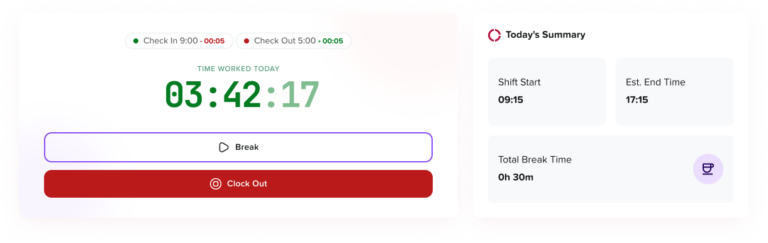
A punch in punch out app for employees allows team members to record when they start and finish work. This is one of the core features of any time attendance system.
Employees should be able to punch in easily at the beginning of the workday and punch out when they finish. The system should then calculate total working hours automatically.
For companies that still use paper timesheets or manual clock cards, a digital punch card system for business can make attendance tracking much faster and more accurate
Clock In and Clock Out Software for Small Business
Small businesses need simple tools that do not create extra complexity. A good clock in clock out software for small business should be easy to set up, simple for employees to use, and clear for managers to review.
Small teams often do not have large HR departments, so the system should reduce manual work instead of adding more tasks. It should allow business owners and managers to track attendance, review work hours, and prepare payroll reports without spending too much time on administration.
Automated Employee Timer System
An automated employee timer system helps reduce manual calculations. Once employees punch in and punch out, the system calculates total working time, late time, overtime, and attendance records based on the company’s work schedule.
This automation reduces errors and saves time for HR and payroll teams.
Work Schedule Management
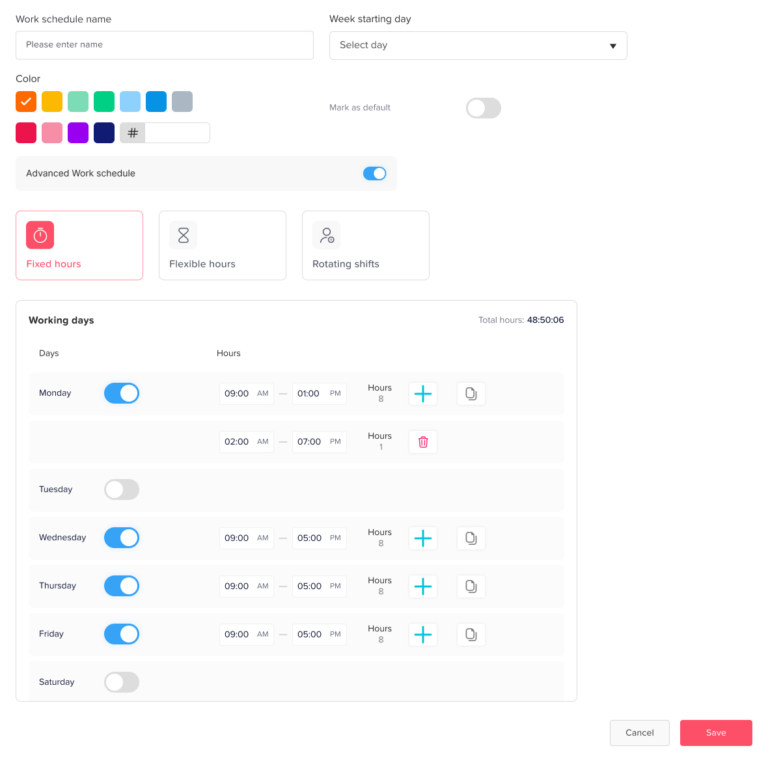
Attendance tracking becomes much more useful when it is connected to work schedules. A system should allow businesses to define when employees are expected to work and then compare actual attendance against those schedules.
For example, if an employee is scheduled to start at 9:00 AM but punches in at 9:20 AM, the system should be able to identify the late time. If an employee works beyond scheduled hours, the system should help calculate overtime.
Day Off supports work schedules, helping companies calculate late time and overtime based on each employee’s assigned schedule.
Support for Fixed Hours, Flexible Hours, and Rotating Shifts
Not every team works the same way. Some companies use fixed schedules, while others allow flexible working hours or rotating shifts.
The best time attendance system should support:
- Fixed hours: Employees have a defined start and end time.
- Flexible hours: Employees need to complete a certain number of hours per day but may have flexible start and end times.
- Rotating shifts: Employees work according to changing shift patterns, often used in operations, support, healthcare, retail, hospitality, and service-based businesses.
Day Off supports different types of attendance and work schedules, including fixed hours, flexible hours, and rotating shifts, making it suitable for different business models.
Late Time and Overtime Calculation
Late arrivals and overtime are difficult to calculate manually, especially when employees have different schedules. A good attendance system should automatically calculate late time and overtime based on the employee’s work schedule.
This helps managers identify attendance patterns and helps HR teams prepare accurate reports.
For example, if an employee works extra hours, the system can help track overtime. If an employee starts late, the system can record late time clearly. This creates more transparency for both employees and managers.
Attendance Reports
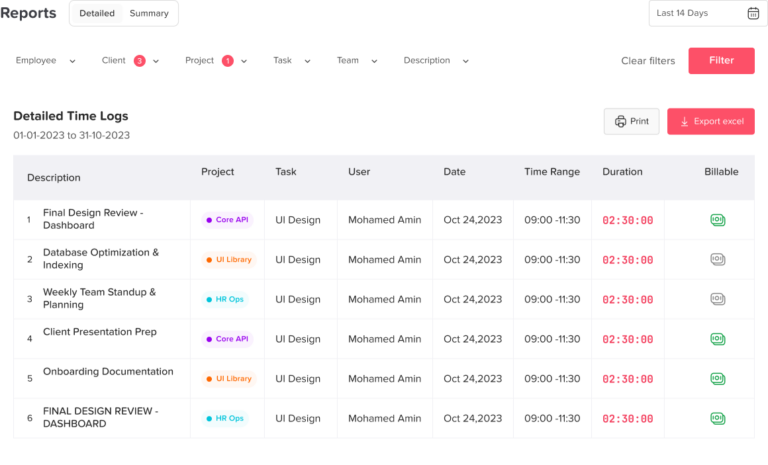
Reports are one of the most valuable parts of a time attendance system. Businesses need clear reports to review employee attendance, working hours, late arrivals, overtime, absences, and overall attendance trends.
Attendance reports can help companies answer important questions such as:
- Who was late this month?
- How many hours did each employee work?
- Which employees worked overtime?
- Who was absent without approved leave?
- How many attendance records are ready for payroll?
- Are there recurring attendance issues?
- Which teams need better coverage?
Day Off helps companies extract attendance sheets that can be used for payroll and internal reporting.
Integration with Leave Requests and Absence Tracking
One of the biggest problems with many attendance systems is that they only track work hours. They do not show whether an absence was approved, whether the employee was on vacation, or whether the absence was unexpected.
This creates confusion for HR and managers.
A better solution connects time tracking with leave management. This way, when an employee is not working, the company can see whether the employee is on approved PTO, sick leave, unpaid leave, public holiday, or unplanned absence.
This is where Day Off becomes especially useful. Day Off combines time attendance with leave requests and absence tracking, helping businesses manage employee availability from one place.
Instead of using one tool for PTO, another tool for attendance, another spreadsheet for balances, and another report for payroll, companies can use Day Off to centralize the process.
Cloud-Based Access
A cloud-based time tracking platform allows employees, managers, and HR teams to access attendance data from anywhere. This is important for companies with remote teams, hybrid employees, multiple offices, or distributed workforces.
Cloud-based systems are easier to update, easier to access, and better suited for modern businesses than traditional desktop-only attendance tools.
Mobile-Friendly Experience
Employees should be able to track attendance easily, especially if they work remotely, visit clients, travel between locations, or work outside the office.
A mobile clock-in app can make attendance tracking more convenient. For some businesses, features such as GPS-based clock-in, geofenced attendance, or location-based tracking may also be important.
When choosing a system, companies should consider whether they need mobile attendance tracking, web-based time clock tracking, or a tablet-based clock in kiosk depending on how their teams work.
Project-Based Time Tracking
Project-based companies need more than basic attendance tracking. They often need to know how much time employees spend on specific projects, clients, tasks, or departments.
A good employee time tracking software should support project-based teams by helping them record work hours in a way that supports reporting, billing, resource planning, and productivity analysis.
For software companies, agencies, consulting firms, engineering teams, and service providers, project-based attendance tracking can provide valuable insights into how time is being used.
Easy Attendance Management System Pricing
Attendance management system pricing can vary depending on the number of employees, features, integrations, reporting options, and whether the solution includes advanced tools such as scheduling, payroll exports, GPS, biometrics, or project tracking.
When comparing pricing, businesses should not only look at the monthly cost. They should also consider how much time the system saves, how many manual errors it prevents, and whether it can replace multiple separate tools.
A system that combines attendance, leave tracking, PTO management, reports, and employee availability may provide better long-term value than using separate systems for each process.
Recommended Time Attendance Tools for Businesses
Choosing the best time attendance system depends on the size of your business, how your employees work, your payroll process, and whether you need attendance tracking only or a complete employee availability solution. Some tools focus mainly on clock in and clock out, while others include scheduling, payroll, GPS tracking, project time tracking, or HR management.
Here are some of the most popular time attendance tools businesses can consider.
Day Off
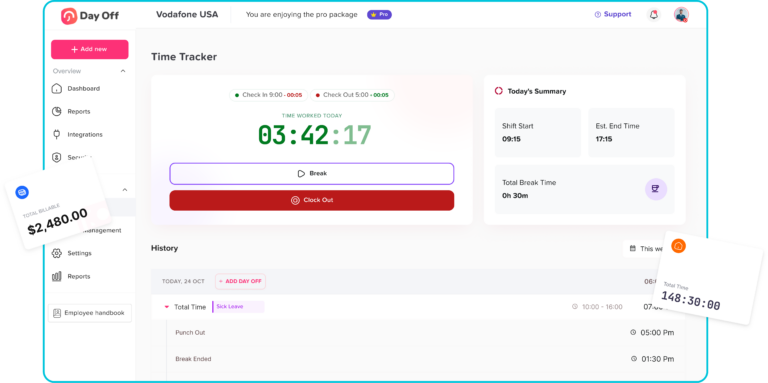
Day Off is a strong option for companies that want to manage employee attendance and time off in one place. Instead of using separate tools for PTO tracking, leave requests, absence management, and attendance records, Day Off brings these processes together in one simple platform.
With Day Off, businesses can manage employee punch in and punch out, work schedules, late time, overtime, attendance records, leave requests, PTO balances, approvals, and absence tracking. This makes it especially useful for HR teams and managers who need a complete view of employee availability.
Day Off is a great choice for small businesses, growing teams, remote teams, hybrid companies, and organizations that want to reduce manual HR work while keeping attendance and leave management connected.
Clockify
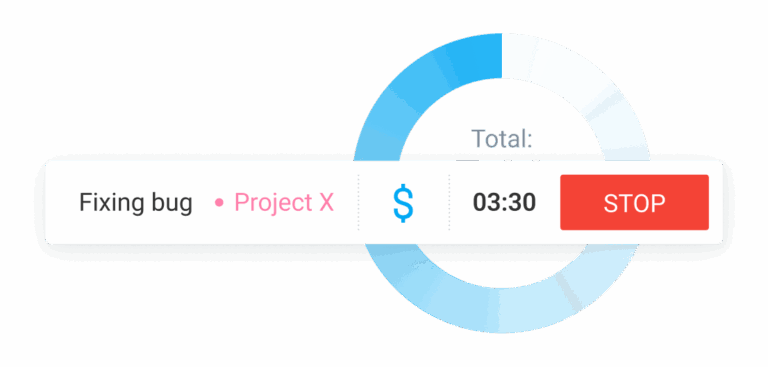
Clockify is a popular time tracking tool for teams that need to track work hours, project time, and timesheets. It is useful for companies that want a simple way to record employee time, especially for project-based teams, agencies, freelancers, and remote employees.
It is a good option for businesses that mainly need time tracking and reporting, but companies that also need complete leave management may still need an additional PTO tracking system.
Deputy
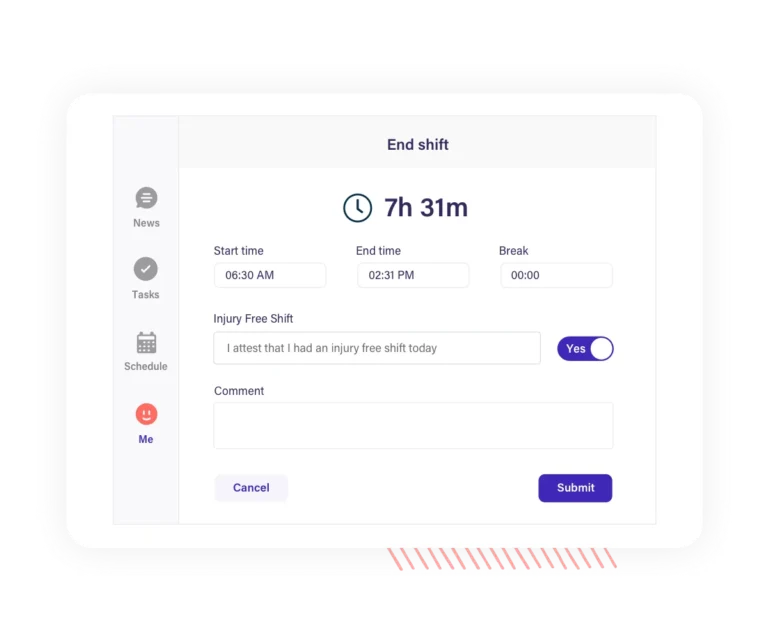
Deputy is a good choice for shift-based businesses such as retail, hospitality, healthcare, restaurants, and service-based companies. It helps businesses manage schedules, shifts, attendance, and team availability.
Companies with employees working different shifts or multiple locations may find Deputy useful because it focuses strongly on scheduling and workforce planning.
QuickBooks Time
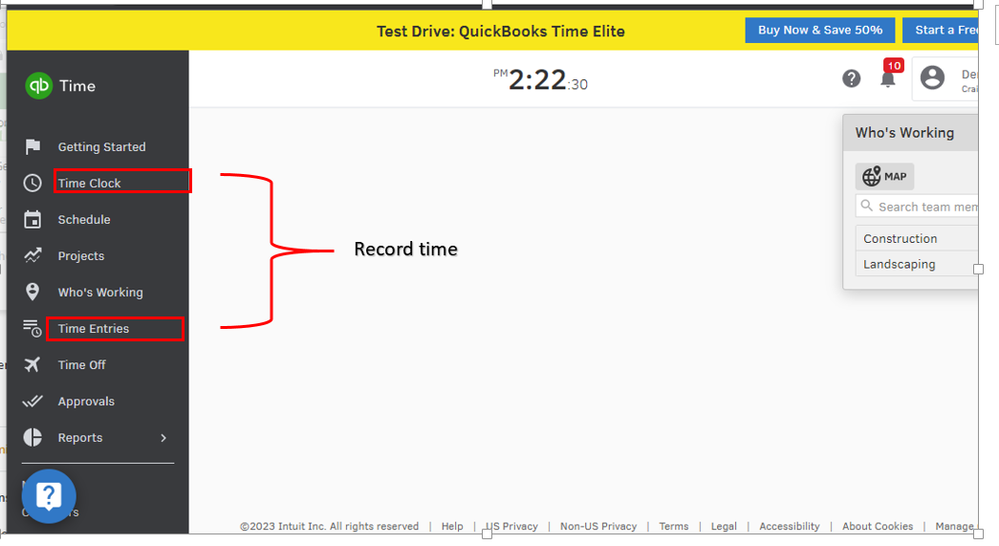
QuickBooks Time is often used by companies that already rely on QuickBooks for accounting or payroll. It helps businesses track employee hours and connect time data with payroll processes.
It can be useful for companies that want time tracking to support payroll accuracy, especially when payroll integration is a priority.
Hubstaff
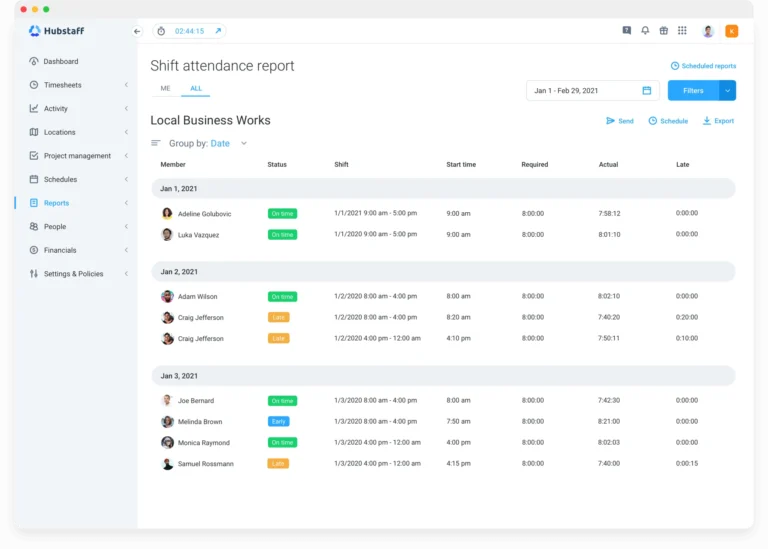
Hubstaff is commonly used by remote teams, field teams, and companies that need more visibility into employee activity and location-based work. It includes time tracking, productivity monitoring, GPS tracking, and reporting.
It can be a good option for businesses that manage distributed employees, but companies should choose it carefully depending on how much monitoring they want to use.
Buddy Punch
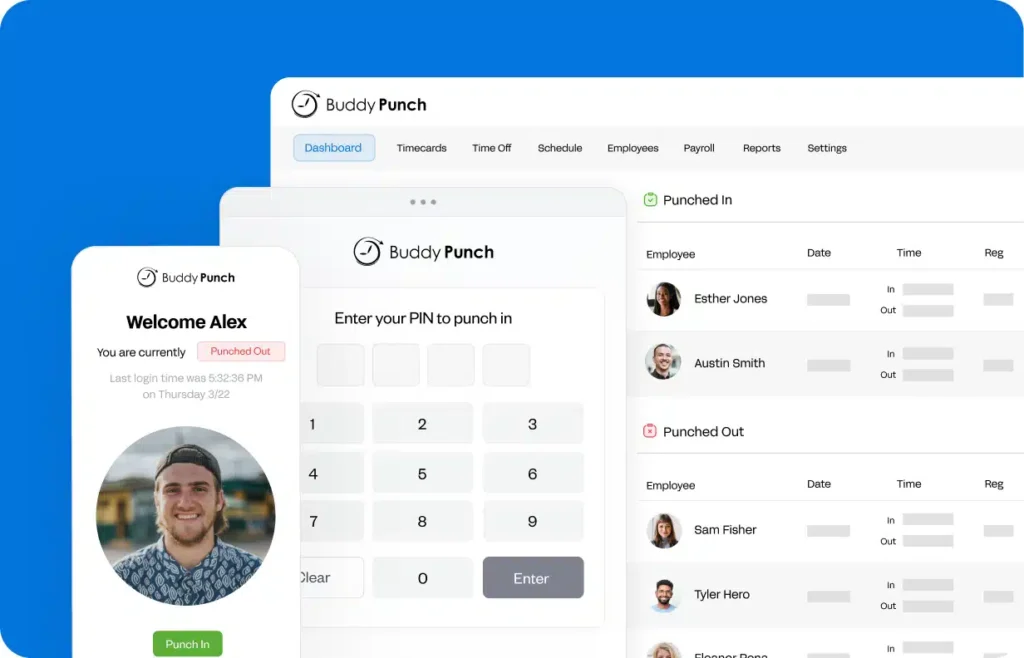
Buddy Punch is designed for businesses that need simple punch in and punch out tracking, employee scheduling, and payroll-ready timesheets. It can be useful for hourly employees, shift workers, and businesses that want a straightforward digital time clock.
It is a practical option for companies moving away from paper timesheets or manual attendance spreadsheets.
Which Time Attendance Tool Is Best?
The best time attendance system depends on what your business needs. If you only need basic time tracking, tools like Clockify, Jibble, or Buddy Punch may be enough. If you need shift scheduling, Deputy can be a good option. If payroll is your main priority, QuickBooks Time, ADP, or Paycor may be suitable.
However, if your business wants to manage both employee attendance and leave management in one place, Day Off is a strong choice. Day Off helps companies connect time attendance with PTO tracking, leave requests, absence tracking, work schedules, late time, overtime, and reports, giving HR teams and managers a clearer view of employee availability.
Benefits of Using Day Off for Time Attendance
Using Day Off for time attendance gives businesses several advantages.
One Platform for Leave and Attendance
Instead of switching between different tools, companies can manage leave requests and attendance records from one platform. This saves time and reduces confusion.
Better Employee Availability Tracking
Managers can see a clearer picture of who is working, who is away, who is on approved leave, and who may have attendance issues.
Easier Payroll Preparation
Attendance sheets can be extracted and used for payroll, reducing manual calculations and helping HR teams prepare more accurate records.
Support for Different Work Schedules
Day Off supports fixed hours, flexible hours, and rotating shifts, making it suitable for different types of teams and industries.
Automatic Late Time and Overtime Calculation
By connecting attendance records with work schedules, Day Off helps calculate late time and overtime more accurately.
Reduced HR Workload
HR teams can spend less time updating spreadsheets, answering attendance questions, and checking manual records.
Better Experience for Employees
Employees can follow a clearer process for recording attendance and requesting time off, which improves transparency and reduces misunderstandings.
Time Attendance System vs. Leave Management System
A time attendance system tracks when employees work. A leave management system tracks when employees are away from work.
Both are important, but they are even more powerful when used together.
A time attendance system answers questions like:
- When did the employee start work?
- When did the employee finish work?
- How many hours did the employee work?
- Was the employee late?
- Did the employee work overtime?
A leave management system answers questions like:
- Is the employee on vacation?
- Did the employee request sick leave?
- How many PTO days does the employee have left?
- Was the absence approved?
- Who approved the leave request?
Day Off brings these two areas closer together by offering both leave management and time attendance features.
Frequently Asked Questions
What is the best time attendance system?
The best time attendance system is a digital solution that helps businesses track employee clock in and clock out, working hours, late arrivals, overtime, attendance records, and payroll reports. The best system should also support different work schedules and integrate with leave management.
Why should companies use a time attendance system?
Companies should use a time attendance system to improve accuracy, reduce manual work, prepare payroll more easily, track employee availability, and manage attendance records in a more organized way.
Does Day Off offer time attendance tracking?
Yes. Day Off now offers time attendance features in addition to PTO tracking and leave management. Businesses can use Day Off to manage employee attendance, punch in and punch out records, work schedules, late time, overtime, leave requests, and absence tracking.
Can Day Off calculate late time and overtime?
Yes. Day Off helps calculate late time and overtime based on employee work schedules, making attendance records more accurate and easier to manage.
Does Day Off support different work schedules?
Yes. Day Off supports different types of work schedules, including fixed hours, flexible hours, and rotating shifts.
Can attendance reports be used for payroll?
Yes. A good time attendance system should allow businesses to extract attendance sheets for payroll. Day Off helps companies export attendance data that can be used to support payroll preparation.
Is time attendance software useful for remote teams?
Yes. Time attendance software is useful for remote and hybrid teams because it allows employees to track working hours online and gives managers visibility into employee availability.
What is the difference between time attendance and PTO tracking?
Time attendance tracks when employees work, including clock in, clock out, working hours, late time, and overtime. PTO tracking manages employee time off, leave requests, balances, approvals, and absences. Day Off helps businesses manage both in one place.
Is Day Off suitable for small businesses?
Yes. Day Off is suitable for small businesses that need a simple way to manage PTO, attendance, work schedules, and employee availability without relying on spreadsheets.
Is Day Off suitable for growing companies?
Yes. Day Off is suitable for growing companies because it supports teams, locations, policies, approvals, leave tracking, reports, and now time attendance features.
Final Thoughts: What Is the Best Time Attendance System?
The best time attendance system is one that helps businesses track employee working hours accurately, reduce manual work, improve payroll preparation, support different work schedules, and give managers better visibility into employee availability.
However, the best solution should not stop at attendance tracking only. Businesses also need to understand absences, PTO, approved leave, and employee availability.
That is why Day Off is a strong option for businesses looking for a more complete solution. Day Off now includes time attendance features alongside its existing PTO tracking and leave management tools. This allows companies to manage punch in and punch out records, work schedules, late time, overtime, leave requests, absence tracking, PTO balances, reports, and payroll-ready attendance sheets from one centralized platform.
For companies that want to move away from spreadsheets, reduce manual HR work, improve accuracy, and manage both time off and attendance in one place, Day Off offers a practical and scalable solution.