





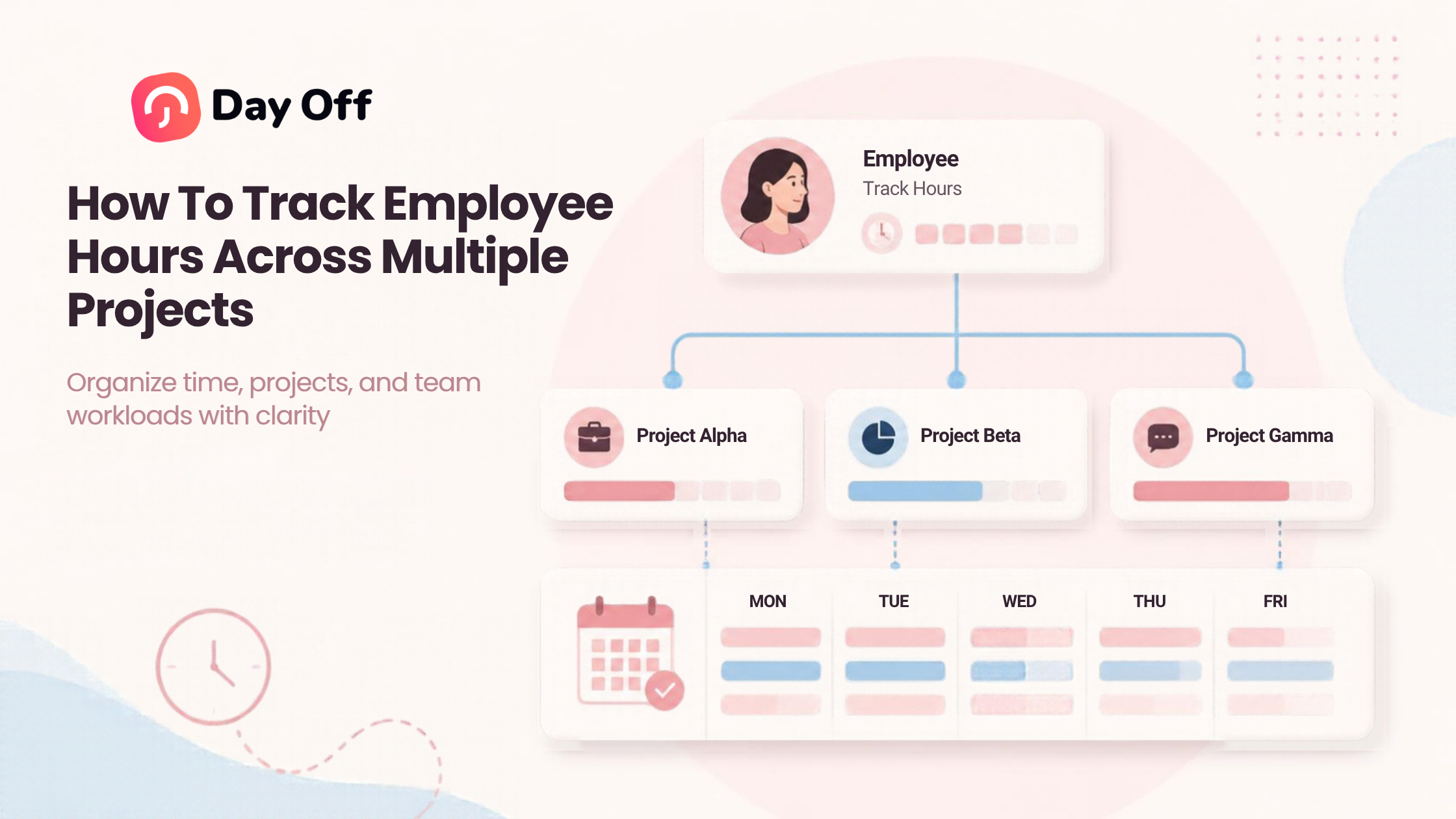
When employees divide their workday between several clients, projects, tasks, or internal responsibilities, it becomes difficult to know where their time is actually going. Learning how to Track Employee Hours across multiple projects helps businesses understand project costs, distribute workloads more fairly, improve estimates, and maintain more accurate working-time records.

Simply knowing that an employee worked eight hours is often not enough. A project manager may also need to know whether those eight hours were spent on Project A, Project B, an internal meeting, administrative work, or client support.
Without that level of detail, companies can underestimate project costs, exceed budgets without noticing, assign too much work to individual employees, and struggle to understand which projects require the most resources.
The solution is not necessarily more complicated timekeeping. It is a clear system that connects working time to the projects and tasks employees actually perform.
What Does Project Based Time Tracking Mean?
Project based time tracking means recording not only how long an employee worked, but also what that time was spent on.
For example, consider an employee who works eight hours in one day:
| Activity | Hours |
|---|---|
| Website redesign project | 3.5 |
| Mobile application project | 2 |
| Client support | 1 |
| Internal meeting | 0.5 |
| Administrative work | 1 |
| Total | 8 |
A normal attendance record might simply show:
Clock in: 9:00 AM
Clock out: 5:30 PM
Break: 30 minutes
Total working time: 8 hours
A project time record goes further by explaining how those eight working hours were distributed.
Both records answer different questions.
Attendance tracking answers:
How long did the employee work?
Project tracking answers:
What did the employee work on during that time?
For organizations handling several projects simultaneously, both can be useful.
Why Track Employee Hours by Project?
Tracking hours by project gives managers more useful information than a basic daily timesheet.
Understand the Real Cost of a Project
Labor is often one of the largest project expenses.
If a project requires significantly more employee time than expected, its real cost may be much higher than the original budget suggests.
For example, suppose a company estimates that a project will require 100 employee hours but employees eventually record 160 hours.
Even if there are no additional software or material costs, the project has consumed 60% more labor time than expected.
Without project level time records, the company may not discover this difference until much later.
Improve Future Project Estimates
Past time data can improve future planning.
Suppose the development team completed three similar integrations:
Integration A: 42 hours
Integration B: 48 hours
Integration C: 46 hours
When estimating the next comparable integration, the project manager has real historical information rather than relying entirely on assumptions.
Over time, this creates a useful database for estimating:
project duration
labor requirements
staffing needs
client pricing
deadlines
workloads
Better estimates can reduce both underpricing and unrealistic delivery schedules.
Prevent Employees From Becoming Overloaded
Project schedules may look reasonable individually but become unrealistic when combined.
For example:
Project A expects 20 hours from an employee
Project B expects 18 hours
Project C expects 10 hours
That employee has already been allocated 48 hours of project work.
If their normal workweek is 40 hours, the problem becomes obvious before deadlines are missed.
Project hour tracking therefore supports capacity planning as well as timekeeping.
Monitor Project Budgets
Managers can compare planned hours with actual hours throughout a project rather than waiting until completion.
For example:
| Project | Budgeted Hours | Hours Used | Remaining |
|---|---|---|---|
| Website redesign | 120 | 78 | 42 |
| Mobile application | 300 | 245 | 55 |
| CRM integration | 80 | 76 | 4 |
The CRM integration immediately deserves attention.
It has used 95% of its available hours. If significant work remains, management can investigate before the project exceeds its budget.
Improve Client Billing
Businesses that charge clients based on time need accurate records of billable work.
Examples include:
consulting companies
law firms
software development agencies
marketing agencies
accounting firms
design studios
freelancers
IT service providers
If employees switch between several clients during the day, relying on memory at the end of the week can lead to incomplete or inaccurate billing.
Recording time when the work occurs generally produces more reliable information.
What Information Should Be Recorded?
A useful project time entry should normally include several basic pieces of information.
Employee
Who performed the work?
Date
When did the work happen?
Project
Which project should receive the time?
Task
What specific activity was performed?
Examples might include:
design
development
testing
client meeting
research
documentation
quality assurance
support
Duration
How much time was spent?
Client
If your business manages work for external clients, associating projects with clients makes reporting and billing easier.
Optional Notes
Short notes can provide additional context when necessary.
For example:
Project: Mobile App
Task: Authentication
Time: 2h 15m
Note: Implemented password-reset validation.
Avoid requiring unnecessarily detailed descriptions for every few minutes of work. Time tracking should create useful business data without becoming an administrative burden.
How to Track Employee Hours Across Multiple Projects
A reliable system begins with structure.
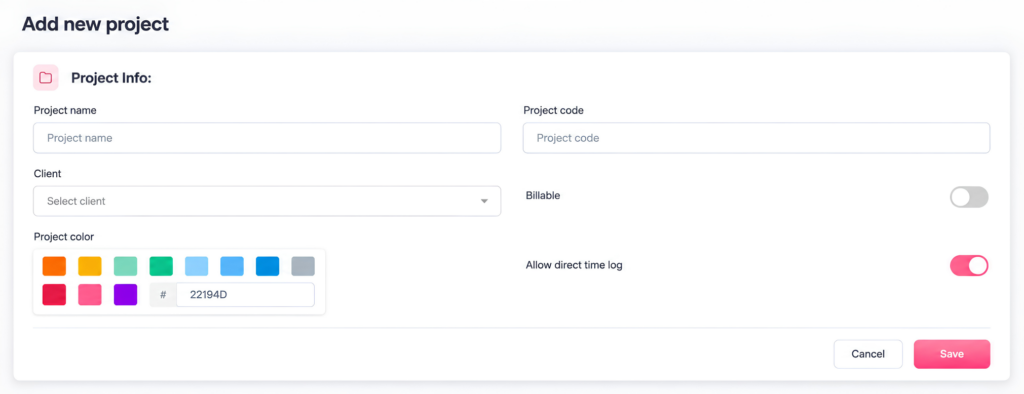
Step 1: Create Your Projects
Start by identifying the major areas employees should track time against.
Examples could include:
Client Website Redesign
Mobile App V2
Internal HR Portal
Customer Support
Marketing Campaign
Internal Administration
Avoid making project names vague.
Instead of:
Website
use:
ABC Company Website Redesign
Clear naming reduces the chance that employees select the wrong project.
Step 2: Create Tasks Within Each Project
Projects explain where work belongs.
Tasks explain what employees were doing.
For example, a software project might contain:
planning
UI/UX design
frontend development
backend development
testing
bug fixing
deployment
project management
A marketing project might contain:
keyword research
content writing
design
social media
advertising
reporting
Tasks allow managers to identify which stages consume the most time.
Step 3: Assign Employees to the Correct Work
Employees should only need to choose from projects that are relevant to them whenever the system allows it.
Showing employees dozens or hundreds of unrelated projects creates confusion and increases incorrect time entries.
Clear project ownership also helps managers understand responsibility.
Step 4: Decide How Employees Will Record Time
There are two common approaches.
Timer Based Tracking
An employee starts a timer when beginning a task and stops it when finished.
For example:
10:00 AM: Start Project A
11:45 AM: Stop Project A
11:45 AM: Start Project B
Timer based tracking can be useful when accurate duration matters.
Manual Time Entries
Employees enter their time afterward.
For example:
Project A: 1h 45m
Manual entries provide flexibility, but entries made several days later may depend heavily on memory.
Some organizations use a combination of both methods.
Track Time as Work Happens
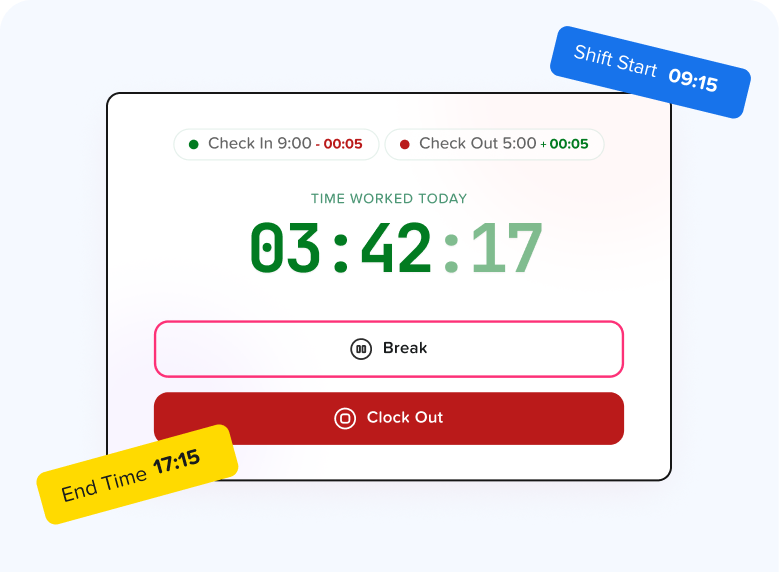
One of the most effective habits is entering time during the workday rather than reconstructing an entire week on Friday afternoon.
Employees who wait several days may remember major activities but forget:
short client calls
quick bug fixes
internal tasks
administrative work
project switching
research
small support requests
Real time or same day tracking generally produces better project data.
Organizations should still choose a process appropriate to the nature of their work rather than expecting employees to account for every minute unnecessarily.
Create Categories for Non Project Time
Not every working hour belongs to a client or external project.
Organizations should provide categories for legitimate internal work.
Examples include:
internal meetings
administration
training
onboarding
business development
internal support
company projects
documentation
Without these categories, employees may assign internal work to whichever project seems closest, which makes project reports unreliable.
Distinguish Billable and Non Billable Hours
For service businesses, another useful distinction is billable versus non billable time.
Billable Hours
Time that can be charged to a client.
Examples:
consulting
development
client specific design
implementation
client meetings
Non Billable Hours
Working time that supports the organization but is not invoiced directly.
Examples:
internal meetings
employee training
administrative tasks
marketing
internal planning
A healthy business needs both types of work.
The purpose of separating them is not to suggest non billable work has no value. It is to understand how much employee capacity is available for revenue generating projects and how much is required to operate the business.
Calculate the Labor Cost of Each Project
Once project hours are available, companies can estimate labor costs more accurately.
A simplified calculation is:
Project Labor Cost = Employee Hours × Hourly Labor Cost
Suppose three employees contribute to a project:
| Employee | Hours | Labor Cost per Hour | Project Labor Cost |
|---|---|---|---|
| Developer | 40 | $45 | $1,800 |
| Designer | 20 | $35 | $700 |
| Project Manager | 10 | $50 | $500 |
| Total | 70 | $3,000 |
This calculation can become more sophisticated when organizations include employer payroll taxes, benefits, overhead, equipment, software, and other indirect costs.
However, project hours provide the foundation.
Without accurate time allocation, calculating realistic project labor costs becomes difficult.
Track Planned Hours vs. Actual Hours
One of the most useful project metrics is the difference between estimated and actual hours.
Suppose a project was estimated at 200 hours but required 260.
The variance is:
260 − 200 = 60 additional hours
The project used 30% more labor time than expected.
That does not automatically mean the team performed poorly.
Possible explanations include:
requirements changed
project scope increased
technical problems occurred
initial estimates were unrealistic
client revisions increased
dependencies caused additional work
additional testing was necessary
Tracking the difference allows managers to investigate the reason rather than guessing.
Avoid Excessive Task Categories
More detail is not always better.
A company might create categories such as:
development
frontend
frontend component
frontend navigation
navigation mobile
navigation mobile bug fixes
Eventually employees spend too much time deciding which category to choose.
Instead, create enough detail to answer meaningful business questions.
Ask:
Will we actually use this category when making a decision?
If not, it may not need to exist.
Establish a Consistent Time Tracking Policy
Employees should understand exactly what is expected.
A project time tracking policy can explain:
who must track time
when entries should be submitted
which projects should be selected
how internal activities are recorded
how breaks are handled
how corrections are made
how billable work is classified
who reviews entries
when timesheets are approved
Consistency is especially important when employees work remotely or across different teams.
Without common rules, one employee might record every project switch while another enters a single eight hour block.
The resulting reports would be difficult to compare.
Review Timesheets Regularly
Project time should not simply be collected and forgotten.
Managers should periodically review entries for unusual patterns.
Examples include:
hours assigned to completed projects
unusually long task durations
missing days
duplicate entries
excessive unassigned time
major differences between estimates and actual hours
Reviews also allow managers to fix project classification problems while employees still remember the work.
Avoid Using Project Tracking as Employee Surveillance
Time tracking works best when employees understand why the information is being collected.
Useful goals include:
improving project estimates
managing budgets
billing clients correctly
balancing workloads
calculating capacity
measuring project profitability
Businesses should avoid creating a culture in which every minute is interpreted as a measure of productivity.
Knowledge work is particularly difficult to evaluate through time alone.
A developer spending four hours solving a difficult problem may create more business value than another employee completing several small tasks in the same period.
Hours are useful operational data, but they should be considered alongside quality, results, deadlines, complexity, and other performance indicators.
Project Time Tracking vs. Attendance Tracking
These systems are related, but they solve different problems.
Attendance tracking tells you:
when employees started work
when they finished
whether they were late
whether they were absent
when breaks occurred
how many hours they worked
Project tracking tells you:
which projects employees worked on
which tasks consumed time
how much labor each project required
how workloads were distributed
how much time was spent on clients or internal work
Combining both creates a clearer picture of employee working time.
For example:
An employee may have worked eight hours according to attendance records.
Project records might then show:
Project A: 4 hours
Project B: 2 hours
Internal meeting: 1 hour
Administration: 1 hour
Total: 8 hours
This makes it easier to identify missing or misclassified project time.
How PTO Affects Project Capacity
Project planning should not consider working hours in isolation.
Employees also take:
vacation
sick leave
personal leave
public holidays
parental leave
other approved absences
Suppose a project manager assumes five employees are available for 40 hours each.
The theoretical weekly capacity is:
5 × 40 = 200 hours
But one employee takes two days of PTO.
That removes approximately 16 available working hours for that employee under a standard eight-hour schedule.
Actual team capacity is therefore closer to:
184 hours
If PTO information is separate from project planning, managers may accidentally assign project work during periods when employees are unavailable.
Legal Recordkeeping Considerations in the United States
Project time tracking can provide useful management information, but employers should also distinguish project records from legally required working-time records.
Under the Fair Labor Standards Act, covered employers must maintain certain records for covered nonexempt employees, including the hours worked each day and the total hours worked each workweek. The U.S. Department of Labor does not require employers to use a specific timekeeping format. Employers may use a time clock, employee-entered records, or another method as long as records are complete and accurate.
The Department of Labor also states that payroll records generally must be retained for at least three years, while records used to determine wages, including time cards and work schedules, generally should be retained for two years.
Project tracking should therefore not cause businesses to lose sight of actual working time.
For example, if an employee records:
Project A: 4 hours
Project B: 3 hours
but actually worked eight hours, the missing hour still matters for wage and hour recordkeeping.
Businesses should evaluate federal, state, and local requirements applicable to their workforce and seek qualified legal guidance when necessary.
How Often Should Managers Review Project Hours?
The appropriate frequency depends on the organization and project length.
Daily
Useful for highly time-sensitive projects or teams with significant daily changes.
Weekly
Suitable for many organizations because problems can be identified without creating excessive administrative work.
Monthly
Helpful for broader management analysis, profitability reporting, and long term planning.
Managers do not necessarily need to examine every individual entry.
Instead, dashboards and reports can help highlight unusual patterns requiring attention.
Useful Project Time Metrics
After collecting reliable data, businesses can monitor several metrics.
Actual vs. Estimated Hours
Shows whether projects are taking longer than planned.
Hours per Project
Shows where employee capacity is being consumed.
Hours per Task
Identifies particularly time consuming activities.
Billable Utilization
For organizations that use billable time, this can show what proportion of available working time is assigned to billable activities.
A basic formula is:
Billable Utilization = Billable Hours ÷ Available Working Hours × 100
The appropriate target varies significantly by role and business model.
Project Labor Cost
Shows how much employee time contributes to the cost of delivering a project.
Employee Capacity
Helps managers determine whether employees have enough availability for additional work.
How Day Off Can Help Track Employee Hours Across Projects
For organizations that want project time tracking connected with attendance and PTO management, Day Off provides time tracking alongside leave management.
With the Time Tracker features, businesses can organize work around clients, projects, and tasks, helping employees identify what they are working on when logging time.
Instead of seeing only that an employee worked a certain number of hours, managers can gain more context about how those hours were distributed.
Project and Task Tracking
Organizations can create projects and tasks so employee working time can be categorized according to the work being performed.
This can help teams understand:
how much time projects consume
which tasks require the most work
how employees divide time between assignments
which projects are using significant employee capacity
Clients
Projects can also be organized around clients, making the structure useful for agencies, consultants, software teams, and other service-based businesses managing work for multiple customers.
Clock In and Clock Out
Day Off also supports a Clock In/Clock Out mode for businesses that need to track when employees start and finish work.
This creates a distinction between:
Attendance: How long was the employee working?
and
Project tracking: What was the employee working on?
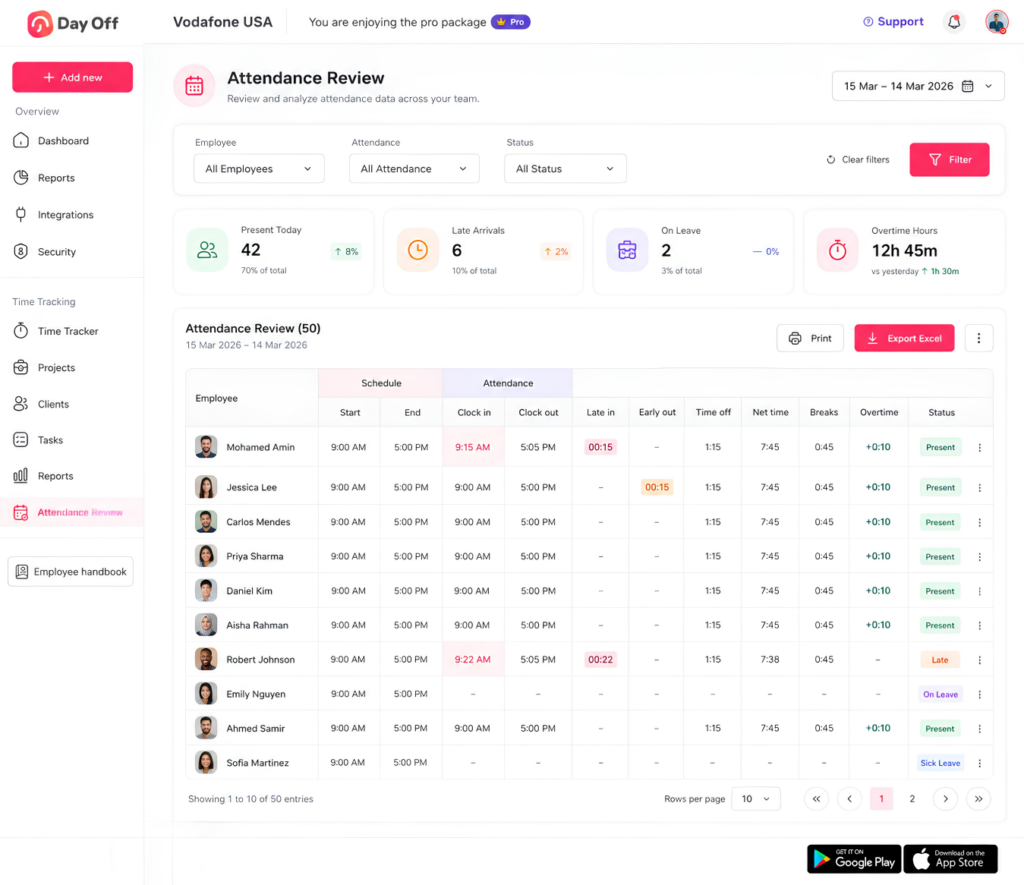
Attendance Review
Managers can review employee attendance information and identify working-time details such as attendance, breaks, overtime, and related time records.
Reports
Detailed and summary reports help managers analyze recorded time instead of relying entirely on individual timesheet entries.
This can support:
project analysis
workload reviews
attendance monitoring
working hour reporting
overtime visibility
PTO and Working Time Together
One of the biggest advantages of combining project time tracking with leave management is that employee availability becomes easier to understand.
Managers can account for approved vacation and other leave when reviewing workforce availability rather than planning projects as though every employee were available every working day.
For organizations managing employees across multiple projects, having working time, attendance, and PTO information within the same system can reduce fragmented records and give managers a more complete view of employee capacity.
How to Introduce Project Time Tracking to Employees
Technology alone will not create reliable data.
Employees should understand both how the system works and why the company is using it.
When introducing project tracking, explain:
What employees are expected to track.
Which projects and tasks they should use.
When time should be entered.
How incorrect entries can be corrected.
How internal work should be classified.
Who reviews project time.
Why the information is useful.
Explain the business reason clearly.
For example:
We track project hours so that we can estimate projects more accurately, avoid overloading team members, understand project costs, and plan future workloads.
Employees are more likely to maintain accurate records when the system has a clear purpose rather than feeling like unexplained monitoring.
Building a Better Project Time Tracking Process
A strong system does not need dozens of rules.
For many businesses, the following structure is enough:
Client → Project → Task → Employee → Time
For example:
Client: ABC Company
Project: Website Redesign
Task: Frontend Development
Employee: Alex
Time: 3 hours 20 minutes
From this relatively simple record, a business can later answer several questions:
How much time has the website redesign required?
How much frontend development did the project require?
How much time did Alex contribute?
How much labor cost should be attributed to the project?
Are actual hours exceeding estimates?
That is the real value of structured project time tracking.
The purpose is not merely to create timesheets. It is to turn employee working time into useful information for planning and decision making.
Final Thoughts
Knowing that employees worked 40 hours in a week provides only part of the picture. When a team handles several clients, projects, and tasks simultaneously, businesses also need to understand where those hours went.
A good system to Track Employee Hours across multiple projects should make it easy to connect time with the correct client, project, and task without forcing employees through an unnecessarily complicated process.
The most useful approach combines simple time entry with clear project categories, regular reviews, realistic capacity planning, and reliable reporting.
Businesses can then use that information to improve project estimates, monitor budgets, calculate labor costs, identify workload problems, and make better decisions about future work.
And when project time is connected with attendance and PTO information through a platform such as Day Off, managers can gain a more complete view of both how employees spend their working time and when they are actually available to work.