







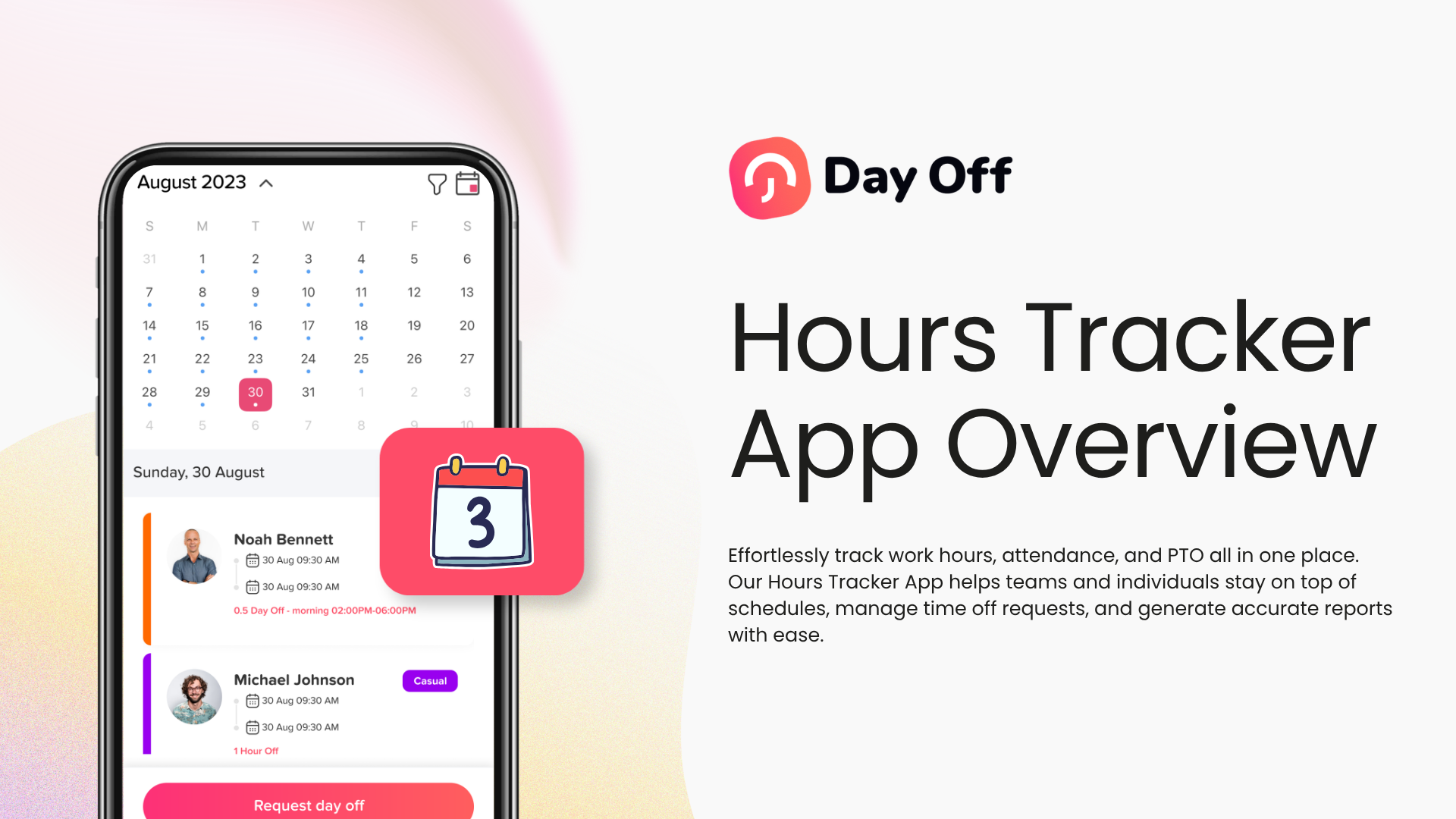
An hours tracker app helps businesses record employee working hours, monitor attendance, manage time off, and keep PTO balances accurate in one organized system. Instead of depending on spreadsheets, paper timesheets, manual notes, or scattered messages, companies can use a digital hours tracker app to understand who is working, who is absent, how many hours were completed, and how leave affects team availability.

For many businesses, tracking work hours and PTO separately creates confusion. An employee may not clock in because they are on approved vacation, sick leave, or personal leave. Another employee may work overtime because someone else is absent. A manager may need to know whether a missed shift is an attendance issue or an approved day off. When work hours, attendance, and PTO are not connected, HR teams spend too much time checking records manually and correcting mistakes later.
That is why modern teams need more than a basic time tracker. They need an hours tracker app that combines employee time tracking, attendance visibility, leave management, PTO tracking, approvals, schedules, and reports in one place. This gives managers and HR teams a clear picture of employee availability while helping businesses reduce errors, save time, and make better workforce decisions.
What Is an Hours Tracker App?
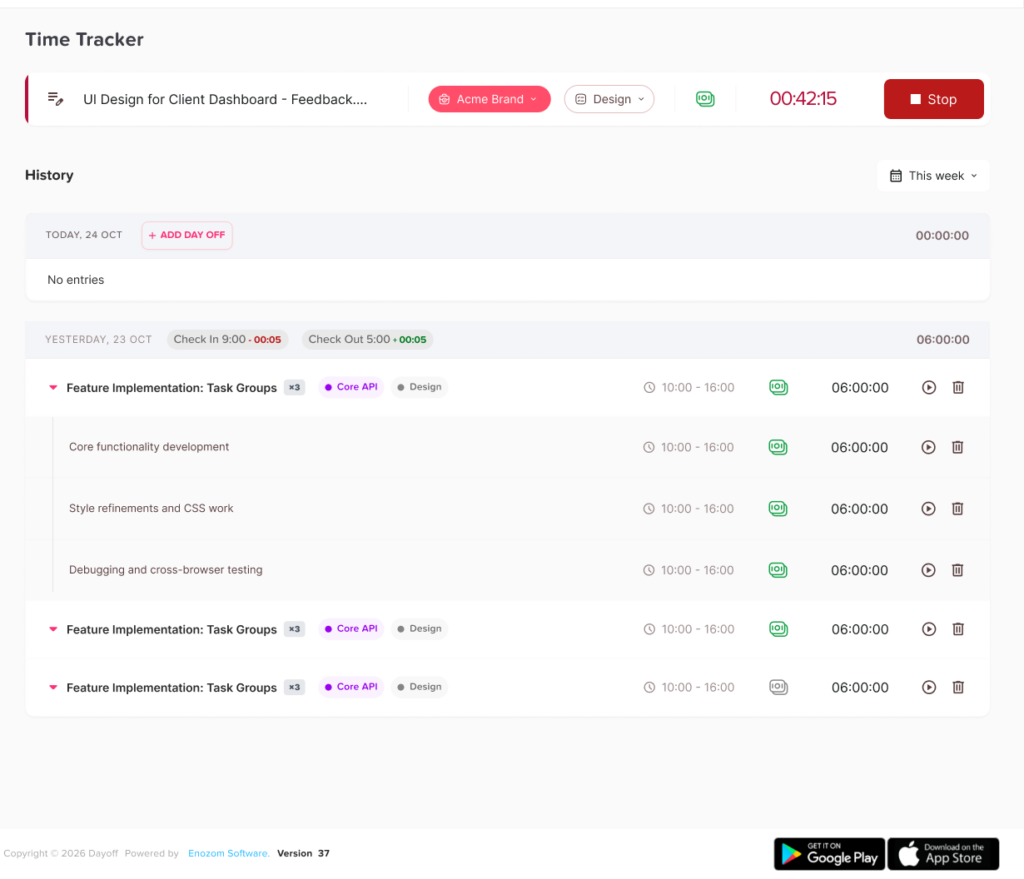
An hours tracker app is a digital tool that allows employees to record their working time and helps managers track attendance, total hours, late arrivals, overtime, absences, and time off. Employees can usually clock in when they start work, clock out when they finish, and sometimes add breaks, tasks, notes, or project details.
For managers, the app provides a clear record of employee activity. Instead of asking employees to send manual updates or fill out paper timesheets, managers can review time records from one dashboard. HR teams can also use these records to prepare payroll, check attendance trends, review leave patterns, and understand employee availability.
A strong hours tracker app should not only answer the question, “How many hours did this employee work?” It should also help answer questions like:
- Was the employee scheduled to work today?
- Did they clock in on time?
- Did they leave early?
- Did they work overtime?
- Were they absent without approval?
- Were they on approved PTO?
- How does this affect payroll or staffing?
When these answers are available in one system, businesses can manage employee time more accurately and avoid confusion between attendance and leave.
Why Businesses Need an Hours Tracker App
Tracking employee hours manually may work for very small teams at the beginning, but it becomes difficult as the business grows. Even a small number of employees can create many records every week. When those records are handled through spreadsheets, emails, paper forms, or chat messages, mistakes become more likely.
A digital hours tracker app helps businesses move from manual tracking to a more reliable system. It creates structure and gives managers real-time visibility into employee work hours, absences, and PTO.
It Reduces Manual Errors
Manual time tracking often leads to incorrect entries, missing hours, duplicate records, and outdated spreadsheets. Employees may forget to update their hours. Managers may approve timesheets without checking leave records. HR teams may spend extra time comparing different files.
An hours tracker app reduces these problems by collecting employee time records directly. When employees clock in and clock out digitally, the system can calculate total hours more accurately. This helps reduce payroll mistakes and gives HR teams cleaner data to work with.
It Improves Attendance Visibility
Attendance is not only about whether an employee is present or absent. Businesses also need to know if employees arrive late, leave early, miss shifts, or work outside their expected schedule.
With an hours tracker app, managers can view attendance records more clearly. They can see who is currently working, who has not clocked in, who is on leave, and who may need follow-up. This is especially useful for businesses with remote teams, hybrid work, field employees, retail staff, restaurants, support teams, and employees working different schedules.
It Connects Work Hours with PTO
One of the biggest problems with separate systems is that attendance and PTO are treated as disconnected processes. An employee may appear absent in a time tracking sheet, even though their leave request was already approved in another system.
A better hours tracker app connects time tracking with PTO tracking. This means approved time off is reflected in employee availability. Managers can quickly understand whether someone is missing work, taking approved leave, or working a different schedule.
This connection helps reduce misunderstandings and makes workforce planning easier.
It Supports Better Payroll Preparation
Payroll depends on accurate work-hour records. If hours are wrong, payroll calculations may also be wrong. This can lead to overpayment, underpayment, employee complaints, and extra administrative work.
An hours tracker app helps HR and finance teams prepare payroll with better data. It can show total hours worked, overtime, absences, approved PTO, unpaid leave, and attendance exceptions. Even if payroll is handled in another system, clean time tracking records make the payroll process easier and more reliable.
It Saves Time for Managers and HR Teams
Without a digital system, HR teams may spend hours every week collecting timesheets, checking leave requests, confirming attendance, and correcting mistakes. Managers may also waste time asking employees for updates or reviewing scattered records.
An hours tracker app saves time by keeping everything organized. Employees record their hours, managers review attendance, and HR teams can generate reports when needed. This reduces repetitive manual work and allows teams to focus on higher-value tasks.
What an Hours Tracker App Should Include
Not all time tracking tools offer the same value. Some apps only record clock-in and clock-out times. Others provide a more complete system for managing employee hours, attendance, schedules, and PTO.
For businesses that want better visibility and fewer manual errors, the best hours tracker app should include the following features.
Clock In and Clock Out Tracking
The most basic feature of any hours tracker app is the ability to record when employees start and finish work. Employees should be able to clock in at the beginning of their shift and clock out when they are done.
This creates a digital record of actual working hours. It also helps managers compare scheduled hours with real attendance.
A good clock-in and clock-out system should be simple for employees to use. If the process is too complicated, employees may forget to record their time or avoid using the app properly.
Attendance Tracking
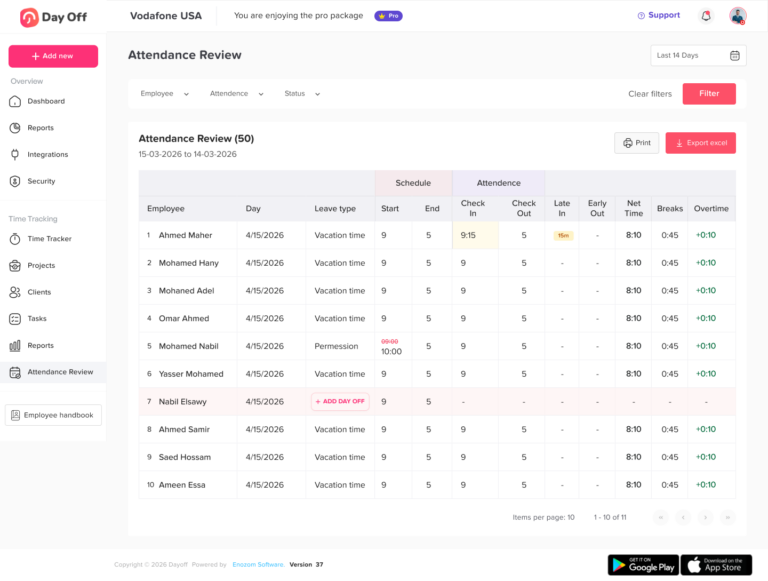
Attendance tracking helps businesses monitor employee presence, absences, late arrivals, early departures, and missed shifts. This is important because work hours alone do not always explain the full picture.
For example, an employee may complete eight hours of work but start much later than expected. Another employee may clock fewer hours because they were approved for a half day leave. Attendance tracking helps managers understand these details.
A strong hours tracker app should make attendance records easy to review. Managers should be able to see attendance by employee, team, location, date, or schedule.
PTO and Leave Tracking
PTO tracking is essential for businesses that want accurate availability records. PTO includes vacation days, sick leave, personal leave, unpaid leave, maternity or paternity leave, and other types of approved absence.
When PTO tracking is connected with work-hour tracking, managers can understand why an employee is not working. Instead of marking the employee as simply absent, the system can show that they are on approved leave.
This helps avoid confusion and improves communication between employees, managers, and HR teams.
Work Schedules
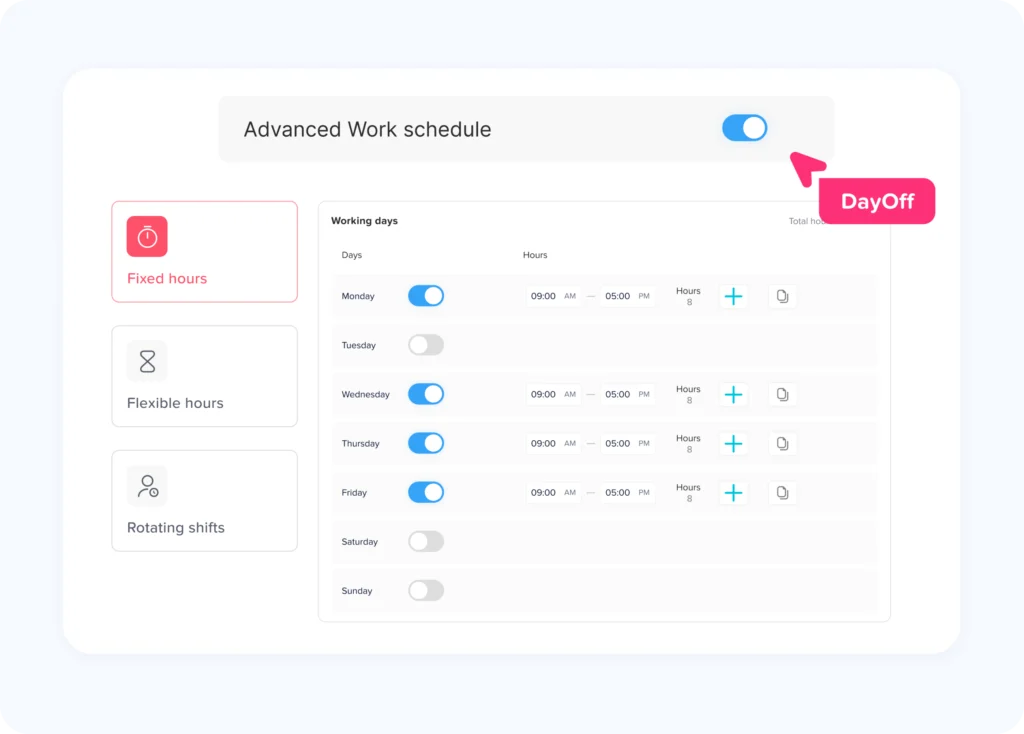
An hours tracker app becomes more useful when it supports different work schedules. Not every business uses the same working model. Some teams work fixed hours, while others use flexible schedules or rotating shifts.
The app should help businesses manage schedule types such as:
- Fixed schedules, where employees work specific start and end times
- Flexible schedules, where employees must complete a certain number of hours per day
- Rotating shifts, where employees work different shifts across days or weeks
- Part time schedules, where employees work fewer hours or specific days
- Remote or hybrid schedules, where employees work from different locations
When schedules are connected to time tracking, the app can identify late arrivals, missed shifts, overtime, and attendance issues more accurately.
Overtime Tracking
Overtime can easily become difficult to manage without accurate records. Employees may work extra hours because of business needs, staffing shortages, urgent projects, or overlapping leave requests.
An hours tracker app can help managers see when employees work beyond their expected hours. This is useful for payroll, compliance, workload management, and cost control.
Overtime tracking also helps managers identify patterns. If the same team is constantly working overtime, the business may need to adjust staffing, improve planning, or review leave coverage.
Leave Calendar and Team Availability
A shared leave calendar gives managers and employees a clear view of who is off and when. This is especially important when PTO and work hours are connected.
If a manager is planning shifts or reviewing attendance, they need to know who is available. A leave calendar helps prevent scheduling conflicts, overlapping time off, and understaffed days.
For example, if several employees from the same team request leave during the same week, managers can review availability before approving requests. This helps protect business operations while still giving employees a fair leave process.
Reports and Exportable Data
Reports are one of the most valuable parts of an hours tracker app. Businesses need clear data to understand attendance, work hours, PTO usage, overtime, and team availability.
Useful reports may include:
- Total hours worked by employee
- Attendance records by date or team
- Late arrivals and early departures
- Overtime hours
- PTO used and remaining balances
- Absence trends
- Leave requests by type
- Employee availability
- Payroll ready attendance summaries
Reports help HR teams make better decisions and reduce the need for manual calculations.
Mobile and Web Access
Modern teams do not always work from one office. Employees may work remotely, travel between locations, visit client sites, or work in the field. That is why an hours tracker app should be available on mobile and web.
Mobile access allows employees to track time from their phones. Web access gives managers and HR teams a larger dashboard for reviewing records, approving leave, and generating reports.
Day Off, for example, is available on iOS, Android, and the web, which makes it easier for employees and managers to access leave and time-related information from different devices.
How an Hours Tracker App Helps Different Types of Teams
Different businesses track employee hours in different ways. A strong hours tracker app should be flexible enough to support multiple work environments.
Remote and Hybrid Teams
Remote and hybrid teams need clear time tracking because employees are not always visible in the office. Managers need to know who is working, who is unavailable, and whether employees are completing their expected hours.
An hours tracker app helps remote and hybrid teams track work hours without constant check-ins. Employees can record their time digitally, while managers can review attendance and availability from one dashboard.
When PTO is included, managers can also see whether someone is offline because they are working flexible hours, taking approved leave, or unavailable for another reason.
Small Businesses
Small businesses often have limited HR resources. One person may handle payroll, scheduling, leave requests, and employee records. Manual tracking can quickly become overwhelming.
An hours tracker app helps small businesses stay organized without needing a large HR team. It simplifies work-hour tracking, improves attendance records, and keeps PTO balances easier to manage.
For small businesses, the biggest advantage is saving time while reducing mistakes.
Retail and Restaurants
Retail stores and restaurants often depend on shifts, part-time workers, weekend coverage, and changing schedules. Attendance issues can directly affect customer service and operations.
An hours tracker app helps managers see who clocked in, who is late, who missed a shift, and who is on approved leave. This makes it easier to plan coverage and avoid understaffing during busy periods.
Agencies and Project-Based Teams
Agencies, consultants, and project-based teams often need to know how much time employees spend working. Time records can help with internal planning, client billing, project profitability, and workload management.
An hours tracker app gives these teams better visibility into work hours. If the app also supports task tracking or notes, it can help managers understand where time is being spent.
Field Employees
Field employees may work outside the office, travel between locations, or start work from different places. A mobile hours tracker app makes it easier for them to record working time without returning to a central office.
Managers can then review time records remotely and keep attendance data organized.
Why PTO Tracking Should Be Part of an Hours Tracker App
PTO tracking should not be treated as a separate HR task. It directly affects attendance, scheduling, payroll, and team availability.
When an employee takes PTO, their working hours change. If that information is not connected to the hours tracking system, managers may misread the attendance record. The employee may look absent, late, or missing from work, even though their leave was approved.
Connecting PTO with time tracking helps businesses avoid these issues.
It Shows the Reason Behind Absences
Not all absences are attendance problems. Some are approved vacation days. Some are sick leave. Some are unpaid leave or personal days. A good hours tracker app helps show the reason behind an employee’s absence.
This gives managers better context before taking action.
It Helps Prevent Overlapping Leave
When PTO is tracked in the same system as availability, managers can see who is already off before approving more requests. This helps reduce overlapping leave and protects team coverage.
For example, if two employees from the same department are already off next Monday, a manager may need to review whether approving a third request will affect operations.
It Keeps PTO Balances Accurate
PTO balances should update when employees take approved leave. If balances are managed manually, HR teams may forget to update them or make calculation errors.
An hours tracker app with PTO tracking can help keep balances more accurate by connecting requests, approvals, and usage in one system.
It Improves Payroll Accuracy
Paid and unpaid leave can affect payroll. If PTO is not tracked clearly, payroll teams may need to ask HR or managers for clarification.
When work hours and PTO records are connected, payroll preparation becomes easier. Teams can review hours worked, approved paid leave, unpaid leave, and attendance exceptions from more reliable records.
Common Problems an Hours Tracker App Can Solve
A good hours tracker app can solve many common problems that businesses face when tracking employee time manually.
Problem 1: Employees Forget to Submit Timesheets
Manual timesheets depend on employees remembering to fill them out. When they forget, managers must follow up. This wastes time and delays payroll preparation.
A digital app makes time tracking part of the daily workflow.
Problem 2: Managers Cannot Tell Who Is Working
Without real-time visibility, managers may not know who is currently working, who is late, or who is off. This can create confusion, especially for remote or shift-based teams.
An hours tracker app gives managers a clearer view of attendance and availability.
Problem 3: PTO and Attendance Are Tracked Separately
When PTO is managed in one place and attendance is managed somewhere else, records can conflict. This leads to confusion and manual checking.
A connected system helps managers understand absences more accurately.
Problem 4: Payroll Takes Too Long
Payroll preparation becomes slow when HR teams need to collect timesheets, check PTO records, calculate overtime, and fix missing data.
An hours tracker app helps organize the information needed for payroll.
Problem 5: Leave Overlaps Affect Coverage
When managers cannot see team availability clearly, they may approve too many leave requests for the same period.
A shared leave calendar and PTO tracking system help managers review availability before approving leave.
How Day Off Helps Track Work Hours, Attendance, and PTO
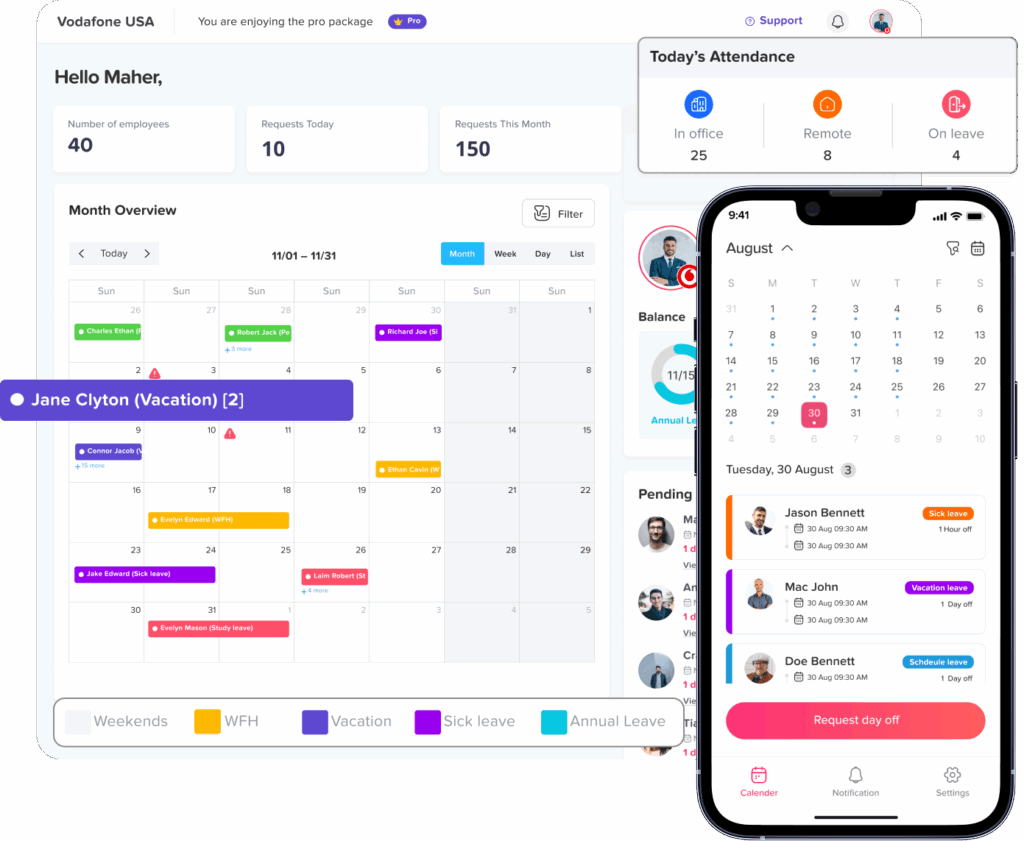
Day Off is a leave management and PTO tracking solution designed to help businesses manage employee time off, availability, and team planning in one place. With time tracking, Day Off helps companies connect employee work hours with attendance and PTO management instead of using separate tools for each process.
Using Day Off, businesses can manage leave requests, PTO balances, team calendars, work schedules, and attendance-related data from a single system. This helps HR teams and managers understand not only how many hours employees worked, but also how approved leave affects attendance and availability.
Day Off is useful for businesses that want to:
- Track employee work hours more clearly
- Manage PTO requests and leave balances
- View who is working and who is off
- Reduce manual attendance tracking
- Support remote, hybrid, and office teams
- Manage different work schedules
- Improve payroll preparation with organized records
- Give employees an easier way to request and track time off
Because Day Off is available on iOS, Android, and the web, employees and managers can access the system from the device that works best for them.
Conclusion
An hours tracker app is more than a digital clock-in and clock-out tool. It helps businesses track work hours, monitor attendance, manage PTO, understand team availability, and prepare more accurate reports. When work hours and leave management are connected, managers can make better decisions and HR teams can reduce manual work.
For growing teams, remote employees, hybrid workplaces, shift-based businesses, and small companies, using spreadsheets or paper timesheets is no longer the most efficient option. A digital hours tracker app gives businesses a clearer and more organized way to manage employee time.
With a solution like Day Off, companies can bring work hours, attendance, PTO tracking, leave requests, schedules, and reports together in one place. This creates better visibility, fewer errors, and a smoother experience for employees, managers, and HR teams.