







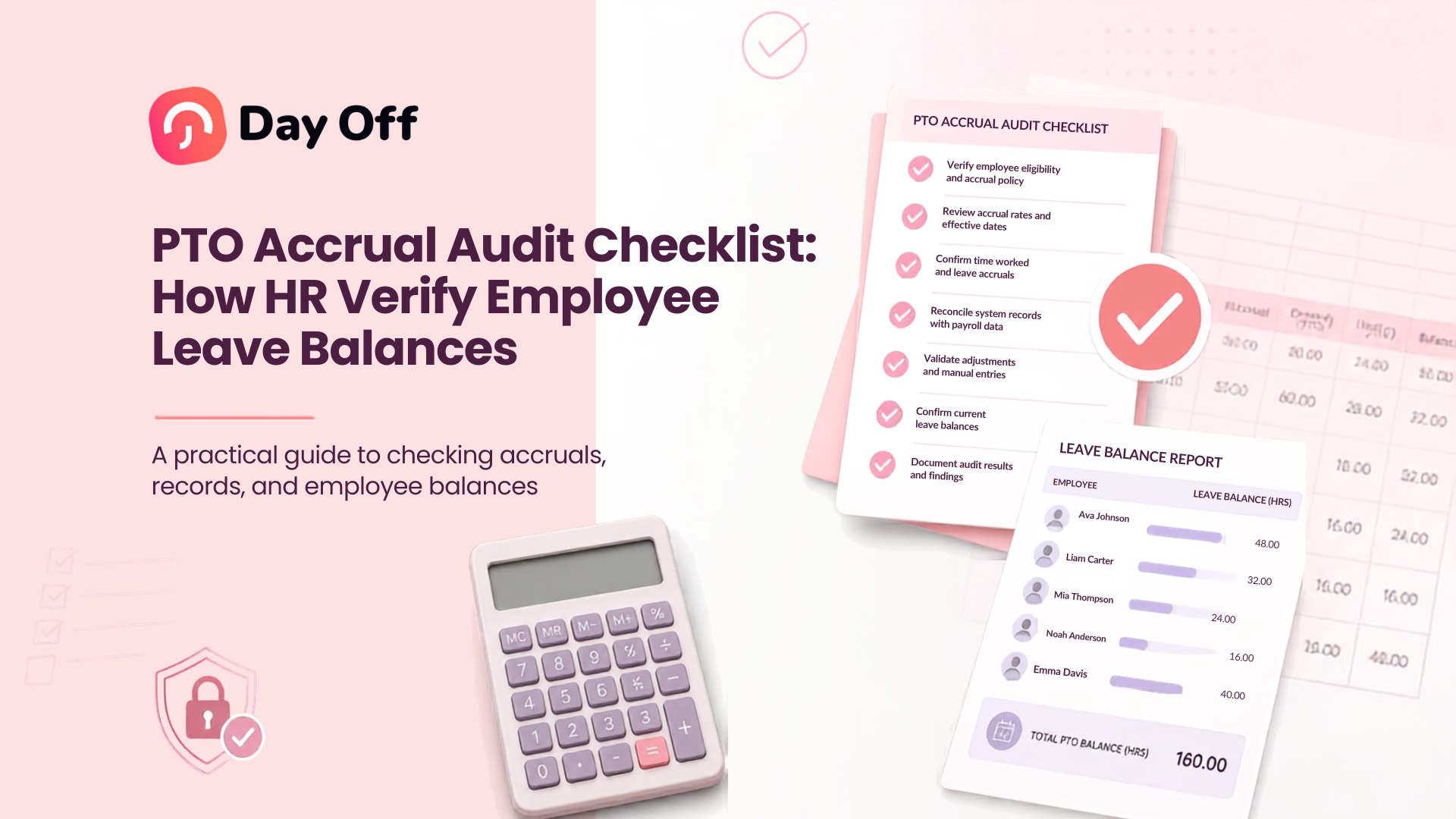
Accurate PTO balances depend on much more than adding earned leave and subtracting approved vacation days. A PTO Accrual Audit Checklist gives HR teams a structured process for checking whether every employee has earned, used, carried over, adjusted, and retained the correct amount of paid time off. By auditing the rules behind each balance, HR can identify calculation errors before they lead to employee disputes, payroll problems, incorrect year-end balances, or inconsistent application of company policy.

PTO errors can remain unnoticed for months. An employee may have been assigned the wrong accrual rate, a new hire may have started accruing too early, a maximum balance cap may not have been applied, or carried-over leave may have remained available after its expiration date. Even a small monthly error can become significant when multiplied across dozens or hundreds of employees.
A good PTO accrual audit therefore answers a simple question:
Can HR explain exactly how the employee’s current PTO balance was calculated?
If the answer is yes, the balance should be traceable from the employee’s opening balance through every accrual, leave deduction, carryover, expiration, and manual adjustment.
What Is a PTO Accrual Audit?
A PTO accrual audit is a systematic review of employee leave balances and the transactions that created them.
The audit compares:
- The organization’s written PTO policy
- Employee eligibility information
- Accrual rates
- Accrual dates
- Opening balances
- PTO earned
- PTO taken
- Carryover
- Expired leave
- Balance caps
- Manual adjustments
- Current available balances
The objective is not simply to confirm that the software performed a calculation. HR must verify that the correct calculation rule was applied to the correct employee at the correct time.
For example, imagine an employee has a current vacation balance of 72 hours.
The number itself does not tell HR whether it is correct.
HR needs to know:
- What balance the employee started with
- How much PTO the employee should have earned
- Which accrual rate applies
- Whether the employee reached a service anniversary
- How much PTO was approved and deducted
- Whether any leave expired
- Whether carryover was limited
- Whether manual adjustments were made
Only then can the 72-hour balance be verified.
Why PTO Accrual Audits Matter
PTO balances affect several parts of workforce administration.
Incorrect balances can result in employees being allowed to take more PTO than they earned, employees being denied leave they are entitled to, managers making decisions based on inaccurate availability, and HR spending significant time investigating historical transactions.
Errors can also create problems when an employee leaves the organization if applicable law or company policy requires unused vacation to be handled in a particular way.
In the United States, the Fair Labor Standards Act does not generally require employers to provide vacation or paid sick leave. These benefits are generally determined by agreements and employer policies, although state and local requirements may impose additional rules. HR should therefore review applicable laws in every jurisdiction where employees work rather than assuming that the same PTO treatment applies everywhere.
Regular audits help HR maintain:
- Accurate employee balances
- Consistent PTO policy enforcement
- Reliable reports
- Cleaner payroll records
- Better workforce planning
- Clearer employee communication
- Defensible historical records
- More reliable year-end carryover and reset processing
PTO Accrual Audit Checklist
The following checklist can be used for a monthly, quarterly, year-end, or targeted PTO audit.
| Audit Item | What HR Should Verify | Common Problem |
|---|---|---|
| PTO policy | Correct policy assigned to employee | Employee assigned to outdated policy |
| Eligibility date | Accrual started on correct date | PTO earned during waiting period |
| Opening balance | Starting balance matches previous period | Incorrect migration or reset |
| Accrual rate | Correct rate based on policy and tenure | Wrong service tier applied |
| Accrual frequency | PTO added on correct schedule | Missing or duplicate accrual |
| Proration | New hire or part-time calculation is correct | Full entitlement given incorrectly |
| Leave deductions | Approved PTO deducted correctly | Wrong number of hours deducted |
| Carryover | Previous balance transferred correctly | Carryover exceeds policy limit |
| Expiration | Expiring PTO removed when required | Old balance remains available |
| Maximum balance | Accrual stops or changes at cap | Employee continues earning above cap |
| Adjustments | Every manual change has a reason | Unexplained balance modifications |
| Current balance | Final calculated balance matches system | Transaction history does not reconcile |
HR can use this checklist at employee level or use exception reports to identify higher-risk records that need investigation.
Start With the Written PTO Policy
Before looking at employee balances, audit the policy itself.
HR should identify exactly how PTO is supposed to work.
Document:
- Annual PTO entitlement
- Accrual method
- Accrual frequency
- Accrual start date
- Waiting period
- Service based accrual tiers
- Carryover allowance
- Carryover expiration
- Maximum balance
- Minimum and maximum leave duration
- Whether employees can have negative balances
- Whether future PTO can be requested
- Rules for part time employees
- Rules for new hires
- Rules for employees leaving the organization
This step is essential because an audit cannot determine whether a balance is correct without defining the expected result.
Example
Suppose the policy states:
- Employees receive 15 vacation days per year.
- Vacation accrues monthly.
- Employees begin accruing immediately.
- A maximum of 5 unused days can carry into the next year.
HR should convert those rules into measurable audit conditions.
For a full-time employee using a 12-month accrual schedule:
15 days ÷ 12 months = 1.25 days per month
If the employee has completed six eligible accrual periods, HR would normally expect:
1.25 × 6 = 7.5 days earned
That becomes the expected accrual amount before deductions, carryover, adjustments, or other rules are considered.
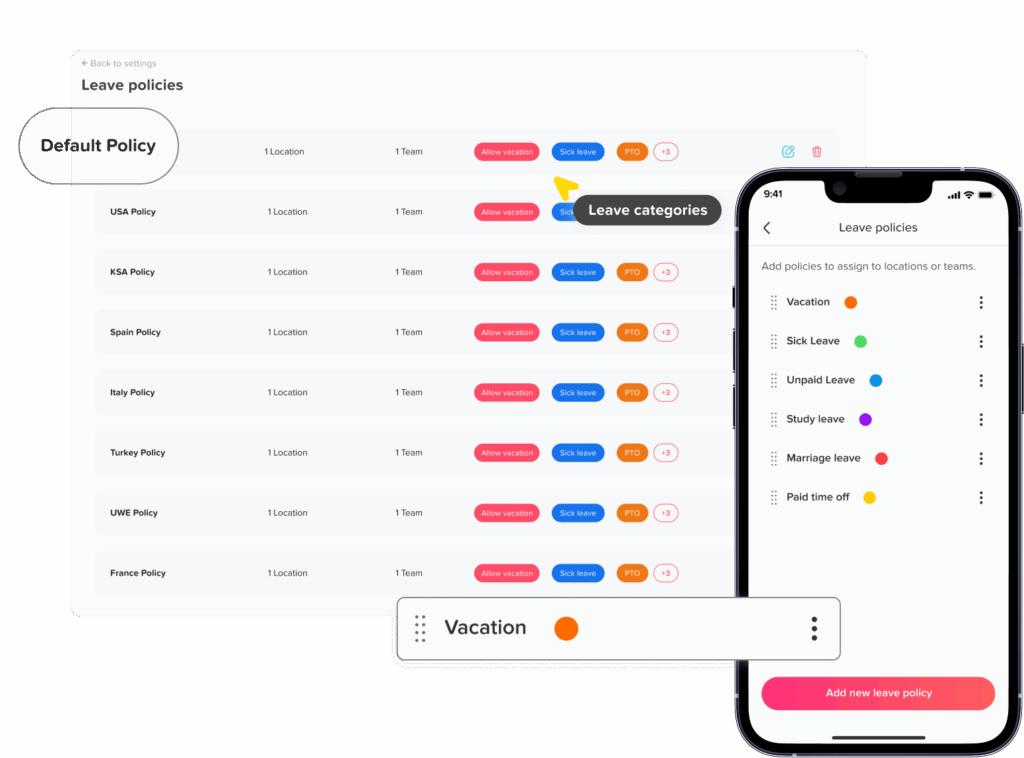
Confirm the Employee Is Assigned to the Correct PTO Policy
One of the easiest mistakes to overlook is incorrect policy assignment.
Employees may have different policies based on:
- Location
- Department
- Employment type
- Seniority
- Contract
- Work schedule
- Legal entity
- Full time or part time status
During the audit, verify that every employee belongs to the appropriate policy.
Pay particular attention to employees who:
- Recently changed location
- Became full time or part time
- Were promoted
- Transferred departments
- Were rehired
- Changed employment contracts
- Reached a service anniversary
An employee’s calculations may be technically correct under the system configuration while still being incorrect because the employee was attached to the wrong policy.
Verify the Opening PTO Balance
Every balance calculation needs a reliable starting point.
The opening balance may come from:
- The previous PTO year
- Carried-over PTO
- A system migration
- A manual starting allocation
- Rehire adjustments
- A newly created policy
HR should compare the opening balance against the previous period’s closing records.
A simple reconciliation formula is:
Previous Closing Balance – Expired PTO – Non-Carryover PTO + New Allocation = New Opening Balance
The exact formula depends on company policy.
Example
Assume an employee finished the year with 7 unused vacation days.
The policy permits only 5 days of carryover.
The employee receives 18 newly allocated days on January 1.
The opening balance should therefore be:
5 carried days + 18 new days = 23 days
If the system shows 25 days, HR should investigate why the additional 2 days remained available.
Recalculate the Employee’s PTO Accrual Rate
The audit should independently calculate the expected accrual instead of relying entirely on the displayed balance.
The basic accrual formula is:
PTO Earned = Accrual Rate × Number of Eligible Accrual Periods
If an employee earns 1.5 days per month for 8 months:
1.5 × 8 = 12 days
For hourly accrual policies, a different formula may apply:
Eligible Hours Worked × PTO Earned Per Hour = PTO Accrued
For example:
960 eligible hours × 0.0385 PTO hours = 36.96 hours of PTO
The organization’s actual accrual rule should determine which hours count toward the calculation.
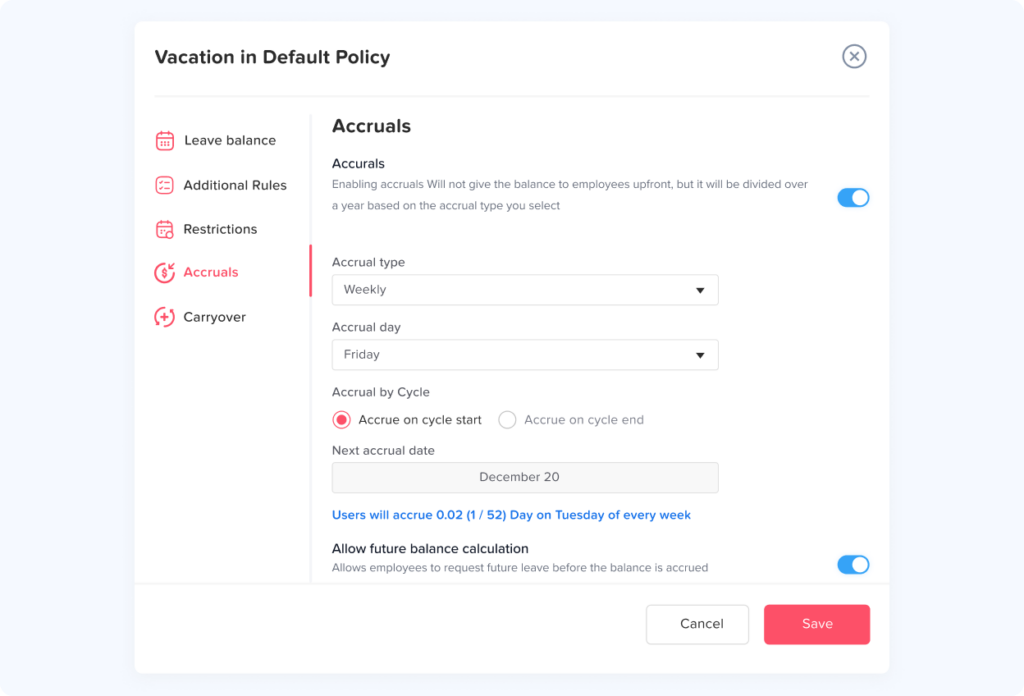
Check the Accrual Frequency
PTO may accrue:
- Daily
- Weekly
- Biweekly
- Semimonthly
- Monthly
- Annually
- Based on hours worked
The frequency matters because employees should generally receive PTO only when the applicable accrual event occurs.
For example, a monthly policy should not accidentally post two accrual transactions during one month.
During an audit, look for:
- Missing accrual periods
- Duplicate accruals
- Accruals posted on incorrect dates
- Accruals after termination
- Accruals before eligibility
- Accruals that continued after a maximum balance was reached
A transaction level accrual report makes these problems much easier to identify than reviewing only current balances.
Verify Waiting Periods and Eligibility Dates
Some companies allow employees to begin earning PTO immediately. Others introduce a waiting period.
For example:
Hire date: January 10
Waiting period: 90 days
PTO eligibility date: April 10
If the company’s policy states that accrual begins only after the waiting period, PTO posted before April 10 should be investigated.
HR should separately verify whether the policy controls:
- When PTO begins accruing
- When accrued PTO becomes available
- When employees can submit requests
These rules are not always the same.
Review New Hire Proration
New employees are a common source of balance errors because they frequently enter the PTO year partway through the cycle.
Suppose employees receive 24 days annually but a new employee starts halfway through the year.
A simple monthly proration might calculate:
24 ÷ 12 = 2 days per month
If six eligible months remain:
2 × 6 = 12 days
However, organizations may use different proration rules.
Some calculate entitlement based on:
- Calendar months
- Exact days employed
- Pay periods
- Hire-date cutoffs
- Completed months
- Hours worked
HR should audit against the actual policy rather than automatically using a 12-month division.
Audit Tenure Based Accrual Rates
Many organizations increase PTO based on years of service.
For example:
| Length of Service | Annual PTO | Monthly Accrual |
|---|---|---|
| Less than 2 years | 12 days | 1.00 day |
| 2 to 4 years | 18 days | 1.50 days |
| 5+ years | 24 days | 2.00 days |
An employee reaching five years of service may therefore move from an 18-day entitlement to 24 days.
HR should verify:
- The correct service anniversary date
- When the higher rate becomes effective
- Whether the change applies immediately or at the next accrual period
- Whether the employee’s historical accruals were left unchanged
- Whether the new rate appears correctly in future periods
Service-tier errors can remain hidden because the balance may still appear reasonable.
Reconcile Every PTO Deduction
Once accruals are verified, review the other side of the equation: leave usage.
For every approved leave request, confirm:
- Correct employee
- Correct leave type
- Correct dates
- Correct number of days or hours
- Correct work schedule
- Correct treatment of weekends
- Correct treatment of public holidays
- Correct treatment of partial days
- Correct approval status
A useful reconciliation formula is:
Opening Balance + PTO Accrued + Positive Adjustments – PTO Used – Expired PTO – Negative Adjustments = Current Balance
Example
An employee begins with 40 hours.
During the period:
- Accrues 24 hours
- Uses 16 hours
- Receives a 4-hour manual correction
- Has 8 hours expire
The expected balance is:
40 + 24 + 4 – 16 – 8 = 44 hours
If the system displays 52 hours, the missing 8-hour expiration should be investigated.
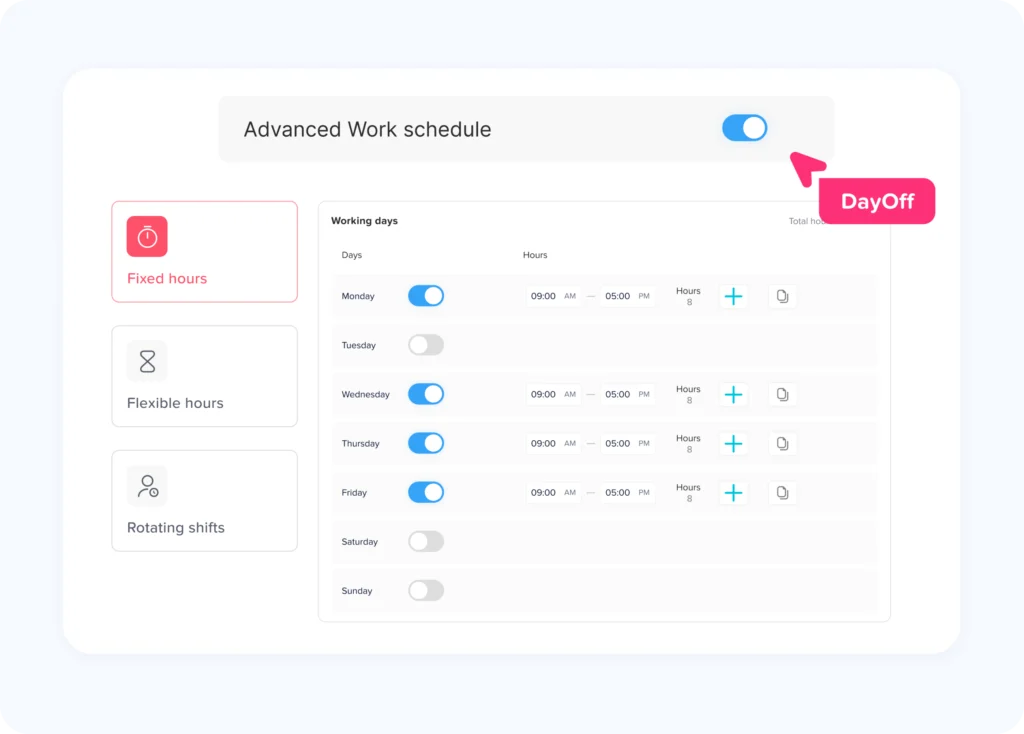
Check PTO Against Employee Work Schedules
Leave deductions should reflect the employee’s actual scheduled working time.
This becomes especially important for employees working:
- Part-time schedules
- Four-day workweeks
- 9/80 schedules
- Rotating shifts
- Split shifts
- Flexible schedules
- Different daily hours
Consider an employee who works:
- Monday: 8 hours
- Tuesday: 8 hours
- Wednesday: 6 hours
- Thursday: 8 hours
- Friday: 4 hours
If the employee takes Wednesday off, deducting a standard 8 hours could overstate the PTO used by 2 hours.
For organizations tracking leave in hours, HR should verify that deductions match scheduled hours rather than assuming every working day is identical.
Verify Carryover Rules
Carryover errors often appear around the end of a leave year.
Review:
- Maximum carryover allowance
- Which leave types allow carryover
- Carryover date
- Employee eligibility
- Expiration date
- Whether unused carryover expires before newly earned PTO
Example
Employee year-end balance:
9 days
Maximum allowed carryover:
5 days
Correct carryover:
5 days
Amount removed:
4 days
If all 9 days remain available after the reset, the employee has received more PTO than the policy allows.
A PTO reset should therefore be followed by verification instead of assuming the automated process produced the intended outcome.
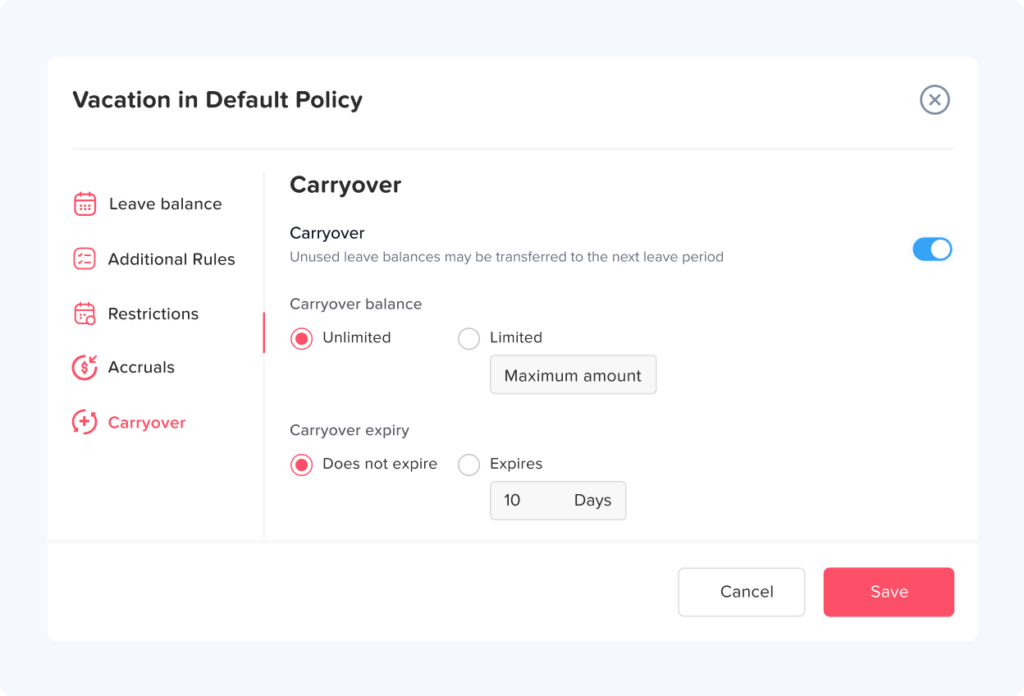
Audit Carryover Expiration
Some organizations allow carried PTO to remain available only for a defined period.
For example:
- 5 days may carry forward.
- Carried leave expires on March 31.
An employee may therefore begin January with:
18 new days + 5 carryover days = 23 available days
By April 1, any unused portion of the carried 5 days may need to expire according to policy.
HR should verify both the initial carryover and its eventual expiration.
Check Maximum Balance Caps
Some policies prevent employees from accumulating PTO beyond a specific balance.
Suppose the policy caps vacation at 200 hours.
An employee currently has 198 hours and normally earns 8 additional hours.
The expected treatment depends on policy.
The employee might:
- Receive only 2 hours
- Receive no accrual until the balance falls below the cap
- Receive the full accrual if the policy allows the balance to temporarily exceed the cap
The audit should compare system behavior with the written policy.
Ignoring balance caps can gradually create large discrepancies.
Review Manual PTO Adjustments
Manual changes deserve special attention because they bypass normal automated rules.
Examples include:
- Correcting a historical error
- Adding compensatory leave
- Adjusting a migrated starting balance
- Correcting a canceled leave request
- Granting additional PTO
- Fixing an incorrect deduction
Every adjustment should ideally include:
- Employee
- Date
- Amount
- Leave type
- Reason
- Administrator responsible for the change
An unexplained adjustment should become an audit exception.
The audit question is not simply:
“Was the balance changed?”
It should be:
“Why was it changed, who authorized it, and can the change be supported?”
Investigate Negative PTO Balances
Negative balances are not automatically errors.
Some employers intentionally allow employees to use PTO before it is earned.
Others prohibit negative balances completely.
During the audit, identify every negative balance and classify it as:
- Permitted by policy
- Approved exception
- Timing difference
- Calculation error
- Unauthorized overuse
This prevents HR from treating all negative balances the same way.
Check Canceled, Rejected, and Deleted Requests
Leave workflow changes can affect balances.
For example, imagine 16 hours were deducted when vacation was approved. If the request is later canceled, the 16 hours should normally be restored according to the organization’s rules.
Audit a sample of:
- Approved requests
- Rejected requests
- Canceled requests
- Deleted requests
- Modified requests
Make sure only qualifying leave affects the final balance.
Verify Partial Day and Hourly Leave
Partial-day requests are another frequent source of discrepancies.
Suppose an employee requests:
2.5 hours of PTO
The system should deduct:
2.5 hours
not:
- Half a day automatically
- A full day
- Two hours because of rounding
- Three hours because of incorrect configuration
HR should also document how partial days are converted when a balance is stored in days rather than hours.
Reconcile PTO With Payroll and Attendance Data
Leave management, attendance, scheduling, time tracking, and payroll often interact.
HR should periodically compare:
Leave system
against:
Attendance records
against:
Payroll records
For example, an employee who was recorded as taking paid vacation should not simultaneously appear as working a complete shift unless there is a legitimate reason.
Likewise, unpaid leave should be clearly distinguished from paid PTO so payroll receives the correct information.
Common cross-system discrepancies include:
- PTO approved but not deducted
- PTO deducted twice
- Employee clocked in while recorded as absent
- Unpaid leave treated as paid leave
- Canceled PTO still appearing in payroll records
- Leave entered under the wrong employee
Reconciliation helps identify errors that may not be visible from the PTO balance alone.
Common PTO Accrual Audit Errors
| Problem | Likely Cause | Audit Response |
|---|---|---|
| Employee has too much PTO | Duplicate accrual | Review transaction history |
| Employee has too little PTO | Missed accrual | Compare expected periods with actual accruals |
| Wrong annual entitlement | Incorrect policy assignment | Verify employee policy |
| Incorrect seniority rate | Service anniversary not applied | Review effective date |
| PTO disappears unexpectedly | Expiration rule triggered | Confirm expiration policy |
| Carryover is too high | Carryover cap not applied | Recalculate year-end balance |
| PTO usage is incorrect | Wrong work schedule | Compare leave with scheduled hours |
| Negative balance | Advance leave or error | Check negative balance policy |
| Balance changes unexpectedly | Manual adjustment | Review administrator history |
| New hire has excessive PTO | Incorrect proration | Recalculate eligibility period |
Documenting the root cause is important because fixing only one employee’s balance may leave the same configuration problem affecting everyone else.
How to Reconcile a PTO Balance Step by Step
When HR finds a suspicious balance, rebuild it from the beginning.
Start with:
Step 1: Find the opening balance
Example:
40 hours
Step 2: Add valid accruals
Six monthly accruals of 8 hours:
6 × 8 = 48 hours
Running total:
40 + 48 = 88 hours
Step 3: Add approved adjustments
Manual correction:
+4 hours
Running total:
92 hours
Step 4: Subtract PTO taken
Employee used:
32 hours
Running total:
60 hours
Step 5: Remove expired PTO
Expired carryover:
8 hours
Expected current balance:
52 hours
If the system also shows 52 hours, the account reconciles.
If it displays 60 hours, HR now knows the likely problem is the missing expiration transaction.
This transaction based approach makes investigation much faster than trying to guess why a current balance looks wrong.
Which Employees Should HR Audit First?
Auditing every transaction for every employee every month may not be practical for larger organizations.
A risk based approach can prioritize employees who are more likely to have balance complexity.
Review employees with:
- Large PTO balances
- Negative balances
- Manual adjustments
- Recent policy changes
- Recent promotions or transfers
- Service anniversaries
- Carryover balances
- Expiring leave
- New hire proration
- Part-time schedules
- Rotating schedules
- Termination dates
- Rehire history
- Unusually high PTO usage
- Recent work schedule changes
HR can then perform sample checks across the remaining population.
How Often Should HR Audit PTO Accruals?
There is no universal audit frequency that fits every organization.
A practical approach is to perform several levels of review.
Monthly
Review:
- Accrual transactions
- Negative balances
- Manual adjustments
- Unusual PTO usage
- Employees reaching caps
- New hires
Monthly reviews help detect problems before they accumulate.
Quarterly
Perform broader reconciliation of:
- PTO policies
- Employee assignments
- Accrual rates
- Employee status changes
- Attendance
- Payroll-related leave information
Before Year End
Review:
- Remaining PTO
- Carryover eligibility
- Carryover limits
- Expiration rules
- Balance caps
- Employees with pending leave
- Employees leaving the company
After the PTO Reset
Run another audit after annual balances have reset.
Check employees with:
- Maximum carryover
- No carryover
- Expiring balances
- Manual adjustments
- Negative balances
- Future approved PTO
A reset is a major balance event, so it deserves its own reconciliation.
How Day Off Helps HR Keep PTO Balances Accurate
Managing PTO audits becomes easier when leave rules and balance records are kept in one system rather than spread across spreadsheets, calendars, emails, and payroll notes.
Day Off helps organizations manage PTO policies, employee leave balances, accruals, carryover, requests, and reporting from a centralized leave management platform.
HR teams can use reports to review balances and investigate transactions instead of manually reconstructing every record.
For example, Day Off provides:
- Balance reports to compare allocated and used leave
- Accrual reports showing accrued days or hours and upcoming accrual dates
- Carryover reports showing carried balances, remaining amounts, and expiration dates
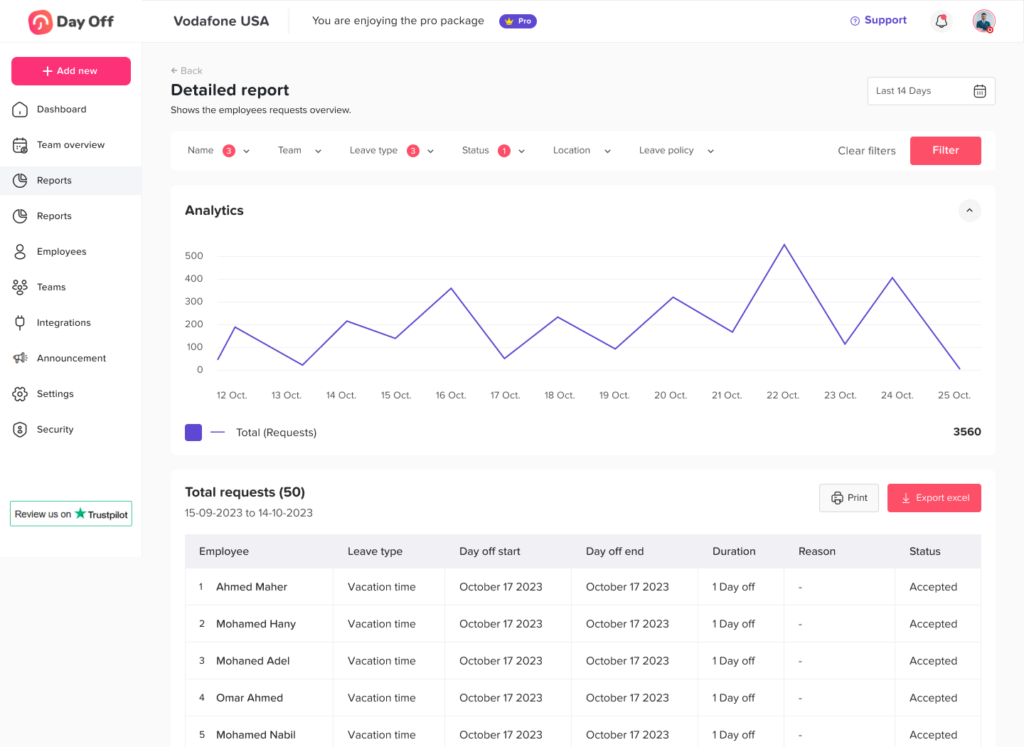
- Detailed reports for reviewing leave request history
- Total reports for summarizing employee leave usage over selected periods
These reports give HR multiple views of the same PTO data, which is useful when reconciling employee balances.
Day Off also supports PTO policy controls such as accrual rules, carryover limits, balance management, and expiration rules, helping organizations reduce dependence on manual spreadsheet calculations.
The goal of automation should not be to eliminate audits completely. Instead, automation should make audits faster by providing clear records of the transactions that produced each employee’s balance.
FAQ
How do you audit PTO accruals?
Start with the employee’s opening PTO balance and independently calculate all eligible accruals. Add approved adjustments, subtract PTO used and expired leave, apply carryover and balance-cap rules, and compare the resulting number with the balance shown in your leave management system. Any difference should be traced to individual transactions.
How do you verify an employee’s PTO balance?
Use the basic reconciliation formula:
Opening Balance + PTO Earned + Positive Adjustments – PTO Used – Expired PTO – Negative Adjustments = Current PTO Balance
Then verify that every value in the formula follows the employee’s assigned PTO policy.
What are the most common PTO accrual errors?
Common problems include incorrect policy assignments, missed accruals, duplicate accruals, incorrect new-hire proration, outdated seniority rates, incorrect carryover, missing expirations, work schedule errors, and unexplained manual adjustments.
How often should HR audit PTO balances?
Many HR teams can benefit from reviewing exceptions and accrual transactions monthly, performing broader reconciliation quarterly, and completing more detailed audits before and after the annual PTO reset. The appropriate frequency depends on workforce size, policy complexity, employee turnover, and the organization’s internal controls.
Should PTO balances be reconciled with payroll?
Yes, particularly when PTO, unpaid leave, attendance, and payroll processes interact. Comparing leave records with attendance and payroll data can reveal duplicate deductions, missing PTO, incorrect unpaid leave treatment, and other cross-system discrepancies.
Can an employee’s PTO balance be mathematically correct but still be wrong?
Yes. The calculations may be mathematically correct while using the wrong accrual policy, seniority tier, work schedule, eligibility date, carryover rule, or balance cap. This is why HR should audit both the transactions and the rules behind them.
What records should HR keep for PTO audits?
HR should maintain records showing accrual transactions, leave requests, approvals, manual adjustments, carryover, expiration, policy assignments, and other balance changes. Records should make it possible to reconstruct how the employee’s current balance was produced.
Final Thoughts
A reliable PTO balance should never be a number that HR simply trusts because it appears in a spreadsheet or dashboard. It should be a number that can be reconstructed and explained.
Using a consistent PTO Accrual Audit Checklist helps HR verify the complete lifecycle of employee leave, from opening entitlement and accrual through usage, carryover, expiration, and adjustments. Instead of waiting for employees to report discrepancies, HR can proactively identify incorrect policies, missing transactions, configuration issues, and unusual balances.
The most effective process combines clear PTO policies, regular exception reviews, transaction-level audit trails, and reliable leave management software. With a system such as Day Off, HR teams can centralize PTO policies, accruals, leave requests, carryover, balances, and reports, making it easier to verify employee leave records and keep PTO administration accurate as the organization grows.