







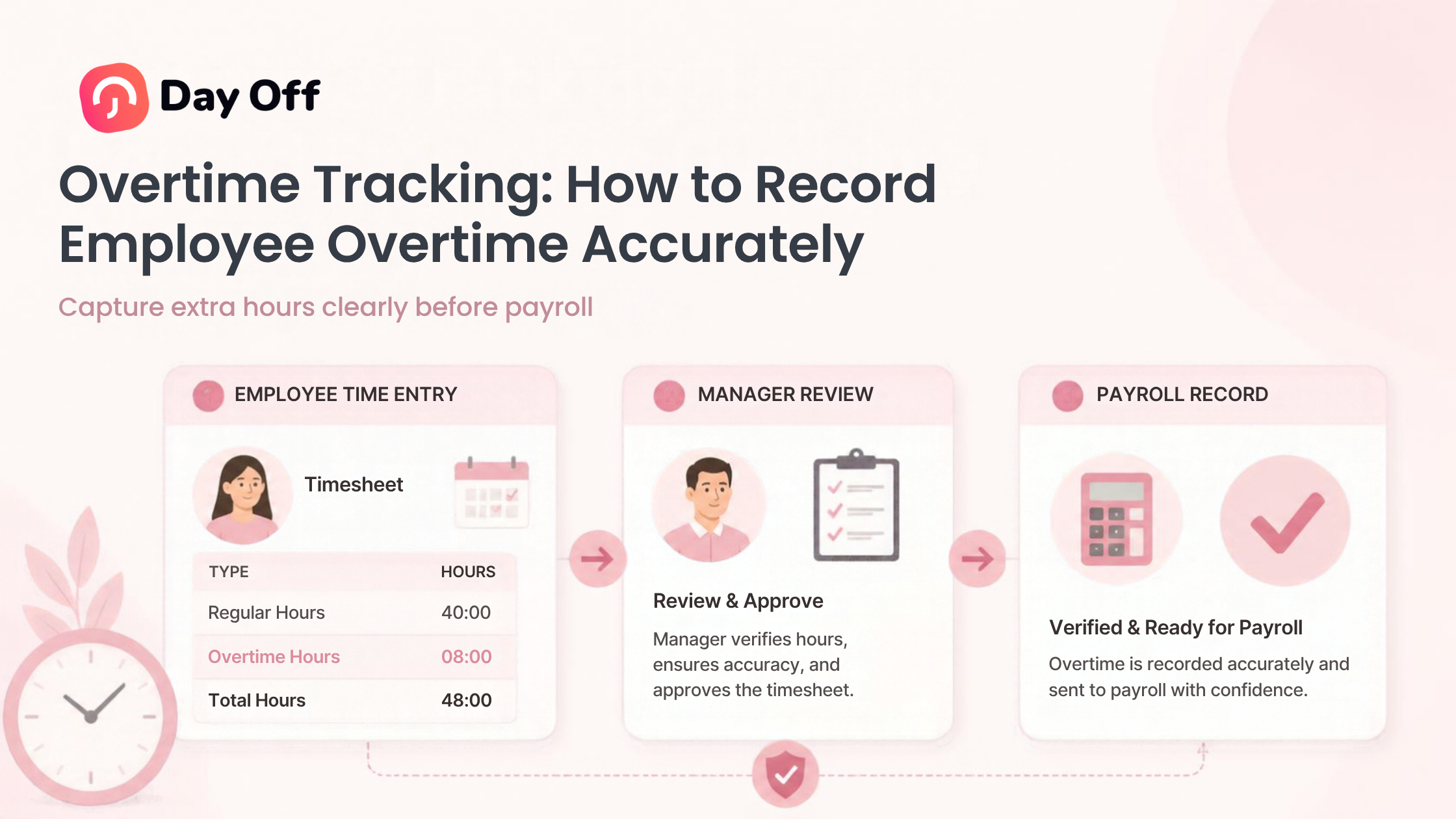
Overtime Tracking is the process of accurately recording the hours employees work beyond their standard schedule or the overtime threshold established by applicable employment law. For employers, getting those hours right is important for more than payroll. Accurate overtime records help businesses pay employees correctly, understand labor costs, identify scheduling problems, and maintain reliable time records.

Overtime becomes difficult to manage when companies rely on spreadsheets, handwritten timesheets, messages between employees and managers, or estimates submitted at the end of the week. An employee might stay 30 minutes late, work through part of a meal break, answer work messages after clocking out, or begin work earlier than scheduled. Individually, these periods may look small. Across an entire workforce and multiple pay periods, however, they can significantly affect total hours and payroll.
A reliable overtime tracking process starts with one basic principle: record the employee’s actual compensable working time, then apply the appropriate overtime rules to those recorded hours.
This guide explains how overtime tracking works, what employers should record, how to calculate overtime accurately, common mistakes to avoid, and how time tracking software can make the process easier.
What Is Overtime Tracking?
Overtime tracking means recording employee work hours so that any overtime can be identified and calculated correctly.
A complete process normally includes:
Recording when employees begin work
Recording when employees stop working
Tracking breaks where appropriate
Calculating total hours worked each day
Calculating total hours worked during the workweek
Comparing actual hours with scheduled hours
Identifying overtime eligible hours
Reviewing time entry corrections
Calculating the applicable overtime rate
Sending accurate information to payroll
Keeping appropriate time and payroll records
Overtime tracking should not begin only after someone has already exceeded an overtime threshold.
Instead, it should be part of the company’s regular timekeeping process. Every workday contributes to the weekly total, which means inaccurate entries early in the week can create incorrect overtime calculations later.
Why Accurate Overtime Tracking Matters
Overtime affects several areas of workforce management.
Accurate Payroll
The most obvious purpose of tracking overtime is making sure employees are paid correctly.
If an employee works overtime but the additional hours are missing from their timesheet, payroll may underpay the employee. If duplicate or incorrect hours are recorded, the business may overpay.
A clear time record gives payroll a reliable source for calculating compensation.
Labor Cost Visibility
Overtime can significantly increase labor expenses.
Tracking it consistently allows businesses to see:
Which employees regularly work additional hours
Which departments generate the most overtime
Whether overtime is temporary or recurring
Whether certain shifts are understaffed
Whether project deadlines are creating unusually high workloads
That information can help managers decide whether it makes more sense to continue approving overtime, redistribute work, change schedules, or increase staffing.
Better Scheduling
Repeated overtime can be a scheduling signal.
For example, suppose a customer service team is scheduled for 40 hours every week, but several employees consistently work 44 to 46 hours. The problem may not simply be employees working late. The workload may exceed the capacity provided by the existing schedule.
Overtime data gives managers evidence they can use when reviewing staffing and schedules.
More Reliable Records
In the United States, employers covered by the Fair Labor Standards Act must keep accurate records for covered, nonexempt employees, including hours worked each day, total hours worked each workweek, regular pay rates, and total overtime earnings.
Accurate time tracking therefore supports both day-to-day payroll administration and longer-term recordkeeping.
Understand What Counts as Overtime
One of the biggest overtime tracking mistakes is assuming that every hour beyond an employee’s normal daily schedule automatically qualifies as overtime.
The actual rule depends on the jurisdiction, employee classification, industry, employment agreement, and applicable company policies.
U.S. Federal Overtime Rules
Under the federal Fair Labor Standards Act, covered nonexempt employees generally must receive overtime pay at no less than one and one-half times their regular rate for hours worked beyond 40 hours in a workweek.
A workweek under the FLSA is a fixed, regularly recurring period of 168 hours, or seven consecutive 24-hour periods. It does not have to run from Monday through Sunday. Different workweeks may also be established for different employees or groups where appropriate.
Hours generally cannot be averaged between two workweeks to avoid overtime.
For example:
| Workweek | Hours Worked | Federal Weekly Overtime |
|---|---|---|
| Week 1 | 46 | 6 hours |
| Week 2 | 34 | 0 hours |
| Average | 40 | Not used for FLSA overtime |
The six overtime hours from Week 1 do not disappear because the employee worked fewer hours during Week 2.
Employers should also remember that state or local laws may impose different or additional overtime requirements. Businesses operating in multiple locations should therefore determine which rules apply to each employee rather than using one assumption for every location.
Scheduled Hours and Overtime Hours Are Not the Same Thing
Overtime tracking becomes much clearer when businesses separate three concepts:
Scheduled hours are the hours an employee is expected to work.
Actual hours worked are the compensable hours the employee actually works.
Overtime hours are the hours that qualify for overtime under the applicable rule.
Suppose an employee is scheduled for 8 hours on Monday but works 9 hours.
That one additional hour represents time beyond the employee’s scheduled hours. Whether it is legally considered overtime depends on the overtime rules that apply.
This distinction is particularly important when companies use flexible schedules, compressed workweeks, rotating shifts, part time schedules, or different working patterns for different teams.
What Employers Should Record
Good overtime tracking depends on good underlying time records.
At minimum, employers should maintain enough information to determine how many compensable hours an employee worked.
A practical time record may contain:
Employee name
Date
Scheduled start and end time
Actual clock in time
Actual clock out time
Break periods
Total working time
Corrections to the time entry
Total weekly hours
Overtime hours
Applicable pay rate
Approval or review status
Federal regulations do not require employers to use one particular timekeeping system. The U.S. Department of Labor states that employers may use a time clock, a timekeeper, employee submitted records, or another method, provided that the resulting records are complete and accurate.
The important issue is accuracy, not whether the company uses a physical clock, spreadsheet, mobile system, or online time tracker.
How to Track Overtime Accurately
A reliable process can be divided into several steps.
Step 1: Define the Employee’s Workweek
Before calculating weekly overtime, the company needs to know when the employee’s workweek begins and ends.
For example:
Workweek: Monday 12:00 a.m. through Sunday 11:59 p.m.
Once established, the company can group all working time into the correct workweek.
Without a clear workweek, payroll teams may accidentally move hours between periods or calculate overtime based on a pay period rather than the required workweek.
Step 2: Record Actual Start and End Times
Employees should record their working time according to the company’s timekeeping process.
For example:
Clock in: 8:57 a.m.
Start lunch: 12:31 p.m.
End lunch: 1:02 p.m.
Clock out: 5:34 p.m.
The employer can then determine the employee’s actual compensable working hours rather than simply assuming the employee worked the scheduled 9:00 a.m. to 5:00 p.m. shift.
Step 3: Record Breaks Correctly
Break handling can directly affect overtime.
Under U.S. federal law, short rest breaks, generally lasting 5 to 20 minutes, are typically considered compensable working time. Bona fide meal periods are generally not working time when employees are completely relieved from duty.
Consider an employee who is scheduled for a 30 minute unpaid lunch but spends 20 minutes of that period responding to customers.
Automatically deducting the entire meal period could understate the employee’s compensable working time.
Employers should therefore avoid treating every scheduled break as automatically unpaid without considering whether the employee was actually relieved from work.
Step 4: Calculate Daily Working Hours
Calculate each day’s net compensable hours.
For example:
| Day | Start | End | Unpaid Meal Period | Hours Worked |
|---|---|---|---|---|
| Monday | 9:00 AM | 6:00 PM | 1 hour | 8 |
| Tuesday | 9:00 AM | 7:00 PM | 1 hour | 9 |
| Wednesday | 9:00 AM | 6:00 PM | 1 hour | 8 |
| Thursday | 9:00 AM | 7:00 PM | 1 hour | 9 |
| Friday | 9:00 AM | 7:00 PM | 1 hour | 9 |
| Total | 43 hours |
If the employee is subject to the standard federal weekly overtime rule, the total would include 40 regular hours and 3 overtime hours.
Step 5: Include All Compensable Work
Clock records are useful, but employers also need a process for identifying work that occurs outside normal clocked hours.
The Department of Labor explains that work an employer requires or allows an employee to perform may count as hours worked, including work performed outside the normal schedule where the employer knows or has reason to know the employee is continuing to work.
Potential examples include:
Finishing a report after clocking out
Responding to customers after a scheduled shift
Completing required paperwork before clocking in
Performing required closing duties after clocking out
Completing work from home in the evening
Correcting work outside scheduled hours
This issue has become particularly important for remote and hybrid teams because work may happen outside a traditional workplace.
Companies should establish clear rules about when employees are expected to work and provide a simple method for reporting any additional working time.
How to Calculate Overtime Pay
For a straightforward example, assume a nonexempt employee earns:
Regular hourly rate: $20
and works:
45 hours during the workweek
Under the standard federal overtime rule:
Regular hours:
40 × $20 = $800
Overtime rate:
$20 × 1.5 = $30
Overtime pay:
5 × $30 = $150
Total weekly earnings:
$800 + $150 = $950
This example is intentionally simple.
The employee’s “regular rate” used for overtime purposes may sometimes include compensation beyond the employee’s basic hourly wage. The Department of Labor explains that some bonuses and other forms of remuneration can affect the regular rate, while certain payments may be excluded.
Businesses dealing with bonuses, commissions, multiple rates, piece-rate compensation, or other complex compensation structures should make sure the correct regular-rate calculation is being used.
Do Not Confuse Overtime Approval With Overtime Payment
Companies can establish policies requiring employees to obtain approval before working overtime.
That is a workforce management rule.
It does not necessarily determine whether hours that were actually worked must be paid.
The U.S. Department of Labor specifically notes that an employer’s policy stating that overtime is prohibited or will not be paid unless authorized in advance does not remove an employee’s right to compensation for compensable overtime hours that were actually worked.
A better process separates the two questions:
Did the employee work the hours?
Did the employee follow the company’s overtime approval policy?
If compensable overtime was worked, payroll obligations should be addressed according to applicable law.
If the employee violated an internal approval rule, the employer can address the policy violation separately through its normal management process.
This distinction makes overtime records more accurate because managers are less likely to delete or reject legitimate working time simply because the overtime had not been approved beforehand.
Track Unscheduled Overtime
Not all overtime is planned.
Consider an employee scheduled to finish at 5:00 p.m. who stays until 5:45 p.m. because a customer issue cannot be left unresolved.
That additional time should not simply disappear because the employee’s official schedule ended earlier.
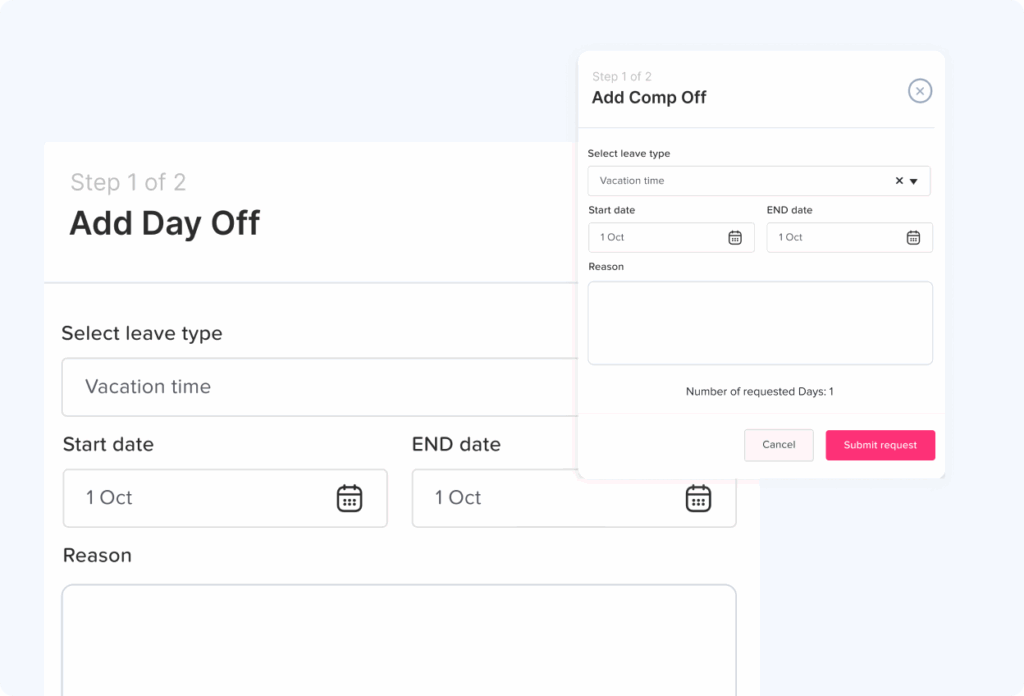
Employers should have a workflow for unscheduled overtime that allows employees to:
Record the actual time worked.
Explain why additional time was necessary if required.
Submit the entry for review.
Have a manager confirm or correct the record.
Include qualifying overtime in payroll.
This creates a much more reliable process than asking employees to modify their time records to match their schedules.
Track Overtime for Remote Employees
Remote work can make overtime harder to see.
In an office, managers may notice an employee staying late. With remote work, someone can continue working long after the manager logs off.
Possible unrecorded work includes:
Answering emails at night
Updating documents after normal hours
Responding to customer messages
Finishing tasks before a deadline
Starting work before the scheduled shift
Attending calls outside normal working hours
Employers should communicate that nonexempt employees must record all working time, including work performed remotely outside scheduled hours.
Employees also need an easy way to submit missing or additional time.
An overtime policy that says “do not work overtime” is much less useful if employees feel they cannot accurately report overtime that has already happened.
Handle Missed Punches and Corrections
A forgotten clock in or clock out should not automatically produce an inaccurate timesheet.
Instead, establish a correction workflow.
For example:
Employee: Forgot to clock out.
Scheduled finish: 5:00 p.m.
Actual finish: 6:15 p.m.
Reason: Customer support incident.
The employee should be able to report the correct end time rather than simply accepting the scheduled time.
Ideally, timekeeping records should also make corrections visible so managers and payroll teams can understand what changed.
This helps prevent repeated mistakes and gives the company a clearer record when questions arise later.
Keep Overtime and PTO Separate
Paid time off and actual hours worked should not automatically be treated as the same thing when calculating overtime.
For example, consider an employee who has:
32 actual working hours
8 PTO hours
4 additional working hours
The payroll record may show 44 paid hours, but that does not necessarily mean the employee has 4 hours of federal overtime.
The standard FLSA overtime calculation generally focuses on hours actually worked beyond 40 during the workweek. Payments for periods when no work is performed, such as vacation or certain holiday payments, can be excluded from the regular-rate calculation.
Company policies, collective bargaining agreements, and state rules may provide more generous overtime treatment, so employers should configure their process according to the rules that actually apply.
This is one reason it is useful to connect leave records with attendance data while still distinguishing PTO from working time.
Create a Clear Overtime Tracking Policy
Software alone cannot fix an unclear process.
Employees should understand how overtime is handled before problems occur.
A practical policy should explain:
Who is required to track working time
When employees should clock in
When employees should clock out
How breaks should be recorded
Whether overtime normally requires advance approval
Who can approve overtime
What employees should do when unexpected overtime occurs
How remote or after-hours work should be recorded
How missed punches are corrected
When timesheets must be submitted
Who reviews time records
How employees report payroll or timekeeping errors
The policy should also make clear that employees are expected to report their actual working time.
This protects the reliability of the timekeeping process.
Review Overtime Before Payroll
Managers should not wait until payroll has already been processed to investigate questionable overtime.
A simple review process can flag unusual entries before payroll closes.
Managers might review:
Employees exceeding their expected weekly hours
Large differences between scheduled and actual time
Repeated late clock outs
Very early clock ins
Missing breaks
Frequent time entry corrections
Unexpected weekend work
Large increases in overtime compared with previous periods
Not every unusual entry means there is a problem.
The purpose of the review is to confirm that the recorded time is correct.
Analyze Overtime Trends, Not Just Individual Timesheets
Overtime tracking becomes more valuable when companies look beyond individual payroll periods.
Suppose one employee records 5 overtime hours once. That may simply reflect an unusual deadline.
But suppose an entire department records 60 to 80 overtime hours every month.
That pattern could indicate:
Insufficient staffing
Poor scheduling
Seasonal demand
Unrealistic deadlines
Uneven workload distribution
Excessive manual processes
Training gaps
Project planning problems
HR and operations teams can use overtime reports to identify these patterns and investigate their underlying causes.
Overtime data is therefore not only a payroll record. It can also become a workforce planning metric.
Keep Accurate Overtime Records
For U.S. employers covered by the FLSA, payroll records generally must be preserved for at least three years. Records used to calculate wages, such as time cards, wage rate tables, work schedules, and related records, generally should be preserved for two years.
Organizations may need to retain records longer because of other federal, state, local, contractual, or internal requirements.
The important point is to have a documented retention process rather than deleting timekeeping data as soon as payroll is complete.
Manual vs Automated Overtime Tracking
Manual time tracking can work for a very small organization, but it becomes harder to manage as headcount and scheduling complexity grow.
| Manual Tracking | Automated Time Tracking |
|---|---|
| Employees enter hours manually | Employees record working time through a timer or clock |
| Weekly totals require calculation | Working hours can be calculated automatically |
| Schedule comparisons are manual | Scheduled and actual hours can be reviewed together |
| Corrections may be difficult to trace | Entries can be reviewed and updated systematically |
| Overtime patterns require spreadsheet analysis | Reports make overtime trends easier to identify |
| PTO may be stored separately | PTO and attendance can be managed in one system |
Automation does not remove the need for management review, but it reduces repetitive calculation and makes unusual records easier to identify.
How Day Off Helps With Overtime Tracking
Day Off combines employee time tracking, attendance, work schedules, leave management, and reporting in one connected platform.
Instead of maintaining PTO in one place and employee working hours in another, teams can use Day Off to create a clearer picture of employee time.
Record Actual Working Hours
With Day Off’s Time Tracker, employees can record their work through time tracking rather than relying entirely on end-of-week estimates.
Time entries can include start and end times and total duration, creating a more reliable history of actual working time.
Compare Attendance With Work Schedules
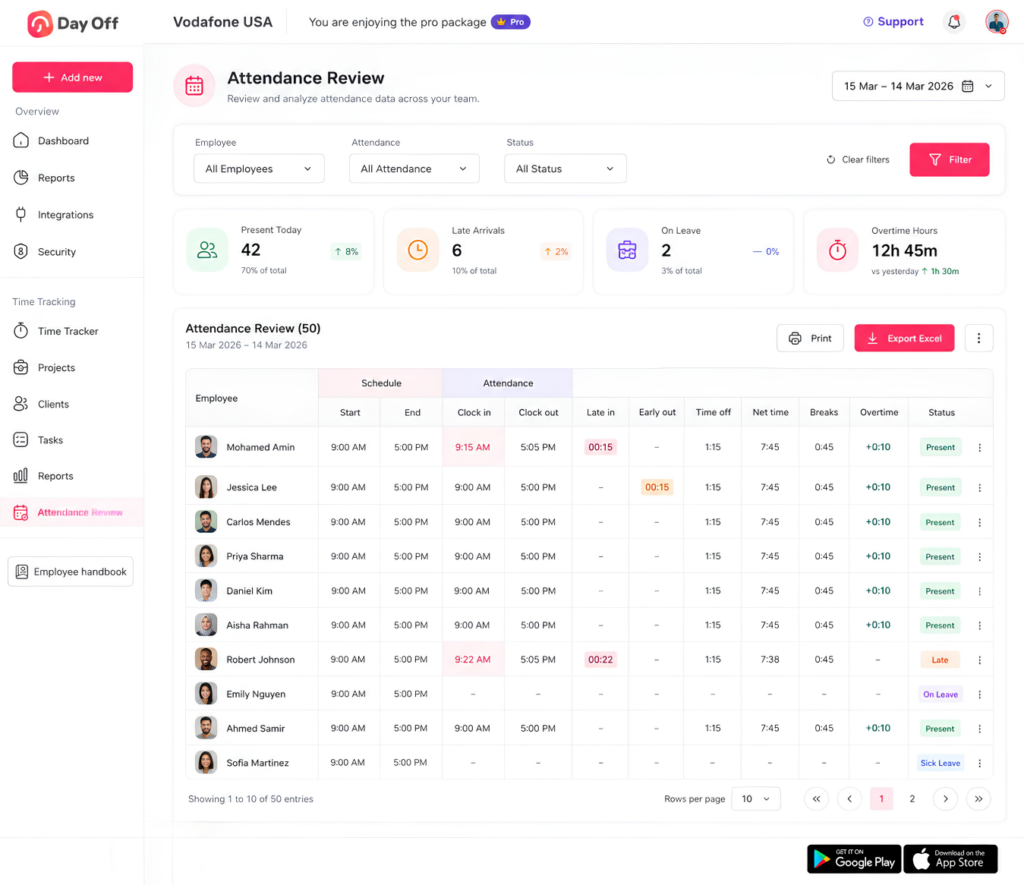
Day Off can connect tracked attendance with employee work schedules and calculate information such as late time and overtime based on those schedules.
This makes it easier for managers to identify employees who worked beyond their planned schedule and investigate whether those additional hours should be reviewed.
Keep PTO Connected With Attendance
PTO can affect how managers interpret an employee’s week.
If an employee took approved leave, managers should be able to distinguish the absence from working time rather than treating the day as an unexplained attendance gap.
Managing PTO and time tracking in the same platform provides more context when reviewing weekly hours.
Review Detailed Time Reports
Day Off’s reporting tools allow administrators to review tracked time by employee and filter records by project, task, client, team, location, and other criteria. Detailed results can also be exported to Excel when needed for further review or recordkeeping.
This can help HR and managers investigate where overtime is occurring rather than seeing only a single weekly total.
Track Breaks and Attendance
Because employees can record working periods and breaks, managers can review net working time instead of relying solely on the time between the beginning and end of a shift.
That can provide a more accurate foundation for attendance and overtime calculations.
Best Practices for Reliable Overtime Tracking
For a more dependable process, employers should follow a few consistent principles.
Record time as it happens.
Real-time tracking is generally more reliable than reconstructing a workweek from memory.
Define the workweek clearly.
Employees, managers, and payroll should use the same workweek when reviewing overtime.
Track actual hours, not only scheduled hours.
Schedules are useful for comparison, but payroll should be based on the appropriate actual working-time records.
Make corrections easy.
Employees will occasionally forget to clock in or out. Give them a documented way to report errors.
Do not hide unapproved work.
Address approval violations through policy enforcement rather than altering legitimate time records.
Connect breaks with time tracking.
A missing or incorrectly deducted break can change weekly totals.
Review overtime before payroll closes.
Resolve unusual entries while the information is still fresh.
Look for recurring patterns.
Consistent overtime may reveal staffing or scheduling problems.
Train managers.
Supervisors should understand that allowing employees to perform additional work can create working time even when the manager did not formally request overtime.
Review applicable local rules.
Federal standards are only one part of overtime compliance. State, local, industry specific, contractual, or international requirements may differ.
Conclusion
Accurate Overtime Tracking begins with accurate working time records. Employers need to know when employees actually worked, not simply when they were scheduled to work.
A reliable overtime process should capture actual start and end times, breaks, unexpected additional work, remote work, missed punches, weekly totals, and any necessary corrections. Managers should then review that information according to the overtime rules that apply to each employee.
The goal is not simply to calculate an overtime number at the end of the pay period. Good overtime tracking creates a reliable record of employee time, supports more accurate payroll, helps identify scheduling and workload issues, and gives HR teams better visibility into labor costs.
For companies that want to move away from spreadsheets and disconnected attendance records, Day Off brings work schedules, clock ins, clock outs, breaks, PTO, attendance, overtime visibility, and time reports together in one platform. That makes it easier to understand not only how much time employees worked, but how those hours fit into their schedules and time off records.