







Managing employee vacations with spreadsheets may work when a company has only a few people, but it quickly becomes difficult as the team grows. A Vacation Tracker helps HR teams, managers, and employees move away from messy manual files and manage time off in a clearer, faster, and more reliable way. Instead of switching between spreadsheets, emails, chat messages, and calendar notes, companies can use one digital system to track requests, balances, approvals, holidays, and team availability.
Spreadsheets are familiar, but they were not built for modern leave management. They depend on manual updates, careful formatting, and constant checking. One missed update can lead to wrong balances, overlapping vacations, payroll confusion, or employees not knowing how much time off they have left.

A digital vacation tracker solves these problems by turning leave management into a structured process. Employees can request vacation, managers can review availability before approving, and HR can keep accurate records without chasing everyone for updates.
For growing teams, remote teams, and companies with different leave policies, replacing spreadsheets is not just a software upgrade. It is a better way to manage people’s time, protect business continuity, and give employees a smoother experience.
Why Spreadsheets Become a Problem for Vacation Tracking
Spreadsheets often start as a simple solution. One sheet for employee names, another for leave balances, another for approved vacations, and maybe a shared calendar to show who is away. At first, this may look organized. But over time, small issues build up.
The main problem is that spreadsheets are passive. They do not remind employees to submit requests correctly. They do not automatically check balances. They do not alert managers when too many people are off at the same time. They do not always show the latest version to everyone.
That means HR has to act as the system.
They must review requests, calculate remaining days, update records, inform managers, notify employees, and prepare reports manually. This creates extra work and leaves more room for mistakes.
Common Spreadsheet Problems in Leave Management
| Spreadsheet Issue | What It Can Cause |
|---|---|
| Manual balance updates | Wrong remaining vacation days |
| Multiple file versions | Confusion about the latest record |
| No approval workflow | Requests get approved outside the official process |
| No real time visibility | Managers may not know who is already off |
| Hard to filter records | HR spends more time preparing reports |
| No automatic notifications | Employees keep asking for updates |
| Weak access control | Sensitive employee leave data may be visible to the wrong people |
| Difficult policy tracking | Different rules become harder to manage |
Spreadsheets are flexible, but that flexibility can also become a weakness. Anyone with access may edit formulas, delete rows, change dates, or accidentally overwrite information. When vacation tracking depends on one file staying perfect, mistakes are almost guaranteed.
What a Digital Vacation Tracker Actually Does
A digital vacation tracker is a system designed specifically to manage employee time off. Unlike spreadsheets, it is built around the real workflow of leave management.
It helps companies answer important questions quickly:
- Who is off today?
- Who has vacation coming soon?
- How many vacation days does each employee have left?
- Has this request been approved or rejected?
- Is there another employee from the same team already away?
- Does this employee’s leave policy allow this request?
- What records does HR need for payroll or year end reporting?
Instead of asking HR to manually connect all the dots, the system keeps the information organized automatically.
A good digital vacation tracker usually includes:
- Employee leave requests
- Vacation balances
- Approval workflows
- Leave policies
- Company holidays
- Shared team calendar
- Notifications
- Reports and exports
- Mobile access
- Manager and employee dashboards
This makes time off management easier for everyone, not only HR.
The Real Cost of Staying with Spreadsheets
Many companies continue using spreadsheets because they seem free. But the hidden cost is the time spent fixing errors, answering repeated questions, checking old records, and managing leave manually.
When HR teams use spreadsheets, they may spend hours every month on tasks that could be automated. Managers may approve requests without seeing the full team schedule. Employees may feel uncertain about their balances or request status. Payroll teams may receive incomplete or outdated information.
These problems do not always appear as direct costs, but they affect productivity.
A manual vacation tracking process can lead to:
- Delayed approvals
- Duplicate requests
- Overlapping vacations
- Wrong leave balances
- Incomplete records
- Payroll mistakes
- Employee frustration
- Extra admin work for HR
- Poor visibility for managers
When leave management becomes unclear, the entire team feels it. Employees waste time asking for updates. Managers make planning decisions with incomplete information. HR becomes responsible for fixing every small mistake.
A digital tracker helps prevent these issues before they happen.
How a Vacation Tracker Improves the Employee Experience
Vacation tracking is not only an HR task. It is part of the employee experience.
When employees do not know how much time off they have left, they may hesitate before planning vacations. When requests take too long to approve, they may feel ignored. When the process is unclear, they may ask the same questions again and again.
A digital vacation tracker gives employees more control and clarity.
They can usually:
- View their available balance
- Submit vacation requests online
- Check request status
- See approved time off
- Receive approval or rejection notifications
- Understand which leave types are available
- Request time off from mobile or desktop
This creates a smoother process because employees no longer need to search old emails, message HR, or wait for someone to open a spreadsheet.
For modern teams, this matters. Employees expect simple digital tools at work, especially for common tasks like requesting vacation. A clear system makes the process feel more professional and fair.
Why Managers Need Better Vacation Visibility
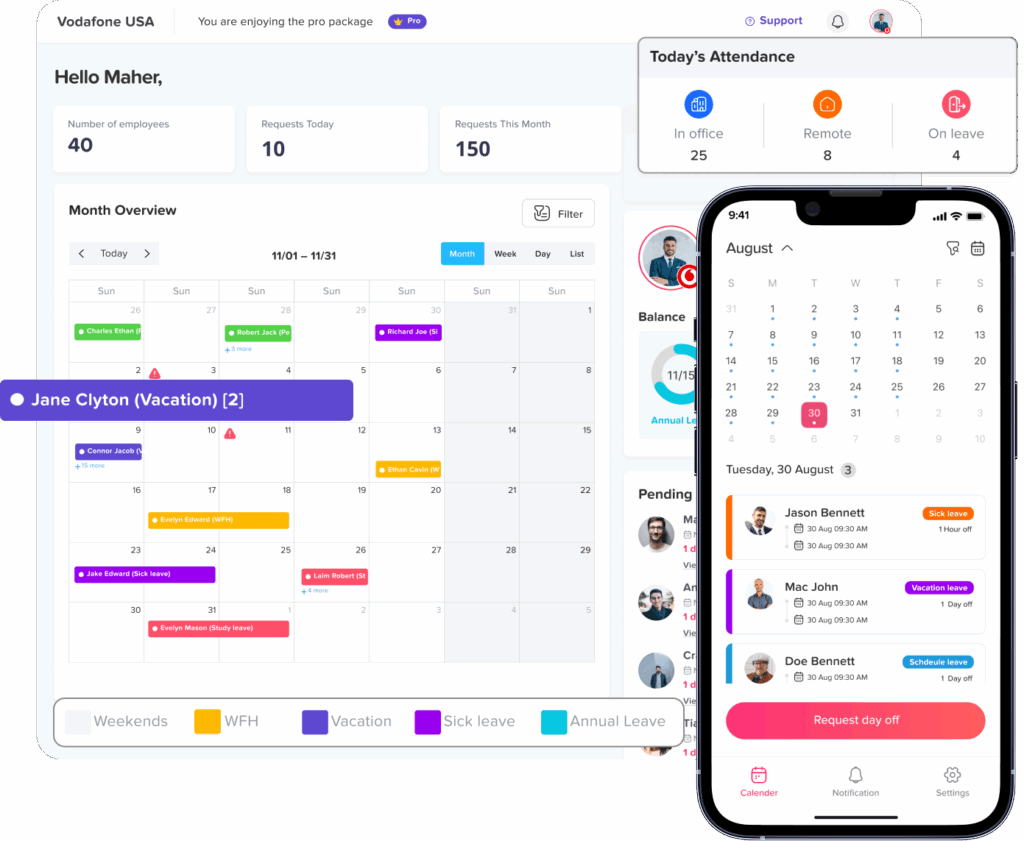
Managers are often responsible for approving vacation requests, but they need the right information before making a decision. A spreadsheet may show dates, but it does not always show context.
Before approving time off, a manager may need to know:
- Is another team member already on vacation?
- Will this leave create a coverage problem?
- Does the employee have enough balance?
- Is the request during a busy period?
- Is this leave type allowed?
- Are there public holidays during the request period?
- Is the employee asking for a full day or half day?
A digital vacation tracker brings these details into one place. That helps managers approve requests faster while still protecting team availability.
This is especially helpful for teams where coverage matters, such as:
- Customer support teams
- Sales teams
- Operations teams
- Healthcare teams
- Retail teams
- Remote teams
- Field teams
- Small teams where every absence matters
When managers can see upcoming vacations clearly, they can plan schedules, workloads, meetings, and deadlines with fewer surprises.
Spreadsheet vs Digital Vacation Tracker
A spreadsheet can store leave data, but a digital vacation tracker manages the process from request to approval to reporting.
| Area | Spreadsheet Tracking | Digital Vacation Tracker |
|---|---|---|
| Vacation requests | Usually sent by email or chat | Submitted through a structured system |
| Approvals | Manual and easy to miss | Routed to the right manager |
| Leave balances | Calculated manually | Updated automatically |
| Team calendar | Often separate | Built into the system |
| Notifications | Manual follow-up | Automatic updates |
| Reports | Created by filtering sheets | Generated faster |
| Access control | Harder to manage | Role-based access |
| Accuracy | Depends on manual updates | More consistent and reliable |
| Employee experience | Employees ask HR for updates | Employees can check their own status |
| Scalability | Becomes harder as the team grows | Designed for growing teams |
The difference is not just about storage. It is about workflow. A spreadsheet records information after someone updates it. A vacation tracker guides the process and keeps records current.
Key Features to Look for in a Digital Vacation Tracker
Not every vacation tracking tool is the same. Before replacing spreadsheets, companies should choose a system that matches how their team works.
Here are the most important features to look for.
Easy Vacation Requests
Employees should be able to request time off without confusion. The request form should include the leave type, start date, end date, reason if needed, and whether the request is for a full day or partial day.
The easier the request process, the fewer mistakes HR has to fix.
Clear Leave Balances
Employees and managers should be able to see available vacation balances before a request is submitted or approved. This helps avoid requests that exceed available time off.
Automatic balance tracking is one of the biggest reasons to stop using spreadsheets.
Approval Workflow
A digital tracker should route each request to the right approver. Some companies only need one manager approval. Others may need HR review, multi level approval, or different approvers for different teams.
A clear approval workflow prevents requests from getting lost.
Shared Leave Calendar
A team calendar helps managers and employees see who is off and when. This is important for planning coverage, avoiding overlapping vacations, and understanding team availability.
The calendar should be easy to view by department, location, or team.
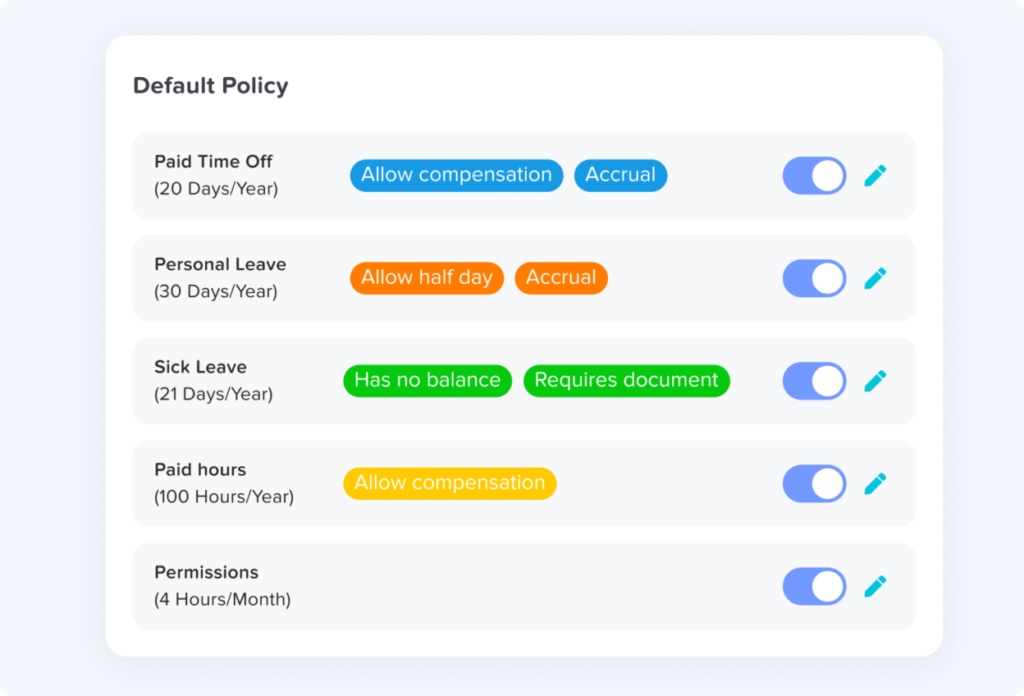
Custom Leave Policies
Vacation rules are not always the same for every employee. Some employees may have different balances, accrual rules, carryover limits, or reset dates.
A good tracker should support different policies instead of forcing HR to manage exceptions manually.
Public Holiday Management
Public holidays can affect vacation calculations. If an employee requests vacation during a public holiday, the system should help prevent incorrect deductions when the policy allows it.
This is much easier than manually checking calendars every time.
Notifications
Employees and managers should receive updates when a request is submitted, approved, rejected, or changed. Notifications reduce repeated follow-ups and keep the process moving.
Reports and Exports
HR needs reliable data for planning, payroll, compliance, and internal reviews. Reports should help show vacation usage, remaining balances, pending requests, and employee leave history.
Mobile Access
Employees may need to request vacation while away from their desk. Managers may need to approve requests quickly from their phone. Mobile access makes the process more convenient, especially for remote, hybrid, and field teams.
Integrations
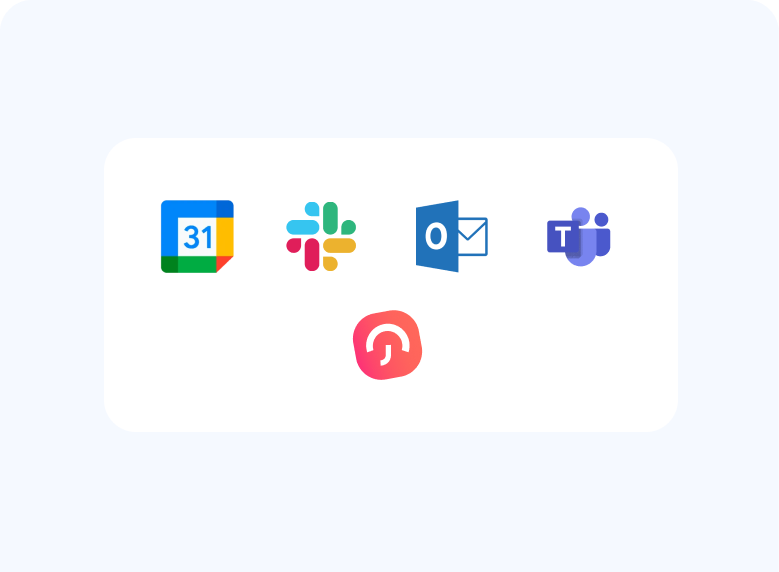
A vacation tracker becomes even more useful when it connects with tools teams already use, such as calendars, Slack, Microsoft Teams, or work email. This helps leave information appear where people already work.
How Day Off Helps Teams Move Away from Spreadsheets
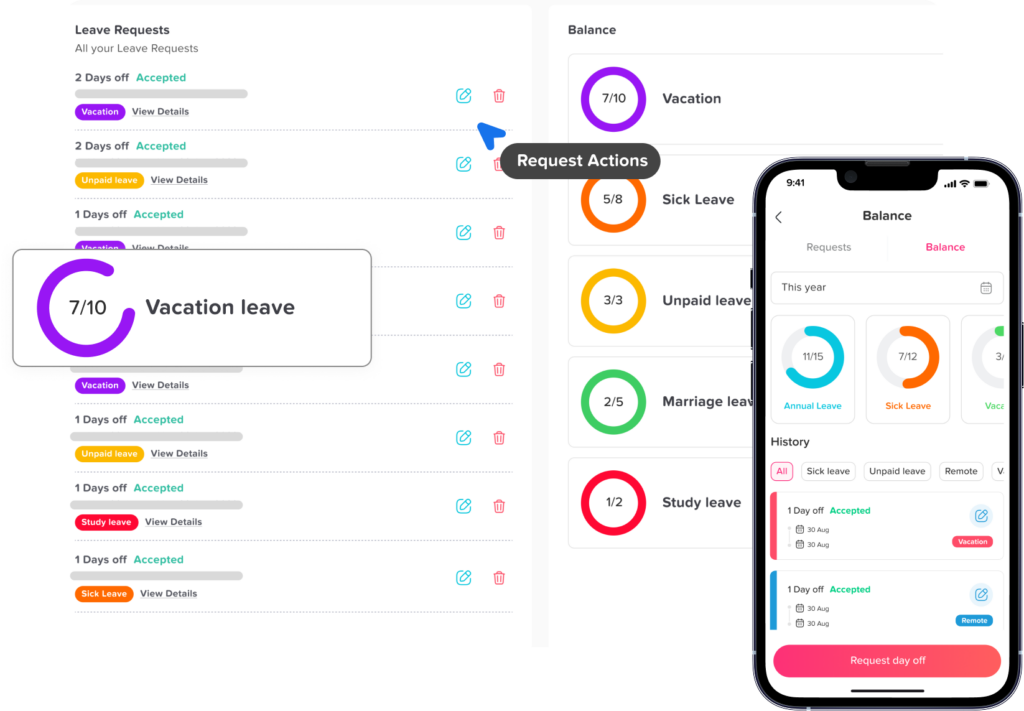
Day Off is a digital leave management and vacation tracking solution designed to make employee time-off management simpler and more organized. Instead of tracking vacation days in spreadsheets, teams can manage requests, approvals, balances, policies, and calendars in one place.
With Day Off, employees can submit leave requests from the web or mobile app, while managers can review and approve requests with better visibility. HR teams can create leave policies, manage vacation balances, track different leave types, and view reports without manually updating spreadsheet rows.
Day Off can help teams manage:
- Vacation leave
- Sick leave
- Personal leave
- Unpaid leave
- Half day requests
- Custom leave types
- Accruals
- Carryover rules
- Public holidays
- Team calendars
- Approval workflows
- Reports and exports
This makes it easier for companies to replace manual vacation spreadsheets with a more reliable system that supports daily HR work.
For small businesses, Day Off can simplify the basics. For growing teams, it can help create a more structured process before leave management becomes too difficult to control manually.
A Better Vacation Workflow: Before and After
Replacing spreadsheets changes how vacation requests move through the company. The process becomes clearer and easier to follow.
| Step | Manual Spreadsheet Process | Digital Vacation Tracker Process |
|---|---|---|
| Employee checks balance | Asks HR or checks a shared file | Views balance directly |
| Employee submits request | Sends email or message | Submits request in the system |
| Manager reviews request | Checks spreadsheet manually | Reviews request with balance and calendar visibility |
| Approval is recorded | HR updates the sheet | System updates status automatically |
| Employee gets notified | HR or manager sends a message | Notification is sent automatically |
| Balance is updated | HR recalculates manually | Balance updates based on policy |
| Team availability is reviewed | Manager checks calendar separately | Calendar updates in one place |
| Reports are prepared | HR filters and edits spreadsheets | Reports are generated from system data |
How to Move from Spreadsheets to a Digital Vacation Tracker
Switching systems does not have to be complicated. The key is to organize your existing leave data first, then move it into a tool that can support your process going forward.
Step 1: Review Your Current Spreadsheet
Start by checking what information you already track. This may include employee names, departments, vacation balances, used days, pending requests, holidays, and leave types.
Clean up duplicate rows, old employees, outdated balances, and unclear notes before moving to a new system.
Step 2: Define Your Leave Types
List all the leave types your company uses. For example:
- Vacation leave
- Sick leave
- Unpaid leave
- Personal leave
- Maternity or paternity leave
- Bereavement leave
- Study leave
- Custom leave types
This helps you build a cleaner structure in the digital tracker.
Step 3: Confirm Vacation Policies
Before importing data, make sure your vacation policy is clear. Define how many days employees receive, when balances reset, whether unused days carry over, and whether employees can request half days.
A digital system works best when the rules are clear.
Step 4: Set Approval Rules
Decide who should approve each employee’s vacation requests. In some companies, it is the direct manager. In others, HR may also need to review the request.
Clear approval rules prevent delays and confusion.
Step 5: Add Public Holidays
Add the company’s public holidays so vacation days are calculated more accurately. This is especially important for teams working in different locations.
Step 6: Invite Employees
Once the setup is ready, invite employees and explain the new process. Keep the instructions simple:
- Where to request vacation
- How to check balances
- Who approves requests
- Where to view request status
- How notifications will work
Step 7: Stop Using the Spreadsheet as the Main Record
After the digital tracker is active, avoid updating two systems at the same time for too long. Keeping both the spreadsheet and tracker active can create confusion.
The digital tracker should become the main source of truth.
Digital Vacation Tracking Supports a Healthier Time Off Culture
Replacing spreadsheets is not only about efficiency. It can also support a healthier vacation culture.
When employees can clearly see their balances and request time off easily, they may feel more comfortable using their vacation days. When managers have better visibility, they can approve requests more confidently. When HR has accurate records, policies can be applied more fairly.
A clear vacation process helps prevent confusion and makes time off feel like a normal part of work, not an administrative burden.
This matters because vacation is important for rest, productivity, and long-term employee satisfaction. A company that manages time off well shows employees that planning, balance, and fairness matter.
FAQ
Is a vacation tracker better than a spreadsheet?
Yes, a vacation tracker is usually better than a spreadsheet for managing employee time off because it supports requests, approvals, balances, calendars, notifications, and reports in one place. Spreadsheets require manual updates and are easier to break or duplicate.
When should a business stop using spreadsheets for vacation tracking?
A business should stop using spreadsheets when leave requests become hard to manage, balances are often incorrect, approvals are delayed, or managers cannot clearly see who is off. These are signs that the manual process is no longer reliable.
Can a vacation tracker help prevent overlapping leave?
Yes. A digital vacation tracker can show team availability and upcoming vacations, helping managers see if other employees are already off before approving a new request.
Does a vacation tracker work for small businesses?
Yes. Small businesses can use a vacation tracker to create a clear process from the beginning. This helps avoid confusion as the team grows and keeps HR records organized.
What should HR prepare before switching from spreadsheets?
HR should prepare current employee balances, leave types, approval rules, public holidays, and company vacation policies. Cleaning this data before switching makes the setup smoother and more accurate.
Final Thoughts
Spreadsheets can be useful for simple lists and basic records, but they are not the best long term solution for vacation tracking. As teams grow, manual tracking creates more errors, delays, and confusion. HR teams spend more time updating files, managers lack clear visibility, and employees often need to ask for basic information.
A digital vacation tracker gives companies a better way to manage time off. It keeps vacation requests organized, updates balances more accurately, improves approvals, and gives everyone a clearer view of team availability.
For businesses that want to save time, reduce mistakes, and create a smoother employee experience, replacing spreadsheets with a digital vacation tracker is a smart move. Tools like Day Off help make this transition easier by bringing vacation tracking, leave policies, approvals, and team calendars into one simple system.
Instead of managing time off through rows, formulas, and manual updates, companies can use a digital system that works the way modern teams actually operate.