





-
Balance reset
- Can I reset leave balances on anniversary dates instead of calendar /fisical year?
- Can I select a reset date for each leave type individually, for instance vacation to reset in January and sick leave to reset on the employee's anniversary?
- What is a leave balance reset?
- Will my leave balance automatically update after the reset?
A leave balance reset is when an employee’s leave balance is refreshed at the start of a new leave period. This ensures that leave is tracked correctly and that employees begin each cycle with the correct balance based on your company’s policy.
A reset happens on a fixed month defined by your company, marking the start of a new leave (fiscal) year for all employees.
How does a leave balance reset work?
At the end of each leave cycle, the system automatically updates employees’ leave balances based on your configured policies:
- Without carryover enabled:
Any unused leave from the previous cycle is forfeited, and the balance resets according to the new cycle. - With carryover enabled:
A portion or all unused leave is transferred to the new cycle, based on the limits you’ve defined.
Once the reset is complete, a new leave cycle begins. Employees will either receive their full leave entitlement upfront or accrue it gradually over time, depending on your setup.
This process runs automatically in the background, ensuring accurate leave balances without requiring manual intervention.
Steps to configure leave balance reset
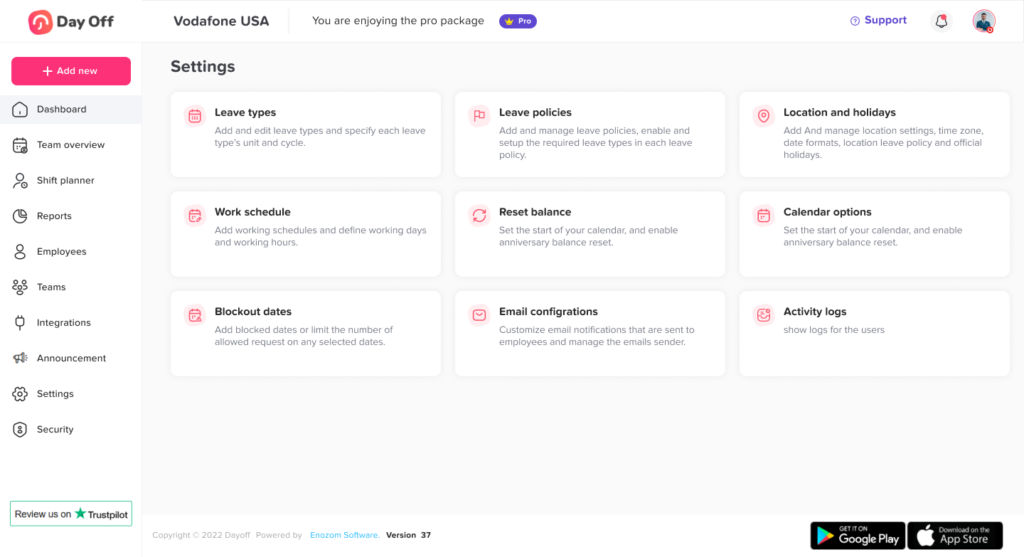
Go to Settings & integrations → Settings
Open the Settings section where all system configurations are managed.
Navigate to the Balance Reset section
Access the Balance Reset settings where you define when leave balances should reset.
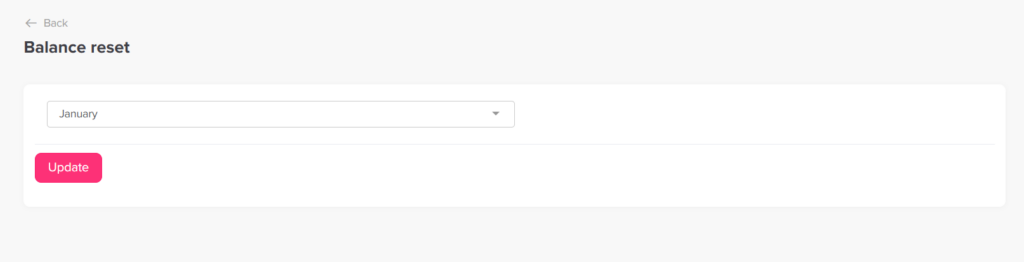
Select the reset month
Choose the month when leave balances will reset for all employees.
This month defines the start of your company’s leave (fiscal) year, and the reset will occur automatically at the beginning of that month every year.
Click Update
Save your settings to apply the balance reset rule.
In addition to the company-wide reset month, you can also set a different reset month for individual leave types.
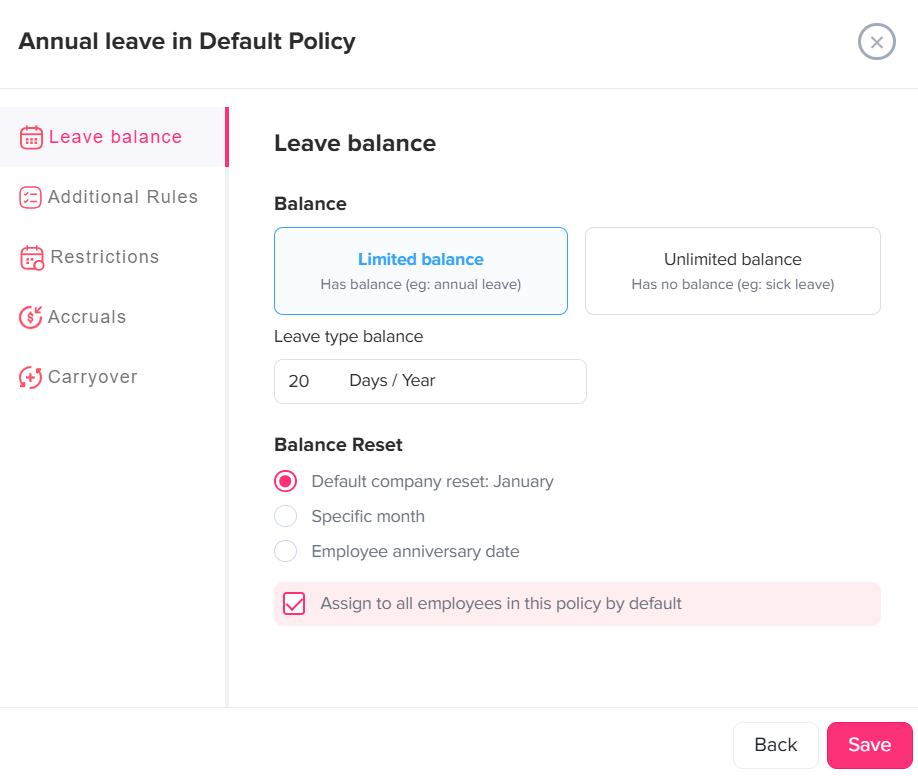
This allows you to:
- Apply different leave cycles for different types of leave (e.g., annual leave vs. sick leave)
- Override the global reset month for specific leave types when needed
If a leave type has its own reset month configured, it will follow that schedule instead of the company-wide reset.
What does this mean for employees?
All employees will have their leave balance refreshed at the same time each year, based on the selected reset month.
Depending on your setup, unused leave may be carried over, limited, or removed. This provides a clear and consistent starting balance for every new leave cycle.
Why is this important?
Setting up leave balance reset correctly helps you:
- Keep leave balances accurate and up to date
- Apply policies consistently across all employees
- Align leave cycles with your company’s fiscal year
- Reduce manual work and avoid confusion
By configuring a fixed reset month, you create a simple and predictable system where both admins and employees always know when leave balances refresh and how leave is managed over time.