





-
Security
Yes, Day Off supports Microsoft SSO (Microsoft Single Sign On), allowing your team to log in securely using their Microsoft work accounts.
What Microsoft SSO Means for Your Team
With Microsoft SSO enabled:
- Employees can sign in using their Microsoft accounts
- No need to create or manage separate passwords
- Authentication is handled through your organization’s Microsoft system
How It Works
Once SSO is activated:
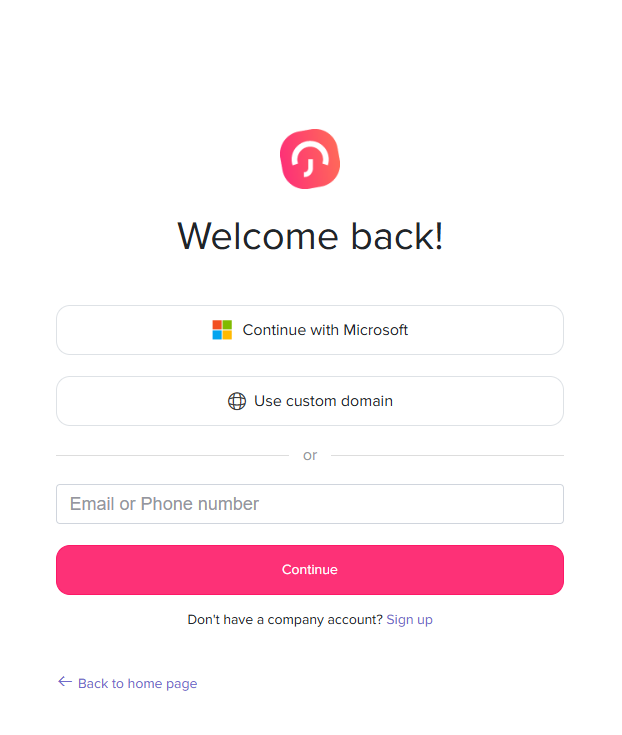
- A Microsoft login option appears on the login page
- Users simply sign in with their work account
Why Teams Use Single Sign-On
Every extra password is one more thing to forget, reset, or leak. With single sign-on, employees use the work account they already have. As a result, logging in to Day Off feels as natural as opening their email.
In addition, your IT team stays in control. Accounts are managed in your organization’s Microsoft system, which many companies run on Microsoft Entra ID. So, when IT updates an account there, that same account is what employees use to sign in to Day Off.
Setting Up Microsoft SSO
An admin can turn this on from the web version in just a few steps. Follow our guide on how to enable single sign-on to get started.
Once it is active, remind employees to choose the Microsoft option on the login page and use their work account.
Good to Know
- Employees must sign in with the same email that is linked to their Day Off profile.
- Once you add new team members to Day Off, they can sign in with the same Microsoft option.
- For a branded login address, you can also set up a custom domain.
Altogether, these small details help your team move to the new login without confusion.
Using Google Instead?
If your company works with Google Workspace, Day Off has you covered too. Read about Google SSO in Day Off.