Day Off Knowledge Base
-
Reports
Print
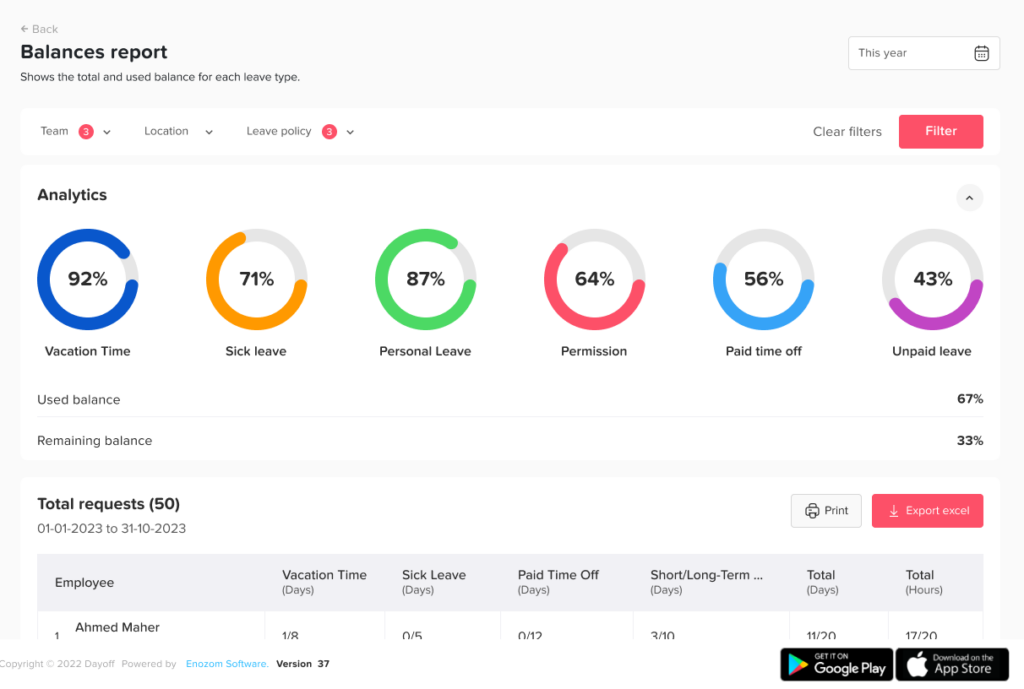
The Balances Report gives you a clear overview of how much leave each employee has used and how much remains.
Using the Balances Report
To track leave balances:
- Go to the Reports section
- Open the Balances Report
- Apply filters if needed (such as leave policy or team)
What You Can See
Inside the report, you’ll be able to:
- View each employee’s total allocated balance
- See how many days are used vs remaining
- Break down balances by leave type (e.g., vacation, sick leave)
- Check the total used vs total available per employee
This gives you a complete and accurate picture of leave balances across your organization.
Using the Total Report
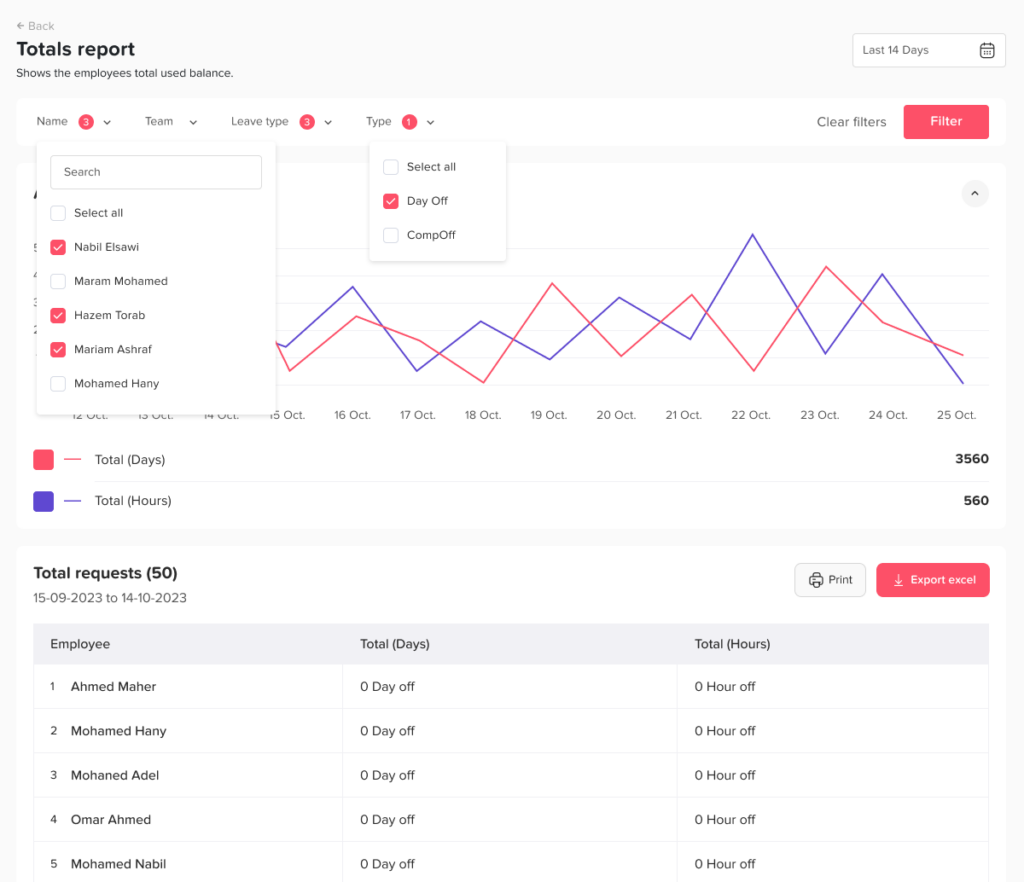
The Total Report helps you track how much leave employees have used over a specific period.
To access it:
- Go to the Reports section
- Open the Total Report
- Select a date range
What You Can See
- Total number of days or hours used per employee
- Usage summary during a selected period
On this page