





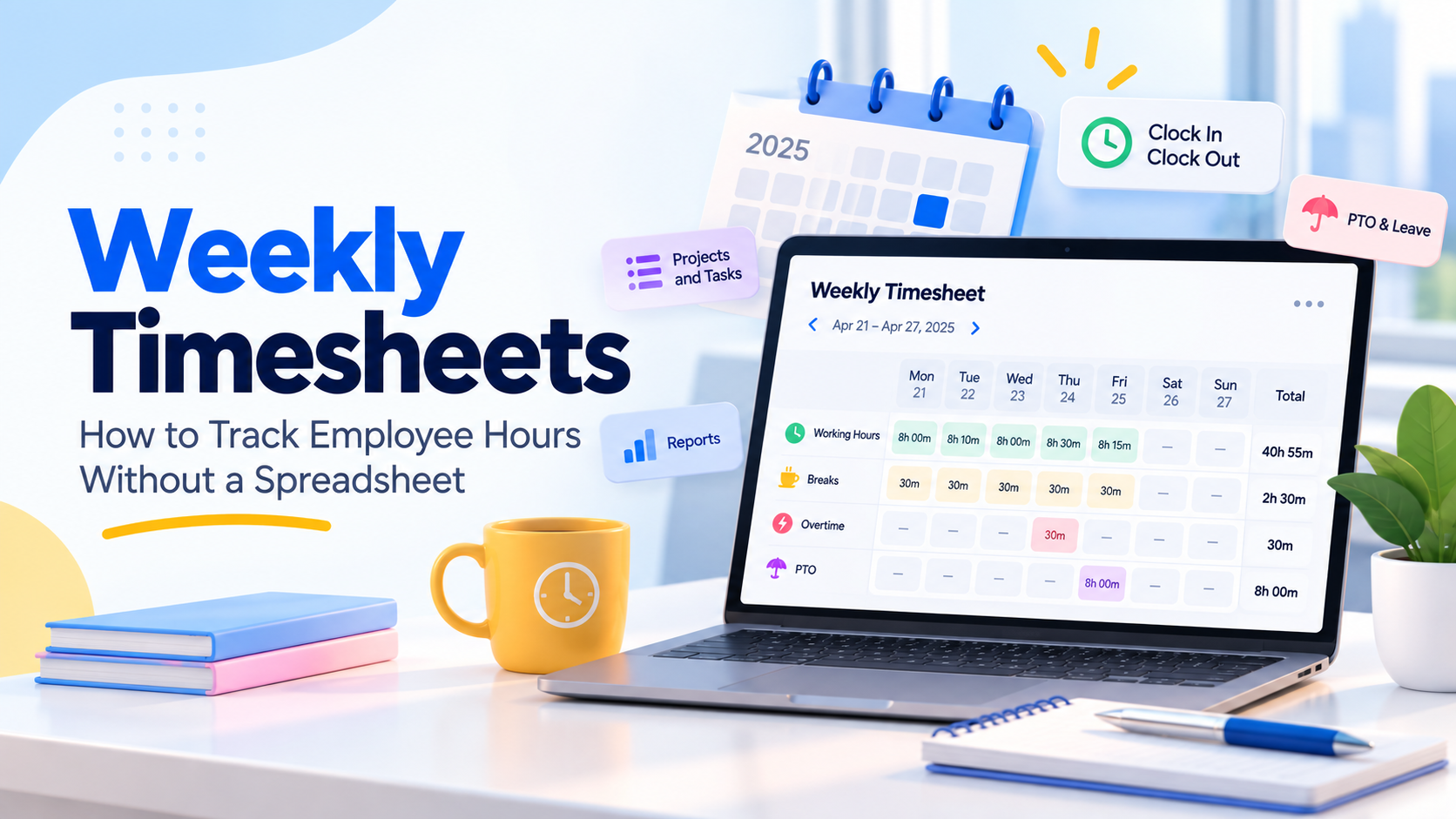
A weekly timesheet records the hours an employee works during a fixed seven-day workweek. For businesses with hourly or nonexempt employees, it provides the information needed to calculate wages, identify overtime, review attendance, and maintain accurate time records.
Traditionally, many businesses managed weekly timesheets with Excel or Google Sheets. That may work for a very small team, but manual spreadsheets become harder to manage as the number of employees, schedules, breaks, projects, and time-off requests grows.
Employees forget to enter hours. Someone overwrites the formulas. Meal breaks go missing. Managers receive multiple versions of the same file. Teams track PTO somewhere else. By payroll day, HR may be spending hours checking information that should already be accurate.

A better approach is to record time when work happens. Employees clock in, clock out, start and end breaks, or use a work timer. The time tracking system then builds the record automatically.
This guide explains how to track employee hours weekly, what a weekly timesheet should contain, how overtime affects weekly records, why spreadsheet timesheets create problems, and how software such as Day Off can connect working hours, attendance, schedules, and PTO in one system.
Related reading: Timecard vs Timesheet: What’s the Difference? (+ Free Timecard Template)
What Is a Weekly Timesheet?
A weekly timesheet is a record of an employee’s working time across one workweek.
Depending on the business, it may show:
Clock-in time
Clock-out time
Breaks
Daily hours worked
Weekly hours worked
Regular hours
Overtime
PTO and other leave
Projects or tasks
Attendance information
Manager notes or corrections
A weekly timesheet is different from simply writing down how many hours you scheduled an employee to work.
If an employee was scheduled for eight hours but actually worked nine, the employer needs an accurate record of the hours actually worked.
For covered nonexempt employees, the Fair Labor Standards Act requires employers to maintain records that include hours worked each day and total hours worked each workweek, along with other wage and employment information.
What Should a Weekly Timesheet Include?
There is no single required visual format for a timesheet under the FLSA. Employers can use paper records, spreadsheets, time clocks, or digital systems as long as the required records are complete and accurate.
A useful weekly timesheet normally includes the following information:
| Field | What It Records | Why It Matters |
|---|---|---|
| Employee | Name or employee ID | Connects the hours to the correct employee |
| Workweek | Beginning and ending dates | Establishes the period used for overtime |
| Clock-in time | When work starts | Helps determine actual working time |
| Clock-out time | When work ends | Helps calculate daily hours |
| Breaks | Paid and unpaid breaks | Separates working time from unpaid meal periods |
| Daily hours | Total worked each day | Required for covered nonexempt employees |
| Weekly hours | Total hours in the workweek | Used to identify weekly overtime |
| Regular hours | Non-overtime working hours | Helps payroll calculate regular wages |
| Overtime | Qualifying overtime hours | Helps calculate overtime pay |
| PTO and leave | Vacation, sick time and other leave | Keeps leave separate from hours actually worked |
| Project or task | Where working time was spent | Useful for billing and project costing |
| Adjustments | Corrected or missed punches | Creates a more reliable time record |
| Review | Manager or payroll review | Helps catch errors before payroll |
Not every field is federally required in this exact format, but together they create a much more useful employee time record.
The Department of Labor’s required records for covered nonexempt employees also include information such as the employee’s regular hourly rate, straight-time earnings, overtime earnings, deductions, total wages paid, and pay period information.
A Weekly Timesheet Is Not the Same as a Work Schedule
This distinction is important.
A work schedule tells you when an employee is expected to work.
A timesheet tells you when the employee actually worked.
For example:
| Day | Scheduled | Actual |
|---|---|---|
| Monday | 9:00 AM–5:00 PM | 8:55 AM–5:18 PM |
| Tuesday | 9:00 AM–5:00 PM | 9:07 AM–5:03 PM |
Payroll and overtime decisions generally need to be based on actual compensable working time rather than the schedule alone.
That is one reason digital time tracking is useful. It allows employers to compare scheduled hours with actual attendance instead of assuming that the schedule represents what happened.
Why Spreadsheet Timesheets Become Difficult to Manage
A spreadsheet looks simple because almost everyone knows how to use one.
The problem is that the spreadsheet usually does not collect the time itself.
Someone still has to remember the hours, enter them correctly, maintain formulas, update leave, send the file, and review it.
Manual Time Entry
If employees complete their weekly timesheet every Friday, they may be trying to remember what happened several days earlier.
Was Monday’s clock-out 5:00 or 5:20?
Was Wednesday’s lunch 30 minutes or 45?
Did the employee start early on Thursday?
Small differences can affect payroll over time.
Recording time when work happens provides a more reliable record than reconstructing an entire week from memory.
Broken or Overwritten Formulas
Spreadsheet totals depend on formulas.
A copied cell, deleted row, changed format, or accidental overwrite can change the weekly total without anyone noticing immediately.
With automatic time tracking, the system calculates totals from the underlying time entries instead of depending on formulas employees maintain themselves.
Missing Breaks
Meal and rest periods are another common source of confusion.
If the spreadsheet simply asks:
Hours worked: 8
you do not necessarily know:
When the employee started
When they finished
Whether they took a meal period
How long the meal period lasted
Whether the break was paid or unpaid
A more detailed time record provides much better information.
Multiple File Versions
Manual weekly tracking often leads to files such as:
Weekly Timesheet.xlsx
Weekly Timesheet Updated.xlsx
Weekly Timesheet FINAL.xlsx
Weekly Timesheet FINAL 2.xlsx
That makes it difficult to know which file contains the approved information.
PTO Is Tracked Separately
Another problem appears when the PTO system and timesheet are completely disconnected.
Suppose an employee:
Works 32 hours
Takes 8 hours of PTO
A spreadsheet may simply show 40 paid hours.
But for overtime and attendance purposes, it can matter whether those hours were actually worked or were paid leave.
Keeping time tracking and PTO information connected makes that distinction much clearer.
Spreadsheet vs. Online Weekly Timesheet
| Task | Spreadsheet | Time Tracking Software |
|---|---|---|
| Record work | Employee types hours manually | Employee clocks in/out or uses a timer |
| Daily totals | Formula | Calculated automatically |
| Weekly totals | Formula | Calculated from time entries |
| Breaks | Manually entered | Recorded during the workday |
| Missing punches | Easy to overlook | Easier to identify during review |
| Schedules | Usually separate | Can be connected with attendance |
| PTO | Often in another system | Can appear alongside attendance data |
| Projects | Extra columns | Time can be associated with projects/tasks |
| Reporting | Requires manual setup | Reports use stored time data |
| Versions | Multiple files possible | Centralized records |
Spreadsheets still have legitimate uses, especially for exports, analysis, and very small temporary workflows.
The issue is relying on a spreadsheet as the primary system for collecting working time.
How to Track Weekly Hours Without a Spreadsheet
You can build a reliable weekly time tracking process around five steps.
Define the Workweek
Start by defining the workweek used by the business.
Under the FLSA, a workweek is a fixed and regularly recurring period of 168 hours, meaning seven consecutive 24-hour periods. It does not have to run Monday through Sunday.
For example:
Monday 12:00 AM through Sunday 11:59 PM
or:
Sunday 12:00 AM through Saturday 11:59 PM
The important point is consistency.
The workweek matters because federal overtime calculations generally happen within this fixed period.
Record Time as Employees Work
Instead of asking employees to reconstruct their hours later, have them record time as the work happens.
Depending on the job, that could mean:
Clocking in and out
Starting and stopping a timer
Recording task time
Recording project time
Starting and ending breaks
The closer the record is created to the actual work, the less employees have to rely on memory.
Define Break Rules
Your time tracking policy should explain how you handle breaks.
For example:
Do employees clock out for meal periods?
How are paid rest breaks handled?
How should an interrupted meal period be reported?
What happens if someone forgets to end a break?
Who can correct an inaccurate record?
The objective is not simply to record a break. It is to make sure working and non-working time are classified correctly.
Review Attendance Before the Week Ends
Do not wait until payroll day to identify every problem.
Managers can review attendance during the week for:
Missing clock-ins
Missing clock-outs
Late arrivals
Early departures
Long or missing breaks
Unexpected overtime
Schedule differences
A forgotten punch identified the next morning is usually much easier to correct than one discovered weeks later.
Review the Completed Workweek
After the workweek ends, review the employee’s final record.
Check:
Daily hours
Weekly total
Breaks
Missing entries
Manual corrections
PTO
Holidays
Overtime
Schedule exceptions
Then use the finalized information for payroll, reporting, attendance management, or client billing as appropriate.
Weekly Timesheet Example
Consider an hourly employee earning $20 per hour with a Monday-to-Sunday workweek.
The employee takes a 30-minute unpaid meal period each working day.
| Day | Start | End | Unpaid Break | Hours Worked |
|---|---|---|---|---|
| Monday | 8:00 AM | 4:30 PM | 30 min | 8.0 |
| Tuesday | 8:00 AM | 5:00 PM | 30 min | 8.5 |
| Wednesday | 8:00 AM | 4:30 PM | 30 min | 8.0 |
| Thursday | 8:00 AM | 6:30 PM | 30 min | 10.0 |
| Friday | 8:00 AM | 5:00 PM | 30 min | 8.5 |
| Saturday | Off | Off | — | 0 |
| Sunday | Off | Off | — | 0 |
| Total | 43.0 | |||
The employee worked 43 hours.
For a covered nonexempt employee subject to the standard federal overtime rule:
Regular hours: 40
Overtime hours: 3
Federal law generally requires at least one and one-half times the employee’s regular rate for hours worked over 40 during a workweek.
Using the simplified $20 hourly example:
Regular pay
40 × $20 = $800
Overtime rate
$20 × 1.5 = $30
Overtime pay
3 × $30 = $90
Total
$800 + $90 = $890
This is a simplified example assuming the employee’s regular rate is $20 and there are no other payments that affect the regular-rate calculation.
Does Working 10 Hours in One Day Automatically Mean Overtime?
Not necessarily under the federal FLSA rule.
In the example above, the employee worked 10 hours on Thursday. That alone does not automatically create federal daily overtime.
The standard federal rule generally looks at whether a covered nonexempt employee works more than 40 hours during the workweek.
However, state laws can impose additional overtime requirements.
Employers therefore need to consider both federal rules and the rules that apply in the state where the employee works.
How PTO Affects a Weekly Timesheet
Now suppose the same employee works:
Monday: 8 hours
Tuesday: 8.5 hours
Wednesday: 8 hours
Thursday: 10 hours
Friday: 8 hours of PTO
That results in:
34.5 hours actually worked + 8 PTO hours
Those figures should remain distinguishable.
Why?
Because under the standard federal rule, overtime is based on hours worked, not simply all paid hours appearing on the paycheck.
Separating PTO from working time makes the timesheet easier for payroll and HR to interpret.
Weekly vs. Biweekly Timesheets
A weekly timesheet covers one workweek.
A biweekly timesheet may cover two workweeks because an employer pays employees every two weeks.
But that does not mean the two weeks can automatically be combined for federal overtime calculations.
For example:
Week 1: 50 hours
Week 2: 30 hours
The employee worked 80 hours across the pay period.
But it would generally be incorrect under the standard FLSA rule to average those figures into:
40 hours per week
The Department of Labor states that the FLSA applies overtime on a workweek basis. Covered nonexempt employees generally must receive overtime for qualifying hours over 40 in each individual workweek.
That is why a biweekly payroll process still needs clear weekly totals.
Common Weekly Timesheet Mistakes
Accurate software cannot fix a bad process by itself.
Businesses should also watch for these common mistakes.
Recording Scheduled Hours Instead of Actual Hours
The schedule is not necessarily the same as the time worked.
Employees may:
Arrive early
Stay late
Work through lunch
Finish early
Perform work outside scheduled hours
Your timekeeping process should capture actual compensable time.
Ignoring Unauthorized Overtime
A company can have a rule requiring employees to obtain permission before working overtime.
But if an employer requires or permits covered compensable work to occur, simply labeling the overtime “unauthorized” does not automatically eliminate the obligation to pay for it. The Department of Labor specifically notes that an advance-authorization rule does not remove an employee’s right to compensation for overtime that was actually worked.
The employer can handle the policy violation separately.
Automatically Deducting Breaks Without Reviewing Exceptions
If a meal period is automatically deducted but an employee actually worked through that time, inaccurate records can result unless there is an effective way to report and correct the exception.
Fixing Missed Punches Without Documentation
Employees forget to clock in or out.
The solution should not be to invent a time.
Use a correction process that allows the missing entry to be reviewed and corrected accurately.
Combining PTO With Hours Worked
Paid leave and hours worked should remain distinguishable, particularly when calculating overtime.
Waiting Until Payroll Day to Review Everything
A weekly review process catches issues while events are still recent.
Weekly Timesheet Review Checklist
Before sending time information to payroll, check:
Every employee has a complete record for the workweek.
Clock-in and clock-out entries are present.
Missing punches have been corrected accurately.
Unpaid breaks are recorded correctly.
Daily hours look reasonable compared with schedules.
PTO and other leave are separated from working hours.
Overtime has been identified.
Manual corrections have been reviewed.
Project or task entries are complete where required.
Weekly totals are correct.
The record is ready for payroll or reporting.
How Long Should Employers Keep Weekly Timesheets?
Federal recordkeeping rules establish different retention periods for different types of records.
The Department of Labor states that employers must generally preserve payroll records for at least three years.
Records used as the basis for wage calculations, including time cards, work and time schedules, and certain other wage-related records, should generally be retained for two years.
State laws may impose longer requirements, so employers should also review applicable state recordkeeping rules.
Digital timekeeping can make retention easier because historical records do not depend on storing hundreds of individual spreadsheets.
Why Weekly Time Tracking Matters Beyond Payroll
People usually associate timesheets with payroll, but working-time data can answer many other business questions.
Attendance
Compare schedules with actual activity to identify:
Lateness
Absences
Early departures
Break activity
Working hours
Overtime
Project Management
Tracking time by project or task can help determine:
How long work actually takes
Which projects consume the most capacity
Whether estimates are realistic
Where employee time is being allocated
Client Billing
For businesses billing by time, project-based time records provide a clearer basis for invoicing.
Workforce Planning
Time records can help managers identify:
Consistently overloaded employees
Teams regularly working overtime
Scheduling gaps
Projects requiring more labor than expected
PTO Planning
Combining attendance and leave records makes it easier to understand the employee’s complete working week rather than maintaining separate systems for hours worked and time off.
Track Weekly Timesheets With Day Off
Businesses do not necessarily need separate tools for PTO, schedules, attendance, and employee time tracking.
Day Off Pro + Time Tracker combines leave management with working-time tracking so teams can manage both time worked and time away from work in one system.
Clock In and Clock Out
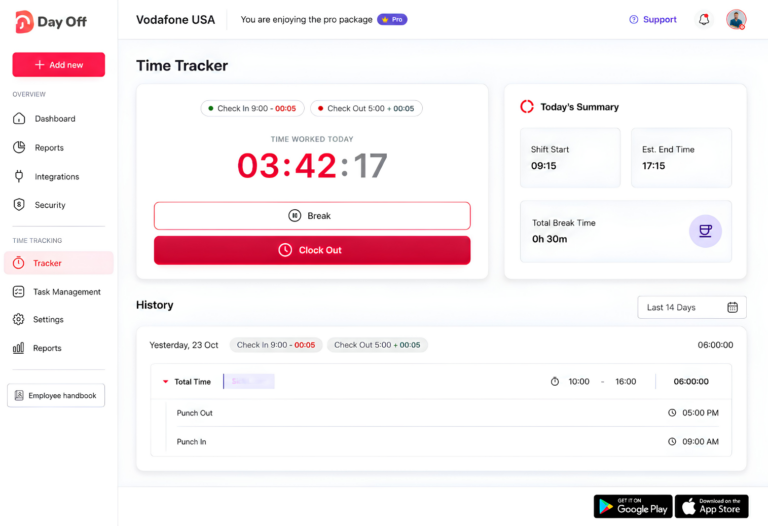
Employees can use the Clock In / Clock Out mode to record the beginning and end of their working time.
This creates actual time records rather than requiring employees to type a weekly total into a spreadsheet.
Task Tracking
For teams that need to understand what employees are working on, Day Off also includes a task tracking mode.
Employees can record time against their work rather than simply recording that they were present.
Projects, Tasks and Clients
You can organize tracked time using:
Projects
Tasks
Clients
This is useful for companies that want to understand where employee time goes or separate internal work from client activity.
One-Click Time Tracker
Day Off’s time tracker allows employees to start a live timer while working.
A completed session is stored with information such as:
Description
Project
Start time
End time
Duration
Billable status
This creates a clearer record of working time than reconstructing the week later in Excel.
Attendance Review
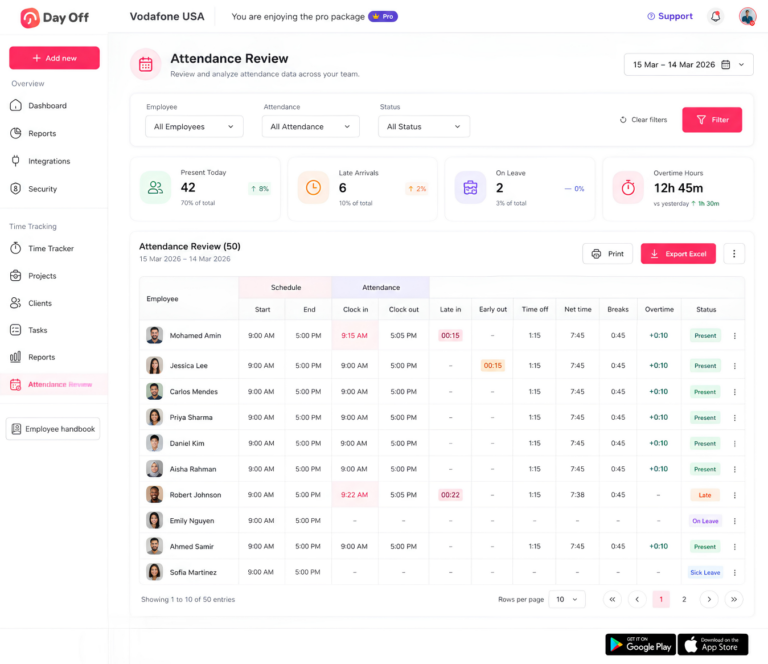
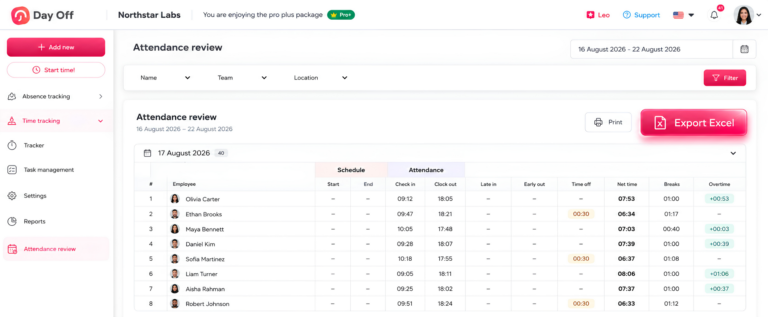
Day Off’s Attendance Review connects time tracking with employee schedules.
Managers can review information such as:
Working hours
Late time
Breaks
Overtime
Leave
Attendance status
This helps businesses compare planned schedules with what actually happened during the workday.
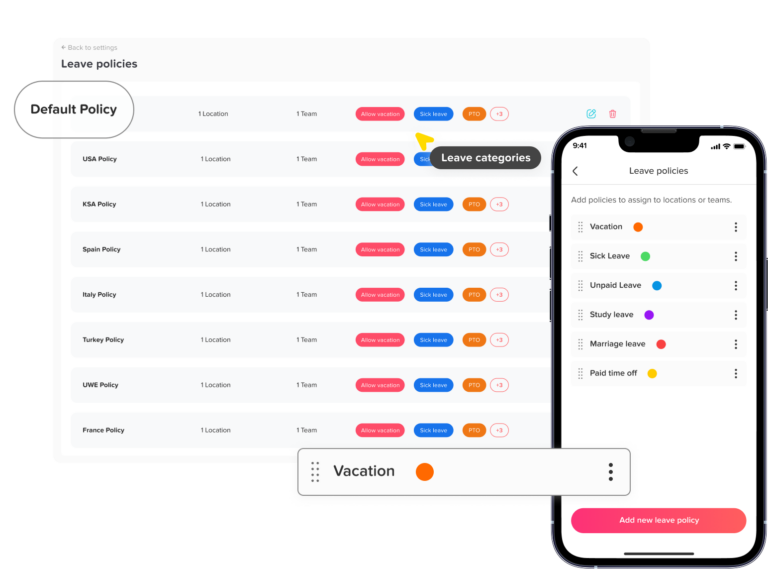
PTO and Time Tracking Together
One of the biggest advantages is that PTO management and employee time tracking exist within the same platform.
Instead of checking one spreadsheet for working hours and another system for employee leave, HR teams can manage:
Vacation
Sick leave
PTO balances
Leave approvals
Work schedules
Clock-in and clock-out records
Attendance
Overtime
Project time
from the same workforce system.
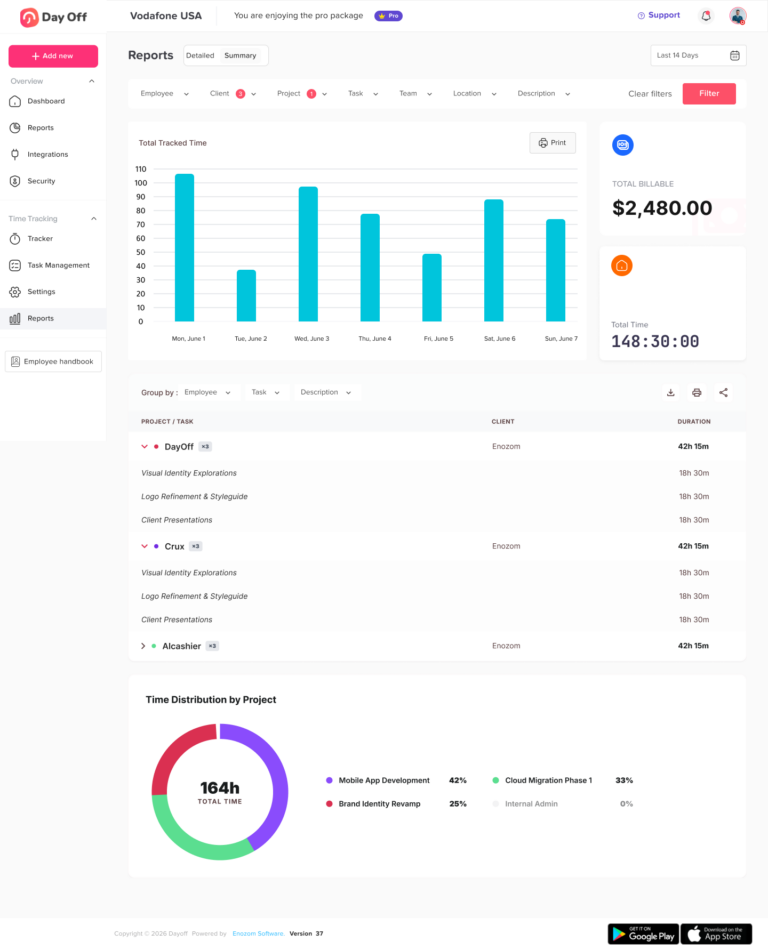
Reports
The Pro + Time Tracker plan includes both Detailed Reports and Summary Reports, helping managers review tracked time at different levels.
How Much Does Day Off Time Tracking Cost?
Day Off currently offers three main plans:
Free
$0 per month for up to 10 employees
The Free plan focuses on leave management and includes:
Calendar view
Customizable leave types
One-step approvals
Management reports
The Time Tracker is not included in the Free plan.
Pro
$2 per employee per month
Minimum: $20 per month
Pro adds more advanced PTO, schedule, reporting, and integration capabilities.
Pro + Time Tracker
$3 per employee per month
Minimum: $30 per month
It includes the Pro features plus:
Clock In / Clock Out
Task Tracking
Projects
Tasks
Clients
Detailed reports
Summary reports
Attendance Review
Day Off currently advertises a 17% saving with annual billing.
For businesses replacing spreadsheet timesheets, the benefit is not only automatic time recording. The larger advantage is bringing PTO, schedules, attendance, and working hours into one system.
Weekly Timesheet FAQ
Can a weekly timesheet be used for salaried employees?
Yes. Salaried employees can still use weekly timesheets even when their pay is not based directly on hours worked. Companies may track their time for project costing, client billing, workload analysis, attendance, or internal reporting. The exact recordkeeping requirements depend on whether the employee is exempt or nonexempt.
Should employees fill out timesheets daily or at the end of the week?
Daily time entry is generally more accurate. When employees wait until the end of the week, they are more likely to forget exact start times, finish times, breaks, or extra work. Recording time as it happens reduces reliance on memory and makes weekly review easier.
Can employees edit their own weekly timesheets?
Employers can allow employees to correct mistakes, but edits should ideally be controlled and documented. A good process records what changed, why it changed, and who made or approved the correction. This helps maintain accurate records and prevents unexplained adjustments.
What should happen if an employee forgets to clock in or out?
The employee should report the missing punch as soon as possible and provide the correct time. The record should then be corrected based on the employee’s actual working time. Employers should avoid automatically guessing or replacing missing entries without confirming what happened.
Should lunch breaks appear on a weekly timesheet?
Yes, especially when meal periods are unpaid. Recording the beginning and end of unpaid meal periods helps distinguish working time from non-working time. It also makes it easier to identify missed, shortened, or interrupted breaks.
Can employees submit a timesheet if they worked overtime without approval?
The hours actually worked should still be recorded accurately. A company may require advance approval before overtime is worked, but the timesheet should not remove hours simply because they were unauthorized. Any policy violation can be handled separately from the employee’s time record.
Related reading: Overtime Tracking: How to Record Employee Overtime Accurately
Should PTO and sick leave appear on the same timesheet as working hours?
They can, and doing so can give managers a clearer picture of the employee’s week. However, PTO, sick leave, and holidays should remain clearly separated from hours actually worked so payroll and overtime calculations are easier to interpret.
What is the difference between a timesheet and a timecard?
A timecard traditionally records when an employee starts and finishes work, while a timesheet often contains more detailed information such as total hours, projects, tasks, leave, and weekly summaries. In modern time tracking systems, the terms are often used interchangeably.
Can weekly timesheets be used for project billing?
Yes. If employees track time by project, task, or client, weekly timesheets can help businesses calculate billable hours, understand project costs, and prepare client invoices. This is especially useful for agencies, consultants, professional services firms, and project-based teams.
What makes a good weekly timesheet system?
A good system should make it easy to record time accurately, identify missing entries, track breaks, separate PTO from working hours, calculate weekly totals, review overtime, and keep historical records. For growing teams, automatic time tracking is usually easier to manage than collecting separate spreadsheets every week.
Conclusion
A reliable weekly timesheet should give employers a clear and accurate view of how much time employees actually worked, where overtime occurred, how breaks were recorded, and how leave affected the workweek. While spreadsheets can work for small teams, they become harder to manage as employee numbers, schedules, projects, and payroll requirements grow.
Using a digital time tracking system helps reduce manual entry, calculation errors, missing punches, and version confusion. It also makes it easier for managers to review weekly hours before payroll instead of trying to fix problems after the fact.
With Day Off Pro + Time Tracker, businesses can manage Clock In and Clock Out, task tracking, projects, attendance, work schedules, PTO, and employee reports in one place. This gives HR teams and managers a more complete view of both working time and time off, while reducing the need to maintain separate spreadsheets.
The goal is not simply to replace Excel. It is to create a more accurate, consistent, and manageable weekly time tracking process that works as the business grows.