







Managing PTO, employee leave, attendance, and time tracking requires more than a simple spreadsheet or shared calendar. Today, companies need systems that are secure, easy to access, and simple enough for employees to use every day. That is where Google Single Sign-On for PTO and time tracking becomes valuable.
Single Sign-On, commonly known as SSO, allows employees to log in to work applications using an existing company account instead of creating and remembering another password. For teams that already use Google Workspace, Google SSO can make access to a PTO tracker or time tracker faster, safer, and easier to manage.

When employees can sign in using their work identity, HR teams reduce password-related issues, managers get faster adoption, and companies gain better control over who can access employee time off and attendance data. For tools like Day Off, which supports both Google SSO and Microsoft SSO, this creates a smoother experience for companies that want secure leave management and time tracking in one platform.
What Is Google Single Sign-On?
Google Single Sign-On allows employees to access supported applications using their Google work account. Instead of setting up a separate username and password for every tool, employees authenticate through their Google identity.
For example, an employee may already use Google Workspace for Gmail, Google Calendar, Google Drive, and other daily work tools. With Google SSO enabled, the same work account can also be used to access a PTO tracker, leave management system, or time tracking software.
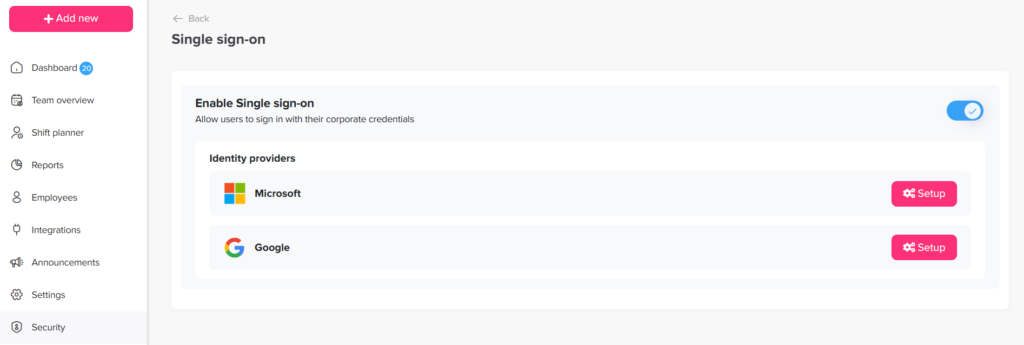
Google supports enterprise SSO through standards such as SAML for custom apps in Google Workspace, where admins can add a custom SAML app, collect identity provider details, configure service provider settings, assign access, and test the login flow. Google Sign-In is also built on OAuth 2.0 and OpenID Connect, which are widely used identity standards for secure authentication.
In simple terms, Google SSO lets employees prove who they are through Google, and then access approved workplace tools without managing another password.
Why SSO Matters for PTO and Time Tracking
PTO and time tracking systems contain important employee and workforce data. These systems may include vacation balances, sick leave history, approval records, work schedules, clock-in and clock-out data, attendance history, and reports used by managers or HR.
Because this information is sensitive and operationally important, access should be secure and easy to control
Separate Passwords Create More Problems
Without SSO, companies often rely on separate passwords for each tool. This creates several risks. Employees may reuse weak passwords, forget login details, or delay using the system because access feels inconvenient.
Former employees may also keep access longer than they should if accounts are not removed manually. This can create security risks, especially as the company grows.
SSO Connects Access to the Work Identity
Google SSO helps solve these problems by connecting access to the employee’s official work identity. When employees use their Google Workspace account, companies can manage authentication more centrally and reduce the number of separate passwords employees need to handle.
Better Access Improves Daily Usage
For PTO and time tracking, easy access is especially important because these tools are used often. Employees may need to request leave, check balances, review schedules, clock in, submit hours, or approve requests.
A smoother login process makes the system easier to use and improves adoption across the company.
How Google SSO Works in a PTO Tracker
Google SSO creates a more streamlined login experience for employees.
Instead of opening a PTO tracker and entering a separate email and password, the employee selects the Google login option. Google verifies the employee’s identity, then redirects them back to the PTO platform.
Authentication and Permissions Are Different
This distinction is important.
Google SSO confirms who the employee is.
The PTO tracker controls what the employee can do.
Employee Access
A regular employee may be able to request vacation, view their leave balance, check upcoming holidays, and see their own approval history.
Manager Access
A manager may be able to approve requests, review team availability, check overlapping absences, and plan coverage before approving leave.
HR Admin Access
HR admins may have access to leave policies, employee balances, reports, company settings, locations, departments, and organization-wide leave records.
Why This Structure Matters
This structure improves both security and usability. Employees get a simple login experience, while the company still maintains control over roles and permissions inside the PTO system.
How Google SSO Works in a Time Tracking System
Time tracking tools are often used more frequently than PTO tools. Employees may need to access them daily or multiple times per day to clock in, clock out, record breaks, submit hours, or review timesheets.
Complicated Logins Reduce Accuracy
If the login process is complicated, employees may avoid using the system consistently. That can lead to missed punches, inaccurate records, delayed timesheets, and extra manual corrections for HR or managers.
Google SSO Reduces Login Friction
Google SSO reduces this friction by allowing employees to sign in using their existing Google work account.
This is especially helpful for remote teams, hybrid employees, part-time workers, shift-based teams, and businesses with multiple locations.
Better Access Supports Better Records
For managers, better access can lead to more reliable attendance records. For HR, it can reduce the time spent fixing missing or incorrect time entries. For employees, it removes the frustration of managing yet another password.
Benefits of Google SSO for PTO Management
A PTO tracker only works well when employees actually use it. If requesting time off feels slow or confusing, employees may go back to sending emails, chat messages, or verbal requests.
Google SSO makes the first step easier: logging in.
When employees can access the PTO system with their Google work account, they can quickly submit vacation requests, sick leave, personal leave, unpaid leave, or any other leave type defined by the company.
Better Leave Planning
Faster access supports better leave habits. Employees are more likely to request time off in advance, check their available balance before applying, and follow the official approval process instead of using informal channels.
For HR teams, that means fewer missing requests and better records. For managers, it means requests arrive in the right system and can be reviewed with proper visibility.
Fewer Delayed Approvals
Managers play a key role in PTO management. They need to review requests, check team availability, avoid overlapping absences, and make decisions quickly.
If managers rarely log in because the process is inconvenient, approvals can get delayed. This affects employees who are waiting for confirmation and can also disrupt planning for projects, shifts, or customer coverage.
Google SSO helps managers access the PTO system faster. Since they can use the same Google account they already use for work, approving leave becomes part of their normal workflow instead of another separate task.
Less Admin Work for HR
HR teams often become the first point of contact when employees cannot access a PTO system. Even if login issues are technically an IT problem, employees may still ask HR for help because the issue affects leave requests, balances, or approvals.
Google SSO reduces the need for separate PTO system passwords. Employees use their Google Workspace identity, which means fewer forgotten-password issues inside the PTO platform itself.
This allows HR teams to focus on more important tasks, such as reviewing policies, monitoring leave trends, preparing reports, managing balances, and supporting employees with actual leave questions.
Stronger PTO Data Protection
PTO systems often contain sensitive employee information. This may include sick leave, parental leave, personal leave, unpaid leave, and absence history.
Google SSO supports better access control by connecting login access to the employee’s official company identity. When an employee leaves the company, disabling or removing their work account helps reduce the risk of continued access to connected systems.

Benefits of Google SSO for Time Tracking
Easier Clock-In and Clock-Out
Time tracking depends on consistency. Employees need to record their time accurately and at the right moment.
If logging in takes too long, employees may delay clocking in or forget to update their records. Google SSO helps reduce this issue by making access faster.
Employees can open the time tracking tool, sign in with their Google account, and record their working time without needing to remember another password.
More Accurate Attendance Records
A simple login flow can improve the accuracy of time records because employees are less likely to postpone tracking their time.
This is especially valuable for employees who clock in from different devices, work remotely, or move between locations.
Fewer Missed Punches
Missed punches create extra work for managers and HR teams. When employees forget to clock in or clock out, someone has to review the record, confirm the correct time, edit the entry, and document the change.
Some missed punches happen because employees forget. Others happen because accessing the system is inconvenient.
Google SSO helps remove one common barrier. When employees can access the time tracker with their Google work account, there is less friction at the moment they need to record time.
Better Support for Remote and Hybrid Teams
Remote and hybrid work has made secure access more important. Employees may need to request PTO, record hours, or check schedules from home, a coworking space, a client site, or while traveling.
Google SSO gives employees a familiar and secure way to access work systems from different environments. They do not need to depend on office-based access or remember separate credentials for every HR tool.
Easier Time Tracking Adoption
Rolling out time tracking software can be difficult if employees see it as complicated or intrusive. The easier the tool is to access and use, the easier it is to introduce.
Google SSO improves adoption because it removes one of the first obstacles: account setup.
Employees do not have to create another password, remember another login, or contact HR to access the system. They simply use the work account they already know.
Google SSO vs Traditional Username and Password
Traditional login methods require every employee to create and manage a separate password for each application. This may seem simple at first, but it becomes harder as the company grows.
With separate passwords, employees are more likely to forget credentials, reuse weak passwords, or ask for help.
Why SSO Is More Scalable
Google SSO centralizes the login experience. Employees use one work identity to access approved systems. This creates a cleaner and more scalable approach to authentication.
| Traditional Login | Google SSO |
|---|---|
| Separate password for each tool | One Google work account |
| More password reset requests | Fewer password issues |
| Harder offboarding | More centralized access control |
| Slower onboarding | Faster employee setup |
| Higher risk of password reuse | Reduced password fatigue |
| More login friction | Easier daily access |
The Main Advantage of Google SSO
The main advantage of Google SSO is not just convenience. It is consistency.
Employees use the same trusted identity across workplace applications, and companies gain a more organized way to manage access.
Google SSO vs Microsoft SSO
What Google SSO Is Best For
Google SSO is commonly used by organizations that rely on Google Workspace for email, calendars, file sharing, meetings, and internal collaboration.
For these companies, Google SSO is a natural fit because employees are already using Google accounts every day.
What Microsoft SSO Is Best For
Microsoft SSO is commonly used by organizations that rely on Microsoft 365 and Microsoft Entra.
For companies using Outlook, Microsoft Teams, SharePoint, and other Microsoft tools, Microsoft SSO can provide a familiar login experience.
Why Supporting Both Matters
Many companies use one ecosystem, but some use both. A company might use Google Workspace for email and calendars while another department uses Microsoft tools. A company may also transition from one ecosystem to another over time.
That is why it is useful when HR software supports both options.
Day Off Supports Both Google and Microsoft SSO
Day Off supports both Google Single Sign-On and Microsoft Single Sign-On, helping companies choose the login method that fits their environment.
This flexibility makes Day Off suitable for teams that use Google Workspace, Microsoft 365, or a combination of both.
Why PTO and Time Tracking Systems Need Secure Access
PTO and time tracking systems are not just simple employee tools. They support important business operations and contain sensitive workforce information.
A PTO system helps companies understand who is available, who is away, how many days employees have used, and whether leave policies are being followed.
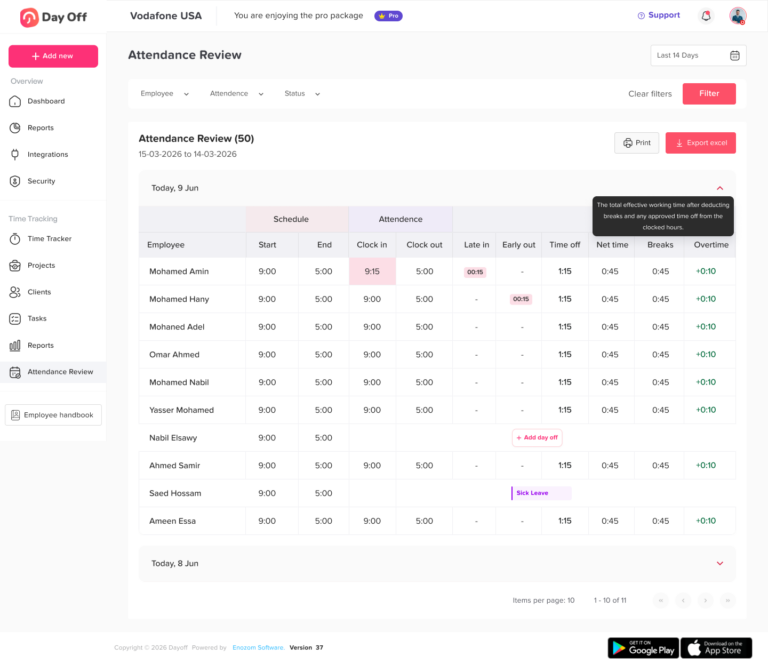
A time tracking system helps companies understand working hours, attendance, breaks, late arrivals, early departures, and overtime.
Workforce Data Affects Business Decisions
This data can affect staffing, payroll preparation, compliance reviews, project planning, and employee trust.
If access is not managed properly, companies may face problems such as unauthorized access, inaccurate records, outdated user permissions, or confusion during offboarding.
Secure Login Builds Employee Trust
Employees expect their personal work information to be protected. When a company uses secure login methods, it shows employees that their data is being handled responsibly.
Google SSO supports this by reducing dependence on separate passwords and connecting access to a company-managed identity.
Best Practices for Using Google SSO
Use Company Google Accounts Only
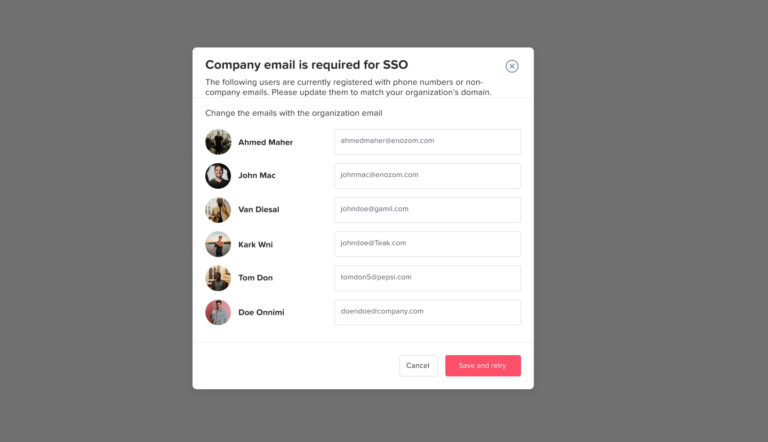
Companies should use official work accounts for SSO, not personal Google accounts.
This is important because company accounts are easier to manage. If an employee leaves, changes roles, or moves to another department, the organization can manage access through the work identity.
Avoid Personal Accounts
Personal accounts are harder to control and may create security problems. For PTO and time tracking systems, where employee data is involved, company-managed accounts are the safer choice.
Keep Roles and Permissions Updated
SSO confirms identity, but permissions still matter.
An employee, manager, HR admin, and external accountant should not all have the same level of access. Each person should only see the information they need for their role.
Match Permissions to Responsibilities
Employees should view their own balances and requests. Managers should review their team’s requests. HR admins may need company-wide access. Finance or payroll users may need reporting access but not full administrative control.
Keeping permissions updated helps protect sensitive data and prevents unnecessary access.
Review Access Regularly
Access should not be reviewed only when something goes wrong. Companies should schedule regular access reviews to make sure the right people still have the right permissions.
This is especially important after promotions, department changes, manager changes, employee departures, or company restructuring.
Use Multi-Factor Authentication
SSO becomes stronger when combined with multi-factor authentication, also known as MFA.
MFA adds an extra verification step beyond the password. This may include an authenticator app, device confirmation, or another approved security method.
For companies managing HR data, MFA can provide an additional layer of protection.
Test the SSO Setup Before Launch
Before rolling out SSO to the whole company, test it with a small group.
The test group should include different roles, such as one employee, one manager, and one HR admin. This helps confirm that login works correctly and that each user lands in the right account with the right permissions.
Communicate the Login Change Clearly
Even a simple login change can confuse employees if it is not communicated properly.
Companies should send a short announcement explaining what is changing, when it starts, and how employees should log in.
For example, employees should know whether they need to click “Continue with Google,” use their company email, or stop using their old password.
How Day Off Helps with PTO, Time Tracking, and Secure Access
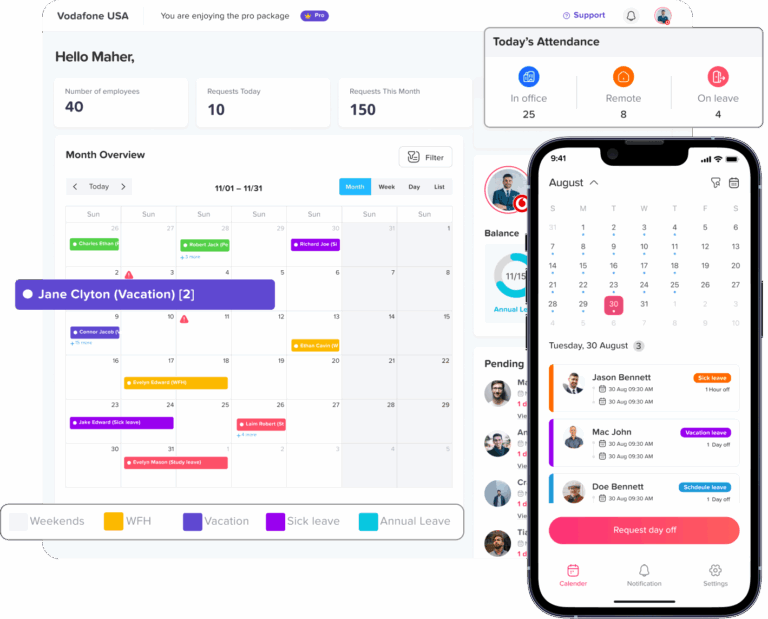
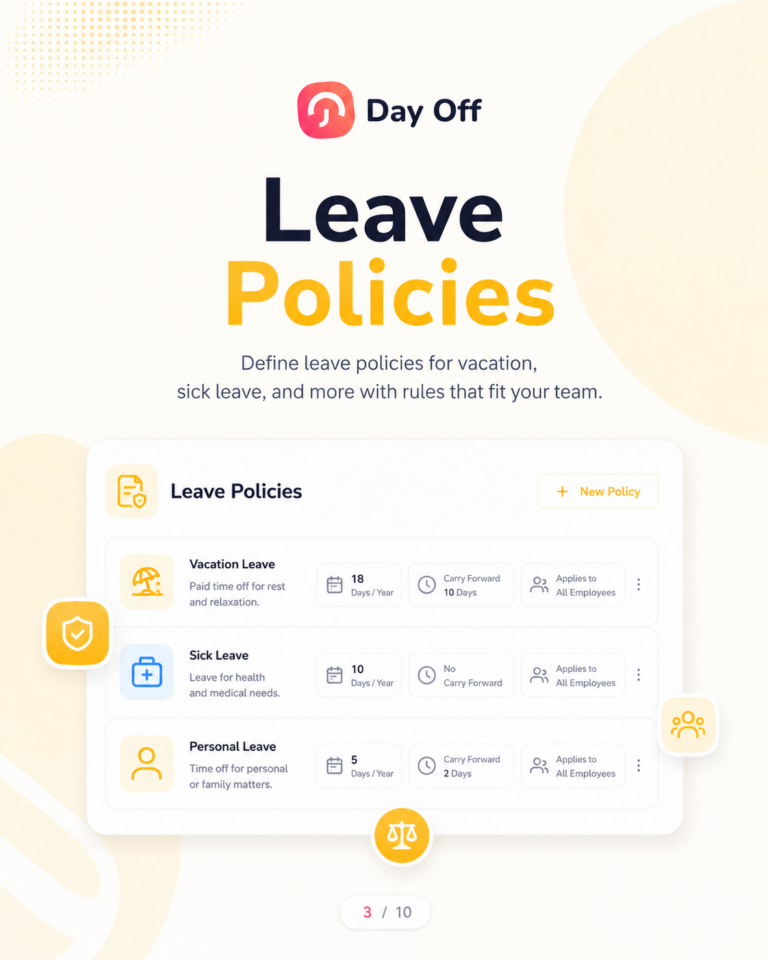
Day Off helps companies manage employee time off in a clear and organized way. It supports PTO requests, vacation tracking, sick leave, leave balances, approvals, shared calendars, employee availability, and workforce planning.
Secure Access with SSO
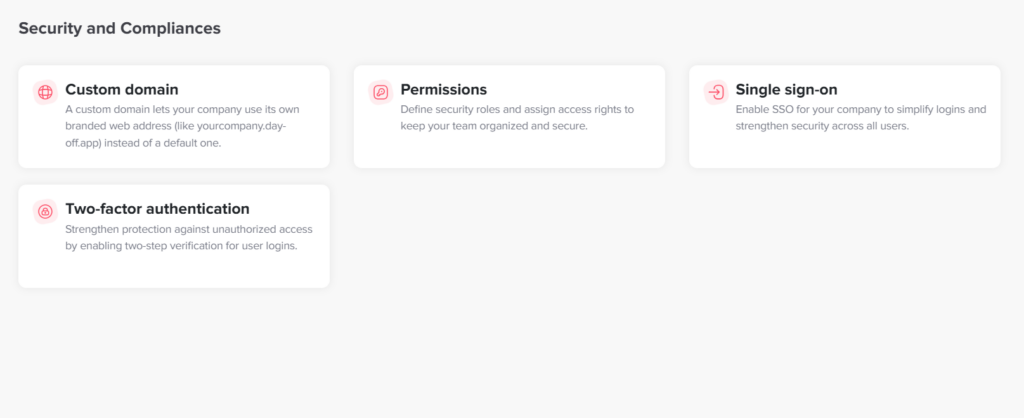
For secure access, Day Off supports Single Sign-On so employees can use existing company credentials instead of creating separate passwords.
Day Off supports both Google SSO and Microsoft SSO, helping companies offer secure login options based on the tools they already use.
Easier Access for Employees
Employees get simpler access to request time off, check balances, view approval status, and manage their leave information.
Instead of creating a separate password for the PTO system, employees can use their work account.
Better Visibility for Managers
Managers get faster access to leave requests, team calendars, overlapping absences, and employee availability.
This helps them make better approval decisions and avoid staffing problems.
More Control for HR Teams
HR teams get stronger access control, fewer login-related issues, and a more organized process for managing employee leave and time tracking.
For growing companies, this combination matters because leave, attendance, and workforce planning become more complex over time.
FAQ: Google Single Sign-On for PTO and Time Tracking
What is Google Single Sign-On for PTO tracking?
Google Single Sign-On for PTO tracking allows employees to access a PTO tracker using their Google work account instead of creating a separate username and password. This makes it easier for employees to request time off, check leave balances, view approval status, and access their PTO information securely.
For companies using Google Workspace, Google SSO can simplify employee access because workers can use the same account they already use for Gmail, Google Calendar, Google Drive, and other work tools.
How does Google SSO work with a PTO tracker?
Google SSO works by letting employees authenticate through their Google Workspace account before accessing the PTO tracker. When an employee clicks the Google login option, Google verifies their identity and then redirects them back to the PTO system.
After login, the PTO tracker controls what the employee can see or do based on their role. For example, an employee may be able to request leave and check balances, while a manager may approve requests and view team availability.
Is Google SSO useful for employee time tracking?
Yes, Google SSO is useful for employee time tracking because time tracking tools often require frequent access. Employees may need to clock in, clock out, record breaks, submit hours, or review timesheets during the workday.
When employees can sign in with their Google work account, they do not need to remember another password. This makes it easier to access the system quickly and can help reduce missed punches, late time entries, and login-related delays.
Why should companies use SSO for PTO and attendance tracking?
Companies should use SSO for PTO and attendance tracking because these systems contain important employee data, including leave balances, sick leave records, attendance history, work schedules, and time entries.
SSO helps companies improve access control, reduce password problems, simplify onboarding, and make offboarding easier when employees leave. It also creates a smoother experience for employees because they can use an account they already know.
Is Google SSO more secure than a normal password login?
Google SSO can be more secure than a traditional separate password login because access is connected to the employee’s company-managed Google account. This can reduce password reuse, lower the number of forgotten passwords, and make it easier for companies to manage access centrally.
However, SSO should still be combined with strong security practices such as multi-factor authentication, regular access reviews, and clear user permissions inside the PTO or time tracking system.
Does Google SSO replace PTO approval workflows?
No, Google SSO does not replace PTO approval workflows. Google SSO only manages the login process and verifies the employee’s identity.
The PTO tracking software still manages leave requests, approval workflows, leave balances, policies, team calendars, and user permissions. In other words, SSO controls access, while the PTO system controls the leave management process.
What is the difference between Google SSO and Google Calendar integration?
Google SSO and Google Calendar integration are different features.
Google SSO is used for secure login. It allows employees to access the PTO or time tracking system using their Google work account.
Google Calendar integration is used for scheduling visibility. It can help show approved time off on a calendar so managers and teams can see who is unavailable.
Both features are useful, but they serve different purposes. Google SSO improves secure access, while Google Calendar integration improves leave visibility and planning.
Can small businesses use Google SSO for PTO tracking?
Yes, small businesses can use Google SSO for PTO tracking, especially if they already use Google Workspace. SSO is not only for large companies. Small teams can also benefit from simpler logins, fewer password problems, and easier employee onboarding.
For small businesses, Google SSO can make PTO tracking feel more professional and organized without adding unnecessary complexity.
How does SSO help with employee onboarding?
SSO helps with employee onboarding by making it easier for new hires to access the tools they need. Instead of creating separate passwords for every HR platform, employees can use their company Google account to access approved systems.
This can help new employees start using the PTO tracker or time tracking software faster. It also reduces setup work for HR and IT teams.
How does SSO help when an employee leaves the company?
SSO can make offboarding easier because access is connected to the employee’s company account. When an employee leaves, the company can disable or remove the work account and review access to connected tools.
This helps reduce the risk of former employees keeping access to PTO, attendance, or time tracking data after they leave the organization.
Does Day Off support Google SSO?
Yes, Day Off supports Google SSO, allowing employees to sign in using their Google work accounts. This helps companies simplify access to PTO, leave management, and time tracking features while reducing the need for separate passwords.
Does Day Off support Microsoft SSO too?
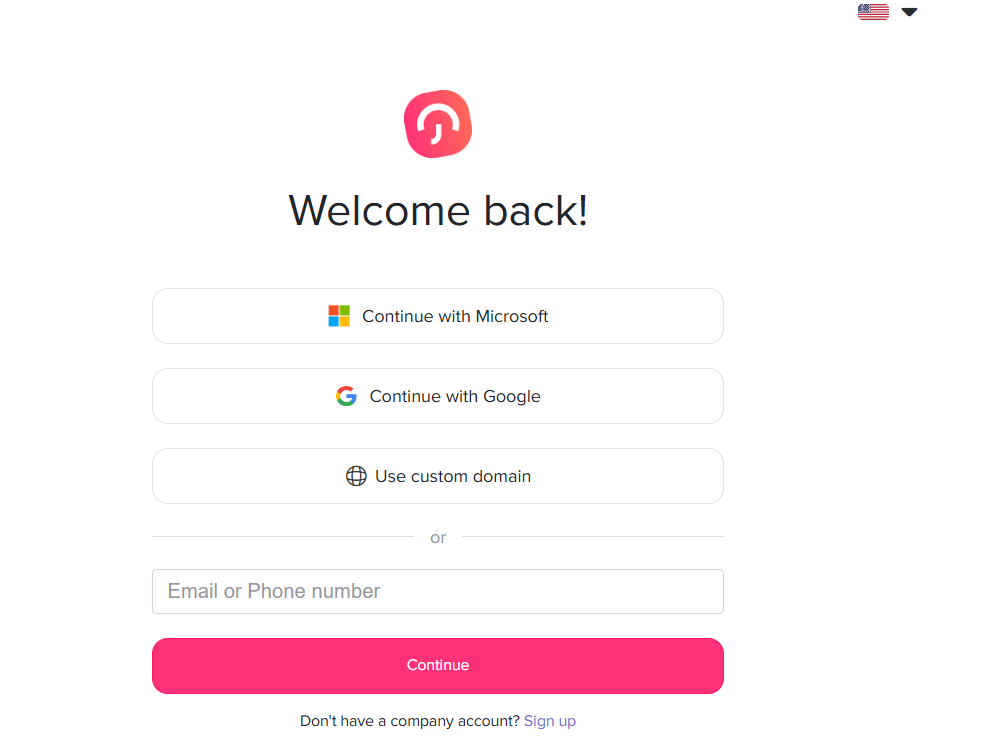
Yes, Day Off supports both Google SSO and Microsoft SSO. This is useful for companies that use Google Workspace, Microsoft 365, or a mix of both.
With Day Off, teams can choose the SSO option that matches their existing workplace identity system, making secure access easier for employees, managers, and HR admins.
What is the best PTO tracker with Google SSO?
The best PTO tracker with Google SSO should be easy for employees to use, secure for HR teams, and flexible enough to support company leave policies. It should include leave requests, approval workflows, PTO balances, team calendars, reports, and secure login options.
Day Off is a strong option for companies that want PTO tracking, employee availability management, and secure access through Google SSO and Microsoft SSO.
What should companies look for in PTO and time tracking software with SSO?
Companies should look for PTO and time tracking software that includes secure SSO login, clear employee roles, manager approvals, leave balance tracking, attendance records, reporting, calendar visibility, and easy onboarding.
A good system should make access simple for employees while giving HR teams control over policies, permissions, and workforce data.
Conclusion
Google Single Sign-On for PTO and time tracking helps companies solve two important problems at the same time: security and usability.
Employees get a faster way to access the tools they need. Managers can approve leave and review availability without login friction. HR teams spend less time dealing with password issues and more time managing policies, reports, and employee support.
For businesses using Google Workspace, Google SSO connects PTO and time tracking access to the work identity employees already use every day. For companies using Microsoft tools, Microsoft SSO provides a similar benefit.
Day Off supports both Google SSO and Microsoft SSO, making it a strong choice for companies that want secure employee access, easier PTO management, better workforce visibility, and a smoother time tracking experience.
As teams grow, login simplicity and access security become more important. With the right PTO and time tracking system, SSO can help companies create a more organized, secure, and employee-friendly workflow.