







Accurate time records are essential for managing payroll, attendance, overtime, productivity, and labor costs. A reliable Hours Tracker gives employers a structured way to record when employees begin work, finish work, take breaks, complete overtime, or spend time on approved leave. Instead of depending on memory, handwritten notes, or disconnected spreadsheets, businesses can maintain one clear record of employee working hours.

Recording time accurately, however, involves more than asking employees to enter a start time and an end time. Employers must define what counts as working time, create consistent clock in procedures, handle corrections fairly, review unusual entries, and make sure recorded hours match the time employees actually worked.
This guide explains how a work hours tracker operates, which information should be recorded, how to prevent common errors, and how businesses can build a reliable time-tracking process.
What Is a Work Hours Tracker?
A work hours tracker is a system used to record the amount of time an employee works during a day, week, or pay period.
Depending on the workplace, employees may record time by:
- Clocking in and out through a web application
- Using a mobile time tracking app
- Starting and stopping a work timer
- Entering hours into a digital timesheet
- Using a physical time clock
- Recording time by project, client, task, or location
- Submitting manually entered hours for approval
The tracker stores these entries so managers, HR teams, payroll administrators, and employees can review them later.
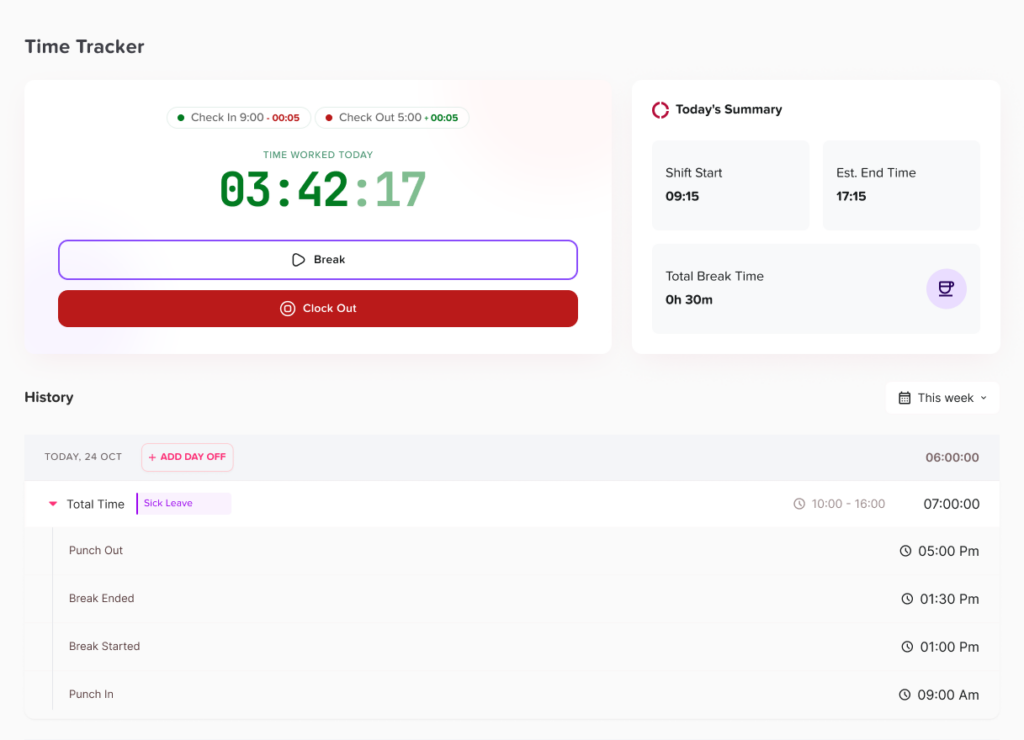
A basic system may only record starting and ending times. A more complete employee hours tracker may also include:
- Scheduled working hours
- Actual working hours
- Paid and unpaid breaks
- Overtime
- Late arrivals
- Early departures
- Missed punches
- Time entry corrections
- Paid time off
- Sick leave
- Unpaid leave
- Project or client time
- Approval history
- Manager notes
- Audit logs
The purpose is not simply to count hours. It is to create a dependable record showing how an employee’s payable time was calculated.
Why Accurate Work Hour Tracking Matters
Small time recording errors can become larger payroll and reporting problems when they affect several employees or continue across multiple pay periods.
For example, if an employee forgets to record a 30-minute task after clocking out, the missing time may appear insignificant. If similar omissions occur regularly across an entire workforce, the organization’s payroll records may no longer reflect the hours employees actually worked.
Accurate tracking supports several important business processes.
Payroll accuracy
Hourly pay is normally calculated by multiplying an employee’s payable hours by the applicable rate of pay. If the underlying hours are incomplete, payroll calculations may also be incorrect.
A time tracker helps payroll teams distinguish between:
- Regular working hours
- Overtime hours
- Paid leave
- Unpaid leave
- Paid breaks
- Unpaid meal periods
- Approved adjustments
- Time that should not be included in payroll
Overtime management
Managers need to know when employees are approaching or exceeding their scheduled hours. Waiting until the end of the pay period can make overtime more difficult to review.
A work hours tracker can show:
- Daily hours
- Weekly totals
- Hours above the employee’s schedule
- Unapproved additional work
- Repeated early clock-ins or late clock-outs
- Departments generating the most overtime
In the United States, the federal Fair Labor Standards Act generally requires covered, nonexempt employees to receive overtime pay at one and one-half times their regular rate for hours worked over 40 in a workweek. State or local rules may provide additional protections, so employers should review all rules that apply to their workforce.
Reliable attendance records
A schedule shows when an employee was expected to work. A work-hour record shows what was actually recorded.
Comparing the two can help identify:
- Late arrivals
- Early departures
- Absences
- Incomplete shifts
- Missed punches
- Approved schedule changes
- Leave that overlaps with work entries
Attendance should not be determined from time records alone. Approved PTO, schedule changes, remote work arrangements, and manager-authorized exceptions must also be considered.
Better staffing decisions
Historical working-hour data can help managers understand when demand is highest and how much labor is normally required.
A restaurant may discover that Friday evening shifts repeatedly require overtime. A support team may find that certain hours receive more requests than others. A professional-services company may identify projects that consistently require more time than planned.
This information can support more realistic scheduling, budgeting, workload distribution, and hiring decisions.
Clearer employee records
Employees should be able to understand how their hours were recorded and how their pay was calculated.
A transparent system gives employees an opportunity to:
- Review daily entries
- Report missing time
- Explain unusual records
- Request corrections
- Confirm approved adjustments
- Check whether leave was recorded correctly
This reduces dependence on informal conversations and creates a documented process for resolving discrepancies.
What Information Should a Work Hours Tracker Record?
The exact information required will depend on the business, the employee’s role, the payroll process, and applicable employment laws.
In the United States, the Department of Labor does not require employers to use one specific recordkeeping format. Records must, however, contain accurate information about covered employees, hours worked, and wages earned.
A useful tracker should capture enough detail to explain how the final total was produced.
| Record | Information to Include | Why It Matters |
|---|---|---|
| Employee details | Name, employee number, role, department, and work location | Connects each entry to the correct employee and policy |
| Work schedule | Expected days, start times, end times, and break rules | Provides a reference for attendance and exceptions |
| Clock-in time | The time work begins | Establishes the start of recorded work |
| Clock-out time | The time work ends | Establishes the end of recorded work |
| Breaks | Start, end, duration, and whether the break is paid | Prevents incorrect deductions or overpayments |
| Daily total | Total payable hours for the day | Supports attendance and payroll review |
| Weekly total | Total hours within the defined workweek | Helps identify overtime and incomplete entries |
| Leave entries | PTO, sick leave, unpaid leave, or other approved absence | Prevents leave from being classified as unexcused absence |
| Corrections | Original record, revised record, reason, date, and approver | Creates accountability and preserves history |
| Approval status | Pending, approved, rejected, or returned for correction | Shows whether the record is ready for payroll |
| Notes | Explanations for exceptions or unusual entries | Provides context during later reviews |
Scheduled Hours Are Not the Same as Worked Hours
One of the most common timekeeping mistakes is treating an employee’s schedule as proof of the time worked.
Suppose an employee is scheduled from 9:00 a.m. to 5:00 p.m. The schedule does not automatically prove that the employee worked those exact hours.
The employee may have:
- Started at 8:50 a.m. to prepare equipment
- Arrived at 9:12 a.m.
- Worked through part of a meal break
- Left early with permission
- Continued answering work messages after leaving
- Taken approved leave for part of the shift
- Forgotten to clock out
The schedule is an expectation. The time record is evidence of what was recorded. Managers must review differences rather than automatically replacing actual entries with scheduled hours.
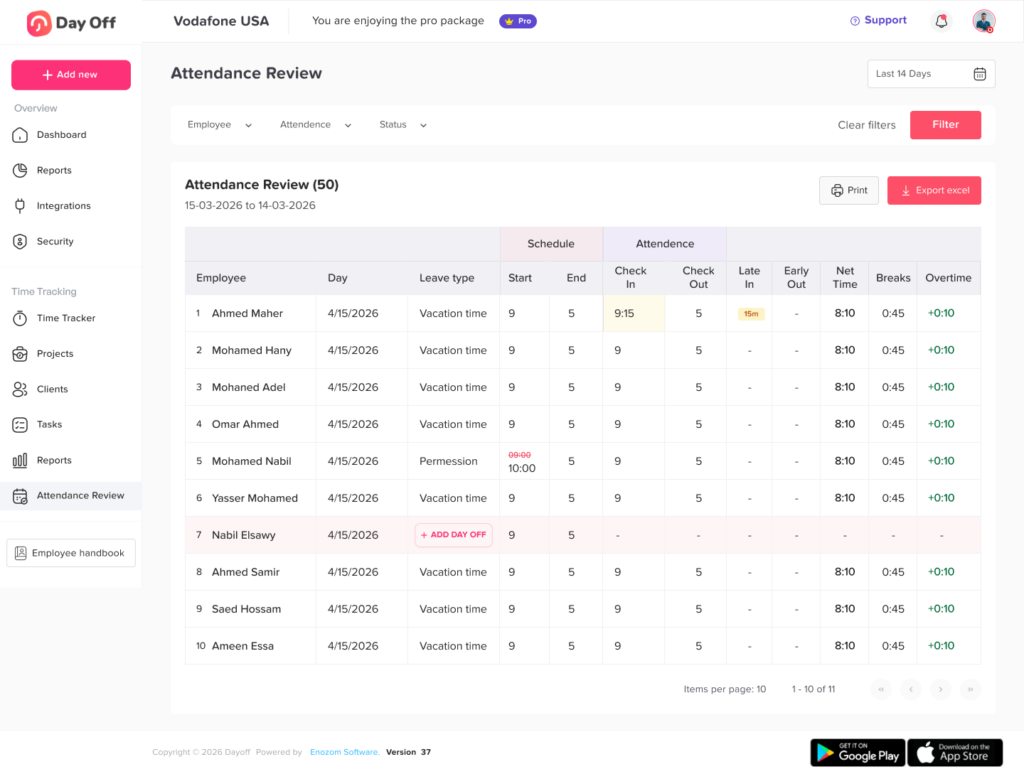
A useful tracker should display scheduled and recorded time separately.
What Counts as Working Time?
A time-tracking policy must explain when employees should start and stop recording time.
The answer is not always limited to the employee’s main duties. Depending on the circumstances and applicable law, working time may include activities completed before, during, or after a scheduled shift.
Examples may include:
- Opening required software
- Preparing a workstation
- Putting on required equipment
- Attending mandatory meetings
- Completing required training
- Responding to customer requests
- Performing closing duties
- Writing shift notes
- Traveling between job sites
- Answering work messages after hours
- Correcting work completed earlier
- Waiting while required to remain engaged for work
Under U.S. federal guidance, employees generally must be paid for time they are permitted or required to work, including certain work performed outside the normal schedule. Employers cannot rely only on a rule prohibiting unauthorized work if they know or have reason to believe that the work is being performed.
Employers should clearly instruct employees to record all working time, even when the extra time was not approved in advance. Unauthorized work can be handled as a separate policy issue, but deleting or refusing to record time already worked may create payroll and compliance risks.
How to Record Employee Work Hours Accurately
Accurate tracking depends on both the software and the process around it.
Define the official workweek
The payroll team should define when the workweek begins and ends.
For example, the organization may use:
- Sunday at 12:00 a.m. through Saturday at 11:59 p.m.
- Monday through Sunday
- Another fixed period of seven consecutive 24-hour days
The workweek should be documented and applied consistently. It is particularly important when calculating weekly overtime.
A pay period and a workweek are not necessarily the same. A company may pay employees every two weeks while still calculating overtime separately for each workweek.
Create accurate employee schedules
The tracker should contain each employee’s current schedule, including:
- Working days
- Expected start and end times
- Standard daily hours
- Break duration
- Location
- Shift assignment
- Time zone
- Flexible-work rules
An outdated schedule can cause valid working time to appear late, early, missing, or unauthorized.
Schedule updates should therefore be completed whenever an employee:
- Changes shifts
- Moves between full-time and part-time work
- Transfers to another location
- Begins remote or hybrid work
- Changes time zones
- Receives a temporary schedule adjustment
- Exchanges a shift with another employee
Establish a clear clock in rule
Employees should know exactly when to clock in.
The rule should connect clocking in to the beginning of work, not simply entering the building or arriving at the job site.
For example:
Employees should clock in immediately before beginning work related activities. Employees must not complete preparatory tasks, open required systems, answer customer messages, or perform other work before clocking in.
The policy should also explain whether employees may clock in early and what to do if urgent work begins before the scheduled start time.
Establish a clear clock-out rule
Employees should clock out after completing all required duties.
They should not clock out and then:
- Close the register
- Clean work equipment
- Send reports
- Complete mandatory notes
- Respond to managers
- Finish customer service tasks
- Secure the workplace
- Upload required documents
If those activities are part of the job, they should be included in the recorded working time, subject to the laws that apply.
Record breaks correctly
Break handling is a frequent source of timekeeping errors.
A tracker should distinguish between:
- Paid rest breaks
- Unpaid meal periods
- Interrupted meal periods
- Shortened breaks
- Missed breaks
- Breaks during which the employee continues working
Under U.S. federal guidance, short rest periods lasting about 5 to 20 minutes are generally counted as hours worked when an employer provides them. Bona fide meal periods, typically lasting at least 30 minutes, generally do not have to be treated as working time when the employee is completely relieved from duty.
An employee who eats while answering calls, monitoring equipment, serving customers, or remaining responsible for work may not be fully relieved from duty.
Automatic meal deductions require particular attention. If the system automatically removes 30 minutes from every qualifying shift, employees need an accessible way to report that the break was missed, shortened, or interrupted. Managers should review these exceptions before payroll is processed.
Use real time entries whenever possible
Employees should generally record time when work starts and stops rather than reconstructing an entire week from memory.
Real-time tracking can reduce errors involving:
- Forgotten start times
- Estimated end times
- Missing breaks
- Incorrect project allocation
- Duplicate entries
- Rounded totals
- Confusion between workdays
Manual timesheets may still be appropriate in some workplaces, but they should be completed regularly and reviewed promptly.
Keep actual timestamps separate from rounded totals
Some employers use rounding rules to simplify payroll calculations. Rounding must not be used to systematically reduce employee time.
Current U.S. federal regulations recognize certain rounding practices, such as recording time to the nearest five minutes, one-tenth of an hour, or quarter hour, provided the practice averages out and does not result in employees being underpaid over time.
Businesses that apply rounding should preserve the original clock times whenever possible. This allows HR and payroll teams to audit whether the rounding rule operates fairly in practice.
For example:
- Actual clock-in: 8:53 a.m.
- Rounded start time: 9:00 a.m.
- Actual clock-out: 5:08 p.m.
- Rounded end time: 5:00 p.m.
A repeated pattern that benefits only the employer should be investigated. State and local rules may be more restrictive than federal rules, and some organizations choose to avoid rounding entirely because modern systems can record exact times.
Track work performed outside the workplace
Remote and hybrid work requires the same attention to accurate time records as on site work.
Employees should be told to record:
- Scheduled remote hours
- Work started early
- Work completed after the normal shift
- Required online meetings
- Work messages requiring action
- Technical troubleshooting related to work
- Required training
- Approved overtime
- Interrupted meal periods
Employers should provide a reasonable reporting process for unscheduled or unplanned remote work. U.S. Department of Labor guidance has emphasized that employers must pay for compensable work they know about or have reason to believe is being performed, while also allowing employers to establish reasonable procedures for employees to report unscheduled time.
Record travel time consistently
Ordinary commuting between home and the regular workplace is generally treated differently from travel completed as part of the workday.
For example, an employee may:
- Commute from home to the first worksite.
- Travel from the first worksite to a customer location.
- Travel from the customer location to a second site.
- Commute home after completing work.
Under U.S. federal guidance, ordinary home-to-work commuting is generally not treated as hours worked, while travel between job sites during the workday generally is compensable. Travel during an employee’s normal working hours may also be compensable in certain circumstances.
Travel rules can become complex, particularly for overnight trips, special assignments, drivers, field employees, and employees working across jurisdictions. Organizations should obtain legal guidance when needed.
Separate work hours from paid leave
PTO is paid time, but it is not necessarily time actually worked.
A tracker should identify these categories separately:
- Regular work
- Overtime work
- Vacation
- Sick leave
- Holiday pay
- Personal leave
- Unpaid leave
- Other paid nonworking time
This distinction matters for attendance, payroll, reporting, benefits, and overtime calculations.
For example, an employee may receive pay for:
- 32 hours worked
- 8 hours of PTO
- 40 total paid hours
Under the federal FLSA, paid vacation and holiday time generally do not count as hours worked when determining whether a nonexempt employee exceeded 40 working hours for federal overtime purposes. State law, collective bargaining agreements, employment contracts, or company policies may provide different or more generous rules.
Create a missed punch procedure
Employees will occasionally forget to clock in or out. The organization should have a standard method for correcting the record.
The process may require the employee to provide:
- The date of the missing punch
- The correct time
- Whether it was a clock-in, clock-out, or break
- The reason the entry was missed
- Supporting information when needed
- A confirmation that the revised record is accurate
The manager should review the request, compare it with available information, approve or reject the correction, and preserve the original entry.
Managers should not invent a time simply to complete a timesheet. When the exact time is unclear, they should make a reasonable, documented determination based on available evidence.
Review records before payroll closes
Time records should pass through a defined review process.
The review should identify:
- Missing clock-ins
- Missing clock-outs
- Very long shifts
- Negative or impossible durations
- Overlapping entries
- Duplicate records
- Unusually short meal periods
- Repeated manual entries
- Work recorded during approved leave
- Unapproved overtime
- Differences between schedules and actual time
- Edits made after manager approval
Employees should be given an opportunity to report errors before the payroll deadline.
Common Time Tracking Errors
| Error | Why It Happens | Recommended Response |
|---|---|---|
| Missing clock in | The employee forgot, the system was unavailable, or work began unexpectedly | Confirm the actual start time and document the correction |
| Missing clock out | The employee left without completing the entry | Verify the end time using available information |
| Automatic break deducted incorrectly | The employee worked through all or part of the break | Restore the working time and record why |
| Work completed after clock out | Employees believe small tasks do not need to be recorded | Add the time and reinforce the policy |
| Schedule copied into timesheet | The process assumes scheduled time always equals worked time | Require confirmation of actual hours |
| PTO overlaps with work | Leave and attendance systems are disconnected | Correct either the leave entry or the time record |
| Wrong project selected | Similar project names or unclear coding | Reassign the hours without deleting the original history |
| Repeated early punches | Employees arrive early or begin preparation before the shift | Determine whether work was performed |
| Manager reduces time without explanation | The manager believes the entry is inaccurate or unauthorized | Investigate, document, and preserve the original value |
| Time submitted late | Employees reconstruct hours from memory | Use reminders and shorter submission intervals |
How Managers Should Review Time Entries
Manager approval should be a meaningful control, not a button clicked automatically.
Managers should ask:
- Does the time entry match what happened?
- Are both the start and end times present?
- Were all required duties included?
- Was the meal period actually taken?
- Is overtime explained?
- Does approved leave overlap with worked hours?
- Was a correction supported by a reason?
- Did the manager directly change the employee’s record?
- Were any edits made after the employee reviewed the timesheet?
Managers should not reject an entire timesheet because one entry is incomplete. The specific entry should be corrected while the remaining accurate records are preserved.
Should Employees Be Allowed to Edit Their Own Hours?
Employees should usually be allowed to report mistakes, but unrestricted editing can weaken the reliability of the record.
A balanced process may allow employees to:
- Add a missing entry
- Submit a correction request
- Explain why the change is needed
- Attach supporting information
- Review the manager’s decision
The manager or payroll administrator can then approve the change.
After a pay period closes, changes may require a more controlled process because the original hours may already have been used for payroll.
How Long Should Work Hour Records Be Kept?
Retention periods depend on the country, state, industry, type of record, and applicable law.
Under the U.S. FLSA, covered employers generally must retain payroll records for at least three years. Records used to calculate wages, including time cards and work schedules, generally must be retained for at least two years. Other federal, state, local, contractual, tax, grant, or industry requirements may require longer retention.
Businesses should create a written retention schedule instead of allowing managers to delete records individually.
Choosing the Right Hours Tracker
The best system is not necessarily the one with the greatest number of features. It is the one that supports accurate records without making time entry unnecessarily difficult.
Essential features
A practical work hours tracker should provide:
- Simple clock in and clock out
- Web and mobile access
- Break tracking
- Daily and weekly totals
- Employee schedules
- Overtime visibility
- Missed punch correction requests
- Manager approvals
- Edit history
- Payroll ready reports
- Export options
- Role based permissions
- Time zone support
- Leave and attendance integration
Useful controls
Depending on the workforce, the business may also need:
- Location based clock in restrictions
- IP or device restrictions
- Project and task tracking
- Job site tracking
- Shift planning
- Automatic reminders
- Approval deadlines
- Locked payroll periods
- Custom reporting
- API access
- Payroll integrations
- Shared attendance calendars
Controls should solve a genuine business problem. Excessive restrictions may create inaccurate records when employees cannot clock in despite actually beginning work.
How Day Off Can Help Track Work Hours
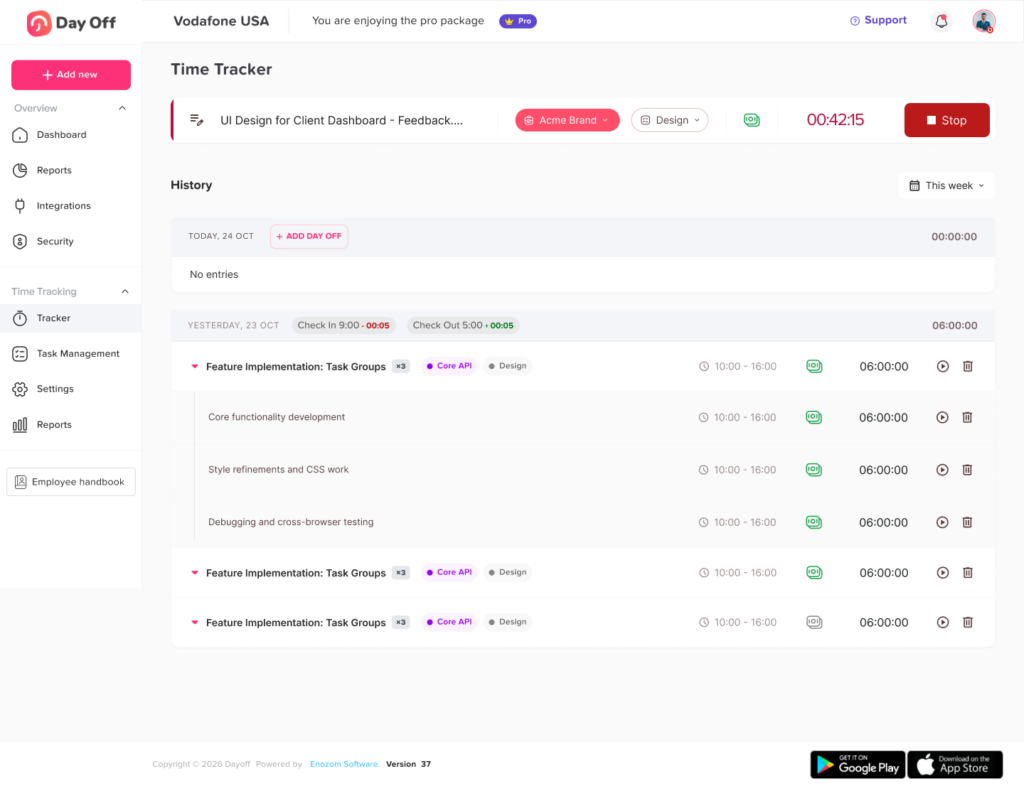
Day Off can bring work schedules, attendance, time tracking, timesheets, and leave information into one connected process.
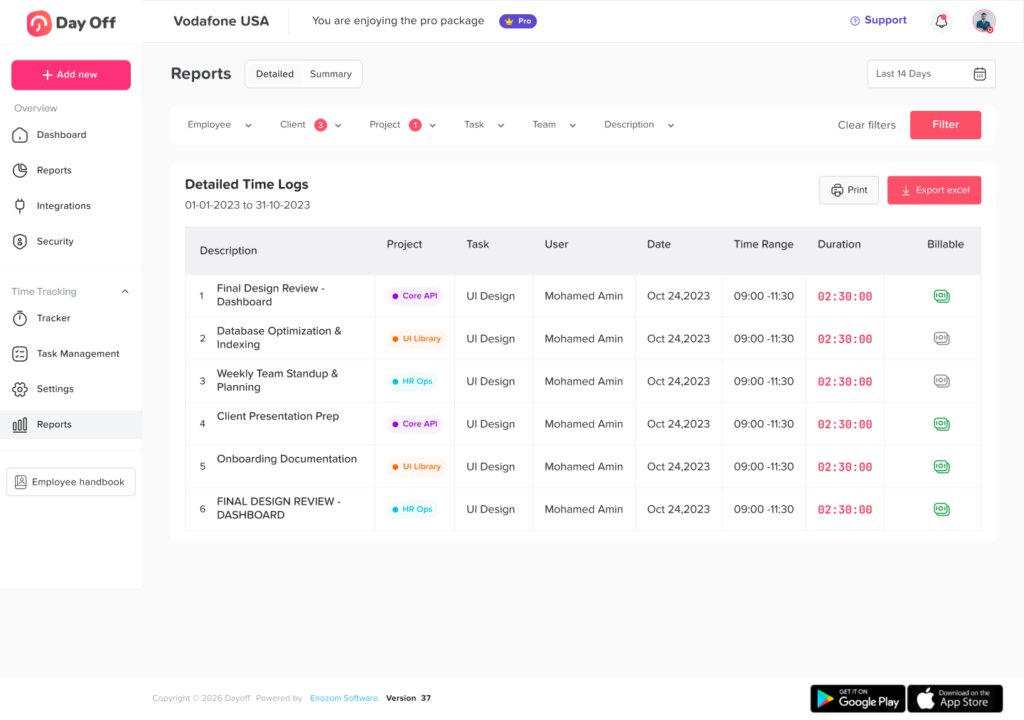
Employees can record their working time, while managers can review schedules, attendance status, PTO, and exceptions without relying on separate spreadsheets.
A connected system is particularly useful when an employee:
- Works fewer hours because of approved leave
- Takes a partial-day absence
- Has a flexible schedule
- Changes shifts
- Works remotely
- Misses a punch
- Records overtime
- Requests a time correction
Instead of treating attendance, leave, and work hours as unrelated records, Day Off helps administrators review them together and understand why the employee’s recorded hours differ from the schedule.
Steps for Implementing an Hours Tracker
| Implementation Stage | Recommended Action | Desired Result |
|---|---|---|
| Policy review | Define working time, breaks, overtime, remote work, travel, and correction rules | Clear expectations |
| Employee setup | Add employees, roles, locations, schedules, and time zones | Accurate system records |
| Payroll setup | Confirm workweeks, pay periods, earning categories, and overtime rules | Correct payroll calculations |
| Testing | Submit normal, missing, late, overtime, leave, and correction scenarios | Problems found before launch |
| Manager training | Explain approvals, edits, notes, and escalation procedures | Consistent reviews |
| Employee training | Demonstrate clocking, breaks, corrections, and timesheet submission | Better adoption |
| Launch | Establish one official method for recording time | Fewer disconnected records |
| First audit | Review missing entries, break deductions, overtime, and manual edits | Early errors corrected |
| Ongoing review | Audit records, permissions, schedules, and payroll exports regularly | Reliable long-term operation |
Best Practices for Accurate Time Tracking
Keep the process simple
Employees should not need several steps to record an ordinary shift. Complicated systems increase the likelihood of late or missing entries.
Train employees with real examples
Instead of only saying “record all working time,” explain what that means.
Examples may include:
- Opening a required application before a shift
- Answering a manager after normal hours
- Working during lunch
- Traveling between customers
- Completing closing duties
- Joining an early mandatory meeting
Never delete the original record
Corrections should create an audit history rather than replacing the original entry invisibly.
Review exception patterns
One correction may be accidental. Repeated corrections may indicate:
- Inadequate training
- A malfunctioning device
- An unrealistic schedule
- A manager instructing employees to work off the clock
- Automatic break deductions that do not match reality
- Employees sharing accounts
- Poor system permissions
Audit manager edits
Employee errors should not be the only focus. Manager and administrator edits can also create serious inaccuracies.
Review situations involving:
- Reduced working hours
- Added unpaid breaks
- Deleted overtime
- Changes after employee approval
- Edits after payroll closes
- Repeated changes by one manager
- Adjustments without explanations
Keep leave records connected
Approved leave should automatically or consistently appear beside attendance records. Otherwise, an approved absence may be classified as missing time.
Make reporting accessible
Employees should know where to report:
- A forgotten clock in
- An incorrect break
- Work performed after hours
- A payroll discrepancy
- A system problem
- A manager-requested change
Employees should not be discouraged from reporting time because the correction process is difficult or punitive.
Conclusion
A work hours tracker creates value only when its records reflect the time employees actually worked.
Accurate tracking begins with clear definitions. Employees need to understand when work starts, when it ends, how breaks should be recorded, and how to report time completed outside their normal schedules. Managers need a consistent way to review missing entries, overtime, leave, corrections, and unusual patterns.
The system should also preserve the history of every important adjustment. Original entries, corrected values, reasons, approvals, and payroll changes should remain visible for later review.
A modern Hours Tracker can simplify this process by connecting work schedules, clock-ins, breaks, timesheets, overtime, attendance, and PTO. When supported by clear policies and regular audits, it gives employers a dependable foundation for payroll, staffing, compliance, and workforce planning.
Related reading: Best Attendance Management Software For Flexible Hours, Fixed Hours, And Rotating Shifts