





Time Reports
Time Reports turn tracked hours into clear answers. Switch between a Summary report that totals and charts hours and a Detailed report that lists every time entry, filter by employee, client, project, task, team, location, or description, and export the results to Excel.
Summary Report with Charts
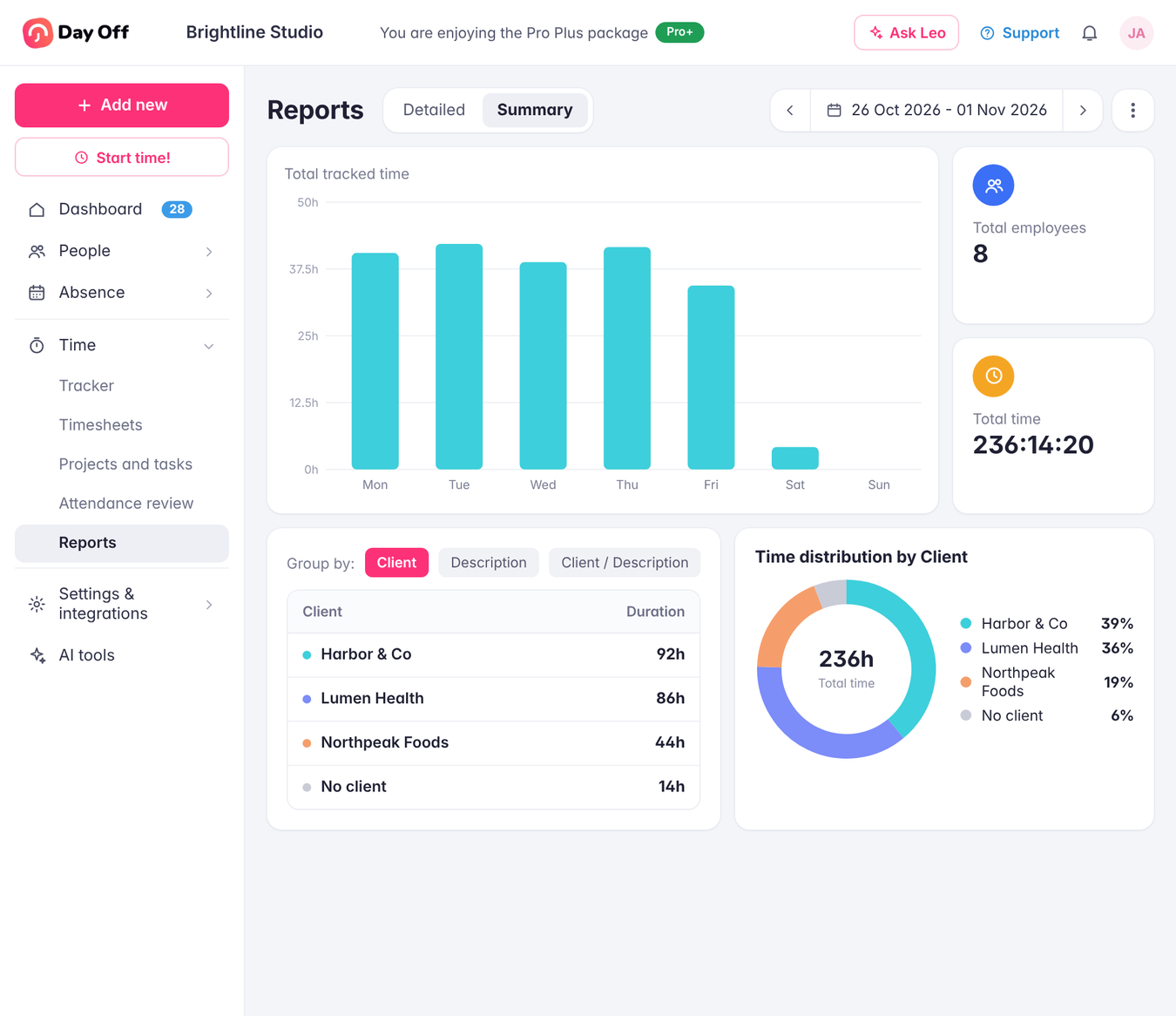
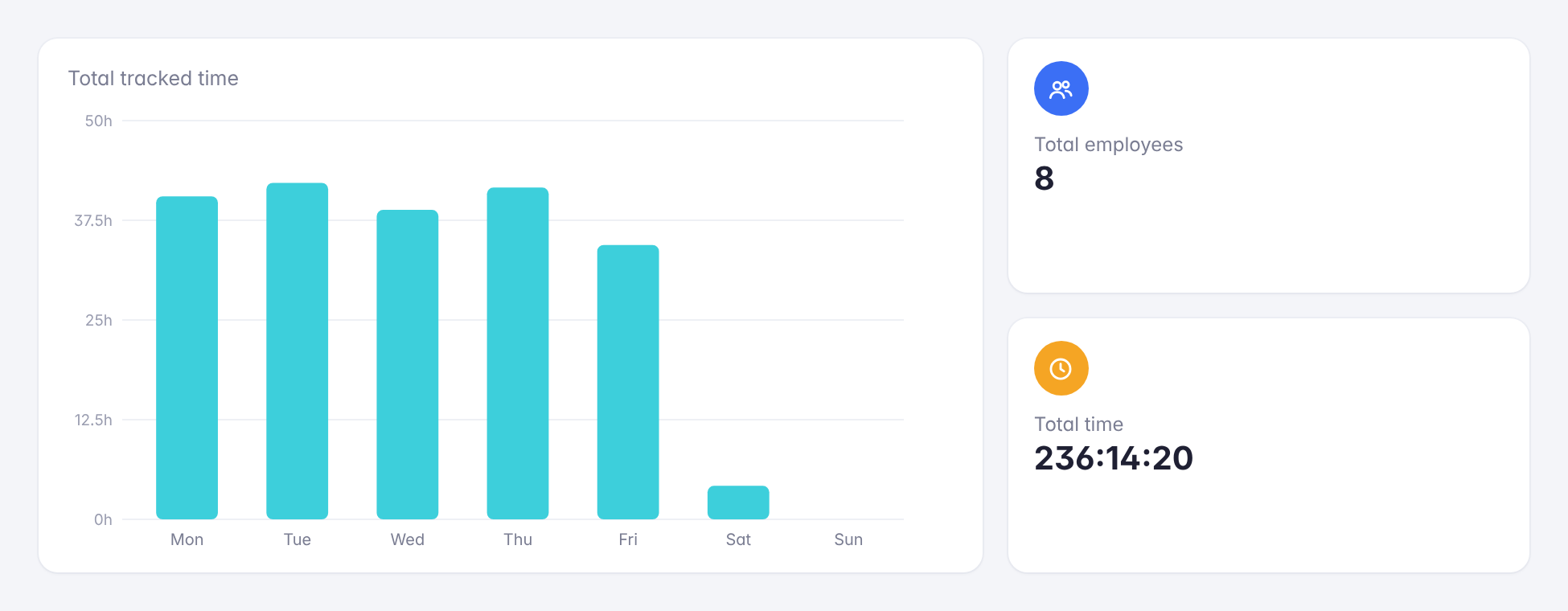
The Summary report shows total tracked time for the selected period, the number of employees who logged time, and a daily chart of hours worked. Group the results by client, description, or both, and a distribution chart shows exactly how time is split between them.
Detailed Entry-by-Entry Report
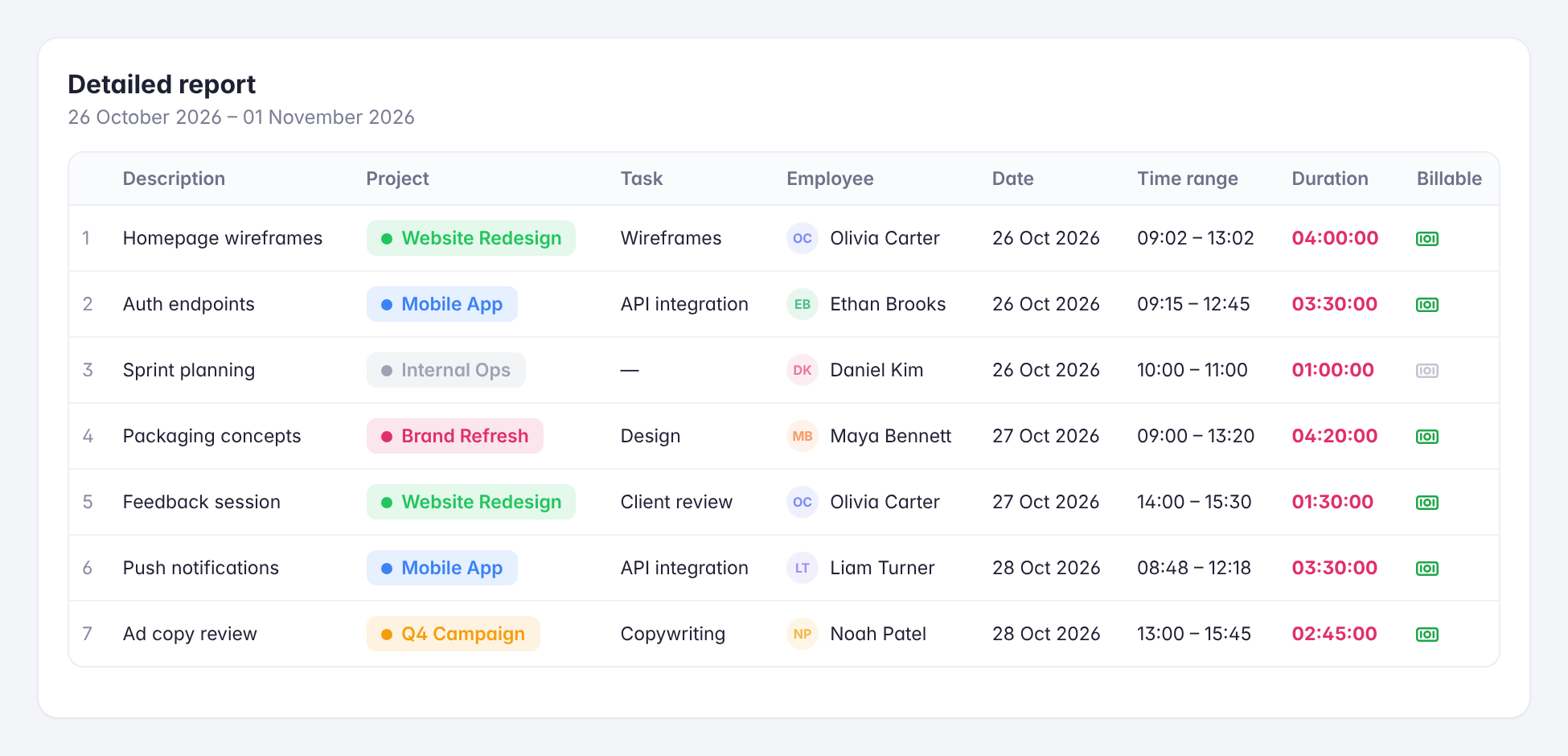
The Detailed report lists every individual time entry in the selected period, so you can see exactly who worked on what and when. It’s the view to use when checking hours before invoicing, or when a single entry needs a closer look.
Seven Filters, Any Date Range
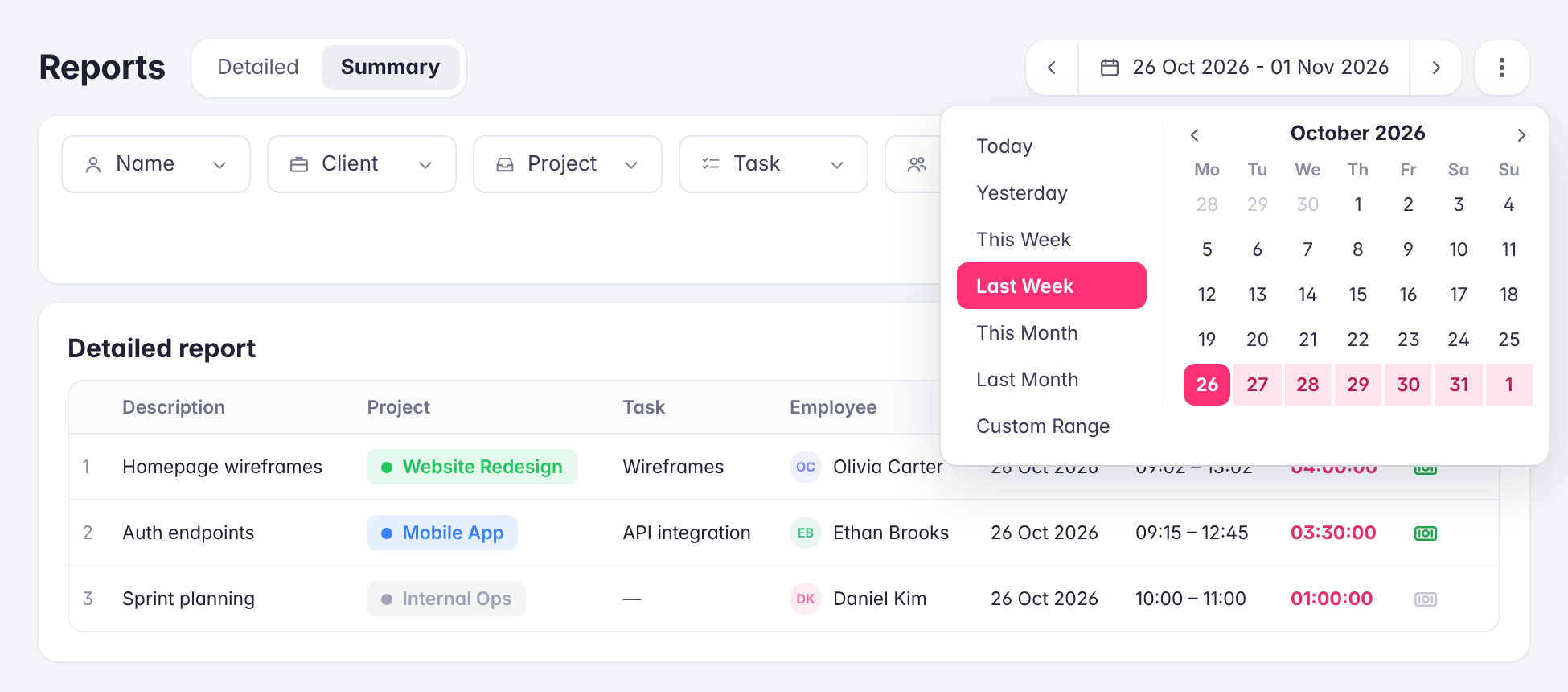
Narrow either report by name, client, project, task, team, location, or description, and pick a period with presets like Today, This Week, Last Month, or a custom range. Combine filters to answer specific questions, such as how much time one team spent on a client last month.
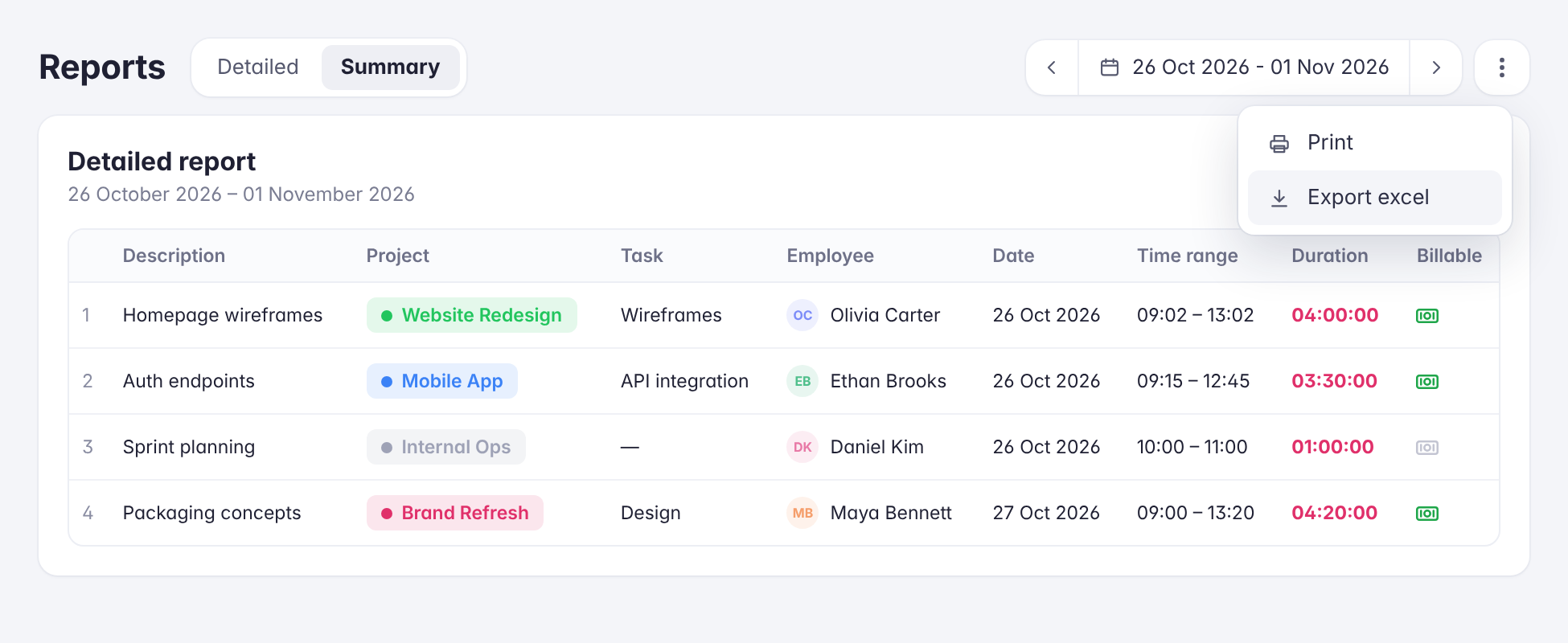
Print and Excel Export
Print any report or export it to Excel in one click to share with finance, payroll, or clients, or to keep for your records.