





Clock In / Clock Out
Clock In / Clock Out is the simplest way for teams to record working hours. Employees start their day with one click, log their breaks, and clock out when they’re done, with no projects or tasks required. Every shift is saved with exact times and flows straight into timesheets and attendance review.
One-Click Start
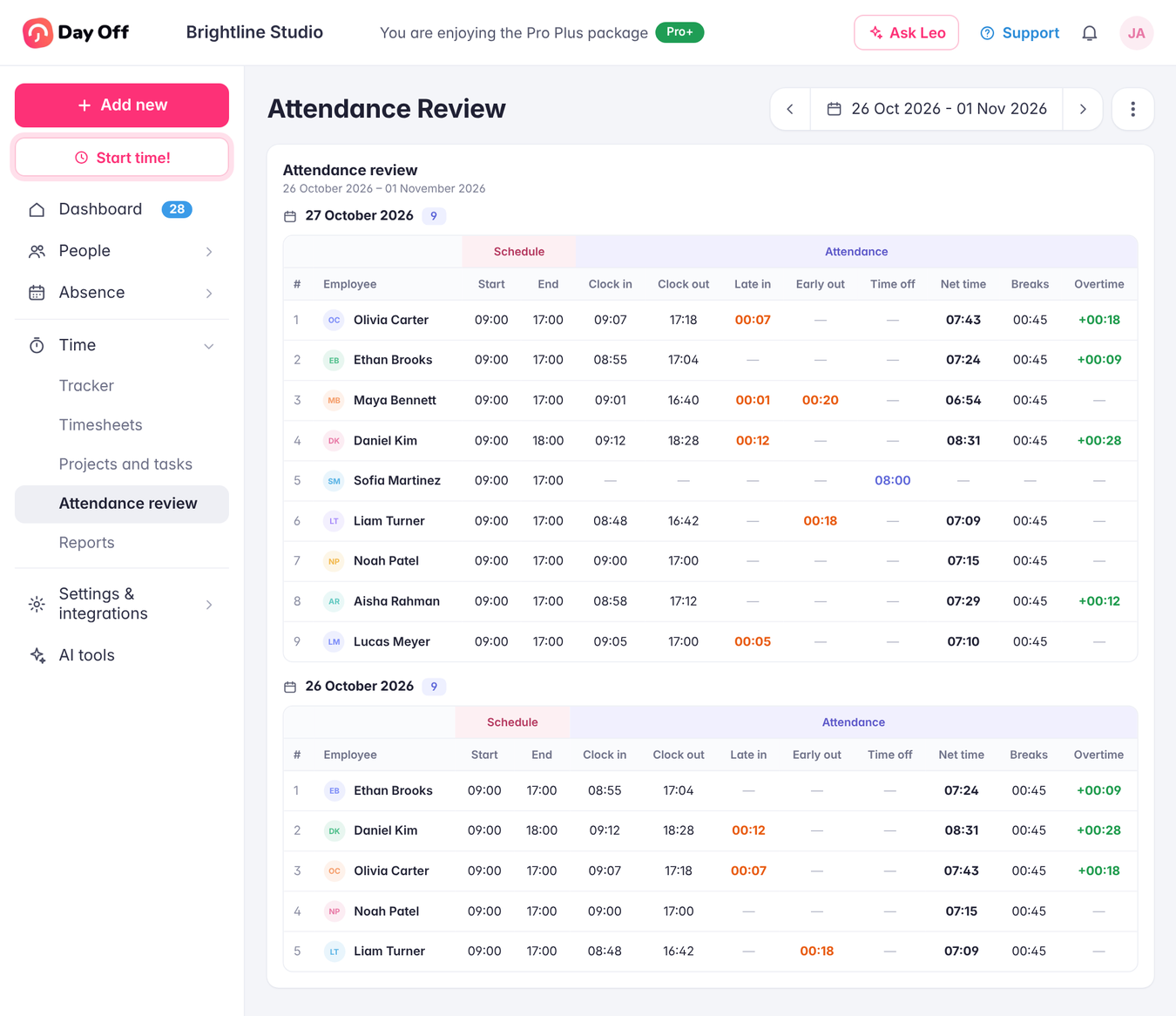
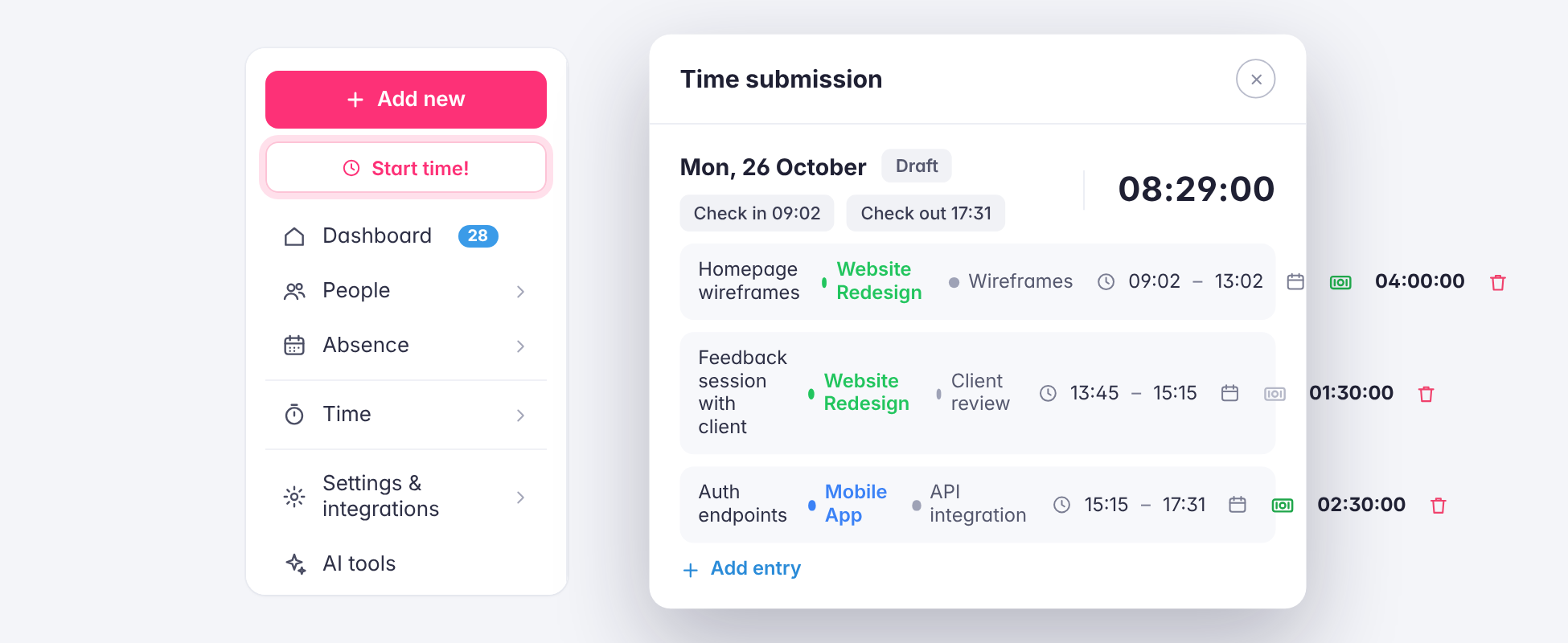
The Start time button sits at the top of the sidebar, so employees can clock in from anywhere in Day Off the moment their day begins. Clocking out is just as quick, and each day’s check-in and check-out times are saved automatically, with no forms to fill in or details to remember.
Breaks Tracked Separately
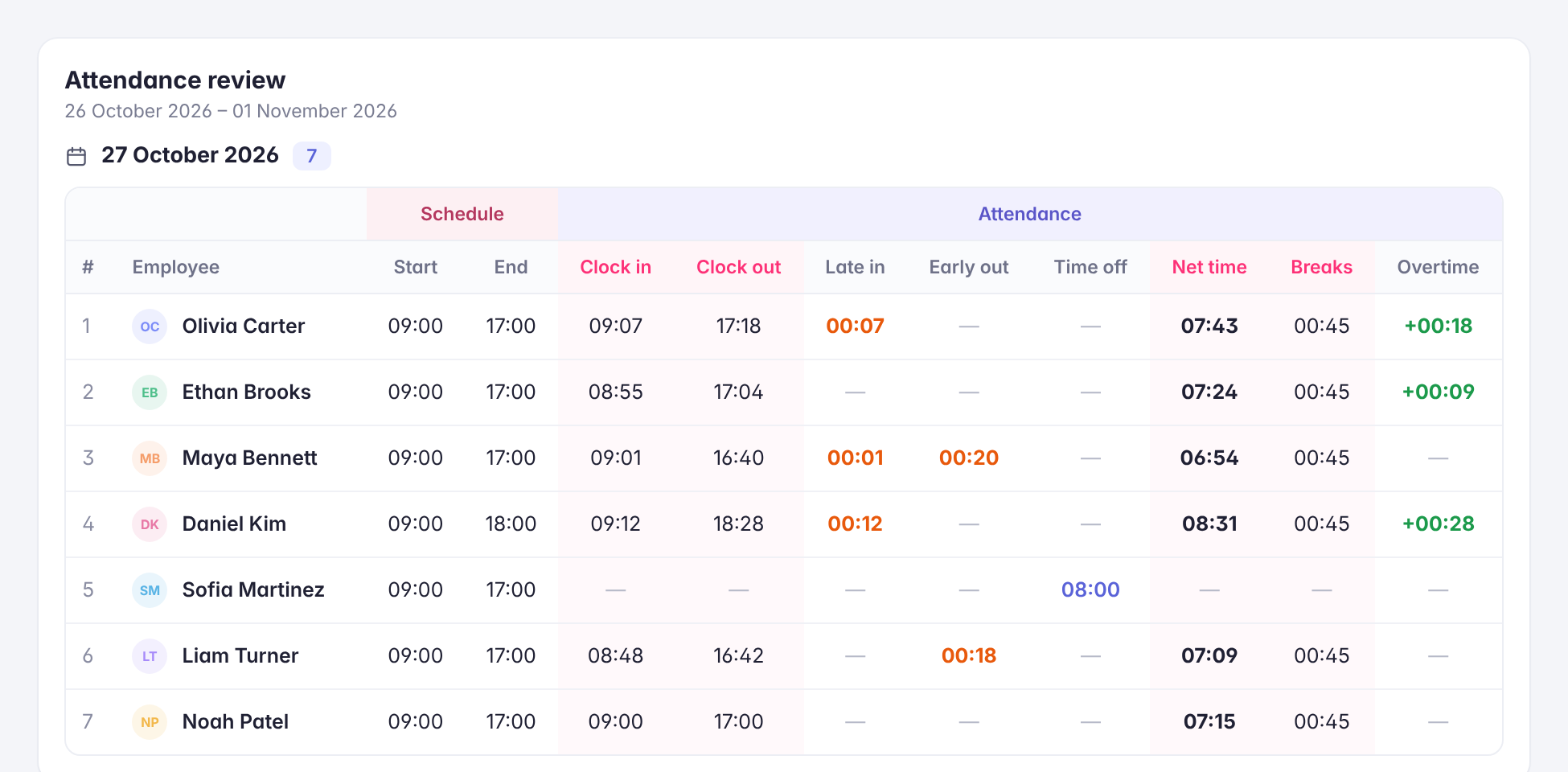
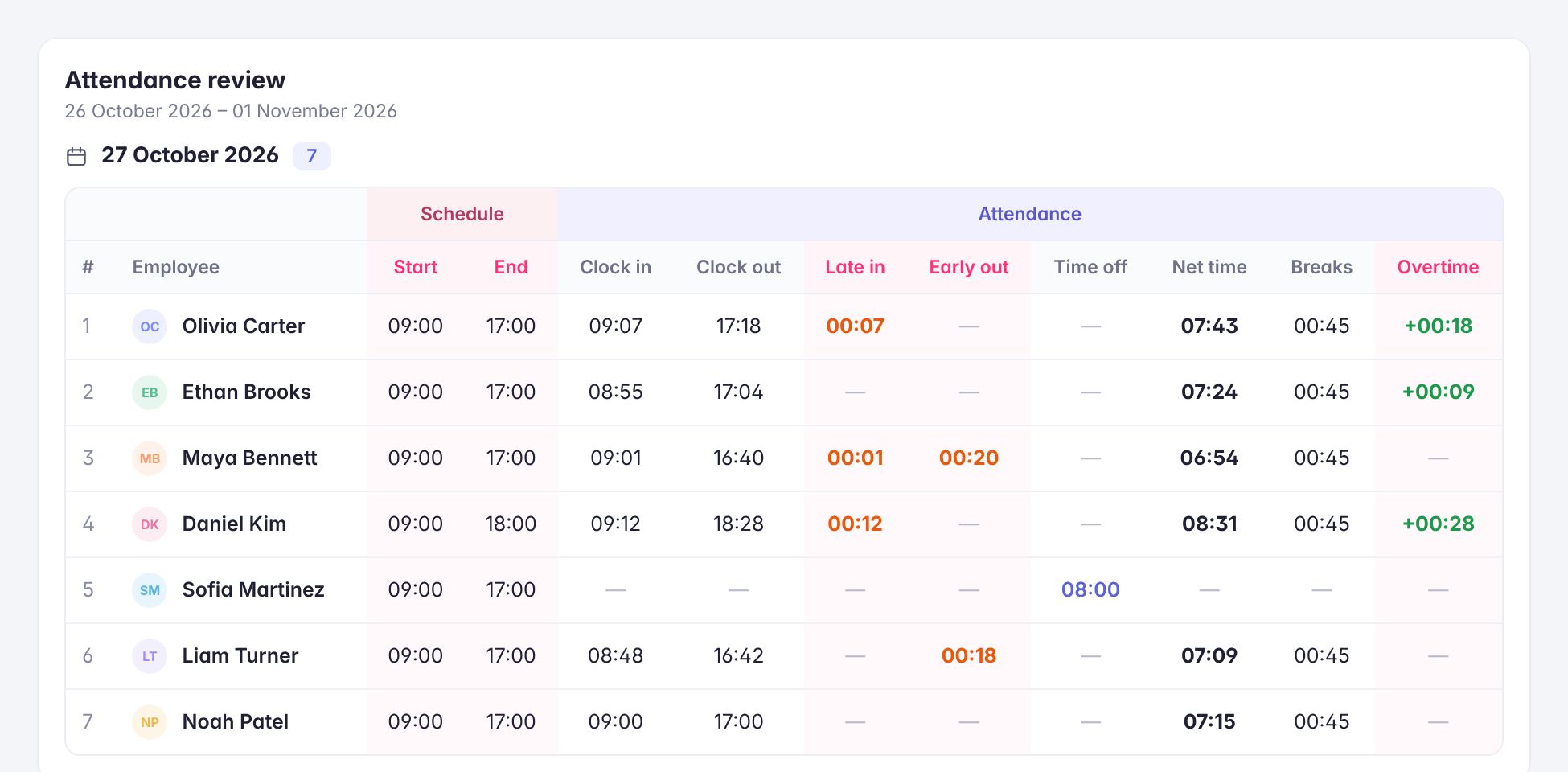
Employees can start and end breaks during the day, so break time is recorded on its own instead of being mixed into working hours. Managers see breaks in their own column in Attendance Review, and net working time is calculated without them for an accurate picture of each shift.
Choose the Mode That Fits Your Team
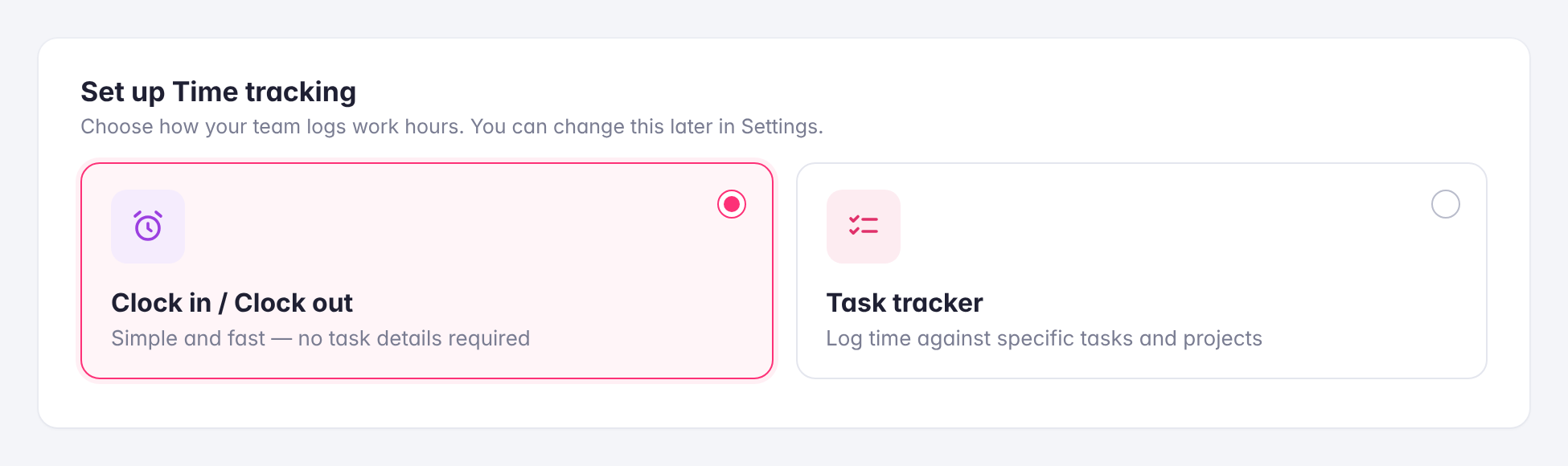
In the time tracker settings, admins choose how the company logs hours: Clock in / Clock out for simple, fast attendance, or Task tracker for logging time against specific projects and tasks. Pick the mode that matches how your team works, and change it later if your needs change.
Connected to Schedules and Attendance
Clock-in and clock-out times are compared with each employee’s work schedule, so late arrivals, early departures, and overtime show up in Attendance Review without any extra setup. The same hours appear in Timesheets for review, approval, and export.