







HR software holds sensitive employee information. Even a simple leave tracking system can include employee names, departments, work schedules, leave balances, sick leave records, approval history, manager notes, and absence patterns. That is why secure access matters.
For many companies, the problem is not only where the data is stored. It is also how employees log in. If every HR tool requires a separate username and password, employees may reuse weak passwords, forget login details, or depend on password resets. HR and IT teams may also struggle to remove access quickly when someone leaves the company.

This is where SSO for HR software becomes important.
Single Sign-On, or SSO, allows employees to log in to HR tools using their existing company account. For many teams, that means using Microsoft login through Microsoft Entra ID, formerly known as Azure Active Directory. Microsoft describes SSO as an authentication method that allows users to sign in with one set of credentials across multiple independent software systems.
For leave tracking, Microsoft SSO can make access faster, simpler, and safer. With Day Off, teams can use Microsoft Single Sign-On so employees can access leave tracking without creating a separate password for the app.
What Is SSO for HR Software?
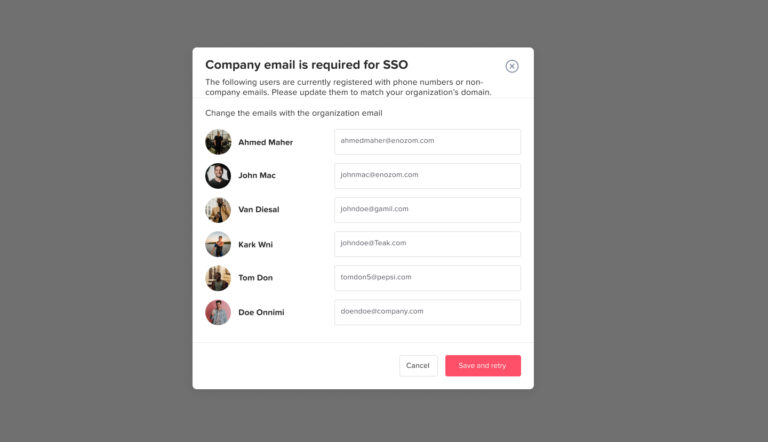
SSO for HR software is a login method that lets employees access HR tools using their existing work account instead of creating a separate password for each system.
For example, an employee who already uses a Microsoft work account for Outlook, Microsoft Teams, SharePoint, or other company tools can use the same Microsoft login to access HR software such as a leave management system.
Instead of remembering another password, the employee signs in through the company’s trusted identity provider. In many organizations, this identity provider is Microsoft Entra ID.
In simple terms:
| Without SSO | With Microsoft SSO |
|---|---|
| Employees create a separate HR software password | Employees use their existing Microsoft work account |
| HR software has its own login process | Login is managed through Microsoft |
| Password resets may happen in multiple tools | Access is more centralized |
| Offboarding can be more manual | Access can be easier to control through company accounts |
| More password reuse risk | Fewer separate passwords to manage |
Why Secure Login Matters for Leave Tracking
Some companies think leave tracking is not sensitive because it is not payroll or medical software. But leave management still includes private and operational data.
A leave tracking system may include:
- Employee names and contact details
- Teams, departments, and locations
- Leave balances
- Vacation requests
- Sick leave records
- Parental leave
- Unpaid leave
- Work schedules
- Approval history
- Manager and HR decisions
- Team availability
- Public holiday calendars
- Reports and exports
This information should not be open to the wrong people. A manager should only access the information they need. A former employee should not continue to access company leave records. A regular employee should not see HR-only reports.
That is why secure login is part of good HR software security.
How Microsoft Login Makes HR Software Safer
Microsoft login helps make HR software safer because it connects employee access to the company’s existing identity system. Instead of managing separate passwords inside every tool, the company can use Microsoft’s sign-in controls.
Here are the main security benefits.
Fewer Separate Passwords
Every extra password creates another security risk. Employees may reuse passwords across different platforms, choose simple passwords, save passwords insecurely, or forget them often.
With Microsoft SSO, employees do not need a separate password for Day Off. They can sign in using the same work account they already use for Microsoft services.
This reduces password fatigue and makes the login process easier for employees.
Better Protection With MFA
Multi-factor authentication, or MFA, adds an extra step to the login process. Instead of relying only on a password, users may need to verify their identity through an authenticator app, security key, phone prompt, or another approved method.
Microsoft explains that MFA asks users for an additional form of identification during sign-in. Microsoft also notes that more than 99.9% of compromised accounts do not have MFA, leaving them vulnerable to attacks such as password spray, phishing, and password reuse.
For HR software, this matters because leave data should not be protected by a password alone. If your company uses Microsoft MFA, Microsoft SSO can help apply that extra layer of protection when employees access connected tools.
Easier Offboarding
When an employee leaves the company, HR and IT need to remove access from business systems quickly.
Without SSO, the company may need to disable accounts manually in many separate tools. If one system is missed, the former employee may keep access longer than they should.
With Microsoft SSO, access can be more centralized. When the employee’s Microsoft work account is disabled, access to connected tools can be controlled more easily through the company’s identity management process.
For leave tracking, this helps protect:
- Employee leave records
- Team calendars
- Reports
- Approval history
- Company policy settings
- Manager-level access
A good offboarding process should still include a full access review, but SSO makes the process easier to manage.
Stronger Control Over Who Can Access HR Tools
HR software should not be open to every user in the same way. Different people need different access levels.
For example:
| User Type | Access Needed |
|---|---|
| Employee | Request time off and view their own balance |
| Manager | Approve requests and view team availability |
| HR Admin | Manage policies, employees, reports, and settings |
| Finance or Payroll | Review relevant leave reports |
| IT Admin | Manage login and security settings |
Microsoft SSO helps companies connect access to work accounts. Combined with permissions inside Day Off, this gives companies better control over who can access leave data and what they can do inside the system.
Lower Risk From Forgotten Accounts
When companies use many tools, old accounts can easily be forgotten. This is especially risky for HR software because employee data changes often.
Forgotten accounts may belong to:
- Former employees
- Contractors
- Old managers
- Temporary staff
- Employees who moved to a different department
- Admins who no longer need access
With Microsoft SSO, HR and IT teams can manage access more consistently through the company’s identity system. This helps reduce the risk of unused accounts staying active for too long.
Faster, Simpler Employee Login
Security should not make daily work harder. If login is difficult, employees may avoid using the system or ask HR to submit requests manually.
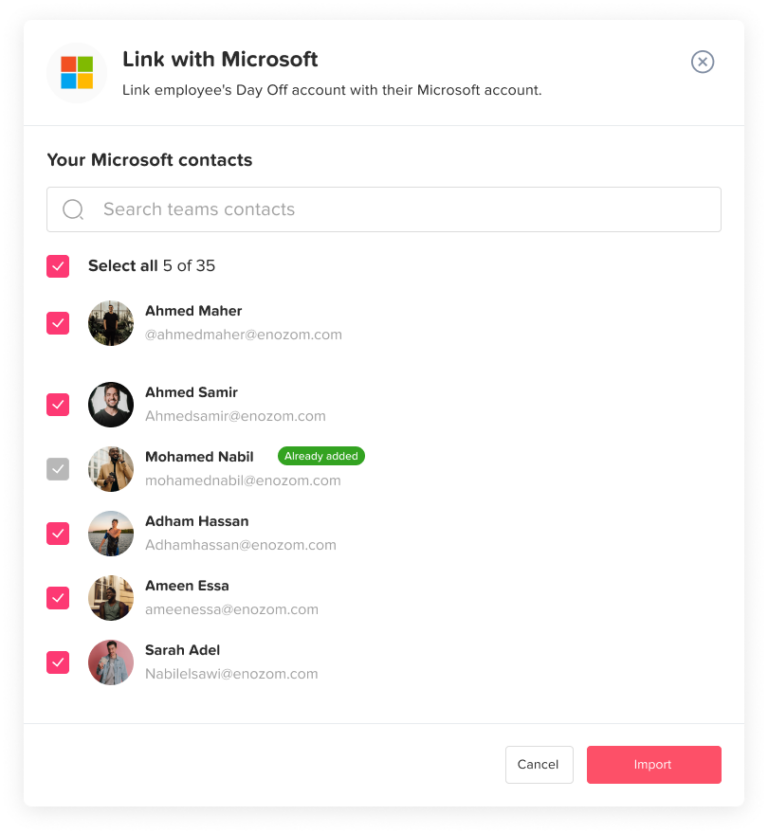
Microsoft SSO makes leave tracking easier because employees can log in with the account they already use for work. This is especially useful for companies where employees already use Microsoft Teams, Outlook, or Microsoft 365 every day.
When login is easier, employees are more likely to:
- Submit leave requests on time
- Check their PTO balance before asking HR
- Review approval status
- Use the correct leave type
- Avoid sending requests through email or chat
- Keep leave records organized
This improves both security and HR efficiency.
Better Support for Remote and Hybrid Teams
Remote and hybrid teams often access HR software from different locations, devices, and networks. That makes secure login even more important.
Microsoft SSO can support a more secure access process for distributed teams because employees use their company identity instead of creating separate app passwords.
For HR teams managing remote employees, this helps create a more consistent process for:
- Leave requests
- PTO approvals
- Sick leave tracking
- Team availability
- Work schedule visibility
- Manager reviews
When employees are not in the same office, centralized and secure access becomes even more important.
Why SSO Is Important for HR and IT Teams
SSO is not only an IT feature. It also helps HR teams reduce daily admin work.
Without SSO, HR may deal with:
- Employees who cannot remember passwords
- Repeated login issues
- Manual account access questions
- Confusion during onboarding
- Access problems after role changes
- Delays when employees need to request leave quickly
With Microsoft SSO, HR software becomes easier to use because login is connected to the employee’s existing work identity.
For IT teams, SSO supports better access control, stronger identity management, and fewer separate app credentials to maintain.
SSO and Leave Tracking: A Practical Example
Imagine a company with 150 employees using email and spreadsheets to manage PTO. Employees send leave requests to managers, managers forward approvals to HR, and HR updates balances manually.
The company moves to Day Off to centralize leave tracking. Now employees can request time off, managers can approve requests, and HR can review balances and reports in one system.
But if every employee needs to create a new password, HR may still face problems:
- Some employees forget their password
- Some use weak passwords
- Some use the same password as other tools
- IT has another system to consider during offboarding
- Employees delay using the system because login feels like another step
With Microsoft SSO, employees can use their work Microsoft account to log in to Day Off. This makes adoption smoother and helps the company keep access more secure.
How Day Off Uses Microsoft SSO for Safer Leave Tracking
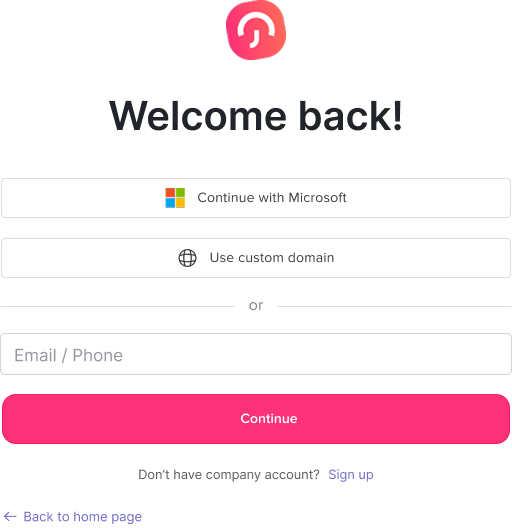
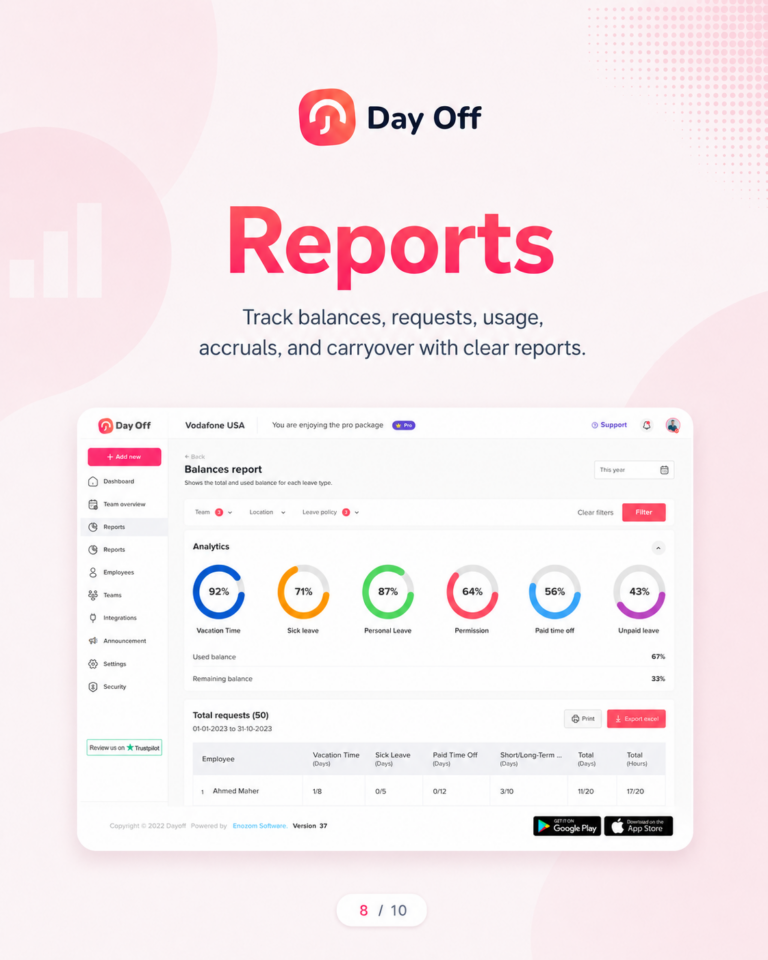
Day Off supports Single Sign-On, helping teams access leave tracking through existing work accounts instead of separate passwords. Day Off’s leave tracking content also highlights SSO authentication among its supported capabilities.
With Microsoft SSO enabled in Day Off, employees can sign in using their Microsoft work account. This helps companies manage leave tracking access more securely while keeping the process simple for employees.
Day Off helps HR teams manage:
- PTO requests
- Vacation leave
- Sick leave
- Half-day leave
- Leave balances
- Accruals
- Carryover
- Approval workflows
- Team calendars
- Reports
- Employees by team or location
Adding Microsoft SSO makes the login experience safer and easier, especially for companies that already use Microsoft tools.
How to Enable Microsoft SSO in Day Off
To set up Microsoft SSO in Day Off, HR or the account admin can follow these general steps:
- Go to the Security section in the Day Off web version.
- Navigate to the SSO section.
- Enable SSO.
- Click Setup for Microsoft.
- Follow the setup instructions.
- Grant the required Microsoft permissions.
- Save and activate the setup.
Once enabled, employees will see the Microsoft login option and can sign in using their work Microsoft account.
This removes the need for employees to create or remember a separate Day Off password.
Microsoft SSO vs Regular Password Login
Both regular password login and SSO can allow employees to access HR software, but they do not offer the same level of control.
Why many organizations prefer Single Sign-On with Microsoft Entra ID.
| Area | Regular Password Login | Microsoft SSO |
|---|---|---|
| Login method | Separate app password | Existing Microsoft work account |
| Password management | Managed separately | Managed through Microsoft identity |
| Employee experience | Another password to remember | One familiar login |
| MFA support | Depends on the app setup | Can use Microsoft MFA policies |
| Offboarding | May require manual app removal | Can be tied to company account access |
| IT control | More fragmented | More centralized |
| Security risk | More password reuse risk | Fewer separate credentials |
| HR workload | More login support requests | Fewer password-related issues |
What HR Should Check Before Enabling SSO
Before enabling Microsoft SSO for HR software, HR and IT should review a few important details.
Confirm Who Manages Microsoft Accounts
Make sure employee Microsoft accounts are accurate and active. If names, emails, or departments are outdated, clean them up before rollout.
Review Admin Access
Decide who should have admin access in Day Off. SSO helps with login, but roles and permissions inside the HR software still matter.
Plan for New Hires
Make sure new employees receive the correct Microsoft account before they need to use Day Off.
Plan for Offboarding
Create a process for removing access when employees leave. Disabling the Microsoft account should be part of the workflow, but HR should still review Day Off records and reports during offboarding.
Communicate the Change
Tell employees that they can use Microsoft login to access Day Off. Clear communication reduces confusion and support requests.
Test Before Full Rollout
Test SSO with a small group first, including HR, managers, and regular employees. This helps confirm that login, permissions, and access rules work correctly.
Common Mistakes to Avoid With SSO for HR Software
SSO is powerful, but it still needs proper setup. Avoid these mistakes:
Not Reviewing User Permissions
SSO controls login, but it does not automatically decide what every employee should see inside the HR system. HR should still review roles and permissions.
Forgetting About Former Employees
SSO helps with access control, but offboarding should still include a full review of company tools and employee records.
Giving Too Many Admin Rights
Only the right people should manage policies, reports, employee records, and security settings.
Not Testing the Login Flow
Before announcing the change to the whole company, test it with different user types.
Not Explaining the Change to Employees
Employees should know that Microsoft login is now the preferred way to access Day Off.
SSO Is Part of a Bigger HR Security Strategy
Microsoft SSO makes HR software safer, but it should be part of a full security process.
HR teams should also consider:
- Strong role-based permissions
- Clear approval workflows
- Regular access reviews
- Clean offboarding processes
- Limited admin access
- Secure reports and exports
- Employee training
- MFA where available
- Clear internal policies
Security is not only about technology. It is also about process, ownership, and consistency.
Benefits of Microsoft SSO for Leave Management
Here is a quick summary of why Microsoft SSO is valuable for leave tracking.
Why Connect Day Off with Microsoft Entra ID?
Simplify employee access, improve security, and reduce administrative overhead with single sign-on (SSO).
| Benefit | Why It Matters |
|---|---|
| Safer login | Reduces reliance on separate passwords. |
| Easier employee access | Employees use their existing Microsoft account. |
| Less password fatigue | Fewer passwords to remember. |
| Better offboarding | Access can be controlled more centrally. |
| MFA support | Adds stronger protection when enabled through Microsoft. |
| Better adoption | Employees are more likely to use the leave management system. |
| Less HR admin work | Fewer password reset and login-related support requests. |
| Stronger access control | HR and IT can manage access more clearly. |
| Better for remote teams | Supports secure access from different locations and devices. |
FAQ: SSO for HR Software
What is SSO in HR software?
SSO in HR software means employees can log in using one existing work account instead of creating a separate password for the HR tool. For many companies, this means using Microsoft login through Microsoft Entra ID.
Why is SSO important for HR software?
SSO is important for HR software because HR systems often contain sensitive employee data. SSO helps reduce password risks, simplify employee login, improve access control, and support safer offboarding.
Is Microsoft SSO safer than a regular password?
Microsoft SSO can be safer than a regular separate app password because access is managed through the company’s Microsoft identity system. It can also work with security controls such as MFA, depending on the company’s Microsoft setup.
Does SSO remove the need for passwords?
SSO reduces the need for separate app passwords. Employees still use their Microsoft work account to sign in, but they do not need to create another password just for the HR software.
Can employees use Microsoft login for Day Off?
Yes. Day Off supports Microsoft Single Sign-On, allowing employees to sign in using their Microsoft work accounts instead of creating separate Day Off passwords.
How does SSO help with employee offboarding?
SSO helps with offboarding because access can be managed through the company’s identity provider. When an employee leaves and their work account is disabled, access to connected systems can be easier to control.
Does SSO protect PTO and leave records?
SSO helps protect PTO and leave records by improving login security and reducing password-related risks. It should also be combined with proper permissions, access reviews, and HR security policies.
Is SSO useful for small businesses?
Yes. Small businesses can benefit from SSO if they already use Microsoft work accounts. It makes login easier for employees and helps business owners manage access more securely.
What is the difference between SSO and MFA?
SSO lets users access multiple systems with one work account. MFA adds another layer of verification during login, such as an authenticator app or security prompt. Companies often use both together for stronger security.
How do I enable Microsoft SSO in Day Off?
In the Day Off web version, go to Security, open the SSO section, enable SSO, choose Microsoft setup, follow the instructions, grant the required permissions, then save and activate.
Conclusion
SSO for HR software is no longer just a technical feature. It is an important part of protecting employee information, simplifying access, and reducing password-related risks.
For leave tracking, Microsoft login helps employees access the system faster while giving companies better control over authentication. It can reduce separate passwords, support MFA, simplify offboarding, and make HR tools easier to adopt.
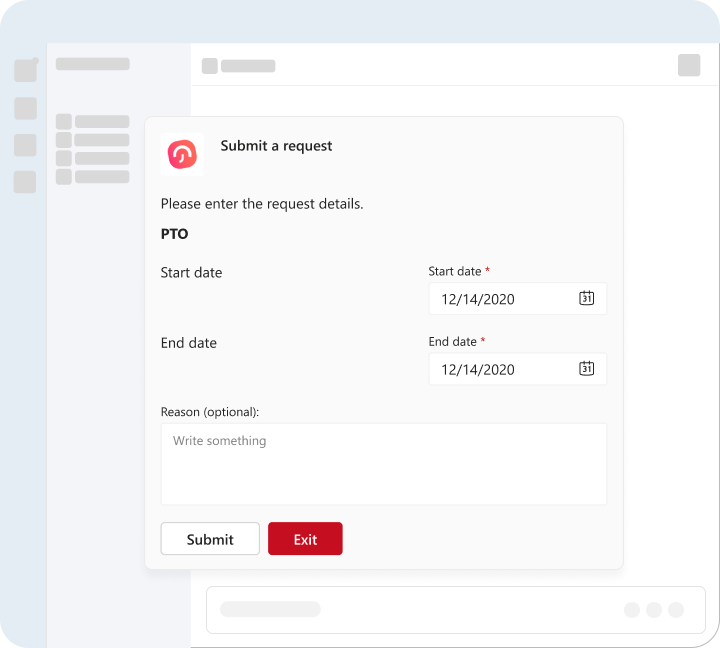
With Day Off, teams can use Microsoft SSO to make leave tracking safer and simpler. Employees can request time off, check balances, and review approvals using their Microsoft work account, while HR keeps leave records organized in one secure place.
For companies that already use Microsoft tools, enabling Microsoft SSO in Day Off is a practical step toward better HR software security and smoother leave management.