







Should paid time off be tracked in hours or days?
For a company where everyone works Monday through Friday from 9:00 a.m. to 5:00 p.m., tracking PTO in days can seem straightforward. An employee receives 15 days per year, takes three days off, and has 12 days left.
The calculation becomes more complicated when employees do not all work the same schedule.
One employee may work eight hours per day. Another may work four 10-hour shifts. A nurse may work three 12-hour shifts. A part-time employee may work six hours on Monday and four hours on Wednesday.
If the employer deducts one PTO day from all of them, the balance reduction looks equal, but the amount of missed working time is not equal.

For this reason, tracking PTO in hours is usually more accurate for part-time employees, shift workers, compressed workweeks, rotating schedules, and partial-day absences. Tracking PTO in days can still work well when employees have consistent schedules and normally request complete or half days.
The right choice depends on what the employer wants the benefit to represent:
- A specific number of paid hours
- A specific number of scheduled workdays
- A specific number of workweeks
- A benefit prorated according to each employee’s schedule
This guide explains the difference between PTO hours and days, shows how each method affects employees with different schedules, and provides practical rules employers can use when designing a PTO policy.
Quick Answer: Is It Better to Track PTO in Hours or Days?
Tracking PTO in days is often suitable when employees work consistent daily schedules and normally take full days off.
Tracking PTO in hours is generally better when employees:
- Work shifts of different lengths
- Work part-time schedules
- Work compressed workweeks
- Have rotating or flexible schedules
- Take short periods of leave
- Need intermittent medical leave
- Regularly arrive late or leave early using PTO
- Receive leave based on hours worked
Hourly tracking usually produces a more precise deduction because the balance is reduced by the scheduled working time the employee actually misses.
However, employers can still communicate PTO in days while administering it in hours. For example, a company may advertise “15 PTO days” but store the balance as 120 hours for employees who normally work eight-hour days.
What Does It Mean to Track PTO in Days?
Under a day-based PTO policy, an employee’s balance is expressed as a number of working days.
For example:
- Annual PTO allowance: 20 days
- PTO already used: 5 days
- Remaining balance: 15 days
When the employee takes a complete scheduled day off, the employer deducts one day. If half-day leave is permitted, the employer may deduct 0.5 days.
Basic day-based example
An employee works five eight-hour days each week and receives 20 PTO days per year.
The employee requests Monday, Tuesday, and Wednesday off.
The calculation is:
20 PTO days − 3 requested days = 17 PTO days remaining
This calculation is easy because each working day has the same length.
What must one PTO day mean?
A day-based policy should define whether one day means:
- One scheduled workday, regardless of length
- Eight paid hours
- The employee’s standard daily hours
- One-fifth of the employee’s normal workweek
These definitions can produce different results.
For example, one scheduled workday may equal eight hours for one employee and 12 hours for another. If the policy simply says that employees receive 15 days without defining the value of each day, employees and payroll may interpret the entitlement differently.
What Does It Mean to Track PTO in Hours?
Under an hours-based policy, an employee’s balance is expressed in hours rather than days.
For example:
- Annual PTO allowance: 120 hours
- PTO used: 28 hours
- Remaining balance: 92 hours
When the employee requests time off, the employer normally deducts the number of scheduled working hours the employee will miss.
Basic hourly example
An employee has 120 PTO hours and requests:
- Monday: 8 hours
- Tuesday: 8 hours
- Wednesday morning: 4 hours
The total deduction is:
8 + 8 + 4 = 20 hours
The remaining balance is:
120 − 20 = 100 PTO hours
Hourly tracking gives the employer a more precise way to process complete days, partial days, early departures, late arrivals, medical appointments, and shifts of different lengths.
PTO Hours vs. Days: Main Differences
| Policy Area | PTO Tracked in Days | PTO Tracked in Hours |
|---|---|---|
| Example balance | 15 days | 120 hours |
| Full-day request | Usually deducts one day | Deducts scheduled hours |
| Partial-day request | Commonly half a day | Can deduct exact hours |
| Fixed schedules | Easy to administer | Also works accurately |
| Variable schedules | May be unclear | Usually more precise |
| Part-time employees | Requires careful proration | Easier to prorate |
| Shift workers | May treat unequal shifts equally | Reflects shift length |
| Payroll reconciliation | Often requires conversion | Already uses hourly values |
| Employee understanding | Simple for vacation planning | Requires explanation of conversions |
| Balance corrections | May require fractions of days | Can use exact hours |
| Intermittent leave | Less flexible | Better for short absences |
Neither option is automatically fair or unfair. The outcome depends on how the company defines the entitlement and applies it to different schedules.
Does the Law Require PTO to Be Tracked in Hours or Days?
Federal law does not generally require private employers to provide vacation, holiday, sick, or personal leave, and it does not establish one universal balance unit for an employer’s optional PTO plan. These benefits are normally created through company policy, employment agreements, or collective bargaining agreements.
However, employers must still maintain accurate wage and work records. The Fair Labor Standards Act requires covered employers to preserve records of hours worked each day and total hours worked during each workweek for nonexempt employees. This does not mean optional PTO must always be stored in hours, but hourly leave records can be easier to reconcile with schedules and payroll.
State and local laws may also require employers to track statutory sick leave in specific ways.
California, for example, generally requires eligible employees to receive at least 40 hours or five days of paid sick leave per year, whichever provides the greater amount of leave. An employee who works 10-hour days may therefore need at least 50 hours to receive five complete days, while an employee working six-hour days could use five days and still have hours remaining.
This example shows why employers should not assume that a “day” always equals eight hours.
The Most Important Question: What Does the PTO Benefit Represent?
Before selecting hours or days, the employer should decide what it is promising employees.
Consider a policy described as “15 PTO days.”
That could mean:
Fifteen scheduled workdays
Each employee can miss 15 of their normally scheduled days.
An employee working eight-hour days receives the equivalent of:
15 × 8 = 120 hours
An employee working 10-hour days receives:
15 × 10 = 150 hours
An employee working 12-hour shifts receives:
15 × 12 = 180 hours
This approach gives employees the same number of scheduled days away but not the same number of paid hours.
One hundred twenty PTO hours
Every eligible full-time employee receives 120 paid hours, regardless of daily schedule.
This provides:
- 15 eight-hour shifts
- 12 ten-hour shifts
- 10 twelve-hour shifts
This approach provides equal hours but not equal numbers of scheduled days.
Three normal workweeks
Each employee receives the equivalent of three normal workweeks.
For employees who all work 40 hours per week, this equals 120 hours regardless of whether they work five eight-hour days or four 10-hour days.
For a part-time employee working 24 hours per week, three workweeks would equal 72 hours.
There is no universal answer to which approach is fairest. The company must select a method, explain it clearly, and apply it consistently.
When Tracking PTO in Days Works Best
Day-based tracking works best in workplaces where employee schedules are highly predictable.
It may be suitable when:
- Most employees work the same daily hours
- Employees have the same working days
- Employees normally request complete days
- Half-day requests provide enough flexibility
- Schedule changes are uncommon
- The company has few part-time or shift-based employees
- Payroll has a consistent days-to-hours conversion method
Example of a suitable workplace
A professional services company employs salaried staff who normally work Monday through Friday. The company provides 20 vacation days and allows requests in full-day or half-day units.
Because schedules are mostly uniform, managers and employees can understand the balance without frequent hourly conversions.
Why employees may prefer days
Employees often plan vacations as days or weeks.
A benefit described as “20 vacation days” is usually easier to visualize than “160 vacation hours.” Employees can quickly understand that they could take four standard workweeks off if the policy and business schedule allow it.
Why HR may prefer days
Day-based balances can make basic administration simpler when schedules are uniform.
HR does not need to calculate every full-day request in hours, and managers can review team absence calendars using clear daily units.
The main limitation
Day-based tracking remains simple only while daily schedules remain similar.
Once employees begin working different shift lengths, part-time schedules, or compressed workweeks, one day may no longer represent the same amount of paid leave.
When Tracking PTO in Hours Works Best
Hourly tracking is generally more suitable for workforces where schedules vary.
It is particularly useful for:
- Healthcare
- Retail
- Hospitality
- Manufacturing
- Restaurants
- Security
- Customer support
- Field services
- Part-time teams
- Shift-based operations
- Businesses open seven days a week
- Companies allowing short permission requests
Why hours are more precise
An hours-based system deducts the scheduled working time the employee misses.
If an employee is scheduled for six hours, the deduction is six hours. If the employee is scheduled for 12 hours, the deduction is 12 hours.
This prevents a four-hour shift and a 12-hour shift from being treated as identical absences.
Why hours work better for partial-day leave
Employees may need time off for:
- A medical appointment
- A school meeting
- A late arrival
- An early departure
- A short personal commitment
- Intermittent caregiving
- A reduced work schedule
If the policy only allows half days, an employee needing one hour may have to use four or five hours. Hourly tracking allows the deduction to match the actual absence more closely.
Why hours help payroll
Nonexempt employees are generally paid according to hours worked and paid non-work hours. Using hours for PTO makes it easier to distinguish:
- Regular hours worked
- Overtime hours worked
- PTO hours
- Sick leave hours
- Holiday hours
- Unpaid hours
This helps payroll identify exactly how the employee reached the total paid hours for the week.
Advantages of Tracking PTO in Days
Easier employee communication
Employees commonly understand vacation benefits in days. A statement such as “You receive 18 PTO days” is simple and familiar.
Simpler full-day requests
When employees normally take full days, a daily system avoids unnecessary conversions.
Clear calendar planning
Managers can quickly review how many employee-days are absent during a week or month.
Useful for consistent office schedules
When everyone works the same standard schedule, tracking in days can be accurate and easy to maintain.
Suitable for policies that allow only full or half days
Some employers intentionally do not permit hourly vacation requests because very short absences would be operationally difficult. For those employers, day-based tracking may match the policy more naturally.
Disadvantages of Tracking PTO in Days
A day can have different values
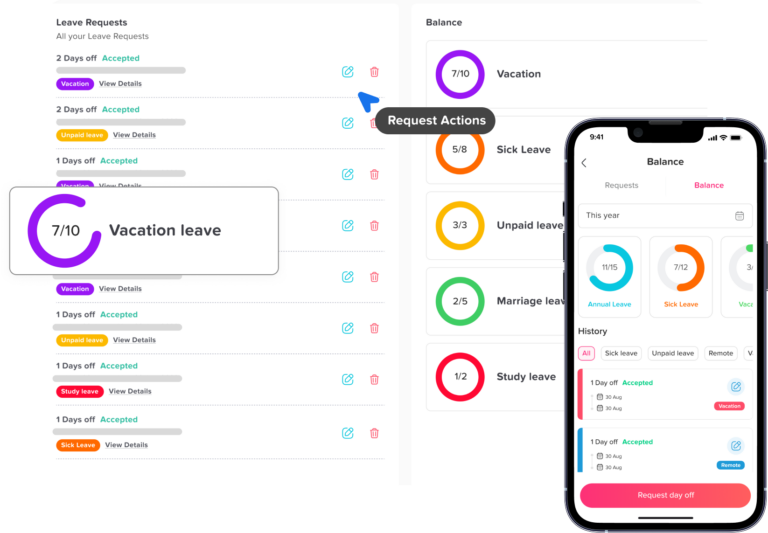
A day may equal four, six, eight, 10, or 12 hours depending on the employee’s schedule.
Without a clear definition, employees may receive inconsistent paid-hour values from the same number of PTO days.
Part-time balances can become confusing
A part-time employee working four hours per day may receive the same number of days as a full-time employee, but each day has a smaller payroll value.
Alternatively, the company may prorate the number of days, which can create balances such as 7.5 or 11.25 days.
Partial-day calculations can be inaccurate
A system may deduct 0.5 days even when the employee misses only one or two hours.
Compressed schedules need special rules
An employee working four 10-hour days misses 10 working hours when taking one scheduled day off.
If payroll converts one PTO day into eight hours, two hours remain unexplained.
Schedule changes can alter the value of the balance
An employee may earn PTO while working eight-hour days and later move to 10-hour shifts.
The employer must decide whether the employee retains the same days, the same hours, or the same workweek value.
Advantages of Tracking PTO in Hours
Exact deductions
The deduction can match the employee’s scheduled absence.
Better support for variable schedules
Hours can accurately represent six-hour, eight-hour, 10-hour, and 12-hour shifts.
Easier part-time proration
The employer can prorate the annual entitlement according to weekly scheduled hours or actual eligible hours worked.
Flexible request increments
Employees can request only the amount needed, subject to the employer’s minimum increment.
Cleaner payroll integration
PTO can be transferred to payroll as an exact number of paid hours.
More accurate adjustments
HR can restore two hours, deduct 45 minutes, or correct a six-hour shift without converting the amount into fractions of a day.
Better support for intermittent leave
Hourly tracking can record short absences connected to medical appointments, treatments, or reduced work schedules.
Disadvantages of Tracking PTO in Hours
Employees may find balances less intuitive
An employee may understand 12 vacation days more quickly than 96 hours.
The employer may need to show both the official hourly balance and an estimated day equivalent.
Accurate schedules become essential
An hourly system cannot calculate leave correctly if the employee’s schedule is missing or outdated.
Policies need more detail
The employer must define:
- Minimum request increments
- Break treatment
- Schedule changes
- Partial shifts
- Overnight shifts
- Rounding
- Variable schedules
More small requests may be submitted
Allowing hourly PTO may increase the number of requests managers need to review.
This is not necessarily a disadvantage if the approval process is automated, but it should be considered when designing workflows.
Example: Standard Eight-Hour Employee
An employee works:
- Monday through Friday
- Eight hours per day
- 40 hours per week
The employee receives 15 days of PTO.
Day-based administration
The balance is 15 days.
A three-day vacation deducts three days, leaving 12.
Hour-based administration
The balance is converted as follows:
15 days × 8 hours = 120 hours
A three-day vacation deducts:
3 × 8 = 24 hours
Remaining balance:
120 − 24 = 96 hours
For this employee, both methods produce the same practical result.
Example: Four-Day Workweek
An employee works:
- Monday through Thursday
- Ten hours per day
- 40 hours per week
The employer advertises 15 PTO days.
If the benefit means 15 scheduled days
The employee receives:
15 × 10 = 150 hours
The employee can miss 15 complete shifts.
If the benefit means three workweeks
The employee receives:
3 × 40 = 120 hours
The employee can miss 12 complete 10-hour shifts.
Why the distinction matters
If employees on five-day and four-day schedules both receive 15 scheduled days, the four-day employee receives 30 additional paid hours.
If both receive 120 hours, they receive the same number of paid hours but different numbers of scheduled days.
The employer should determine whether the policy prioritizes equal hours, equal scheduled days, or equal workweeks.
Example: Part-Time Employee
A part-time employee works:
- Monday: 6 hours
- Wednesday: 6 hours
- Friday: 4 hours
- Total: 16 hours per week
The employee requests Wednesday and Friday off.
An hours-based policy deducts:
6 + 4 = 10 hours
A day-based policy would deduct two days, but those two days do not represent equal shift lengths.
If the balance is displayed only in days, the employee may not understand why one day represents six paid hours and another represents four.
Example: Rotating Shift Employee
An employee’s schedule for one week is:
| Day | Scheduled Hours |
|---|---|
| Monday | 12 hours |
| Tuesday | Off |
| Wednesday | 8 hours |
| Thursday | 12 hours |
| Friday | Off |
| Saturday | 6 hours |
| Sunday | Off |
The employee requests the entire week off.
The appropriate hourly deduction is:
12 + 8 + 12 + 6 = 38 PTO hours
Tuesday, Friday, and Sunday should not normally reduce the balance because the employee was not scheduled to work.
This example demonstrates why the work schedule must be connected to the leave request. The request covers seven calendar dates, but only four scheduled workdays and 38 working hours.
Example: Employee Takes a Partial Day
An employee works from 9:00 a.m. to 5:00 p.m. and has a one-hour unpaid meal period.
The employee leaves at 2:00 p.m.
If the scheduled working time after 2:00 p.m. is three hours, an hourly PTO policy deducts three hours.
A half-day policy might deduct four hours even though the employee only missed three.
Hourly tracking therefore reduces the chance that the employee uses more leave than the absence requires.
How Should PTO Be Calculated for Part-Time Employees?
Employers commonly use one of three methods.
Prorated annual entitlement
A full-time employee working 40 hours receives 120 PTO hours annually.
A part-time employee working 20 hours receives 50% of that amount:
120 × 50% = 60 PTO hours
This method is simple when the employee has a stable weekly schedule.
Accrual based on hours worked
An employee earns PTO according to eligible working hours.
For example:
One PTO hour is earned for every 30 eligible hours worked.
If the employee works 600 eligible hours:
600 ÷ 30 = 20 PTO hours
This method adjusts automatically when the employee works more or fewer hours.
Prorated days
A full-time employee receives 15 days, while a part-time employee receives a reduced number of days according to their schedule.
This method can work for fixed part-time schedules but becomes difficult when daily hours vary.
For variable part-time employees, hourly accrual and hourly deductions are usually easier to explain and audit.
How Should PTO Be Calculated for Shift Workers?
For shift-based employees, PTO should normally reflect the working hours the employee was scheduled to complete.
Day Off’s shift-worker guidance similarly explains that a daily deduction can be misleading when one employee misses a four-hour shift and another misses a 10-hour shift. Hourly deductions better reflect the amount of scheduled work missed.
A shift-worker policy should explain:
- Which published schedule controls the deduction
- What happens if the shift changes after approval
- Whether breaks are excluded
- How overnight shifts are recorded
- Whether unscheduled days are excluded
- How shift swaps affect approved PTO
- How partial shifts are calculated
Schedule change example
An employee originally had an eight-hour shift and received approval for eight PTO hours.
The schedule is later changed to 12 hours.
The employer must decide whether:
- The request remains eight hours
- The request changes to 12 hours
- The schedule cannot be changed after approval
- HR must obtain employee consent before increasing the deduction
The policy should address this situation before it occurs.
How Should PTO Be Calculated for Variable-Schedule Employees?
Variable-schedule employees may not have a standard workday.
The employer needs separate rules for earning leave and using leave.
Possible accrual methods
PTO may be earned according to:
- Actual eligible hours worked
- Average weekly hours
- Employment classification
- A fixed annual allowance
- A rolling average over a defined period
Possible deduction methods
The employer may deduct:
- Hours on the published schedule
- Average hours usually worked on that day
- Average daily hours over a defined period
- Another amount required by applicable law
Using the published schedule is often the clearest option when the schedule exists before the leave request.
If the employee requests leave before the schedule is published, the policy should explain how the expected hours will be estimated and whether the amount will be adjusted later.
How Should PTO Be Tracked for Salaried Employees?
Salaried employees can have PTO balances in either days or hours.
The main issue is distinguishing between:
- Reducing a leave balance
- Reducing the employee’s salary
An employer may generally reduce an exempt employee’s PTO bank for a partial-day absence according to its policy without necessarily violating the federal salary-basis requirement. However, salary deductions for partial-day absences are generally restricted, subject to specific exceptions.
Example
An exempt employee leaves three hours early for a personal appointment.
The employer may:
- Deduct three hours from the PTO balance
- Continue paying the full weekly salary
- Record the partial-day absence
The employer should not assume that deducting three PTO hours also permits deducting three hours of salary.
Hourly PTO can therefore be useful for salaried employees who frequently take partial days, but the payroll rules must remain separate.
Does PTO Count as Hours Worked for Overtime?
Under federal law, overtime is generally based on hours actually worked over 40 in a workweek. Paid vacation, sick leave, or other PTO hours usually do not count as hours worked for this calculation.
Example
| Time Category | Hours |
|---|---|
| Hours actually worked | 36 |
| PTO used | 8 |
| Total paid hours | 44 |
| Federal overtime hours | 0 |
The employee receives pay for 44 hours but has worked only 36 hours for federal overtime purposes.
A state law, collective bargaining agreement, employment agreement, or more generous company policy may provide a different result.
Tracking PTO in hours makes it easier for payroll to separate paid leave from actual working time.
How Does FMLA Affect PTO Tracking?
FMLA leave may be used in complete weeks, days, hours, or smaller increments in some cases.
For intermittent or reduced-schedule FMLA, employers generally must use the smallest leave increment they use for other forms of leave, provided that increment is not greater than one hour. Employers also cannot deduct more FMLA leave than the employee actually needs.
Example
An employer permits ordinary PTO requests in 30-minute increments.
An employee needs 90 minutes of FMLA leave for treatment.
The employer generally should record 90 minutes rather than requiring the employee to use a half day.
This is one reason employers should review protected-leave consequences before selecting a minimum PTO increment.
PTO and FMLA should still be maintained as separate records:
- PTO determines whether the absence is paid.
- FMLA determines whether qualifying leave is protected and how much entitlement remains.
How Do State Paid Sick Leave Laws Affect the Decision?
An employer may use one combined PTO bank for vacation and legally required sick leave, but the combined plan must satisfy all applicable sick leave requirements.
California’s paid sick leave rules illustrate why both days and hours may need to be considered. The law generally requires at least 40 hours or five days, whichever is greater. As a result, an employee working 10-hour days may need 50 hours to receive five complete days.
Employers operating across multiple states or cities should review:
- Minimum annual entitlement
- Accrual rate
- Carryover
- Usage caps
- Minimum increments
- Required balance statements
- Record retention
- Qualifying reasons
- Pay-rate calculations
A general vacation policy should not override stricter statutory sick leave rules.
How Should Holidays and Weekends Be Handled?
PTO should normally be deducted only for time the employee was expected to work.
Weekend example
An employee works Monday through Friday and requests Friday through Monday off.
The employee normally uses two PTO days or 16 hours:
- Friday: scheduled workday
- Saturday: nonscheduled
- Sunday: nonscheduled
- Monday: scheduled workday
Public holiday example
An employee requests a full week containing a paid company holiday.
If the employee was entitled to holiday pay and was not required to use PTO for the holiday, the company may deduct four PTO days instead of five.
The policy should state whether:
- Holidays are excluded automatically
- Holiday treatment depends on location
- The employee must be scheduled to work
- A holiday occurring during PTO affects pay eligibility
- The holiday balance and PTO balance are separate
Can Different Leave Types Use Different Units?
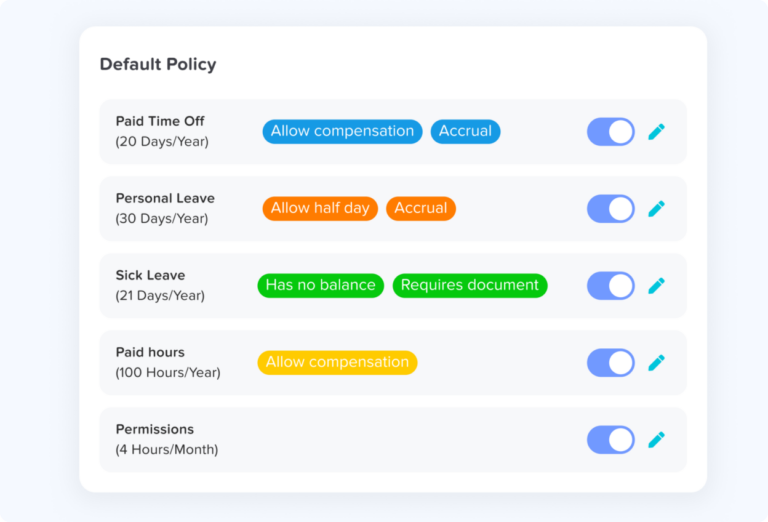
Yes. A company may track different benefits in different units when the arrangement is clear and legally compliant.
For example:
| Leave Type | Possible Unit |
|---|---|
| Annual vacation | Days |
| General PTO | Hours |
| Statutory sick leave | Hours |
| Personal permission | Hours |
| Bereavement | Days |
| Floating holiday | Days |
| Comp time | Hours |
| Jury duty | Days |
| Work from home | Days |
A hybrid structure may make sense because different leave types are used differently.
Vacation may usually involve full days, while medical appointments and short permissions often require only a few hours.
However, every additional unit increases administrative complexity. Employees should be able to see clearly:
- Their balance
- The applicable unit
- The minimum request amount
- How deductions are calculated
- Whether balances can be combined
- Which balance is used first
Should PTO Be Displayed in Days but Stored in Hours?
For many employers, this is the most practical approach.
The official balance is maintained in hours, while employees may also see an estimated equivalent in days.
For example:
96 hours available, equal to approximately 12 standard eight-hour days.
Benefits of this model
- Employees can understand the benefit in familiar daily terms.
- Payroll receives exact hourly values.
- Partial-day leave can be calculated accurately.
- Part-time and shift-based employees can be supported.
- Balance corrections can use exact hours.
Important limitation
The day equivalent may not be accurate for every future shift.
A balance of 96 hours equals:
- Twelve eight-hour shifts
- 9.6 ten-hour shifts
- Eight 12-hour shifts
For employees with changing shifts, the number of days should be presented as an estimate rather than the official balance.
What Is the Best Minimum PTO Increment?
The minimum increment is the smallest amount of PTO an employee may request.
Common options include:
- 15 minutes
- 30 minutes
- One hour
- Two hours
- Half a day
- One full day
Smaller increments
Smaller increments allow employees to use only the leave they need.
This is helpful for appointments, late arrivals, early departures, and short personal responsibilities.
However, smaller increments may increase the number of requests and require precise time records.
Larger increments
Larger increments are simpler to administer and may make coverage easier.
However, they can force employees to use more PTO than the actual absence requires.
Employers should consider:
- Payroll precision
- Attendance tracking
- Manager workload
- Shift coverage
- FMLA requirements
- State sick leave rules
- Employee experience
The policy should clearly state the minimum increment for each leave type.
How to Convert PTO Days Into Hours
The basic formula is:
PTO days × hours represented by one day = PTO hours
Standard schedule example
An employee has 18 PTO days and works eight hours per day.
18 × 8 = 144 PTO hours
Six-hour schedule example
An employee has 12 PTO days and works six hours per day.
12 × 6 = 72 PTO hours
Ten-hour schedule example
An employee has 15 PTO days and works 10 hours per day.
If the policy promises 15 scheduled days:
15 × 10 = 150 PTO hours
If the policy promises three 40-hour workweeks:
3 × 40 = 120 PTO hours
The employer should select the intended meaning before converting balances.
How to Convert PTO Hours Into Days
The basic formula is:
Available PTO hours ÷ standard daily hours = estimated PTO days
Example
An employee has 80 PTO hours and works eight hours per day.
80 ÷ 8 = 10 days
An employee with 80 hours who works 10-hour shifts has:
80 ÷ 10 = 8 scheduled days
For rotating schedules, there may be no single accurate day equivalent because future shifts can have different lengths.
How to Change a PTO Policy From Days to Hours
A conversion should be planned carefully so employees do not lose leave value because of inconsistent formulas.
Step 1: Define the purpose of the existing benefit
Determine whether the old policy promised:
- Scheduled workdays
- Fixed eight-hour days
- Workweeks
- A fixed number of paid hours
Step 2: Identify every affected balance
Review:
- Current available PTO
- Carryover
- Expiring balances
- Pending requests
- Approved future requests
- Negative balances
- Accrual caps
Step 3: Select a conversion formula
Do not automatically multiply every balance by eight.
Use the formula that matches the written policy and employee schedule.
Step 4: Convert future requests
A three-day request should be converted according to the employee’s scheduled hours on those dates.
Step 5: Convert policy limits
Convert:
- Annual entitlement
- Accrual rate
- Carryover cap
- Maximum balance
- Negative balance limit
- Minimum request increment
Step 6: Test different employee groups
Test the policy for:
- Standard full-time employees
- Part-time employees
- Four-day workweeks
- Rotating shifts
- Flexible schedules
- Employees changing schedules
Step 7: Communicate the change
Employee notices should explain:
- The effective date
- The reason for the change
- The conversion formula
- The previous balance
- The new balance
- Whether the benefit value changed
- How requests will be deducted
- How to report an error
Step 8: Preserve an audit trail
Keep the old balance, new balance, calculation, effective date, approver, and any later correction.
Sample PTO Tracking Policy
The company administers paid time off using an hours-based balance. Employees may see the approximate value of their balance in days, but the hourly balance is the official record.
A full-day absence will normally deduct the number of working hours the employee was scheduled to complete on that date. PTO will not normally be deducted for weekends, nonscheduled days, or company holidays unless the employee was scheduled to work or another policy applies.
Employees may request PTO in increments of [minimum increment]. Partial-day requests will be deducted according to the scheduled working time missed.
Employees with fixed, flexible, part-time, compressed, or rotating schedules may receive different full-day deductions because their scheduled daily hours differ.
If a work schedule changes after PTO has been approved, HR will review the request and determine whether the deduction should be adjusted. Employees will be informed before an approved deduction is increased.
PTO hours are paid leave and are not treated as hours actually worked for federal overtime calculations unless applicable law or another company policy provides otherwise.
Employees should review their balances regularly and report incorrect schedules, deductions, or conversions to HR.
This wording should be reviewed and adapted to applicable laws and company practices.
PTO Hours vs. Days Decision Checklist
| Question | Days May Work When | Hours May Be Better When |
|---|---|---|
| Are schedules uniform? | Yes | No |
| Are daily hours consistent? | Yes | No |
| Are most requests full days? | Yes | No |
| Are half days sufficient? | Yes | No |
| Are there part-time employees? | Few or fixed schedules | Many or variable schedules |
| Are there rotating shifts? | No | Yes |
| Are there 10-hour or 12-hour shifts? | Rarely | Frequently |
| Is intermittent leave common? | No | Yes |
| Does payroll require exact leave hours? | Not necessarily | Yes |
| Does the company operate continuously? | No | Yes |
| Are schedule changes frequent? | No | Yes |
| Are short appointments common? | No | Yes |
PTO Tracking Audit Checklist
| Audit Area | What to Verify |
|---|---|
| Balance unit | Each leave type clearly uses days or hours |
| Definition of a day | The policy states how many hours or which schedule applies |
| Work schedules | Employees are assigned to the correct schedule |
| Full-day deductions | Deductions match the policy |
| Partial-day deductions | Only the scheduled time missed is deducted |
| Part-time proration | Entitlements match the approved formula |
| Rotating shifts | The correct shift controls the deduction |
| Holidays | Eligible holidays are not deducted as PTO incorrectly |
| Nonscheduled days | Weekends and rest days are excluded where appropriate |
| Schedule changes | Approved requests are reviewed after schedule changes |
| Accruals | Accrual units match balance units |
| Carryover | Limits are converted correctly |
| Overtime | PTO is separated from hours worked |
| FMLA | The proper increment is used |
| State sick leave | Local requirements are followed |
| Exempt employees | PTO deductions are separated from salary deductions |
| Payroll exports | Leave hours match payroll records |
| Corrections | Original and corrected values are preserved |
| Employee communication | Employees understand the official unit |
| Reporting | HR can compare balances, usage, and schedules |
Common PTO Hours and Days Mistakes
Treating every day as eight hours
This creates incorrect deductions for employees working shorter or longer shifts.
Deducting PTO for nonscheduled days
A calendar date should not reduce the balance when the employee was not expected to work, unless the applicable policy specifically uses calendar days.
Using equal days without reviewing paid-hour value
Equal numbers of days can produce very different total paid hours.
Using equal hours without explaining fewer leave days
Employees working longer shifts may receive fewer complete days away from the same hourly balance.
Allowing hourly leave without accurate schedules
If the schedule is wrong, the deduction will also be wrong.
Changing schedules after approval without reviewing PTO
An eight-hour approved request should not silently become a 12-hour deduction.
Confusing PTO with hours worked
Paid leave generally does not count as work time for federal overtime calculations.
Deducting an exempt employee’s salary by the hour
An hourly PTO bank deduction does not automatically authorize an hourly salary deduction.
Ignoring state and local leave rules
A combined PTO policy must still comply with any applicable statutory sick leave requirements.
Repeatedly converting between days and hours
Repeated conversion can create rounding errors. The employer should maintain one official administrative unit.
How Day Off Supports PTO Tracking in Hours and Days
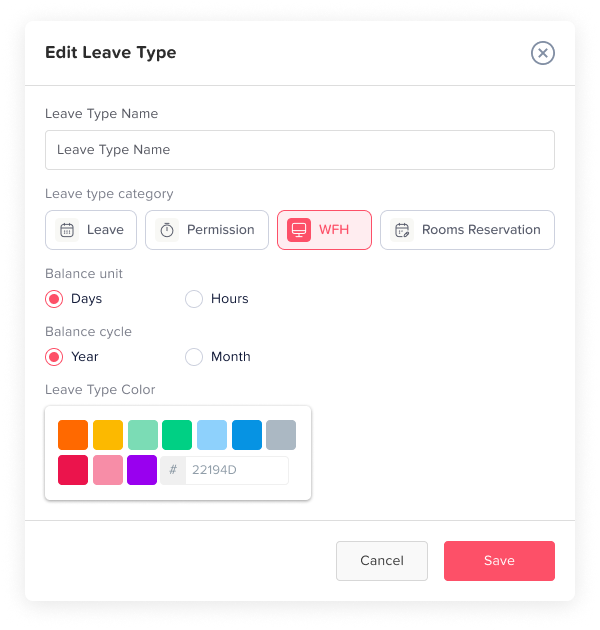
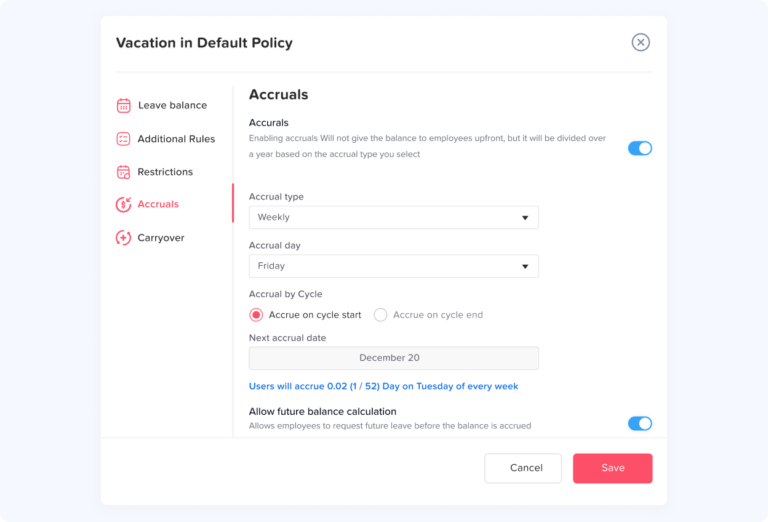
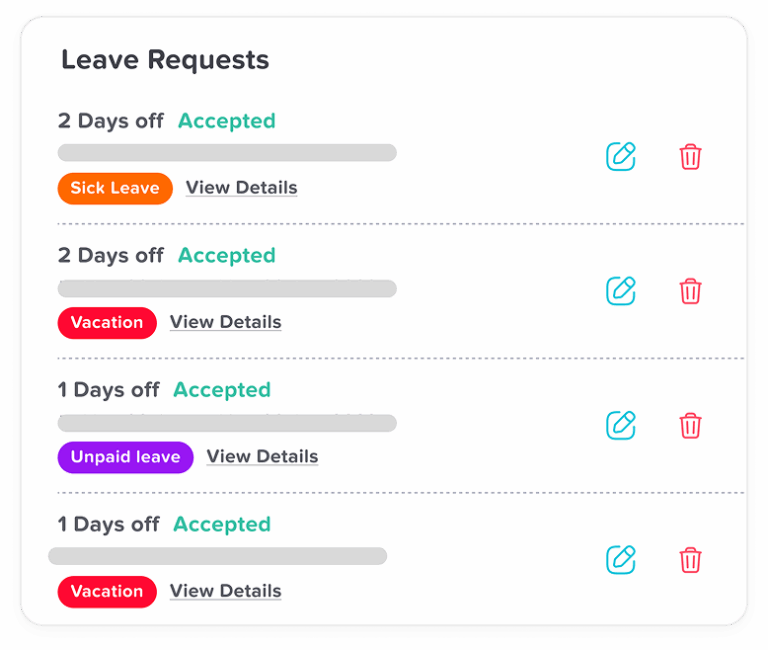
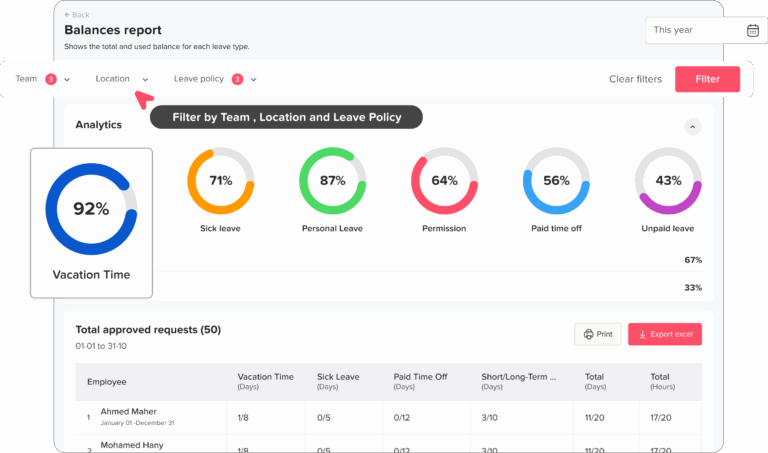
Day Off allows employers to create leave types with balances measured in hours. Once an hours-based leave type is activated in a leave policy and connected to a work schedule, employees can submit hourly requests and the system can calculate the requested amount according to their schedule.
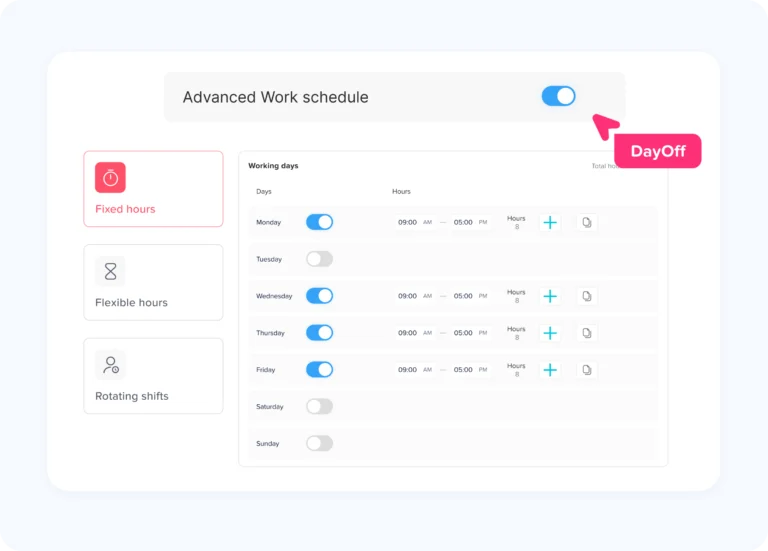
Day Off supports multiple schedule types:
- Fixed days
- Fixed hours
- Flexible hours
- Rotating shifts
The assigned schedule identifies the employee’s working days and expected hours, which helps the system calculate the appropriate deduction when a leave request is submitted.
Employers can therefore use:
- Day-based vacation for employees with standard schedules
- Hour-based PTO for shift or part-time employees
- Hourly permission leave for short absences
- Different policies for locations, teams, or employee groups
Employees can submit full-day, half-day, or hourly requests according to the settings selected by the employer. When an hourly request is approved, the requested hours are deducted from the employee’s available hourly balance.
The software setup should always match the written PTO policy. Accurate balance units will not produce correct results if employee work schedules, leave types, or policy assignments are outdated.
Frequently Asked Questions About PTO Hours vs. Days
Is it better to track PTO in hours or days?
Tracking PTO in days is usually simpler for employees with identical and predictable schedules. Tracking PTO in hours is usually more accurate for part-time employees, shift workers, compressed workweeks, and partial-day absences.
Why do many companies track PTO in hours?
Hourly tracking allows the employer to deduct the scheduled work time the employee actually misses. It also supports appointments, late arrivals, early departures, and shifts of different lengths.
Can a company advertise PTO in days but track it in hours?
Yes. A company may describe its benefit as 15 PTO days while maintaining a 120-hour balance for employees working eight-hour days. The policy should explain how the conversion changes for other schedules.
How many hours are in one PTO day?
There is no universal value. One PTO day may equal eight hours, 10 hours, 12 hours, or the employee’s scheduled hours for that date.
Is 15 days of PTO always equal to 120 hours?
No. It equals 120 hours only when one day is defined as eight hours.
For an employee working 10-hour shifts, 15 scheduled days would equal 150 hours.
How many PTO days is 80 hours?
For an employee working eight-hour days:
80 ÷ 8 = 10 days
For an employee working 10-hour days:
80 ÷ 10 = 8 days
Should PTO for shift workers be tracked in hours?
Hourly tracking is generally more accurate for shift workers because shifts may have different lengths. The deduction can match the actual scheduled shift.
How much PTO should be deducted for a 10-hour shift?
If the employee takes the full scheduled shift off, an hours-based policy would normally deduct 10 PTO hours.
Should part-time employees’ PTO be tracked in hours?
Hourly tracking is often clearer for part-time employees, especially when the number of scheduled hours changes by day or week.
Can employees take one hour of PTO?
Yes, if the policy allows one-hour or smaller increments. Protected-leave and state sick leave rules may also affect the minimum increment an employer may use.
Can PTO be tracked in half days?
Yes. The policy should define whether half a day means half of the employee’s scheduled hours or a fixed amount such as four hours.
Does PTO count as hours worked?
Paid vacation and sick leave generally do not count as hours actually worked for federal overtime calculations, even though the employee receives pay.
Can PTO be deducted hourly for salaried employees?
An employer may generally deduct from an exempt employee’s PTO bank for a partial-day absence under its policy. This does not necessarily permit an equivalent reduction from the employee’s guaranteed salary.
How should intermittent FMLA leave be tracked?
Intermittent FMLA generally must be recorded using the smallest leave increment the employer allows for other leave, provided that increment is not greater than one hour. The employer cannot deduct more leave than the employee actually uses.
Can different leave types be tracked differently?
Yes. A company may track vacation in days, sick leave in hours, and short permission requests in hours. The units and deduction rules should be explained clearly.
Should PTO balances be displayed in both hours and days?
Displaying both can improve understanding. The hourly balance should remain the official amount when employee schedules vary, while the day value can be shown as an estimate.
Conclusion
Whether PTO should be tracked in hours or days depends on how employees work and what the company intends its PTO benefit to represent.
Day-based tracking can be simple and effective for employees with standard, consistent schedules who normally request complete or half days.
Hourly tracking is generally more precise for employees with different shift lengths, part-time schedules, compressed workweeks, rotating shifts, and short absences. It allows the balance deduction to match the scheduled work time the employee actually misses.
For many employers, the strongest approach is to communicate PTO in familiar days or workweeks while administering the official balance in hours. This keeps the benefit easy for employees to understand while improving payroll accuracy and supporting flexible schedules.
Whatever method the company selects, the written policy should clearly explain:
- What one PTO day means
- How days and hours are converted
- How part-time and shift employees are treated
- Which schedule controls the deduction
- Whether hourly and half-day requests are permitted
- How holidays and nonscheduled days are handled
- How PTO interacts with overtime and protected leave
- How employees can report incorrect deductions
Day Off helps organizations create day-based and hourly leave types, connect them to employee work schedules, and calculate time-off requests according to each employee’s expected working time. A clear policy supported by accurate schedule data gives employees a fairer balance and gives HR more reliable records.