







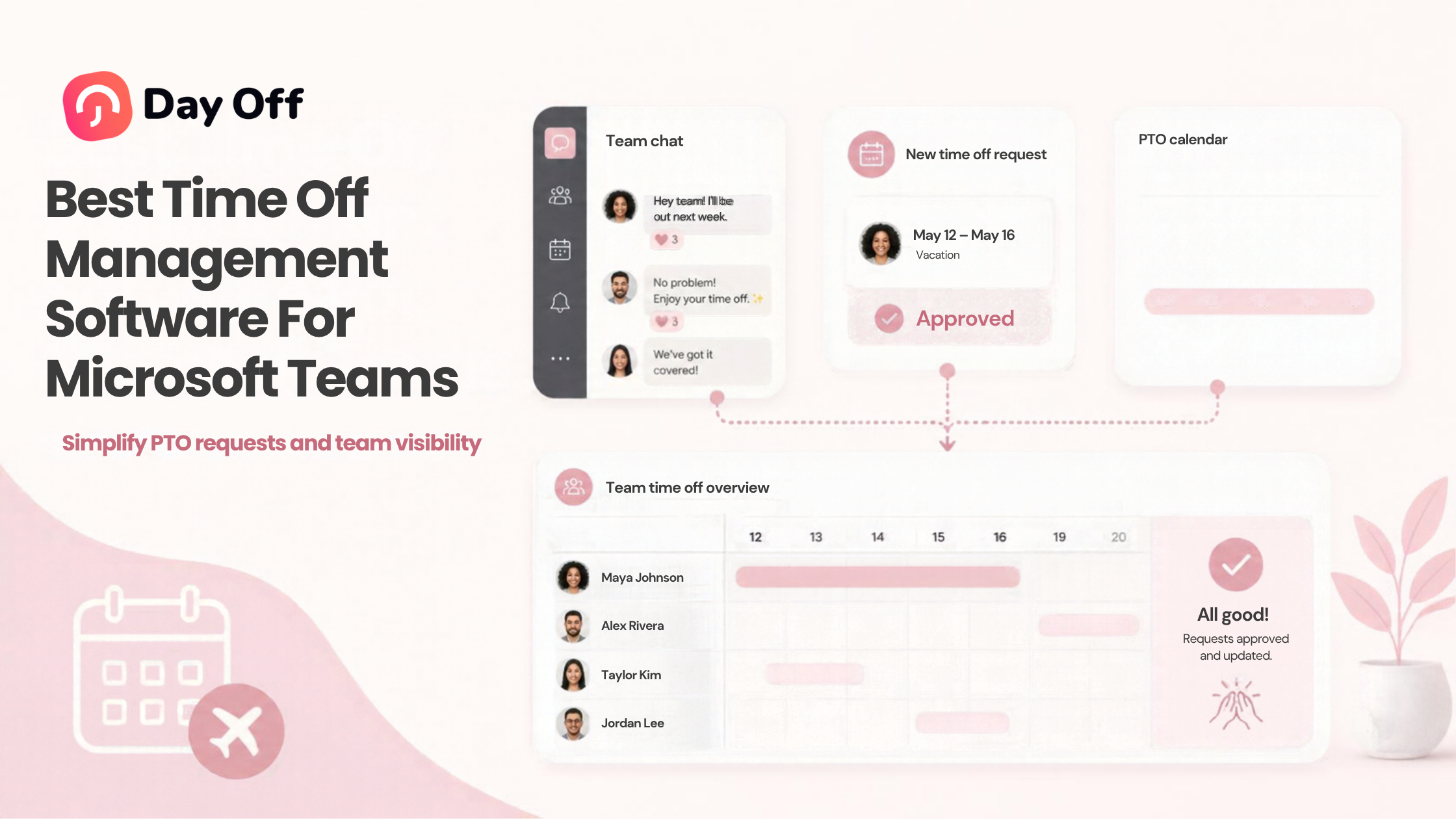
Microsoft Teams has become much more than a messaging and meeting platform. For many organizations, it is where employees communicate, coordinate schedules, share updates, and manage everyday work. Adding Time Off Management to Microsoft Teams can make leave requests part of that same workflow, allowing employees and managers to handle PTO without relying on spreadsheets, scattered emails, or separate conversations.

A good Microsoft Teams leave management solution should do more than notify coworkers that someone is away. It should help businesses maintain leave balances, manage policies, route requests for approval, track holidays, handle different work schedules, and provide managers with visibility into upcoming absences.
Several PTO and absence management platforms now work with Microsoft Teams, but they differ significantly in scope. Some focus almost entirely on leave management, while others combine PTO with attendance, time tracking, scheduling, or broader HR functionality.
This guide explains what to look for and compares several notable options for businesses that use Microsoft Teams.
Why Manage Employee Time Off Through Microsoft Teams?
Traditional PTO administration often creates unnecessary steps.
An employee might send a manager an email asking for Friday off. The manager checks a spreadsheet, asks HR about the employee’s balance, reviews a shared calendar, approves the request, and then manually updates another system.
That process becomes difficult to maintain as the team grows.
Microsoft Teams integrations can bring parts of this process into a platform employees already use throughout the workday. Depending on the software, employees may be able to submit requests, managers may receive approval notifications, and teams may receive updates about who is away.
The actual leave management system still performs the important work behind the scenes, such as maintaining balances and applying policy rules.
This distinction matters. Microsoft Teams is the communication layer, while dedicated PTO software should remain the reliable source of leave information.
What Should Microsoft Teams Time Off Management Software Do?
The right feature set depends on your organization, but a capable system should address four main areas.
Employee Self Service
Employees should be able to find basic leave information without repeatedly contacting HR.
That can include:
- Checking available PTO
- Requesting leave
- Viewing request status
- Reviewing upcoming leave
- Viewing previous requests
- Canceling or changing requests where permitted
Self-service becomes particularly valuable for distributed teams because employees do not need HR to be online every time they have a simple PTO question.
Leave Approvals
Managers need an efficient way to review requests.
A useful approval process should make it easy to determine:
- Who submitted the request
- Which dates are requested
- What type of leave is involved
- Whether other employees are already away
- Whether the employee has sufficient balance, where applicable
- Whether another approval level is required
Some systems bring approvals directly into Teams, while others use Teams primarily for notifications and link users back to the main leave management application.
Both approaches can work. Businesses should determine how much of the workflow they actually want inside Teams.
PTO Policy Administration
This is where dedicated PTO software differs from a simple calendar or Teams bot.
Businesses may need to manage:
- Vacation
- Sick leave
- Personal leave
- Unpaid leave
- Parental leave
- Bereavement leave
- Compensatory time
- Custom leave types
- PTO accrual
- Carryover
- Waiting periods
- Leave limits
- Location specific policies
- Public holidays
A Teams integration is most valuable when it connects to a system capable of handling these rules accurately.
Team Availability
Managers should also be able to understand who is available before approving additional leave.
Team calendars, daily absence notifications, Outlook synchronization, and scheduled digests can help prevent situations where managers approve several overlapping requests without realizing how much of the team will be unavailable.
Best Time Off Management Software for Microsoft Teams
The products below take different approaches to Microsoft Teams leave management. The right fit depends on whether your priority is dedicated PTO management, deep Teams interaction, broader HR functionality, or combined time and attendance management.
Day Off
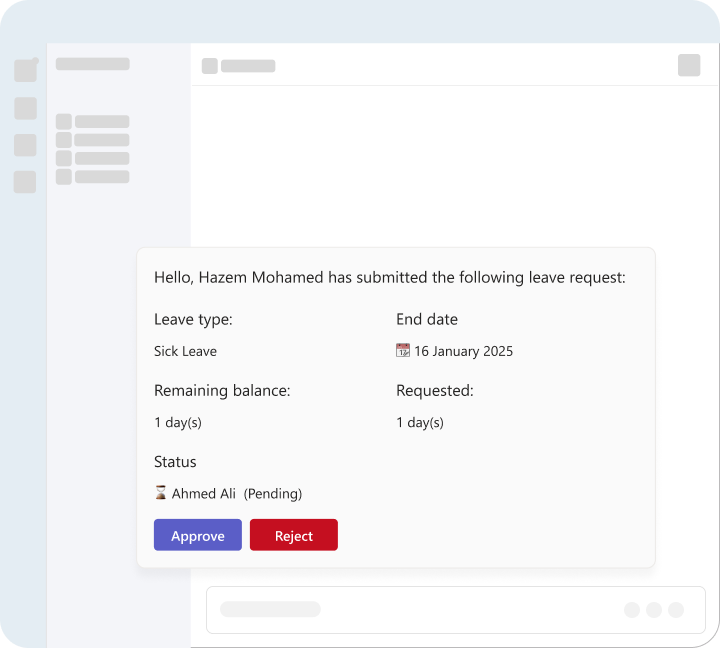
Day Off is a dedicated leave management and PTO tracking platform available through the web, iOS, and Android, with a Microsoft Teams integration. Microsoft also lists Day Off as a Microsoft Teams application in its Microsoft 365 app certification documentation. Microsoft Learn
For businesses that need more than a simple vacation calendar, Day Off provides a centralized system for policies, balances, accruals, employee schedules, approvals, holidays, and reporting.
Microsoft Teams Integration
Day Off can connect leave management with Microsoft Teams so organizations can keep employees informed about absences inside their existing communication workflow.
This is particularly useful for teams that want Microsoft Teams to improve PTO visibility while keeping Day Off as the central system where leave data and policies are managed.
Flexible Leave Policies
Companies can create multiple leave types and policies for different employee groups.
This is important because not every employee necessarily receives the same entitlement. Policies may differ based on location, employment arrangement, seniority, or organizational structure.
Automated PTO Accrual
Day Off supports several accrual approaches, including:
- Weekly
- Biweekly
- Semimonthly
- Monthly
- Annual
- Hours worked
Organizations can also manage carryover rules and expiration, helping reduce manual balance calculations.
Work Schedules
PTO calculations can become inaccurate when a leave tracker assumes every employee works Monday through Friday.
Day Off supports different work schedule structures, including fixed days, fixed hours, flexible hours, and rotating shifts. This is useful for businesses managing employees whose working patterns vary.
Approval Workflows
Organizations can configure approval structures around their management hierarchy, including more advanced multi-level workflows where needed.
This can be useful when a request needs both operational approval from a manager and additional review within the organization.
Shared Leave Calendar
A shared calendar provides visibility into employee absences and helps managers spot overlapping leave before approving additional requests.
Calendar Integrations
Day Off also supports Google Calendar and Outlook Calendar synchronization. For Microsoft-centered organizations, Outlook integration can help approved absences appear alongside the calendars employees already use for meetings and scheduling.
Reporting
Organizations can review reports covering areas such as:
- Leave balances
- Leave usage
- Accruals
- Carryover
- Detailed leave records
- Employee history
This makes Day Off useful not only for employees requesting leave but also for HR teams that need centralized PTO records.
Best suited for
Day Off is worth considering for businesses that want a dedicated PTO and leave management platform with Microsoft Teams connectivity, flexible policies, schedules, accruals, reporting, and mobile access.
Vacation Tracker
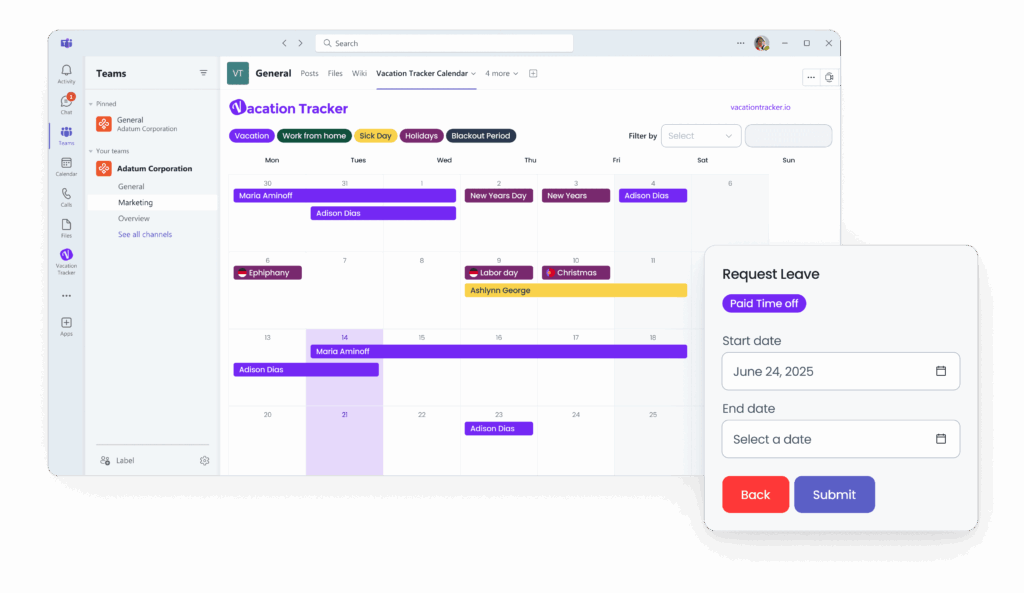
Vacation Tracker has a strong Microsoft Teams focus. Its Microsoft Marketplace listing says employees can request and approve leave within Teams, while organizations can configure custom leave types, departments, locations, policies, quotas, calendars, workweeks, and notifications. Microsoft Marketplace
Its current Teams integration also supports viewing balances and leave information and interacting with its leave-management features inside the Teams workflow. Vacation Tracker
Notable features
Vacation Tracker includes:
- PTO requests and approvals
- Custom leave types
- Location-specific policies
- Departments and locations
- Team leave calendars
- Employee leave quotas
- Custom workweeks
- Notifications
- Accrual-related policy automation
- Calendar integrations
Its Microsoft Marketplace listing also describes Excel and CSV leave-record exports and features such as accruals and blackout periods. Microsoft Marketplace
Best suited for
Organizations that want a leave management product with substantial employee and manager interaction directly inside Microsoft Teams.
Absence
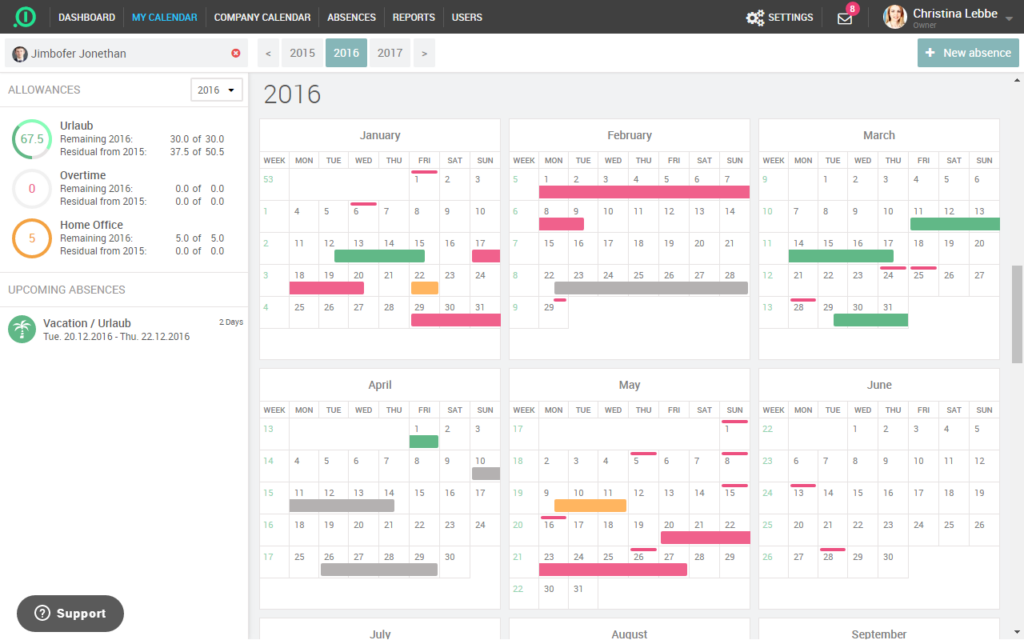
absence.io combines absence management with additional workforce functionality, including time tracking and employee records. Its leave product supports requests and approvals, a shared calendar, leave balances, and configurable access rights.
For Microsoft Teams specifically, absence.io says its Teams bot can let managers approve or decline requests from chat and can provide a daily team broadcast showing current absences.
Microsoft Marketplace also lists functionality such as custom leave types, working days, holiday and location customization, user roles, reporting, and Excel export. Microsoft Marketplace
Notable features
- Leave requests and approvals
- Team absence calendar
- Remaining vacation balances
- Different teams and locations
- Custom leave types
- Roles and permissions
- Reports
- Microsoft Teams integration
- Time tracking capabilities
- Employee records
Best suited for
Organizations that want leave management alongside broader HR and time-management functionality rather than a PTO only product.
AttendanceBot
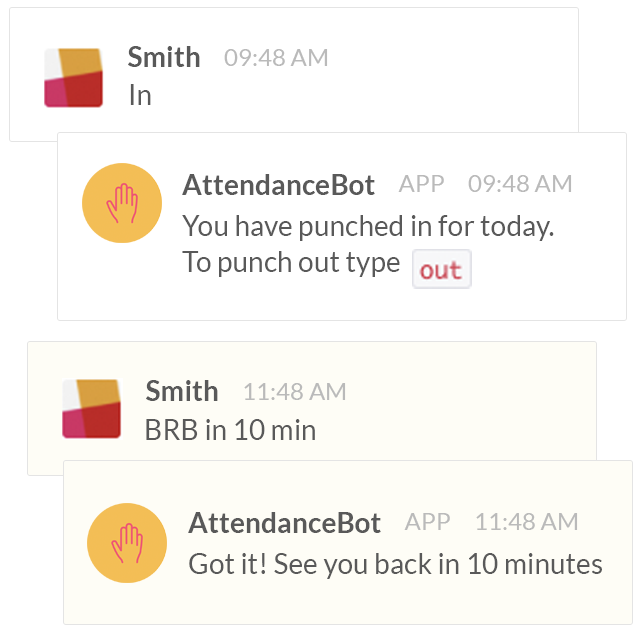
AttendanceBot takes a broader workforce management approach. Its Microsoft Marketplace listing describes functionality for time off, attendance, project time, overtime, work-location tracking, and shift rosters within Microsoft Teams. Microsoft Marketplace
For leave administration, the listing says administrators can control leave types, rules, limits, accruals, organizational holidays, and blackout dates. It also supports approval flows and Outlook calendar synchronization. Microsoft Marketplace
Notable features
- PTO and absence management
- Leave approval flows
- Accruals
- Blackout dates
- Organizational holidays
- Time and attendance tracking
- Overtime
- Shift rosters
- Project time
- Work-from home and office status
- Outlook integration
Best suited for
Businesses looking to combine PTO management with attendance, timesheets, scheduling, and workforce tracking inside Microsoft Teams.
Team Absence
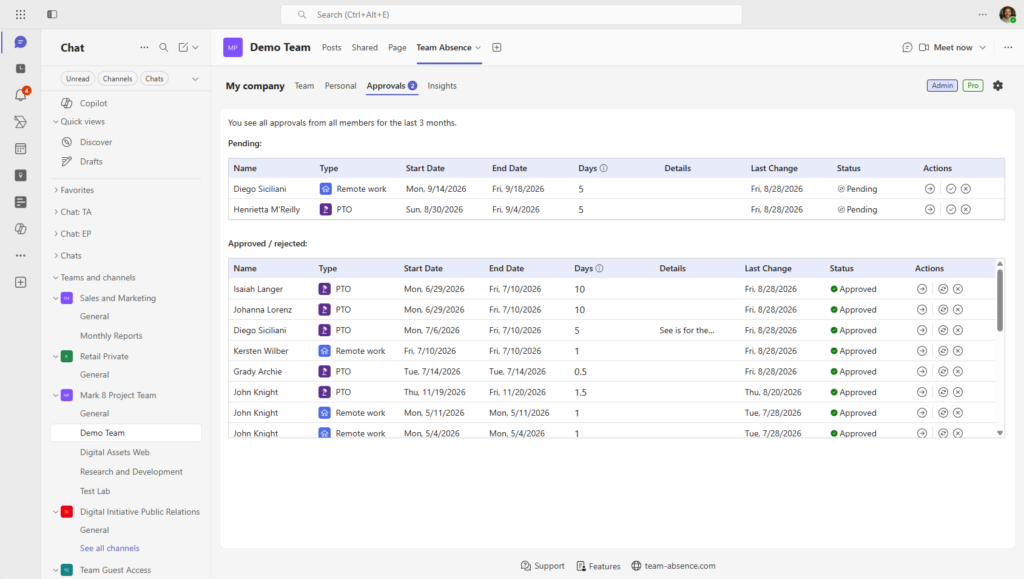
Team Absence by hyOffice takes a simpler, Teams centered approach. Its Microsoft Marketplace listing focuses on vacations, PTO, sick leave, days off in lieu, and a collaborative absence calendar directly within Microsoft Teams. Microsoft Marketplace
Its emphasis is on making team availability easy to see and reducing the manual coordination associated with absence planning.
Notable features
- Vacation tracking
- PTO tracking
- Sick leave
- Days off in lieu
- Team absence calendar
- Microsoft Teams based workflow
Best suited for
Teams primarily looking for straightforward absence planning and visibility inside Microsoft Teams rather than a larger HR platform.
BitaBIZ
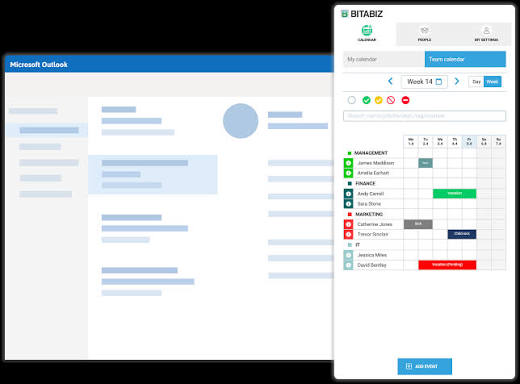
BitaBIZ combines leave management, time tracking, and workforce planning. Its Microsoft Marketplace listing says employees can register vacation, sick leave, overtime, project time, mileage, rosters, and other activities through Microsoft Teams. Microsoft Marketplace
It also provides a shared vacation and absence calendar and synchronizes Out of Office information with Teams and Outlook. Microsoft Marketplace
Notable features
- Leave and absence management
- Vacation and sick leave
- Time tracking
- Overtime
- Rosters
- Workforce planning
- Shared absence calendar
- Teams and Outlook synchronization
Best suited for
Organizations looking to combine leave administration with time registration and workforce planning.
Microsoft Teams Time Off Software Comparison
Rather than choosing based only on whether a Microsoft Teams integration exists, compare the type of workforce problem each platform is designed to solve.
| Software | Main Focus | Microsoft Teams Experience | Additional Strengths |
|---|---|---|---|
| Day Off | PTO and leave management | Teams integration and absence visibility | Accruals, schedules, policies, reporting, mobile apps |
| Vacation Tracker | PTO and leave management | Strong in-Teams request and approval workflow | Locations, policies, notifications, calendars |
| absence.io | Absence + HR tools | Approvals and absence broadcasts | Time tracking, employee records, reporting |
| AttendanceBot | Workforce management | Broad Teams-based HR workflow | Attendance, shifts, overtime, project time |
| Team Absence | Simple absence planning | Teams-centered absence calendar | Straightforward team availability |
| BitaBIZ | Time, absence and workforce planning | Time and leave workflows in Teams | Rosters, overtime, project time |
Feature availability and plan requirements can change, so businesses should verify the current configuration with each provider before purchasing.
What to Look for Before Choosing a Microsoft Teams PTO App
Decide How Much Should Happen Inside Teams
“Microsoft Teams integration” can mean very different things.
One product might send a daily absence notification. Another might allow employees to submit requests and managers to approve them without leaving Teams.
Determine which workflow your employees actually need.
Ask:
- Can employees request leave through Teams?
- Can managers approve requests there?
- Can employees check balances?
- Are upcoming absences visible?
- Can notifications be sent to specific teams or channels?
- Does the user need to open the main application to complete certain actions?
A notification integration may be enough for some organizations. Others may want most employee-facing leave actions available within Teams.
Look Beyond the Teams Integration
A polished Teams interface is not enough if the underlying PTO system cannot support your policies.
Evaluate whether the platform can handle:
- Accruals
- Carryover
- Multiple leave types
- Partial-day leave
- Hourly leave
- Custom schedules
- Public holidays
- Multiple locations
- Approval levels
- Different employee policies
- Reporting
Policy administration is often more important than the interface employees use to submit a request.
Check Support for Multiple Locations
Distributed companies need more than one company-wide holiday calendar.
Employees in New York, London, Madrid, and Toronto may follow different public holidays and potentially different leave policies.
Your system should make it possible to associate employees with the appropriate location, holiday calendar, schedule, and policy.
Consider Work Schedule Flexibility
Not every employee works five eight hour days.
Your organization may have:
- Part time employees
- Four day workweeks
- Rotating shifts
- Flexible schedules
- Split shifts
- Different weekends
- Employees with varying daily hours
If PTO deductions depend on scheduled working time, schedule support becomes an important part of accurate leave tracking.
Review Approval Requirements
A small business may need only one manager to approve a request.
A larger organization might use:
Employee → Direct Manager → Department Manager
Another might use:
Employee → Local Manager → HR
Choose software that matches your actual approval structure instead of forcing the company to redesign its workflow around the software.
Check Outlook Calendar Compatibility
For organizations already using Microsoft 365, Outlook synchronization can be particularly useful.
Once leave is approved, calendar synchronization can make absence information visible during meeting planning and everyday scheduling.
This helps reduce another common problem: PTO is approved in one system but forgotten when colleagues schedule meetings.
Evaluate Reporting
Microsoft Teams may be where employees interact with PTO, but HR still needs reliable records.
Useful reporting can include:
- Current balances
- Leave usage
- Leave history
- Accruals
- Carryover
- Upcoming leave
- Leave by employee
- Leave by type
Reports become increasingly important when leave data needs to support payroll processes, audits, workforce planning, or policy reviews.
Dedicated PTO Software vs a General HR Tool
One important decision is whether your organization needs a dedicated leave management platform or a broader HR system.
| Need | Dedicated PTO Software | Broader HR/Workforce Platform |
|---|---|---|
| Leave requests | Strong focus | Usually included |
| PTO balances | Core function | Usually included |
| Accrual policies | Often detailed | Varies by product |
| Leave calendars | Core function | Usually available |
| Employee records | Limited or secondary | Often extensive |
| Time tracking | May be separate or optional | Often included |
| Payroll/HR suite | Usually not the focus | More likely |
| Setup complexity | Often lighter | Can be greater |
Neither approach is automatically better.
If your primary problem is PTO administration, a specialized leave management tool can keep the workflow focused.
If your organization wants PTO, attendance, employee records, scheduling, and other HR processes under one platform, a broader system may make more sense.
Benefits of Integrating Time Off Management With Microsoft Teams
Fewer Disconnected Requests
Employees are less likely to submit PTO through random emails or chat messages when there is a defined workflow connected to the tools they already use.
Faster Manager Visibility
Notifications can make managers aware of new requests without requiring them to repeatedly check a separate dashboard.
Better Team Planning
Absence updates help teams understand who will be available during upcoming projects, meetings, deadlines, and shifts.
Less Dependence on HR
Employee self-service allows workers to check balances and request leave without asking HR to retrieve basic information manually.
More Consistent PTO Records
A dedicated leave system can maintain the official balance and request history while Teams acts as a convenient point of interaction.
How to Implement Time Off Management in Microsoft Teams
A successful implementation is more about process design than simply installing an app.
Step 1: Document Your PTO Policies
Define leave types, allowances, accrual rules, carryover, notice requirements, and other relevant policy rules.
Step 2: Organize Employees
Group employees according to teams, departments, locations, policies, and managers.
Step 3: Configure Work Schedules
Make sure PTO calculations reflect when employees are actually expected to work.
Step 4: Add Holiday Calendars
Assign the correct holidays to employees or locations.
Step 5: Configure Approval Workflows
Determine exactly who reviews each request.
Step 6: Connect Microsoft Teams
Configure the integration according to the capabilities of your selected software.
Step 7: Define the Official Request Process
Tell employees where requests must be submitted and what counts as formal approval.
Step 8: Test With a Small Group
Test common situations, such as:
- Full-day PTO
- Multi-day vacation
- Half-day leave
- Overlapping requests
- Public holidays
- Employees with unusual schedules
- Request cancellation
- Multi-level approval
Step 9: Communicate the New Process
Employees should know how to request leave, where to check their balance, and where absence information will appear.
Step 10: Review the System Regularly
Check policies, balances, work schedules, holiday calendars, permissions, and approval routes as your organization changes.
FAQ
Can Microsoft Teams track employee PTO by itself?
Microsoft Teams is primarily a collaboration platform rather than a dedicated PTO policy and balance-management system. Microsoft does offer related functionality through products in its wider ecosystem, and third-party Teams apps can provide more specialized leave management. For example, Microsoft’s Dynamics 365 Human Resources Teams app has supported viewing balances and leave history as well as submitting, editing, canceling, approving, and rejecting time off requests. Microsoft
Can employees request PTO directly from Microsoft Teams?
Yes, with certain third-party integrations. The exact workflow depends on the product. Vacation Tracker, for example, advertises requests and approvals within Teams, while absence.io supports Teams-based approval interactions. Vacation Tracker
Can Microsoft Teams show who is on vacation?
Third party leave applications can provide absence calendars, notifications, or team updates inside Microsoft Teams. The exact information displayed depends on the application and its configuration.
Should Microsoft Teams replace a PTO management system?
Usually, Teams works best as an interaction and communication layer connected to a dedicated leave system. The underlying platform can maintain balances, policies, accruals, history, and reports.
Can a Teams PTO app support employees in different countries?
Some leave management platforms support multiple locations, holiday calendars, and location specific policies. Vacation Tracker, for example, lists departments, locations, specific holidays, and location-specific policies among its Teams capabilities. Microsoft Marketplace
Can Microsoft Teams PTO software manage accruals?
Some third party applications can. Accrual support comes from the underlying leave management platform rather than Teams itself, so businesses should verify the rules and accrual frequencies each product supports.
Is Outlook integration useful if we already use Microsoft Teams?
Yes. Teams can handle communication and workflow notifications, while Outlook calendar synchronization can help employees see approved absences when scheduling meetings.
Can Microsoft Teams PTO apps manage sick leave as well as vacation?
Many can. Vacation Tracker, absence.io, AttendanceBot, Team Absence, and other tools support multiple absence or leave types, although configuration options vary by platform. Microsoft Marketplace
What is the difference between a PTO tracker and an attendance tracker?
A PTO tracker focuses primarily on planned and recorded leave, including balances, policies, requests, and approvals. Attendance tracking focuses more on when employees actually work, including clock-ins, lateness, absences, breaks, and working hours. Some platforms combine both.
Do small businesses need Microsoft Teams leave management software?
Not every small company does. However, dedicated software becomes useful when spreadsheets and chat messages make it difficult to maintain accurate balances, approval records, leave calendars, or policy rules.
Conclusion
The best Time Off Management software for a Microsoft Teams environment depends on what your organization wants Teams to do.
Some businesses primarily need employees to receive absence updates in the platform they already use. Others want requests, approvals, balances, and calendars available as part of the Teams workflow. Companies with more complex requirements may also need accruals, multiple locations, flexible schedules, multi-level approvals, reporting, or attendance tracking.
The most important consideration is the system behind the integration. A convenient Teams experience should connect to reliable PTO records, clear policies, accurate balances, appropriate holiday calendars, and structured approval workflows.
For organizations looking for a dedicated leave and PTO platform, Day Off combines Microsoft Teams connectivity with leave policies, accruals, different work schedules, approval workflows, shared calendars, reports, and mobile access. That allows Microsoft Teams to remain part of employees’ everyday workflow while Day Off provides the centralized structure needed to manage time off consistently as the organization grows. Microsoft Learn