








Accurate time records are essential for payroll, overtime calculations, attendance management, and employee accountability. But simply giving employees access to a time clock is not enough.
Employees also need to know when to clock in, when to clock out, how to record breaks, what to do when they forget a punch, and whether they need approval before working overtime.
That is where a clear time clock policy becomes important.
A well-written time clock policy establishes one consistent process for recording employee working time. It can reduce missed punches, prevent timesheet confusion, help managers review attendance more consistently, and give payroll a clearer record of the hours employees actually worked.

For covered nonexempt employees in the United States, accurate records are also an important compliance requirement. The U.S. Department of Labor states that employers covered by the Fair Labor Standards Act must maintain accurate information about hours worked and wages earned. Employers can choose the timekeeping method they use, but the records must accurately reflect working time.
This guide explains what a time clock policy should include and provides a customizable time clock policy template covering clock-ins, clock-outs, breaks, overtime, missed punches, corrections, and recordkeeping.
What Is a Time Clock Policy?
A time clock policy is a written set of workplace rules explaining how employees must record their working time.
The policy usually applies to hourly employees and other nonexempt workers whose working hours need to be tracked for payroll and overtime purposes.
A time clock policy can explain:
- When employees should clock in
- When they should clock out
- Whether employees must clock out for meal periods
- How short rest breaks are handled
- Whether employees can clock in early
- What happens when an employee forgets to clock in or out
- How overtime must be approved
- How time record corrections are requested
- Whether managers can edit timesheets
- What counts as off-the-clock work
- How employees review their recorded hours
- What happens when an employee deliberately falsifies a time record
The purpose is not simply to monitor employees.
A good policy creates a consistent record of when work starts, when it ends, and how exceptions are handled.
That helps employees understand expectations while giving managers and payroll teams a reliable process to follow.
Why Employers Need a Time Clock Policy
Without clear timekeeping rules, employees may record the same situations differently.
One employee may clock in as soon as they enter the building. Another may wait until their scheduled shift starts. One employee may clock out for lunch, while another may leave the timer running. Someone who forgets to clock out may estimate their ending time days later.
These differences can create inaccurate timesheets even when nobody is intentionally doing anything wrong.
A written time clock policy reduces this uncertainty by establishing the same process for everyone.
Improve Payroll Accuracy
Payroll depends on accurate working-time records.
If an employee forgets a clock-out, works through lunch, or records the wrong starting time, their total hours can be incorrect.
Even relatively small differences can become significant when they happen repeatedly across a workforce.
For example, suppose 50 employees each have an average timekeeping error of 15 minutes per week.
That represents:
50 × 0.25 hours = 12.5 hours per week
Across a year, those small inconsistencies can create hundreds of hours requiring payroll review.
A clear policy gives employees instructions for recording time correctly and reporting mistakes quickly.
Make Attendance Easier to Review
Time records can also help managers understand attendance.
Comparing an employee’s scheduled hours with their actual clock-in and clock-out times can identify:
- Late arrivals
- Early departures
- Missing punches
- Extra working time
- Long or missed breaks
- Unapproved absences
- Approved time off
- Overtime
A time clock policy explains how those situations should be recorded before the manager decides how they should be handled.
Create Consistent Rules for Employees
Policies also reduce inconsistent management decisions.
Without a written process, one manager may allow employees to correct missed punches through a message, while another requires an email or manually changes the time without employee confirmation.
A documented process creates the same expectations across departments and teams.
Support Accurate Wage and Hour Records
The FLSA requires covered employers to maintain specific records for nonexempt workers, including hours worked each day and total hours worked each workweek. Employers are not required to use a particular type of time clock, but whatever method is used must produce complete and accurate records.
This makes the quality of the timekeeping process more important than the particular technology used.
Who Should Follow a Time Clock Policy?
A time clock policy will most commonly apply to:
- Hourly employees
- Full-time nonexempt employees
- Part-time nonexempt employees
- Nonexempt salaried employees
- Temporary employees whose time is tracked
- Shift-based employees
- Remote hourly employees
- Hybrid employees
- Employees tracking billable or project hours
Employers should clearly identify which employees are required to use the time clock.
This is particularly important because being salaried does not automatically mean an employee is exempt from overtime. Employers should classify employees correctly and determine whose hours need to be tracked under applicable wage-and-hour rules.
The policy can therefore begin with a simple statement such as:
This policy applies to all employees who are required by the company to record their working hours, including hourly and nonexempt employees.
What Should a Time Clock Policy Include?
A useful time clock policy should cover the complete employee timekeeping process rather than only telling employees to “clock in and clock out.”
At minimum, employers should consider rules for:
- Clocking in
- Clocking out
- Early and late punches
- Breaks and meal periods
- Working outside scheduled hours
- Overtime
- Missed punches
- Time record corrections
- Manager edits
- Timesheet review
- Off-the-clock work
- Time record falsification
- Record retention
- Remote and hybrid work
Each rule should explain both what the employee should do and what happens when something goes wrong.
Clock-In Rules
The policy should tell employees exactly when they are expected to clock in.
A basic rule might state:
Employees should clock in when they begin performing work and should not perform work before recording their starting time.
This is more useful than simply telling employees to clock in “on time.”
Can Employees Clock In Early?
Employers can establish rules preventing employees from beginning work before their scheduled start time unless early work is authorized.
For example:
Scheduled start: 9:00 AM
The policy might instruct employees not to begin working before 9:00 AM without manager approval.
However, there is an important distinction between prohibiting unauthorized work and refusing to record work that actually occurred.
The Department of Labor explains that work that an employer “suffers or permits” an employee to perform is generally compensable working time, even if the work was not requested. An employee who voluntarily stays after a shift to finish a task, for example, may still be performing compensable work.
That means a policy can say:
Employees must not work before their scheduled shift without authorization.
But it should not say:
Unauthorized work will not be paid.
If the employee actually performed compensable work and the employer knew or had reason to know about it, the employer may still need to record and pay for the time. Policy violations can be handled separately through the company’s normal management process.
Clock-Out Rules
Employees should clock out when they stop working for the day.
A useful policy should state that employees may not:
- Clock out and continue finishing tasks
- Clock out before completing required closing work
- Answer work messages after clocking out without recording the time when that activity is compensable
- Continue working from home after ending the recorded workday without recording qualifying work
For example, suppose an employee clocks out at:
5:00 PM
but remains until:
5:25 PM
finishing a report.
If that 25 minutes represents compensable work, the employee’s time record should reflect the actual work performed.
The Department of Labor states that employees must generally be compensated for work the employer suffers or permits, including work performed outside normal scheduled hours when the employer knows or has reason to believe it is occurring.
The time clock policy should therefore encourage accurate reporting, not underreporting in order to make a schedule look perfect.
Employees Should Never Work Off the Clock
A strong timekeeping policy should contain a clear rule against off-the-clock work.
For example:
Employees must record all working time and must not perform work before clocking in, after clocking out, or during an unpaid meal period without recording that time.
Off-the-clock work can happen in obvious and less obvious ways.
Examples may include:
- Finishing paperwork after clocking out
- Logging into a computer before the shift to complete required startup work
- Responding to work emails after clocking out
- Taking customer calls during an unpaid lunch
- Completing work from home after the recorded workday
- Performing closing tasks after ending the timer
- Continuing a project after the employee’s recorded shift ends
Whether a particular activity is compensable depends on the circumstances, but employers should avoid a policy that encourages employees to hide actual working time.
Break and Meal Period Rules
Break rules are one of the most important sections of a time clock policy because short breaks and meal periods can be treated differently.
Short Rest Breaks
Federal law does not generally require employers to provide rest breaks.
However, when employers choose to provide short breaks, usually around 5 to 20 minutes, federal rules generally treat those breaks as compensable working time.
That means an employee taking a normal paid 15-minute break should generally not clock out if doing so causes that compensable break to be removed from working hours.
A policy might say:
Employees should remain clocked in during authorized paid rest breaks unless instructed otherwise by the company for a system that still counts the break as paid working time.
Meal Periods
Meal periods are different.
Under federal guidance, bona fide meal periods are generally not considered hours worked when the employee is completely relieved from duty. Such meal periods are typically at least 30 minutes, although the actual circumstances determine whether the time is genuinely off duty.
If the employer uses unpaid meal periods, the policy might require employees to:
Clock out when the meal period begins and clock back in when they return to work.
The policy should also explain what employees should do if they are required to work during lunch.
For example:
If an employee performs work during an unpaid meal period or is not fully relieved from duties, they should report the time so the record can be reviewed and corrected.
State laws may impose additional meal and rest break requirements, so employers should review the rules applying to each work location. The Department of Labor specifically notes that some states require breaks even though the FLSA generally does not.
Example Break Policy
A simple policy could read:
Employees must follow the meal and rest break schedule established for their position and location. Authorized short rest breaks are recorded as paid time when required by applicable law. Employees must clock out for unpaid meal periods and clock back in when they resume work. Employees should immediately report any meal period during which they were required or permitted to perform work so the time record can be corrected.
This wording is more useful than simply stating “employees receive a one-hour lunch” because it explains how the time clock should be used.
Overtime Rules
Overtime should have its own section because employees need to understand both the approval process and the timekeeping process.
Under the federal FLSA, covered nonexempt employees generally must receive overtime pay at no less than one and one-half times their regular rate for hours worked beyond 40 in a workweek. The workweek is a fixed recurring period of 168 hours, or seven consecutive 24-hour periods.
Employers can require employees to receive approval before working overtime.
For example:
Employees must obtain manager approval before working beyond their scheduled hours or working overtime whenever advance approval is reasonably possible.
However, a lack of approval does not automatically make actual compensable overtime unpaid.
The Department of Labor states that an employer’s rule requiring overtime authorization does not eliminate the employee’s right to compensation for qualifying overtime that was actually worked.
A better policy therefore separates two issues:
Pay: Record and compensate qualifying hours actually worked.
Policy compliance: Address failure to obtain required authorization separately.
Example Overtime Policy
Employees should not work overtime or outside their assigned schedule without prior manager approval unless an emergency or operational situation makes advance approval impractical. All hours actually worked must still be recorded accurately, whether or not the work was authorized in advance. Failure to follow the company’s overtime approval procedure may be addressed separately under company policy.
This wording maintains management control without encouraging employees to remove real working hours from their records.
Does PTO Count as Overtime?
A time clock policy may also explain that paid leave and actual work are different categories.
Under the standard federal FLSA overtime rule, paid vacation, holidays, and sick leave generally do not need to be counted as hours actually worked when determining whether an employee exceeded 40 working hours in a workweek.
For example:
Actual work: 38 hours
PTO: 8 hours
Total paid hours: 46 hours
The employee has generally worked:
38 hours
for purposes of the federal 40-hour overtime threshold.
Employers may have more generous policies, and state rules can create additional requirements, so the timekeeping system should keep worked hours, PTO, and overtime separate.
Time Clock Rounding Rules
Some employers use time rounding instead of calculating every punch to the exact minute.
Federal regulations recognize certain neutral rounding practices when they do not result, over time, in employees being underpaid for the time they actually work.
Department of Labor guidance has historically recognized rounding to increments such as the nearest five minutes, one-tenth of an hour, or quarter hour when the practice averages out over time and employees are properly compensated.
For example, under a neutral quarter-hour rounding system, a punch might be rounded to the nearest 15-minute increment.
However, employers should be cautious.
A rounding system should not consistently round in the employer’s favor or systematically remove employee working time.
With modern digital time tracking systems capable of recording exact times, many employers may find it simpler to preserve the employee’s actual clock-in and clock-out time rather than applying a rounding policy.
If rounding is used, the policy should clearly explain:
- The increment used
- How punches are rounded
- That the system is applied neutrally
- That employees should still record their actual arrival and departure times
- How employees can report an inaccurate result
Employees should never be instructed to manually change their own actual times to make them fit the rounding rule.
Missed Punch Rules
Missed punches are unavoidable in almost every workplace.
An employee may:
- Forget to clock in
- Forget to clock out
- Forget to clock out for lunch
- Forget to return from lunch in the system
- Accidentally stop the timer
- Record time under the wrong day
- Leave a timer running overnight
The policy should provide a straightforward correction process rather than encouraging employees to guess or create a second inaccurate punch.
A missed-punch rule could state:
Employees must report a missing or incorrect punch as soon as they notice it and provide the correct date, approximate actual time, and reason for the correction.
Managers should then review the information before the final timesheet is approved.
What Should a Time Correction Request Include?
A structured correction process creates a much better record than simply changing a time silently.
A correction request can include:
| Field | Example |
|---|---|
| Employee | Alex Morgan |
| Date | August 18 |
| Incorrect or missing punch | Missing clock-out |
| Correct time | 5:12 PM |
| Reason | Forgot to end timer |
| Requested by | Employee |
| Reviewed by | Manager |
| Date corrected | August 19 |
Keeping this information provides context if payroll or HR later needs to understand why the original record changed.
Can a Manager Edit an Employee’s Timesheet?
Managers may need to correct employee time records when a punch is missing or clearly incorrect.
The key requirement is accuracy.
The Department of Labor does not require employers to use one specific timekeeping system, but covered employers must keep accurate records of hours worked each day and each workweek.
A manager correction should therefore be designed to make the record more accurate, not to reduce valid working time.
Examples of legitimate corrections can include:
- Adding a forgotten clock-out
- Correcting an accidental overnight timer
- Fixing a duplicated punch
- Correcting a time entered under the wrong date
- Restoring time when an employee worked through an unpaid break
- Correcting an incorrect manual entry
An inappropriate correction could involve deleting 20 minutes simply because the employee was not authorized to work those minutes, even though the manager knows the work occurred.
Authorization and compensation are separate questions.
Use an Audit Trail for Time Corrections
A strong timekeeping process should preserve information about changes whenever possible.
Instead of replacing a time silently, an audit trail can show:
Original record → corrected record → reason → person making correction → approval
For example:
Original clock-out: 3:00 PM
Correct clock-out: 5:00 PM
Reason: Employee accidentally ended timer before customer meeting
Corrected by: Manager
Employee confirmed: Yes
This gives HR and payroll much more confidence in the final timesheet than an unexplained change.
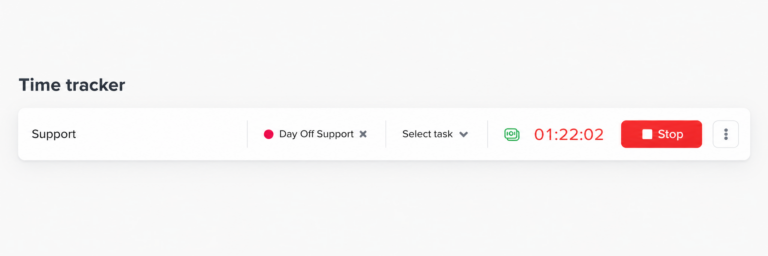
Employee Timesheet Review and Approval
Employees should have an opportunity to identify errors before payroll is finalized whenever the employer’s process allows it.
A simple review workflow can be:
Employee records time → employee reviews record → manager reviews exceptions → corrections are processed → timesheet is approved → payroll uses final hours
Employees should specifically look for:
- Missing clock-ins
- Missing clock-outs
- Incorrect break records
- Work completed outside scheduled hours
- PTO incorrectly overlapping work
- Incorrect overtime
- Timers that were accidentally left running
Manager review should focus on exceptions rather than automatically rewriting employee punches to match the schedule.
An employee’s schedule tells the employer what should have happened.
The time record should reflect what actually happened.
Scheduled Hours Are Not the Same as Worked Hours
This distinction should appear somewhere in the policy.
Suppose an employee is scheduled:
9:00 AM to 5:00 PM
but actually works:
8:52 AM to 5:18 PM
The employer should not automatically replace the actual record with:
9:00 AM to 5:00 PM
just because that was the schedule.
The work schedule provides a reference point for attendance.
The time record provides evidence of actual working time.
Keeping both allows managers to identify:
- Early starts
- Late arrivals
- Early departures
- Late finishes
- Overtime
- Schedule variance
This is much more useful than forcing every record to match the planned schedule.
Remote and Hybrid Employee Time Clock Rules
Timekeeping policies should apply to remote work as clearly as they apply to office work.
Remote employees may perform work through:
- Slack or Microsoft Teams
- Customer calls
- Project systems
- Documents
- Company portals
- Virtual meetings
A remote employee might technically “clock out” but continue answering messages from home.
The policy should make clear that employees are responsible for recording compensable working time regardless of whether the work takes place in the office, at home, or another approved location.
A useful rule is:
Employees must record all working time regardless of work location and should not perform work outside their recorded working session without recording the additional time.
The Department of Labor’s working-time principles can apply to work performed away from the employer’s premises when the employer knows or has reason to believe that the work is occurring.
Time Clock Rules for Flexible Employees
Flexible schedules need different attendance expectations from fixed schedules.
Suppose one employee is required to work:
9:00 AM to 5:00 PM
while another employee simply needs to complete:
8 hours within an approved flexible window
A 10:00 AM clock-in might represent lateness for the first employee but be completely acceptable for the second.
The time clock policy should therefore state that attendance is assessed against the employee’s assigned work schedule rather than one universal company start time.
This becomes particularly important for organizations with:
- Remote teams
- International teams
- Rotating shifts
- Split shifts
- Compressed workweeks
- Flexible hours
- Part-time employees
Time Clock Rules for Shift Workers
Shift workers also need schedule-specific rules.
For example, employees may work:
Morning: 6:00 AM to 2:00 PM
Evening: 2:00 PM to 10:00 PM
Night: 10:00 PM to 6:00 AM
The policy should explain how employees clock in and out when shifts cross midnight and how breaks are recorded.
The same principle applies:
Record actual working time against the assigned schedule.
An overnight employee’s shift should not be split incorrectly simply because midnight occurs during the working period.
How Long Should Employers Keep Time Records?
Federal recordkeeping requirements establish minimum retention periods for certain records.
The Department of Labor states that covered employers should generally retain payroll records for at least three years. Records on which wage calculations are based, including time cards, work and time schedules, and similar records, should generally be retained for two years.
State laws, contracts, litigation holds, tax requirements, or company policies may require longer retention.
For this reason, companies should establish a documented record-retention policy rather than deleting time records immediately after payroll is processed.
Time Record Falsification
A time clock policy should distinguish between an honest mistake and intentional falsification.
Mistakes happen.
An employee may genuinely forget to clock out.
Intentional falsification is different.
Examples can include:
- Recording work that did not occur
- Deliberately changing a punch to increase paid hours
- Clocking in for another employee
- Asking another employee to clock in on their behalf
- Hiding an extended absence
- Deliberately entering false correction information
The policy can state that intentionally falsifying time records may result in disciplinary action according to company procedures.
However, enforcement should never involve deleting legitimate hours the employee actually worked.
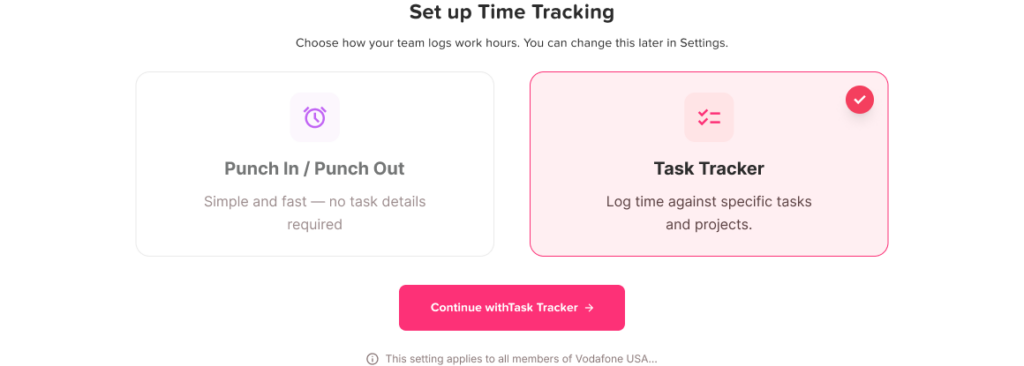
Time Clock Policy Template
The following template can be adapted to the company’s work schedules, payroll process, state laws, and time tracking system.
[Company Name] Time Clock and Timekeeping Policy
Purpose
The purpose of this policy is to ensure that employee working time is recorded accurately and consistently. Accurate time records support payroll, attendance management, overtime calculations, and compliance with applicable wage-and-hour requirements.
Scope
This policy applies to all employees who are required by [Company Name] to record their working hours, including hourly and nonexempt employees unless another written policy applies.
Approved Timekeeping System
Employees must record working time using [Time Tracking System].
Employees must use their own account and must not clock in, clock out, start a timer, stop a timer, or submit time on behalf of another employee unless specifically authorized as part of an administrative correction process.
Clocking In
Employees should clock in when they begin working.
Employees should not perform work before clocking in and should not begin working before their scheduled start time without approval unless an unexpected business need requires immediate work.
All working time must still be reported accurately even when advance authorization was not obtained.
Clocking Out
Employees should clock out when they finish working for the day.
Employees must not continue performing work after clocking out. If additional work is performed after the recorded end time, the employee must report the time so the record can accurately reflect the hours worked.
Breaks
Employees should follow the break schedule and rules applicable to their role and work location.
Authorized short paid rest breaks should be recorded according to company procedures and applicable law.
Employees required to take an unpaid meal period must clock out at the beginning of the meal period and clock back in when they resume work.
If an employee performs work during an unpaid meal period, the employee must report the time so the record can be corrected.
Overtime
Employees must obtain manager approval before working overtime or outside their scheduled hours whenever advance approval is reasonably possible.
All hours actually worked must be recorded even if the overtime was not approved in advance.
Failure to follow the overtime authorization procedure may be addressed separately from the company’s obligation to maintain accurate time records and pay employees according to applicable law.
Missed Punches
Employees must report forgotten, missing, or incorrect clock-in and clock-out records as soon as possible.
The correction request should include:
- Date
- Missing or incorrect punch
- Correct time
- Reason for correction
A manager or authorized administrator will review the request before the record is finalized.
Time Record Corrections
Time records may be corrected when necessary to reflect the employee’s actual working time.
Where practical, corrections should include the reason for the change and identify who requested and approved the correction.
Managers and employees must not change records for the purpose of removing time that was actually worked.
Off-the-Clock Work
Employees must not perform work without recording the time.
This includes work performed before the recorded start time, after the recorded end time, during an unpaid meal period, remotely, or outside the employee’s normal schedule.
Employees should notify their manager if work occurs outside the expected schedule.
Timesheet Review
Employees are responsible for reviewing their time records and reporting any errors promptly.
Managers should review attendance exceptions, missed punches, break issues, and overtime before records are submitted for payroll.
Accurate Records
Employees are expected to record time truthfully and accurately.
Intentional falsification, recording time for another employee, or deliberately providing inaccurate correction information may be handled under the company’s disciplinary procedures.
Compliance With Applicable Law
This policy is intended to support accurate timekeeping. If federal, state, or local law provides employees with greater rights or imposes additional requirements, the applicable law will control.
Example Time Clock Rules at a Glance
| Situation | Recommended Policy Approach |
|---|---|
| Employee starts work | Clock in when work begins |
| Employee finishes work | Clock out when all work ends |
| Paid short break | Generally remains compensable |
| Unpaid meal period | Clock out when fully relieved from work |
| Employee works through lunch | Report actual working time |
| Employee forgets clock-out | Submit correction promptly |
| Employee works unauthorized overtime | Record and pay qualifying work, address authorization separately |
| Manager finds incorrect time | Correct to reflect actual time and document reason |
| Employee works after clock-out | Add actual compensable working time |
| Employee works remotely | Record working time in the same way as onsite work |
How Day Off Helps Apply a Time Clock Policy
A written policy becomes much easier to follow when the time tracking system supports the same rules.
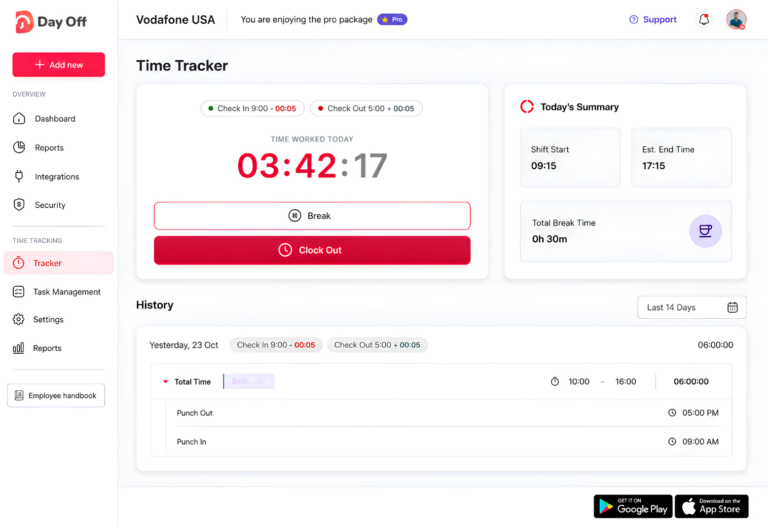
Day Off combines Time Tracking, work schedules, attendance, PTO, tasks, projects, and reporting in the same platform, helping companies create a clearer connection between what employees were scheduled to work and what they actually recorded.
Clock In and Clock Out
Companies that mainly need attendance tracking can use Day Off’s Clock In / Clock Out mode.
Employees use Start Time when they begin working and End Day when their working day finishes. This creates a digital record of the employee’s start and end times rather than relying on handwritten timesheets or manual attendance logs.
This supports one of the core rules in a time clock policy:
Record when work actually begins and when it actually ends.
Task Tracker for Project-Based Work
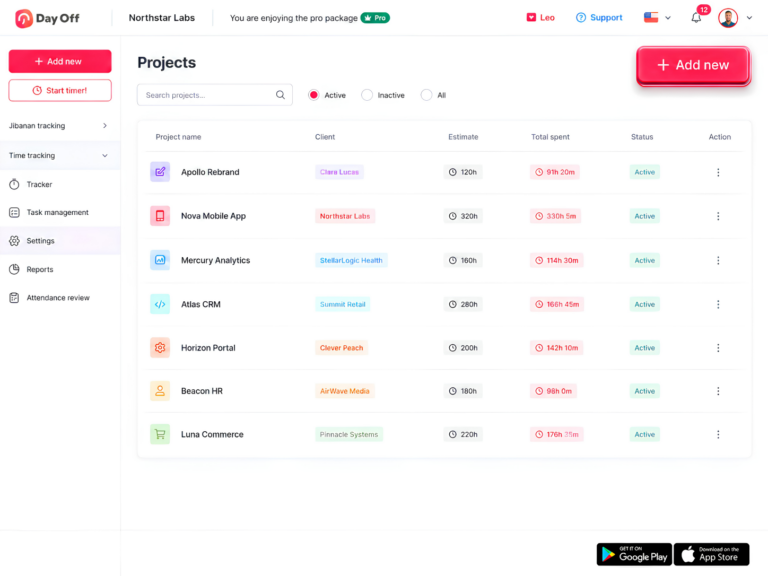
Companies that need more detail can use Day Off’s Task Tracker mode.
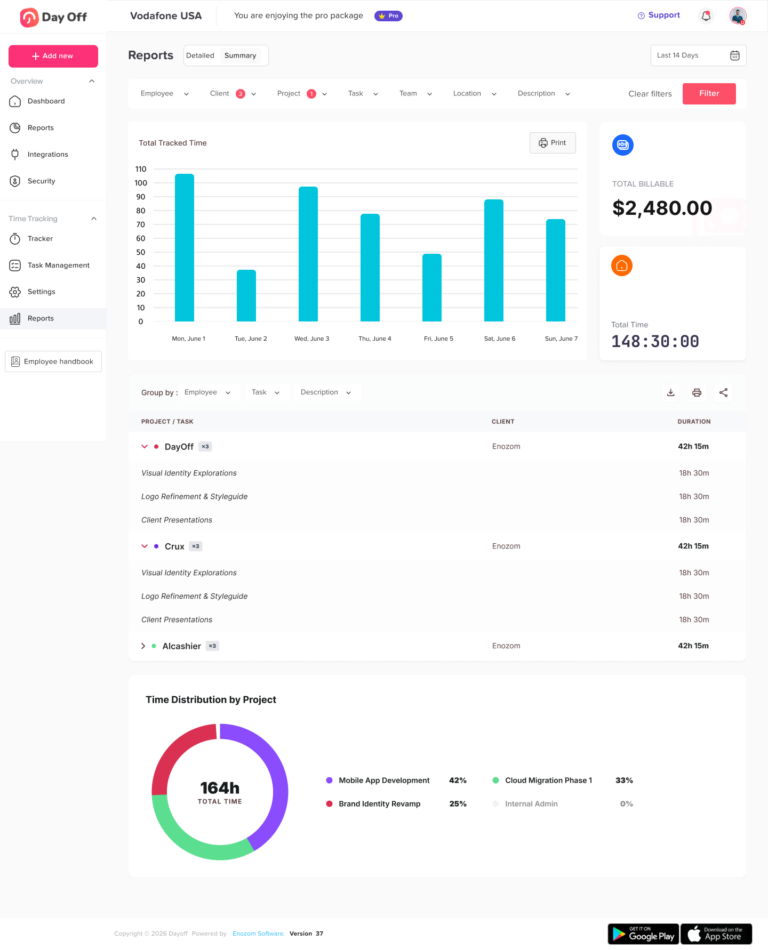
Instead of recording only the beginning and end of the working day, employees can log their time against specific projects and tasks. Day Off saves completed entries in the employee’s history with the recorded duration and associated work details.
This is useful when the business needs to answer not only:
How long did the employee work?
but also:
What did the employee work on?
Task-level records can support project planning, billable work, estimates, and workload analysis.
Connect Time Records to Work Schedules
A time clock record becomes more useful when managers can compare it with the employee’s expected schedule.
Day Off supports:
- Fixed Days
- Fixed Hours
- Flexible Hours
- Rotating Shifts
Fixed Hours can also represent separate working periods during the same day, while rotating schedules can model multi-week shift patterns.
This means the same clock-in time can be interpreted correctly according to the employee’s schedule.
For example:
Employee A scheduled start: 8:00 AM
Clock-in: 9:00 AM
Result: Potentially 1 hour late
Employee B flexible schedule: No fixed 8:00 AM start
Clock-in: 9:00 AM
Result: May be completely within schedule
That context makes attendance records much more useful than a stand-alone punch clock.
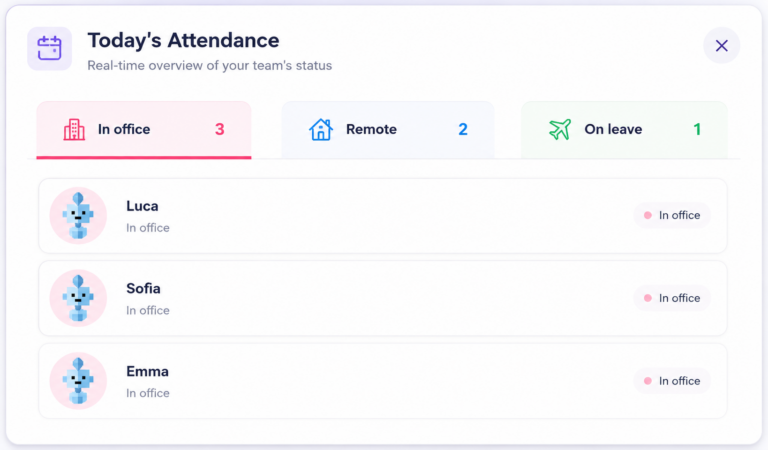
Use Attendance Review to Spot Exceptions
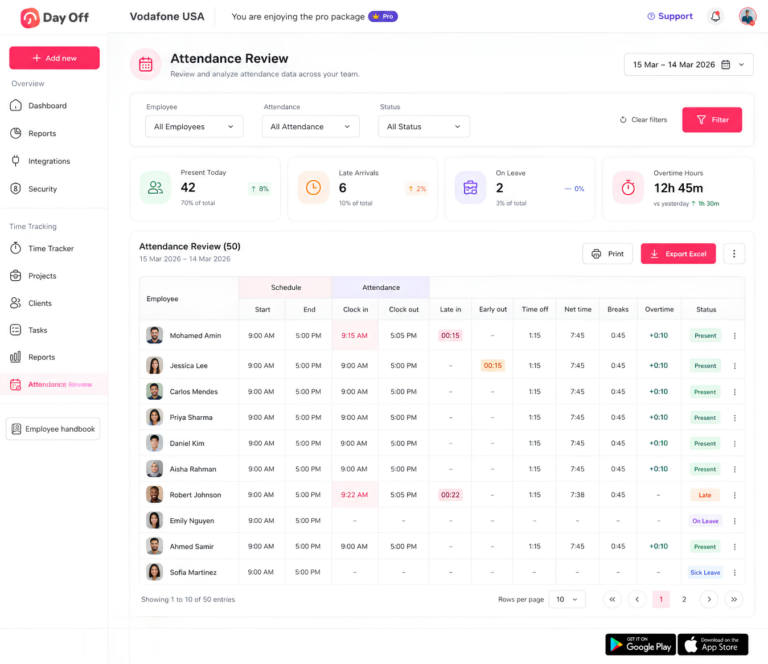
Day Off’s Attendance Review compares scheduled hours with actual tracked attendance.
Managers can review information including:
- Scheduled working hours
- Actual clock-in
- Actual clock-out
- Late arrival
- Early departure
- Breaks
- Time off
- Net working hours
- Overtime
- Attendance status
This gives managers one place to identify exceptions that may require review before payroll.
For example:
Scheduled: 9:00 AM to 5:00 PM
Clock-in: 9:22 AM
Clock-out: 5:35 PM
Rather than simply seeing a total number of hours, the manager can compare the recorded attendance with the assigned schedule and understand both the late arrival and later finish.
Keep PTO and Attendance Connected
Time clock records should also reflect when an employee was not expected to work because of approved leave.
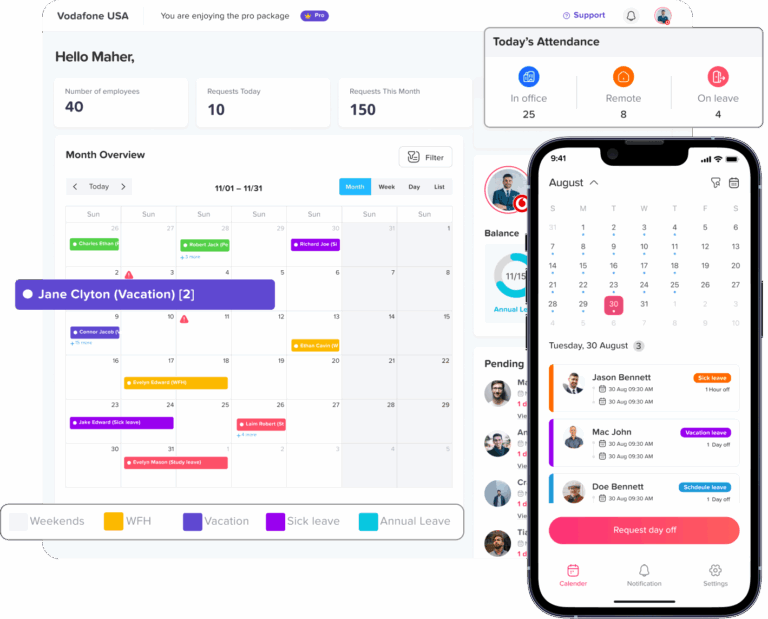
Day Off connects attendance with leave and absence information. When an employee does not punch in on a workday, managers can use the connected leave information or add a Day Off record where appropriate rather than leaving the attendance record unexplained.
This is particularly useful for partial-day PTO.
For example:
Scheduled: 8 hours
Worked: 6 hours
Approved PTO: 2 hours
The manager can understand that the two-hour difference is approved leave rather than automatically treating it as an attendance problem.
Export Attendance Information for Payroll
Day Off allows administrators to export Time Tracking and Attendance Review information for reporting, recordkeeping, and payroll preparation.
Attendance sheets can include information such as clock-in, clock-out, late time, overtime, absences, and total worked hours.
This helps HR move from:
employee punches
to:
reviewed attendance records
to:
payroll-ready information
without relying entirely on manual spreadsheets.
Best Practices for Introducing a New Time Clock Policy
Publishing the policy is only the first step.
Employees and managers also need to understand how it should work in everyday situations.
Match the Policy to the Actual Time Tracking System
Do not write rules employees cannot follow in the software.
If employees must clock out for unpaid lunch, make sure the process clearly supports recording that break.
If employees need to submit missed-punch corrections, explain exactly where and how they should do it.
The policy and technology should describe the same workflow.
Train Managers Before Employees
Managers are usually responsible for handling exceptions.
They should understand:
- What counts as actual working time
- How missed punches are corrected
- When overtime requires approval
- Why unauthorized work may still need to be recorded
- How meal-period issues should be reviewed
- What they can and cannot change on a timesheet
Manager inconsistency can undermine even a well-written policy.
Give Employees Real Examples
Examples are easier to understand than policy language alone.
Show employees what to do if:
- They forget to clock in
- They forget to clock out
- They work through lunch
- They need to stay late
- Their manager asks them to work after they clock out
- Their internet connection prevents a remote punch
- They accidentally leave the timer running
This makes the policy much easier to apply.
Review Exceptions Before Payroll
Managers should review unusual records before payroll is finalized.
Examples include:
- Missing punches
- Very long shifts
- Unexpected overtime
- Multiple edits
- Unusually long breaks
- Attendance that conflicts with approved PTO
- Overnight timers
- Clock activity outside assigned schedules
The goal is not to change the record to match expectations.
The goal is to determine what actually happened and make sure the final record is accurate.
Review the Policy Regularly
Working arrangements change.
A policy written for an office where everyone works 9:00 AM to 5:00 PM may no longer work when the company adds:
- Remote employees
- Flexible hours
- Part-time schedules
- Rotating shifts
- Project-based work
- International teams
Reviewing the policy periodically helps keep the written rules aligned with how employees actually work.
Frequently Asked Questions About Time Clock Policies
What happens if I forget to clock out at work?
If you forget to clock out, report the missing punch as soon as possible and provide the time you actually stopped working. Your employer or manager can then correct the time record according to the company’s timekeeping process.
The correction should reflect the hours you actually worked rather than simply using your scheduled end time automatically. Under the FLSA, covered employers must maintain accurate records of hours worked each day and each workweek.
What happens if I forget to clock in?
A forgotten clock-in should normally be corrected through the employer’s missed-punch or time correction process.
For example, if your shift started at 9:00 AM and you actually began working at 9:00 AM but forgot to clock in until 9:45 AM, the final record should reflect the time you actually began compensable work, not simply the time the punch was entered.
Employees should report the mistake promptly so the timesheet can be corrected before payroll is finalized.
Can my employer change my time card?
An employer may correct a time record when necessary to make it accurate. For example, a manager may need to fix a missing punch, duplicate entry, or timer that was accidentally left running.
However, the final record should accurately reflect the employee’s actual compensable working time. The Department of Labor requires covered employers to maintain accurate records of daily and weekly hours worked.
Can my boss change my clock-in or clock-out time?
A manager can make a legitimate correction when the recorded time is wrong, but changing a punch simply to make it match the employee’s scheduled shift can create an inaccurate record.
For example:
Actual clock-in: 8:47 AM
Scheduled start: 9:00 AM
If the employee actually began compensable work at 8:47 AM, simply changing the punch to 9:00 AM because early work was not authorized would not accurately reflect what happened.
Employers can enforce scheduling rules separately, but actual compensable working time still needs to be recorded.
Can I clock in early for work?
That depends on the company’s policy. Employers can require employees to wait until their scheduled start time before beginning work unless early work has been approved.
However, employees should not perform work before clocking in.
If an employee starts completing compensable work before the scheduled shift and the employer knows or has reason to know that the work is being performed, that time may still count as hours worked even if the employee did not have permission to start early.
How early can employees clock in before a shift?
There is no single federal rule requiring every employer to allow employees to clock in a specific number of minutes before a shift.
A company may establish its own reasonable clock-in procedure, such as instructing employees to clock in when work actually begins.
The important point is that employees should not perform unpaid work while waiting for their scheduled shift to start.
Do I have to clock out for lunch?
You may need to clock out if your employer provides an unpaid meal period and uses clock punches to record that time.
Under federal guidance, a bona fide meal period generally does not count as hours worked when the employee is completely relieved from duty. If the employee continues performing duties during lunch, however, that period may be compensable working time.
Employers should clearly explain whether employees must clock out for meals and what to do if they are required to work during the break.
Do I have to clock out for a 15-minute break?
Generally, short rest breaks of about 20 minutes or less are treated as compensable working time under the FLSA.
That means an employer should not normally remove an authorized 15-minute rest break from the employee’s paid working hours simply because it is called a break.
The employer’s system may still record the break separately, but it should be handled consistently with applicable wage-and-hour requirements.
What if I work through my lunch break?
If you perform compensable work during what was supposed to be an unpaid meal period, you should report that time.
For example, an employee who remains at their desk during lunch and continues answering customer calls may not be fully relieved from duty. The Department of Labor specifically notes that meal periods are generally unpaid only when employees are completely relieved from work.
The time record should be corrected if the system automatically deducted lunch even though work was actually performed.
Can my employer automatically deduct lunch from my timesheet?
Employers may use systems that automatically deduct a scheduled unpaid meal period, but the resulting record still needs to reflect actual working time.
If an employee works through the automatically deducted lunch, there should be a clear process for reporting and correcting the time.
The employer should not knowingly leave the deduction in place when the employee actually performed compensable work.
Can my employer make me work off the clock?
Covered nonexempt employees generally must be paid for compensable work the employer requires or permits them to perform.
The Department of Labor explains that work that is not specifically requested can still count as working time when the employer suffers or permits the employee to perform it.
Examples may include finishing work after clocking out, answering work messages, completing closing duties, or performing required tasks before clocking in.
What happens if I keep working after I clock out?
If you continue performing compensable work after clocking out, the additional time should generally be reported and included in the time record.
For example:
Clock-out: 5:00 PM
Employee continues working until: 5:25 PM
If those 25 minutes involve compensable work, the record may need to be corrected to reflect the actual ending time.
The company can address unauthorized extra work separately, but actual work should not simply disappear from the timesheet.
Can my employer refuse to pay overtime if it was not approved?
An employer may require employees to obtain advance approval before working overtime, but that does not automatically remove the obligation to pay qualifying overtime that was actually worked.
The Department of Labor states that an employer’s announcement that unauthorized overtime will not be paid does not eliminate an employee’s right to compensation for compensable overtime hours actually worked.
The employer can enforce the approval policy separately through its normal workplace procedures.
Can I get overtime if I clock in early or clock out late?
Potentially, yes, if the extra time represents compensable work and causes the employee’s actual working hours to exceed the applicable overtime threshold.
Under the standard federal rule, covered nonexempt employees generally receive overtime for hours actually worked over 40 in a workweek.
Simply having an early or late punch does not automatically create overtime. The employer should determine whether the employee was actually working during that period.
Does working on Saturday or Sunday automatically count as overtime?
Not under the standard federal FLSA rule.
Federal overtime is generally based on working more than 40 hours in the employer’s defined workweek, not simply working on a weekend.
For example, an employee who works Saturday but still works only 38 total hours during the workweek may not have federal overtime solely because one of those days was Saturday.
State laws or company policies may provide additional overtime rules.
What is the 7-minute rule for time clocks?
The “7-minute rule” is commonly used to describe quarter-hour time rounding.
Under a traditional nearest-quarter-hour system, punches within the first seven minutes of a quarter hour may round backward, while punches eight minutes or more into the interval may round forward.
For example:
8:07 → 8:00
8:08 → 8:15
However, employers should not assume that every rounding practice is automatically acceptable. Any rounding method should comply with current federal and applicable state requirements and should not systematically result in employees losing compensable working time.
With modern digital time systems capable of recording exact punches, many employers choose to track exact times rather than rely on rounding.
Can an employer round my clock-in and clock-out times?
Federal regulations have historically allowed neutral rounding practices when they average out over time rather than consistently benefiting the employer.
However, state rules may be stricter, and employers should review current requirements before implementing rounding.
A time clock policy should clearly explain whether exact time or rounded time is used and how employees can report an incorrect result.
Can I be fired for forgetting to clock out?
An occasional missed punch and intentional falsification are very different situations.
Whether a missed punch leads to discipline depends on the employer’s policy and the circumstances. A good time clock policy should give employees a process for promptly reporting and correcting honest mistakes.
Repeated failures to follow the timekeeping procedure may be handled differently from one accidental missed punch.
Can I be disciplined for working unauthorized overtime?
Possibly. An employer can maintain a rule requiring employees to receive approval before working overtime and may address violations of that rule under its workplace policies.
However, discipline and pay are separate issues.
If compensable overtime was actually worked, the employer generally still has to account for it even if the employee violated the approval procedure.
Can another employee clock in or out for me?
A company should generally prohibit employees from recording punches for coworkers unless an authorized administrator is correcting a time record.
Having another employee clock in or out for you can make the time record inaccurate and may be treated as timecard falsification under company policy.
Each employee should normally record their own working time and use the official correction process when a punch is missed.
How long do employers have to keep time clock records?
Under federal FLSA recordkeeping guidance, employers generally must retain payroll records for at least three years.
Records used to calculate wages, including time cards and work schedules, generally must be retained for two years.
State law or other legal requirements may require records to be kept for longer.
Are employees required by law to use a time clock?
Federal law does not require employers to use one specific type of timekeeping system.
The Department of Labor states that employers may use a time clock, a timekeeper, handwritten records, or another method as long as the resulting records are complete and accurate.
A digital time clock can make the process easier, but accuracy is more important than the particular technology used.
Should employees review their timesheets before payroll?
It is a good practice because it gives employees an opportunity to identify missing punches, incorrect breaks, wrong clock times, or unrecorded work before payroll is finalized.
A practical workflow is:
Employee records time → employee reviews entries → manager reviews exceptions → corrections are made → payroll uses the final record
This also creates a clearer process when managers need to make legitimate corrections.
What should I do if my timecard is wrong?
Report the error as soon as you notice it.
Provide enough information to verify the correct record, including:
- The date
- The incorrect or missing punch
- The actual time worked
- The reason for the correction
For covered employees, the final time record should accurately reflect daily and weekly hours worked.
conclusion
A strong time clock policy gives employees clear expectations for recording their working hours while giving managers and HR a consistent process for handling breaks, overtime, missed punches, corrections, and attendance exceptions. The goal is not simply to track when employees arrive and leave, but to maintain an accurate record of what actually happened during the workday.
The most effective policies clearly separate scheduled hours, actual worked hours, breaks, PTO, and overtime. This makes it easier to identify attendance issues, correct genuine mistakes, prepare accurate payroll records, and avoid changing legitimate working time simply because it falls outside the planned schedule.
With Day Off, companies can put these rules into practice using Clock In / Clock Out tracking, Task Tracker, work schedules, Attendance Review, PTO management, and attendance reporting in one place. Managers can compare scheduled and actual hours, review late arrivals, early departures, breaks, leave, and overtime, while maintaining a clearer record of employee time.
Combining a well-written time clock policy with reliable time tracking creates a more transparent process for employees and a more dependable source of information for managers, HR, and payroll. As working arrangements evolve to include remote teams, flexible hours, rotating shifts, and project-based work, reviewing both the policy and the time tracking process regularly can help keep them aligned with how employees actually work.