







Employee time-off data affects much more than the HR department. An approved PTO request may need to update an employee’s leave balance, payroll record, team calendar, manager dashboard, staffing plan, and internal HR system. When these updates are handled manually, the same absence may need to be entered several times across different platforms.
This creates common problems:
- PTO balances do not match payroll records
- New employees are missing from the leave system
- Former employees continue appearing in reports
- Approved absences are not added to calendars
- Managers plan work using outdated availability
- HR spends hours reconciling spreadsheets
- Employees lose confidence in their balances

A time-off API helps solve these problems by allowing PTO data to move between connected systems automatically.
Instead of asking HR to update every platform separately, an API can transfer approved leave requests, employee records, balances, teams, locations, and other relevant information between the PTO platform and the company’s existing tools.
This guide explains how a time-off API works, what information should be synchronized, how to connect PTO with HR, payroll, and calendar tools, and what organizations should consider before building an integration.
What Is a Time-Off API?
A time-off API is an application programming interface that allows another system to access or manage information stored in a PTO or leave management platform.
The API creates a structured connection between systems.
For example, a company may use:
- An HRIS to manage employee records
- A PTO tracker to manage leave policies and requests
- Payroll software to calculate employee pay
- Google Calendar or Outlook to display availability
- An internal dashboard to monitor staffing
- A workforce management system to schedule shifts
Without an API, employees or administrators may need to copy information between these systems manually.
With an API, an authorized application can request data from the PTO platform or send supported updates to it.
A time-off API may provide access to resources such as:
- Employees
- Leave requests
- Leave balances
- Leave types
- Teams
- Departments
- Locations
- Roles
- Approval statuses
- Work schedules
- Public holidays
The exact resources and supported actions depend on the API provider and the current API documentation.
Day Off’s API allows organizations to programmatically access and manage information such as employee records, leave requests, and balances. Its documentation also includes resources related to teams, roles, and locations.
What Is the Difference Between a PTO API and a Native Integration?
A native integration is a ready-made connection created for a specific platform.
For example, Day Off provides direct integrations with Google Calendar and Microsoft Outlook. Once connected, time-off information can be added to the selected calendar automatically without the company building its own calendar connector.
An API is more flexible.
It allows a development team to build a custom integration for:
- A payroll system without a native connector
- A company’s internal HR portal
- A custom reporting dashboard
- A scheduling platform
- A data warehouse
- A regional payroll provider
- A specialized workforce management tool
- An automated onboarding process
A native integration is usually the fastest choice when it already supports the required workflow. An API is more suitable when the company needs custom logic, additional fields, unusual approval rules, or a connection to an internal system.
Why Connect PTO With Other Business Systems?
PTO data is operational data.
It affects compensation, staffing, project delivery, customer support, compliance, and workforce planning. Treating leave as an isolated HR record limits its usefulness and increases the risk of inconsistent information.
A connected PTO process can improve several areas.
Reduce repeated data entry
When employee and leave information moves automatically, HR does not need to re-enter the same record in several systems.
Improve payroll accuracy
Approved paid and unpaid absences can be sent to payroll in a consistent format, reducing the risk of missed deductions or incorrectly paid hours.
Keep employee records current
New hires, employee transfers, team changes, and departures can be reflected across the connected systems.
Improve calendar visibility
Approved leave can appear in the calendars that employees and managers already use for meetings and planning.
Support better staffing decisions
Managers can use current absence data when scheduling shifts, assigning work, or approving overlapping requests.
Create more reliable reports
A reporting or analytics system can combine PTO information with payroll, attendance, headcount, and productivity data.
Which System Should Be the Source of Truth?
Before building an integration, the company must decide which system owns each type of information.
The source of truth is the system that has authority over a particular record.
A common structure is:
| Data Type | Possible Source of Truth |
|---|---|
| Employee name and work email | HRIS |
| Employment status | HRIS |
| Department and manager | HRIS |
| PTO policy | Leave management system |
| Accrual calculation | Leave management system |
| Available leave balance | Leave management system |
| Leave approval status | Leave management system |
| Worked hours | Time or attendance system |
| Pay calculation | Payroll system |
| Meeting availability | Calendar system |
The ownership rules should be documented clearly.
For example, if Day Off calculates employee PTO balances, another connected system should normally consume those balances rather than calculate a different version using separate rules.
Allowing two systems to independently calculate the same balance can create disagreements involving:
- Accrual dates
- Carryover
- Expiration
- Waiting periods
- Prorated allowances
- Part-time schedules
- Public holidays
- Canceled requests
- Manual adjustments
One system should own the calculation, while the connected tools receive the result.
How a Time-Off API Works
Most time-off API integrations follow a request-and-response process.
An authorized system sends a request to the API. The API validates the request, performs the supported action, and returns a response.
A simplified request may look like this:
GET {DAY_OFF_API_BASE_URL}/{EMPLOYEE_RESOURCE}
x-api-key: YOUR_API_KEY
The resource name and base URL should always be taken from the current official documentation rather than assumed.
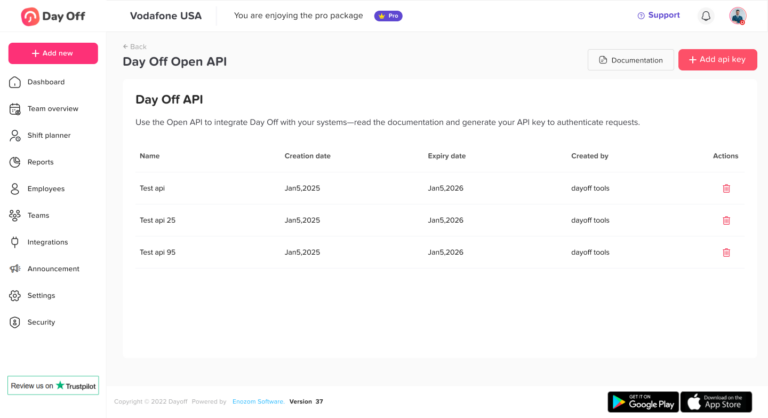
Day Off authenticates API requests using an API key supplied through the x-api-key header. Administrators can create named keys, assign an expiry date, and access the API documentation from the Integrations section.
A response commonly uses structured data such as JSON:
{
  "employeeId": "EMP-1042",
  "name": "Jordan Lee",
  "email": "[email protected]",
  "team": "Customer Success",
  "location": "New York"
}
This example illustrates the type of structure an integration may use. The actual field names and response format should be taken from the Day Off API documentation.
What Can Be Connected Through a Time-Off API?
HR and HRIS platforms
An HRIS often stores the main employee profile.
The integration can use employee information to keep the PTO platform aligned with the company directory.
Relevant information may include:
- Employee ID
- Full name
- Work email
- Start date
- Employment status
- Department
- Team
- Manager
- Location
- Job type
- Work schedule
- Employment end date
A typical onboarding workflow could be:
- HR creates the employee in the HRIS.
- The integration detects or retrieves the new employee.
- The employee is added to the PTO system using a supported API method.
- The correct team, location, policy, role, and approver are assigned.
- The employee receives access to the leave platform.
- The integration records the result for auditing.
A similar workflow can apply when an employee transfers to another team or leaves the company.
Payroll systems
Payroll integrations should transfer the information needed to process paid and unpaid absences correctly.
Depending on the company’s policies, payroll may need:
- Employee identifier
- Payroll period
- Leave dates
- Leave type
- Paid or unpaid status
- Number of days or hours
- Approval status
- Partial-day duration
- Work schedule
- Date of the latest change
- Correction or cancellation status
The integration should normally send only approved requests to payroll.
Pending requests may be useful for forecasting, but they should not automatically affect an employee’s pay. Rejected requests should not be processed, and canceled requests must be removed or reversed if they were already transferred.
Calendar applications
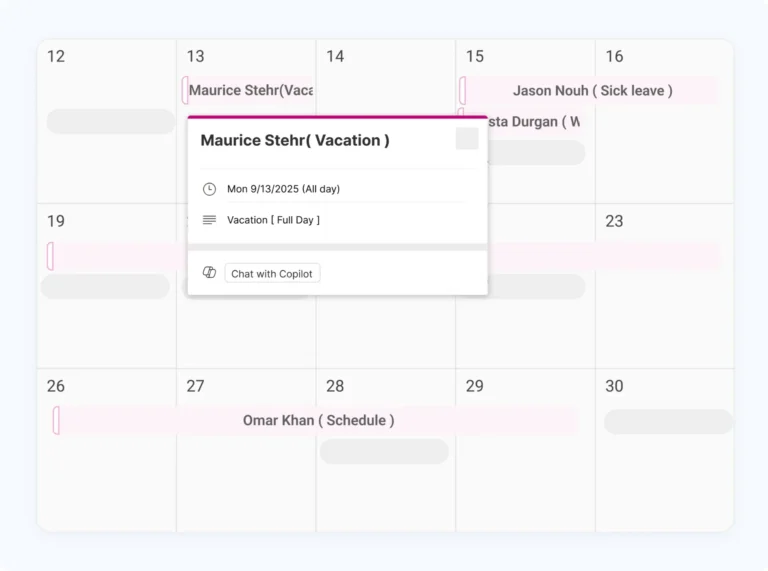
A calendar integration turns approved time off into visible availability.
Instead of asking employees to submit PTO and then create a separate calendar event, the approved request can automatically appear on the employee’s calendar.
Day Off’s Google Calendar integration can sync personal, team, or company requests, depending on the selected setting. Users can choose a destination calendar and decide whether their own leave should show as available or busy. Updates, edits, and cancellations made in Day Off are reflected in the connected calendar.
The Outlook integration provides similar options, including personal requests, subordinate requests, team requests, or company-wide requests. Users can also select the Outlook calendar and control whether their own time off blocks availability.
For many organizations, these native integrations are more practical than building a custom calendar API connection.
A custom connection may still be useful when a company uses:
A custom connection may still be useful when a company uses:
- An internal scheduling calendar
- A project planning calendar
- A customer support rota
- A production schedule
- A custom workforce portal
- A calendar platform without a native integration
Reporting and business intelligence tools
A time-off API can feed information into reporting systems or data warehouses.
This allows organizations to analyze:
- PTO utilization
- Unused leave balances
- Absence rates
- Leave by team
- Leave by location
- Seasonal demand
- Approval times
- Overlapping requests
- Unpaid leave trends
- Accrual liability
- Manager workload
- Staffing coverage
A custom dashboard can combine PTO information with headcount, payroll, revenue, project, or attendance data.
Scheduling and workforce management tools
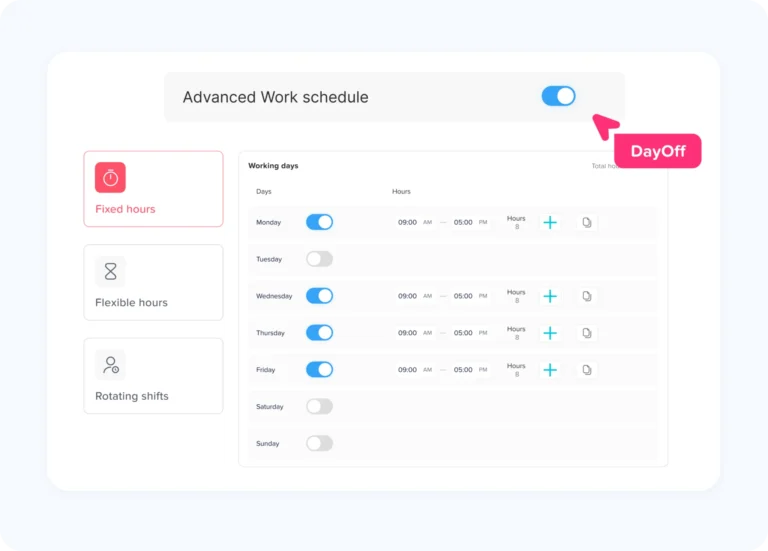
Approved leave can be used to prevent an unavailable employee from being assigned to a shift.
A scheduling workflow may:
- Retrieve approved leave for a date range.
- Match each request to the employee’s internal scheduling ID.
- Mark the employee as unavailable.
- Prevent or flag conflicting shifts.
- Notify the scheduler about coverage gaps.
- Reopen availability if the leave request is canceled.
This is particularly useful for:
- Healthcare organizations
- Restaurants
- Retail stores
- Call centers
- Hotels
- Manufacturing teams
- Customer support operations
- Field service companies
Internal employee portals
Some companies want employees to view HR information through one internal portal.
The portal may display:
- Current PTO balance
- Upcoming approved leave
- Pending requests
- Leave policy details
- Team availability
- Recent accrual activity
The API can retrieve the relevant information while Day Off continues to manage the underlying leave rules and approvals.
How to Connect PTO With an HR System
An HR integration should begin with employee identity.
The biggest source of synchronization errors is often not the leave request itself. It is the failure to match the correct employee across systems.
Use a stable employee identifier
Email addresses can change. Names can be duplicated or updated.
A better integration uses a stable identifier such as:
- HRIS employee ID
- Payroll employee number
- Internal directory ID
- Another permanent company identifier
Create a mapping table that connects the employee’s identifier in each system.
| HRIS ID | PTO System ID | Payroll ID | Work Email |
|---|---|---|---|
| HR-1042 | PTO-7681 | PAY-5520 | [email protected] |
This mapping prevents the integration from creating duplicate employees or assigning leave to the wrong record.
Define which changes should synchronize
Not every HRIS field needs to be sent to the PTO platform.
Focus on information that affects leave management:
- Active or inactive status
- Start date
- Team
- Manager
- Location
- Work schedule
- Employment type
- Assigned policy
- Role
Avoid transferring sensitive information that the leave system does not need.
Plan employee lifecycle events
The integration should define what happens when an employee:
- Joins the company
- Changes manager
- Moves department
- Transfers location
- Changes schedule
- Changes employment type
- Takes extended leave
- Leaves the company
- Is rehired
For each event, document which system triggers the update and how the destination system should respond.
How to Connect PTO With Payroll
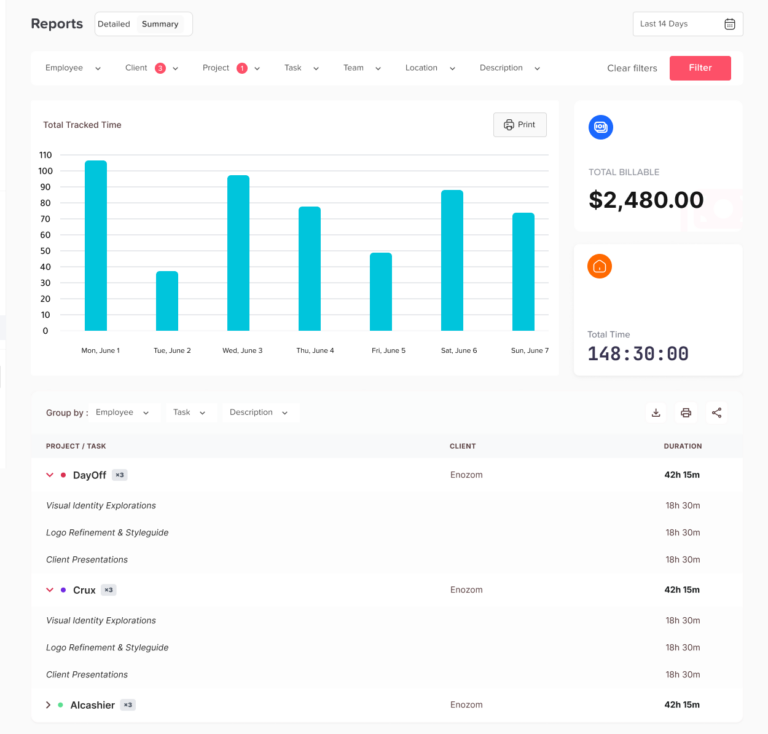
Payroll integration requires strict rules because an error can affect employee compensation.
Send approved leave only
The integration should distinguish clearly between:
- Pending
- Approved
- Rejected
- Canceled
- Modified
Only records that meet the payroll processing rules should be included.
Separate paid and unpaid leave
Payroll must know whether an absence affects pay.
For example:
| Leave Type | Payroll Treatment |
|---|---|
| Vacation | Paid |
| Paid sick leave | Paid |
| Unpaid personal leave | Unpaid |
| Public holiday | Paid according to policy |
| Parental leave | Depends on policy and applicable benefits |
| Jury duty | Depends on policy and law |
The leave type name alone may not be enough. A payroll mapping table should connect each Day Off leave type to the correct payroll code.
| Day Off Leave Type | Payroll Code |
|---|---|
| Annual Leave | PTO |
| Sick Leave | SICK |
| Unpaid Leave | UNPAID |
| Bereavement | BEREAVE |
Transfer hours and days accurately
A payroll system may require hours, while the PTO platform may display leave in days.
The integration must understand:
- The employee’s scheduled hours
- Full-day duration
- Half-day rules
- Hourly leave
- Nonstandard schedules
- Public holidays
- Weekends
- Overnight shifts
Do not assume every leave day equals eight hours.
An employee may work:
- Four 10-hour days
- Six-hour part-time shifts
- Rotating schedules
- Different hours on different weekdays
The conversion should use the employee’s actual assigned schedule.
Respect payroll cutoffs
Payroll normally closes at a specific date and time.
The integration should define:
- Which approved requests belong to the pay period
- How late approvals are handled
- What happens when a request changes after payroll closes
- How cancellations are reversed
- Whether corrections enter the current or next payroll cycle
A common process is to lock the payroll export at the cutoff and send later changes through a controlled adjustment workflow.
Reconcile after every payroll run
After data is transferred, compare the source and destination records.
Reconciliation should confirm:
- Number of leave records sent
- Number accepted by payroll
- Number rejected
- Total paid leave hours
- Total unpaid leave hours
- Missing employee mappings
- Duplicate requests
- Changes after cutoff
The integration should produce an exception report instead of silently ignoring failed records.
How to Connect PTO With Calendar Tools
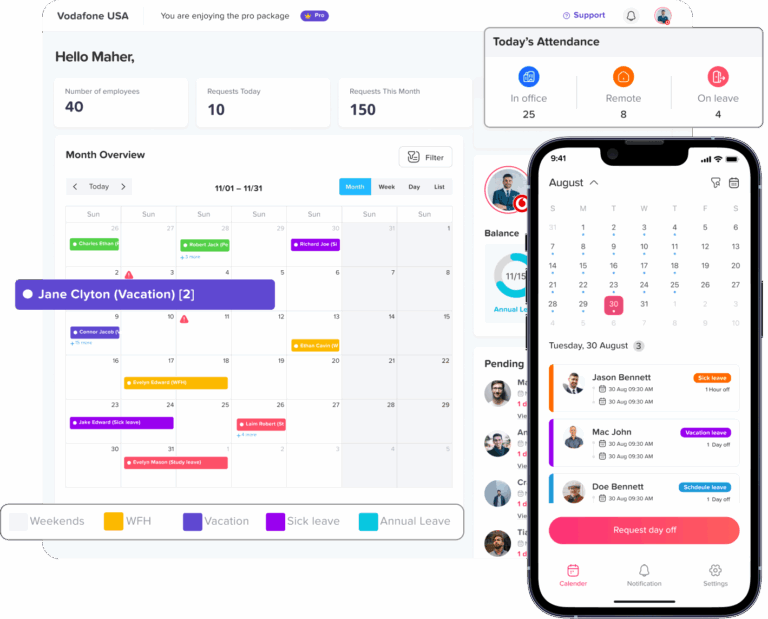
Calendar integrations are usually simpler than payroll integrations, but they still need clear rules.
Decide which requests create events
Most organizations create calendar events only for approved leave.
Adding pending requests can confuse team availability because the absence may never be approved.
Decide what the event should show
A calendar event may include:
- Employee name
- “Out of Office”
- Leave start and end
- Team
- Location
It should generally avoid displaying:
- Medical information
- Detailed leave reasons
- Personal notes
- Supporting documents
- Confidential HR comments
A neutral title such as “Out of Office” may provide enough scheduling visibility without disclosing why the employee is away.
Store the calendar event identifier
When a calendar event is created, save its unique event ID with the leave request mapping.
This allows the integration to update or remove the correct event later.
Without this mapping, changing a request may create duplicate calendar events.
Handle updates and cancellations
A reliable calendar process should account for:
- Changed leave dates
- Shortened requests
- Extended requests
- Cancellations
- Deleted employees
- Calendar disconnection
- Time-zone changes
The event in the calendar should remain consistent with the approved record in the PTO platform.
One-Way vs. Two-Way PTO Synchronization
One-way synchronization
Data moves from one system to another.
Examples:
- Day Off sends approved leave to payroll.
- Day Off sends availability to a calendar.
- An HRIS sends employee profiles to Day Off.
One-way synchronization is usually easier to control because each record has one clear owner.
Two-way synchronization
Both systems can create or change the same type of information.
For example:
- An employee updates leave in the HR portal.
- The request is sent to the PTO platform.
- A manager edits it in the PTO platform.
- The updated record is sent back to the HR portal.
Two-way synchronization is more complex because the integration must handle:
- Conflicting edits
- Duplicate records
- Update order
- Ownership rules
- Partial failures
- Deleted records
- Different validation rules
Use two-way synchronization only when there is a clear business need.
For calendar integrations, one-way synchronization from the approved PTO system to the calendar is often sufficient. Employees should normally change the leave request in the PTO platform rather than editing the calendar event and expecting it to change the official HR record.
Pull-Based and Event-Based Integration
A pull-based integration checks the API on a schedule.
For example:
- Every 15 minutes
- Every hour
- Once per night
- Before each payroll run
The integration requests records that were created or updated since the previous successful check.
An event-based integration reacts when something changes, usually through a webhook or message event.
Before designing an event-based process, developers should confirm whether the current API documentation supports webhooks or another event-notification mechanism. When that feature is unavailable, scheduled polling can provide a reliable alternative.
The polling interval should reflect the business need.
Calendar availability may need frequent updates. A monthly balance report may not.
How to Set Up the Day Off API
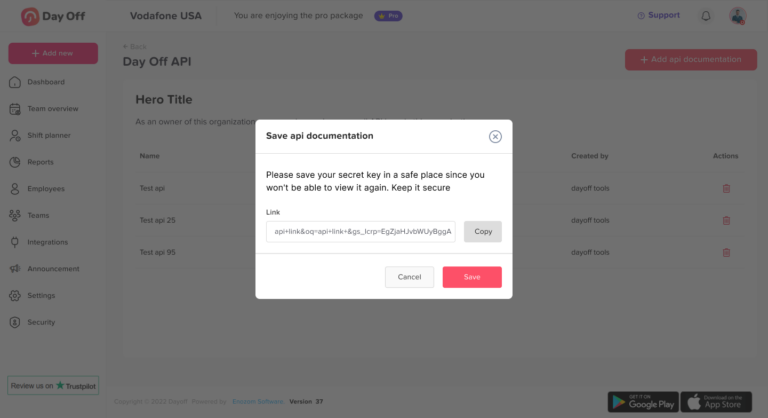
Day Off provides API access through the Integrations section.
Step 1: Open the API settings
From the Day Off dashboard:
- Open Integrations.
- Select API.
- Open the API Key Management page.
Step 2: Create an API key
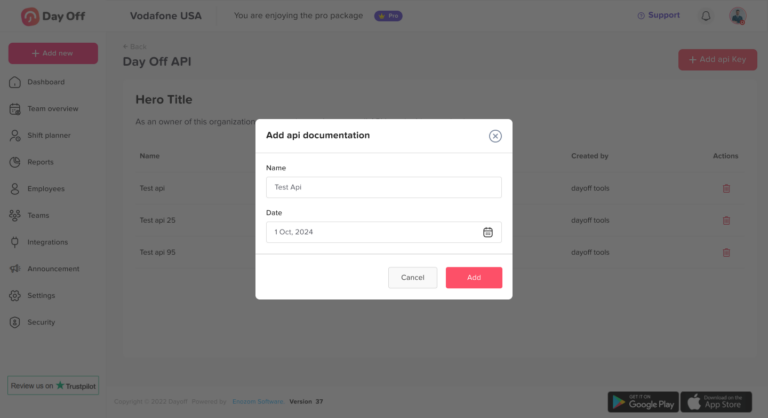
Select Add API Key, enter a descriptive name, choose an expiry date, and create the key.
Useful names include:
- Payroll Production
- HRIS Employee Sync
- Reporting Dashboard
- Development Testing
Using a separate key for each integration makes access easier to monitor and revoke.
Step 3: Review the documentation
The Day Off API documentation provides:
- Available endpoints
- Example requests
- Example responses
- Technical information
- Supported resources and methods
The documentation also provides an OpenAPI specification that can be downloaded and used with development and testing tools.
OpenAPI is a language-independent standard for describing HTTP APIs, enabling people and software tools to understand the available operations and data structures without reviewing the API’s source code.
Step 4: Authenticate requests
Include the key in the request header. Keep the key on a secure backend server. It should not be placed in browser code, a public mobile application, a shared document, or a public source-code repository.
Step 5: Test with nonproduction data
Before connecting live payroll or employee records:
- Test authentication
- Retrieve a small data set
- Confirm field mappings
- Test pagination if applicable
- Test invalid records
- Test missing employees
- Test duplicate requests
- Test cancellations
- Test date and time-zone handling
- Compare source and destination totals
Step 6: Enable monitoring
Record:
- Request time
- Resource requested
- Response status
- Records processed
- Failed records
- Retry attempts
- Last successful synchronization
Avoid logging the API key or confidential leave details.
Time-Off API Security Best Practices
Employee leave data may contain sensitive personal and operational information.
Security should be part of the integration design from the beginning.
Protect API keys
Day Off recommends keeping API keys private, rotating them regularly, assigning expiry dates, and avoiding exposure in frontend applications or public repositories.
Store keys in:
- A secrets manager
- Protected environment variables
- Encrypted server configuration
- Another access-controlled credential store
OWASP recommends using HTTPS for REST services so credentials and data are protected while being transmitted.
Use separate keys
Do not use one shared key for every environment and integration.
Create separate keys for:
- Development
- Testing
- Production payroll
- HRIS synchronization
- Reporting
This allows the company to revoke one connection without disabling every integration.
Apply least privilege
Only retrieve or transfer the data required for the workflow.
A payroll connection may need approved leave duration and payroll codes. It probably does not need an employee’s detailed request note.
A calendar connection may need availability dates. It does not need leave balances or medical information.
Validate object access
APIs commonly expose records through identifiers. OWASP identifies broken object-level authorization as a major API security risk, which means integrations and API providers must ensure that a caller is permitted to access each requested record.
Rotate and revoke credentials
Rotate keys:
- On a regular schedule
- When a developer leaves
- When a vendor relationship ends
- After suspected exposure
- When an integration is replaced
- Before or after major infrastructure changes
Delete keys that are no longer used.
How to Build a Reliable Synchronization Process
Use incremental synchronization
Instead of retrieving every record during every run, request records changed after the last successful synchronization when the API supports the required filtering.
Store a reliable checkpoint, such as:
- Last modified timestamp
- Cursor
- Page token
- Sequence number
Plan for pagination
Employee and leave data may be returned across several pages.
The integration should continue requesting pages until all matching records are processed.
Avoid duplicates
Store external identifiers for:
- Employees
- Leave requests
- Calendar events
- Payroll transactions
Before creating a record, check whether the mapping already exists.
Make retries safe
Network failures can occur after a request reaches the server but before the integration receives the response.
Developers should understand whether repeating a request could create a duplicate action. HTTP defines methods such as GET, PUT, and DELETE as idempotent in their intended effect, while other operations may require additional duplicate protection.
For record-creation workflows, use a stable external reference or another supported idempotency strategy when available.
Create an error queue
Do not discard failed records.
Store them with:
- Error message
- Employee ID
- Request ID
- Attempt time
- Retry count
- Required action
HR or technical administrators should be able to review and resolve these exceptions.
Reconcile regularly
Even an automated integration needs verification.
Run periodic comparisons between systems for:
- Active employee count
- Approved request count
- Total leave hours
- Leave balance totals
- Canceled requests
- Missing mappings
- Duplicate records
Automation reduces manual work, but reconciliation confirms that the automation remains accurate.
Common Time-Off API Integration Mistakes
Using email as the only employee identifier
Email addresses can change and may be reused. Use a stable employee ID where possible.
Allowing multiple systems to calculate balances
This creates different answers for the same employee. Assign one source of truth.
Sending pending requests to payroll
Only requests that meet the company’s payroll rules should affect compensation.
Treating every day as eight hours
Use the employee’s actual schedule for leave-hour conversions.
Ignoring changed or canceled requests
An integration must process updates, not only newly created records.
Displaying leave reasons in shared calendars
Calendars usually need availability, not sensitive HR details.
Hardcoding API keys
Credentials should be stored securely and separated by environment.
Ignoring failed records
Every failed transfer should remain visible until it is resolved.
Building two-way synchronization unnecessarily
Two-way connections increase complexity. Use one-way flows when they meet the business requirement.
How Day Off Can Help
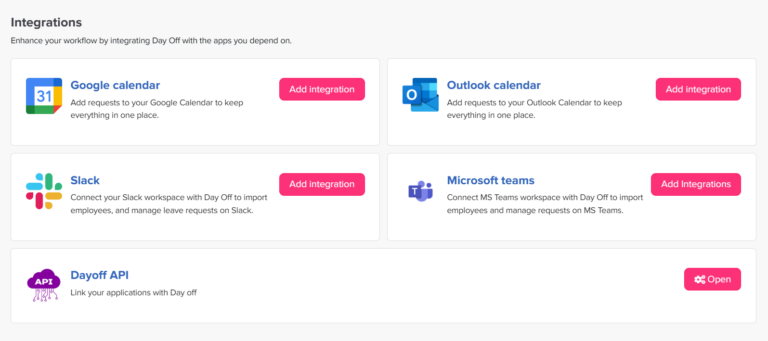
Day Off provides a central place to manage employee leave policies, requests, approvals, balances, teams, locations, roles, and reports.
Its API allows companies to connect this information with other systems and build custom workflows around their existing HR technology stack. Available API resources include employee records, leave requests, balances, teams, roles, and locations, with exact endpoints and methods documented inside the platform.
Organizations can use the Day Off API to:
- Synchronize employee information with an HRIS
- Transfer approved leave to payroll
- Build custom PTO dashboards
- Display balances in an internal employee portal
- Connect leave data with scheduling systems
- Produce specialized reports
- Automate onboarding and offboarding workflows
- Keep internal tools aligned with approved absences
Day Off also provides native Google Calendar and Outlook integrations, allowing users to connect their calendars without developing a custom API workflow.
This gives companies two practical options:
- Use native integrations for supported workplace tools.
- Use the API for custom HR, payroll, reporting, and operational connections.
Frequently Asked Questions
What is a time-off API?
A time-off API is a structured connection that allows another application to access or manage supported PTO information, such as employee records, leave requests, balances, teams, and locations.
Does Day Off have an API?
Yes. Day Off provides API access through its Integrations section. Administrators can create API keys, assign expiry dates, review endpoint documentation, view example requests and responses, and download the OpenAPI specification.
Can a PTO API connect with payroll software?
Yes, when the payroll platform can receive data through an API, file import, middleware platform, or custom connector. The integration can transfer approved paid and unpaid leave records using payroll-specific codes and employee identifiers.
Can a time-off API update employee records?
It can support employee synchronization when the required resources and methods are available in the API. Developers should verify the current documentation to determine which employee actions are supported.
Does an API calculate payroll?
A time-off API normally transfers leave information. The payroll system remains responsible for calculating wages, deductions, overtime, taxes, and other payroll results.
Should PTO balances be calculated in payroll or the leave system?
One system should own the balance calculation. When Day Off manages leave policies, accruals, carryover, and requests, connected systems should normally consume the resulting balance rather than independently recalculating it.
Can Day Off connect with Google Calendar?
Yes. Day Off can synchronize requests with Google Calendar. Users can choose whether to sync personal, team, or company requests, select a calendar, and control whether their own leave appears as available or busy.
Can Day Off connect with Outlook?
Yes. The Outlook integration can display personal, subordinate, team, or company leave requests depending on the selected option. Updates made in Day Off are reflected automatically in the connected Outlook calendar.
How often should PTO data synchronize?
The frequency depends on the use case. Calendar availability may need frequent updates, while payroll data may synchronize at defined payroll cutoffs. The integration should balance operational urgency, API limits, and system performance.
What should happen when a PTO request is canceled?
The integration should identify the related payroll record, calendar event, schedule block, or dashboard record and reverse or update it according to the destination system’s rules.
Is a time-off API secure?
An API can be used securely when credentials are protected, requests use HTTPS, access is limited, keys are rotated, data is minimized, and activity is monitored. Security depends on both the API provider and the way the organization builds and operates the integration.
Final Thoughts
A time-off API turns employee leave from an isolated HR record into information that can support payroll, scheduling, calendars, reporting, and workforce planning.
The most successful integrations do more than move data. They define:
- Which system owns each record
- How employees are identified
- Which request statuses should synchronize
- How paid and unpaid leave is mapped
- How changes and cancellations are processed
- How failures are retried
- How records are reconciled
- How sensitive information is protected
Companies should begin with one clear workflow, such as employee synchronization or approved-leave payroll export, and expand only after the first connection is stable.
With native calendar integrations and flexible API access, Day Off helps organizations create a connected PTO process without forcing HR teams to maintain the same information in several separate systems.