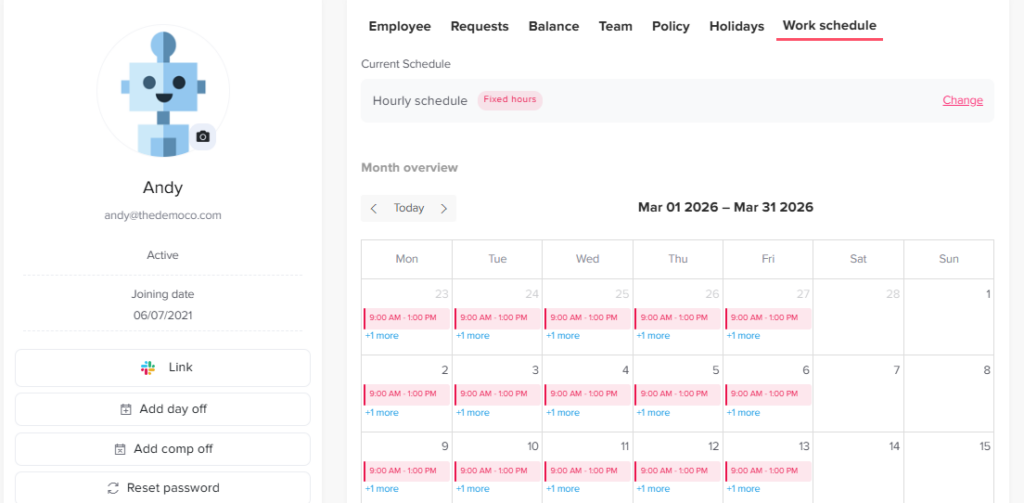
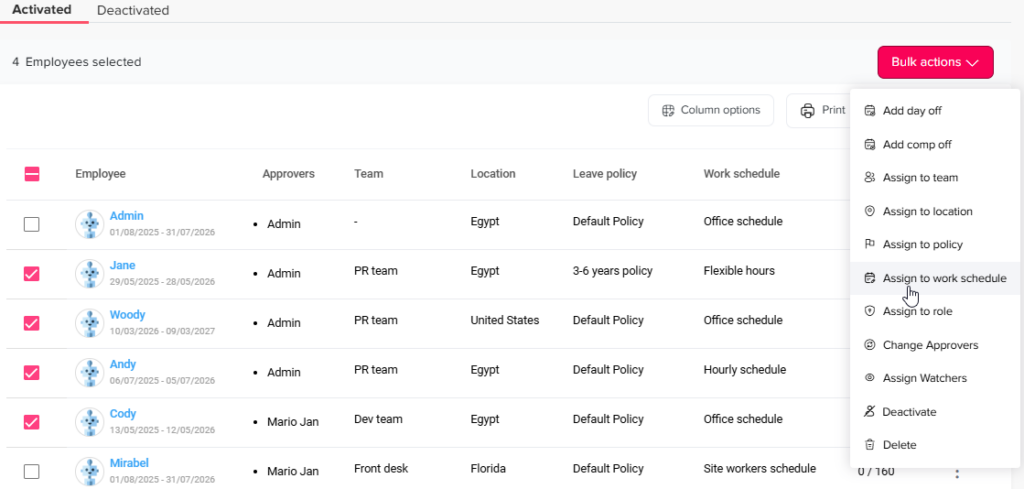
Admins can set different working days by assigning employees to specific work schedules. This can be done individually from an employee’s profile or by using bulk actions.
To assign a schedule from an employee profile:
From People → Employees, open the required employee’s profile.
Navigate to the Work schedule tab.
Click Change in the top right corner.
Select the new work schedule from the list, choose the effective start date, and click Save.
To assign a schedule using bulk actions:
Go to People → Employees.
Click the checkboxes next to the required employees’ names to select them.
From the bulk actions menu on the top right, select Assign to work schedule.
Select the new work schedule from the menu, choose the effective start date, and click Save.