







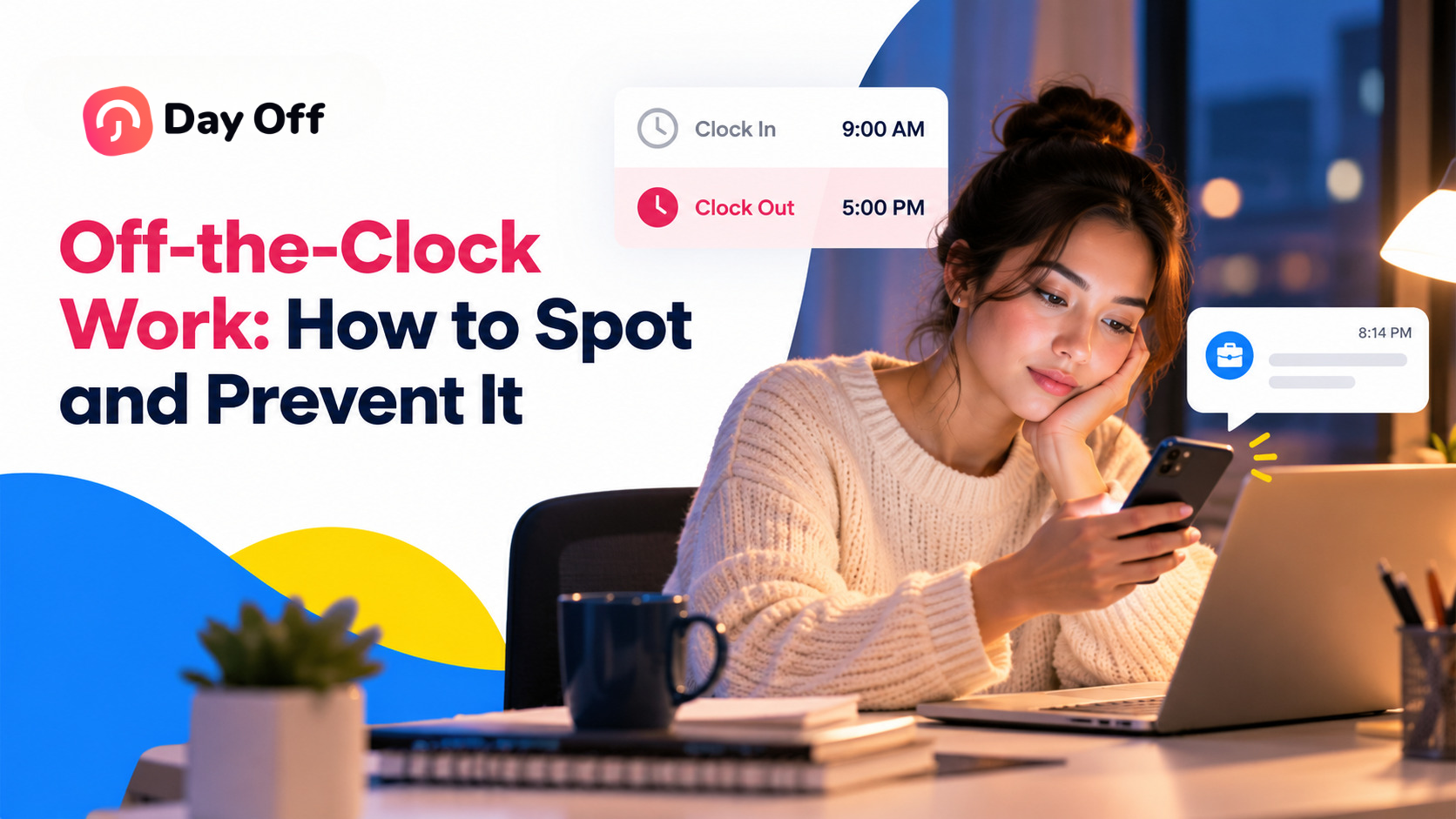
A cashier clocks out at 5:00 p.m., then spends another ten minutes counting the register. A customer support agent arrives early and logs into several systems before the shift officially begins. A remote employee answers a manager’s message at 9:30 p.m.
None of those minutes appear on the timesheet.
But work was still performed.
That is the problem with off-the-clock work. It often happens in small amounts that seem insignificant at first, but those minutes can quickly turn into unpaid wages, incorrect overtime calculations, payroll disputes, and compliance problems.

For employers, preventing off-the-clock work is not simply about telling employees not to work outside their scheduled hours. It requires accurate time tracking, clear policies, trained managers, and a reliable way for employees to report every minute they work.
This guide explains what off-the-clock work means, when it must be paid, common examples employers should watch for, warning signs hidden in attendance data, and practical steps businesses can take to prevent unpaid work.
What Is Off-the-Clock Work?
Off-the-clock work is work performed by an employee that is not recorded as working time and is therefore not included in their pay.
It can happen before a scheduled shift, after clocking out, during an unpaid break, or outside the workplace entirely.
The important issue is not simply whether the employee was scheduled to work. What matters is whether work was performed and whether the employer knew, or reasonably should have known, that the work was happening.
Off-the-clock work may be:
- Requested: A manager asks an employee to finish a task after clocking out.
- Encouraged: Employees feel that staying late without recording the time is expected.
- Tolerated: Managers regularly see employees working through lunch but do nothing.
- Unintentional: Employees perform small tasks before clocking in because nobody considers them part of the workday.
- Hard to see: Remote employees answer messages or complete tasks outside normal working hours.
The situations may look different, but the result is similar: employees perform work that never reaches their timesheet or payroll record.
Is Working Off the Clock Illegal?
For covered non-exempt employees in the United States, employers generally must pay employees for all hours worked.
Under the Fair Labor Standards Act (FLSA), covered non-exempt employees must receive at least the applicable minimum wage for hours worked and overtime pay at 1.5 times their regular rate when they work more than 40 hours in a workweek.
Federal regulations also make an important distinction between scheduled work and actual work.
Under 29 CFR 785.11, work that is “suffered or permitted” is generally considered working time. That means an employer may still be responsible for paying an employee for work even when the employer did not specifically request the work.
For example, imagine an employee finishes a shift at 5:00 p.m. but continues preparing reports until 5:20 p.m. while the manager is aware of it.
The employer generally cannot avoid paying those 20 minutes simply because the employee was scheduled to finish at 5:00.
A Policy Alone Is Not Enough
Employers may establish rules requiring employees to receive approval before working overtime or outside scheduled hours.
However, a policy does not eliminate the employer’s responsibility to pay for work that actually occurred.
Under 29 CFR 785.13, management is responsible for controlling working time. Employers should not simply create a rule against unauthorized work and then continue allowing employees to perform it.
If unauthorized overtime occurs, employers can address the policy violation separately. The time worked still needs to be recorded and paid.
What About Work Performed at Home?
Working from home does not automatically make the time unpaid.
Under 29 CFR 785.12, work performed away from the workplace can still count as working time when the employer knows or has reason to believe that the employee is working.
That can include:
- Answering work emails
- Responding to Slack or Microsoft Teams messages
- Completing reports
- Preparing documents
- Logging into work systems
- Handling customer requests
- Finishing assignments after normal hours
Remote and hybrid work have made this issue especially important because managers cannot always physically see when employees continue working after their recorded shift ends.
What About Exempt Employees?
Salaried exempt employees are generally compensated based on a salary rather than individual hours worked, so additional hours do not usually create the same overtime issue under the FLSA.
However, accurate records can still be useful.
Time tracking can help organizations understand workloads, identify excessive working hours, improve staffing decisions, and detect potential employee classification problems.
If an employee has been incorrectly classified as exempt, previously unrecorded working hours may become important when determining overtime obligations.
For a deeper explanation, see our guide to time tracking for salaried employees.
Can Employees Volunteer to Work Off the Clock?
Employees generally cannot waive their rights under the FLSA simply by agreeing to perform unpaid work.
An employee might say:
“I don’t mind finishing this after I clock out.”
That agreement does not necessarily remove the employer’s obligation to pay for the work.
This is why managers should never rely on employees “volunteering” to finish ordinary job duties outside recorded working hours.
Instead, employees should record the time and employers should address scheduling or authorization issues separately.
Common Examples of Off-the-Clock Work
Off-the-clock work does not always involve someone secretly working for hours.
More often, it appears in small routine tasks that gradually become normal.
| Example | Why it may count as work time | Better practice |
|---|---|---|
| Starting computers or logging into required systems before clocking in | The employee needs those systems to perform the job | Allow employees to clock in before required startup tasks |
| Counting registers or completing closing tasks after clocking out | The employee is still performing job duties | Employees should clock out only after duties are finished |
| Working during an unpaid lunch break | An unpaid meal period generally requires the employee to be relieved of duties | Record interrupted or missed meal periods |
| Answering work emails or messages after hours | Work performed outside the workplace may still be compensable | Establish after-hours rules and a way to report the time |
| Attending required training outside scheduled hours | Required training may count as working time | Schedule training during paid hours or record the time |
| Traveling between job sites during the workday | Travel performed as part of the workday may count as work | Include qualifying travel in recorded hours |
| Waiting for work while remaining on duty | Employees who are engaged to wait may still be working | Record qualifying waiting time |
| Reducing recorded hours through improper timesheet edits | The employee’s actual working time disappears from the record | Require reasons and maintain an edit history |
Two situations deserve particular attention because they happen frequently: interrupted meal breaks and timesheet edits.
Working Through an Unpaid Lunch Break
Meal breaks can create payroll problems when businesses automatically deduct them from timesheets.
Short rest breaks of approximately 5 to 20 minutes generally must be paid under 29 CFR 785.18.
A bona fide meal period may be unpaid when the employee is completely relieved of work responsibilities.
That means an employee who spends lunch answering calls, responding to customers, completing reports, or helping coworkers may not actually be taking an unpaid break.
For example:
An employee clocks out for a 30-minute lunch at 12:00 p.m. At 12:10, a customer calls and the employee spends 15 minutes resolving the issue.
The timesheet might still show a full 30-minute unpaid break even though part of that period involved work.
Employers that automatically deduct meal periods should therefore give employees a simple way to report when a break was missed, shortened, or interrupted.
You can also read our guides to meal and rest break laws by state and what to do when you’re asked to work during an unpaid break.
Timesheet Editing and Missing Work Hours
Employees forget to clock in. They forget to clock out. Duplicate punches happen. An employee may accidentally leave a timer running.
Correcting these mistakes is normal.
Problems begin when recorded working time is removed simply to reduce payroll or overtime.
For example, changing an employee’s clock-out from 5:17 p.m. to 5:00 p.m. because the employee was “supposed to leave at five” does not necessarily reflect what actually happened.
A safer process is to require:
A reason for every timesheet adjustment
A record of who made the change
The original time entry
The updated time entry
Employee visibility into corrections
A clear process for disputing inaccurate changes
Our missed punch policy guide explains how businesses can handle legitimate time-recording mistakes consistently.
What Usually Does Not Count as Work Time?
Not every minute an employee spends near work automatically becomes compensable working time.
Under federal law, some activities may be excluded.
Examples can include:
Normal commuting between home and the workplace
Certain activities performed before or after an employee’s principal work activities
Bona fide meal periods during which the employee is fully relieved of duty
The Portal-to-Portal Act of 1947 plays an important role in determining whether some pre-shift and post-shift activities must be paid.
In Integrity Staffing Solutions, Inc. v. Busk (2014), the U.S. Supreme Court considered post-shift security screenings for warehouse employees. The Court determined that the screenings were not integral and indispensable to the employees’ principal job activities.
The details matter.
Booting up a computer that a call center employee needs to perform the job, for example, is different from an activity that is unrelated to the employee’s core duties.
Employers should evaluate what employees are actually required to do before and after their recorded shifts rather than assuming all pre-shift or post-shift activity is unpaid.
The De Minimis Rule and Very Small Amounts of Time
A common question is whether employers really need to record every few seconds.
Federal regulations contain a narrow principle commonly known as the de minimis rule.
Under 29 CFR 785.47, insignificant amounts of time may sometimes be disregarded when they involve uncertain or indefinite periods lasting only a few seconds or minutes.
However, the rule should not be treated as permission to regularly ignore small amounts of working time.
For example, it should not be used to justify:
Automatically removing ten minutes every day
Ignoring regular pre-shift preparation
Disregarding work that can easily be recorded
Treating repeated daily work as insignificant simply because each occurrence is short
Five minutes may seem insignificant once.
Five minutes every working day is different.
Modern time tracking systems can also make very short periods of work easier to record than they were when many of these rules were first developed.
California Takes a Different Approach
California employers should be particularly careful.
In Troester v. Starbucks Corp. (2018), the California Supreme Court rejected applying the federal de minimis doctrine to regular off-the-clock work under California wage law.
Businesses operating in California should therefore be especially cautious about disregarding small but recordable amounts of employee working time.
The de minimis rule should also not be confused with time-clock rounding.
See our guides to the 7-minute rule, time clock rounding, and clock-in grace periods for more detail.
Off-the-Clock Work for Remote and Hybrid Employees
Remote work makes unpaid working time easier to overlook.
There is no manager standing near the exit who can see an employee staying late. Instead, work may continue quietly through emails, chat messages, cloud applications, or project management tools.
Consider a remote employee whose scheduled day ends at 6:00 p.m.
At 8:15 p.m., the employee receives a message asking for a small update.
The employee opens a laptop, changes a document, replies to the manager, and closes the computer ten minutes later.
Those ten minutes may never appear on the timesheet unless the business has a clear process for reporting unscheduled work.
The Department of Labor discussed this issue in Field Assistance Bulletin 2020-5, explaining that employers must pay employees for unscheduled telework they know about or have reason to believe is being performed.
A practical solution is to create a reasonable process for reporting unscheduled working time.
Remote teams should:
Give employees an easy way to record time from wherever they work.
Explain when after-hours responses are expected.
Tell employees how to report unscheduled work.
Avoid creating a culture where reporting extra hours is discouraged.
Review unusual differences between recorded time and system activity.
Train managers not to casually request unpaid after-hours work.
For more information, see our guide to time tracking for remote employees.
What Can Off-the-Clock Work Cost Employers?
A few minutes of unpaid work may not look expensive.
Across an entire workforce, the numbers can become significant.
Suppose an employee earns $20 per hour and performs ten minutes of unpaid work each working day.
That equals approximately $3.33 per day.
Across 250 working days, the amount reaches roughly $830 per employee each year.
For a team of 50 employees, the same pattern could represent more than $41,000 in unpaid wages before considering overtime or other potential costs.
And if some of those additional minutes push employees beyond 40 hours in a workweek, overtime requirements may also apply.
Under the FLSA, violations can potentially result in:
Back wages
Unpaid overtime
Liquidated damages
Employee attorney fees and court costs
Multiple years of wage claims
Under 29 U.S.C. 255, the general limitations period for FLSA claims is two years, extending to three years for willful violations.
Claims may also involve multiple employees, and state laws can create additional requirements or remedies.
The impact is not purely financial.
When employees regularly perform unpaid work, they may begin to feel that accurately reporting their time is discouraged. That can damage trust between employees and managers while making workload and staffing data less reliable.
8 Warning Signs of Off-the-Clock Work
Because off-the-clock work does not appear directly on a timesheet, employers need to look for inconsistencies between different types of workforce data.
Everyone Clocks Out at Exactly the Scheduled Time
Real workdays are rarely identical.
If an entire department clocks out at exactly 5:00 p.m. every day regardless of workload, managers may want to check whether employees are completing tasks after punching out.
System Activity Continues After Clock-Out
Compare time records with other operational data.
Examples include:
Emails
Slack or Teams messages
POS transactions
System logins
Customer tickets
Project activity
Regular work activity after an employee’s recorded clock-out deserves attention.
Meal Breaks Are Always Exactly the Same Length
If every employee takes exactly 30 minutes every day, especially when meal periods are automatically deducted, verify that the recorded breaks reflect reality.
Workload Increases but Recorded Hours Do Not
A team handling substantially more work without additional staff or overtime may simply be more productive.
But it can also indicate that work is happening outside recorded hours.
Timesheets Are Frequently Edited Downward
Occasional corrections are normal.
A pattern of managers repeatedly reducing employee hours is different and should be reviewed.
Employees Arrive Long Before They Clock In
If employees regularly access computers, open stores, prepare equipment, or perform other tasks before the first punch, some working time may be missing.
Managers Face Extremely Tight Overtime Targets
Labor budgets are important, but unrealistic pressure to eliminate overtime can create incentives to hide or discourage legitimate working time.
Employees Mention Working Through Breaks or Staying Late
Sometimes the clearest warning sign is what employees say.
Comments such as:
“I usually finish this after clocking out.”
“I work through lunch when we’re busy.”
“I answer messages from home.”
“We’re not supposed to report overtime.”
should not be ignored.
One of the best ways to identify these patterns is to compare scheduled hours with actual attendance data.
Our guide to scheduled hours vs. actual hours explains how to use that comparison.
How to Prevent Off-the-Clock Work: 10 Practical Steps
Preventing unpaid work requires more than a paragraph in the employee handbook.
Businesses need processes that make accurate time recording easier than working without recording it.
Create a Clear Off-the-Clock Work Policy
Tell employees that:
All working time must be recorded.
Employees should not work before clocking in or after clocking out.
Unscheduled work must still be reported.
All hours actually worked will be paid.
Overtime approval rules do not eliminate the requirement to report time.
A sample policy appears later in this guide.
Train Managers Before Employees
Managers are often the people who unintentionally create off-the-clock work.
A quick message such as “Can you finish this before tomorrow?” sent after an employee’s shift may create additional working time.
Managers should understand that they cannot:
Ask employees to work unpaid.
Encourage employees not to report overtime.
Ignore obvious off-the-clock work.
Delete legitimate working time from timesheets.
Make Time Tracking Easy
Recording working time should take seconds.
When clocking in involves several screens, complicated procedures, or access to a specific office device, employees are more likely to forget or delay it.
Use a time tracking system employees can access through the tools they regularly use.
Clock In Before Required Startup Tasks
If an employee needs to open the store, prepare a workstation, launch applications, or complete another required task before beginning regular work, the time-recording process should account for it.
Do not create a system where employees must prepare to work before they are allowed to clock in.
Review Automatic Meal-Break Deductions
Automatic deductions can simplify payroll, but only when the recorded break actually occurs.
Employees need an easy way to report:
Missed breaks
Interrupted breaks
Shortened breaks
Those corrections should then reach the timesheet and payroll process.
Define After-Hours Communication Rules
Employees should know whether they are expected to answer messages outside scheduled hours.
Managers should know when contacting an hourly employee could create working time.
When after-hours work does occur, employees should know exactly how to record it.
Give Employees a Way to Report Missing Time
Employees should be able to report:
Forgotten punches
Unrecorded work
Interrupted breaks
Incorrect timesheet edits
Pressure to work without recording time
The reporting process should be straightforward and accessible.
Control Timesheet Edits
Every timesheet adjustment should have a reason.
Ideally, the system should maintain a history showing:
The original entry
The updated entry
Who made the change
When the change occurred
Why it was changed
Employees should also be able to review their recorded time.
Separate Overtime Approval From Overtime Payment
A company may require employees to receive approval before working overtime.
Employees can also face corrective action for repeatedly ignoring a legitimate overtime approval process.
But working without authorization does not automatically make the hours unpaid.
Treat these as two different issues:
Payroll issue: Record and pay the hours worked.
Policy issue: Address the unauthorized overtime separately.
Audit Time Records Regularly
Do not wait until an employee complains.
Every pay period, compare:
Scheduled hours
Clock-in times
Clock-out times
Breaks
Overtime
Timesheet edits
Absences
Relevant system activity
Regular audits can reveal unusual patterns before they become larger payroll problems.
Our timesheet audit checklist provides a useful starting point.
Keep Accurate Time Records
Prevention also requires good recordkeeping.
Under federal requirements, employers generally need to retain certain payroll records for at least three years, while records such as time cards and documents used to calculate wages may need to be retained for at least two years.
The exact records a business needs will depend on its workforce and applicable laws.
Reliable records are useful not only for compliance. They also help HR and payroll teams resolve disputes quickly because they can see what actually happened instead of relying on memory.
Sample Off-the-Clock Work Policy Template
The following template can be adapted to your organization’s procedures. Employers should review their final policy against the laws that apply where their employees work.
Off-the-Clock Work Policy
Purpose
[Company Name] pays non-exempt employees for all time worked. This policy explains how employees must record working time and prohibits unrecorded work.
Scope
This policy applies to all non-exempt employees working on-site, remotely, or in the field.
Recording Work Time
Employees must record all time worked.
Working time includes required startup tasks, closing duties, qualifying work-related travel, required training, and work performed outside scheduled hours.
Employees must clock in before beginning work.
Employees should clock out only after their work has finished.
Meal and Rest Breaks
Employees must be fully relieved of work responsibilities during unpaid meal periods.
Employees must report any meal break that is missed, shortened, or interrupted by work so the time can be recorded correctly.
After-Hours Work
Employees are not expected to respond to work communications outside scheduled hours unless required by their role or instructed by their manager.
Any work performed outside scheduled hours must be recorded.
Overtime
Employees should receive manager approval before working overtime when company policy requires it.
Employees must still report all overtime actually worked, including unapproved overtime.
Repeated violations of the company’s overtime authorization process may be addressed separately.
Manager Responsibilities
Managers may not:
Ask employees to work without recording the time.
Encourage off-the-clock work.
Ignore known off-the-clock work.
Remove legitimate working hours from an employee’s timesheet.
Every timesheet correction should include a reason and be visible to the employee.
Reporting Concerns
Employees who believe their time has been recorded incorrectly, or who feel pressured to perform unrecorded work, should contact [HR contact / email].
[Company Name] prohibits retaliation against employees who report concerns in good faith.
Acknowledgment
I have read and understand this policy.
Employee signature: ____________________
Date: ____________________
Manager Checklist for Preventing Off-the-Clock Work
Use this checklist during payroll reviews or manager training:
Employees clock in before required startup tasks.
Employees clock out only after closing duties are complete.
Missed or interrupted meal periods are recorded correctly.
Managers avoid unnecessary after-hours requests to hourly employees.
After-hours work is reported and recorded.
Required training and meetings are treated correctly.
Timesheet edits include a reason.
Employees can review changes to their records.
Unapproved overtime is paid and policy violations are handled separately.
Scheduled hours and actual hours are compared regularly.
Employees know how to report missing working time.
Off-the-Clock Work Outside the United States
Off-the-clock work rules vary between countries, but accurate working-time records remain important for international employers.
European Union
In CCOO v. Deutsche Bank (C-55/18, 2019), the Court of Justice of the European Union ruled that member states must require employers to establish an “objective, reliable and accessible” system for measuring workers’ daily working time.
Individual countries may impose additional requirements.
Spain, for example, has implemented daily working-time recording requirements.
See our EU time tracking guide for more information.
United Kingdom
The Working Time Regulations 1998 establish requirements relating to working hours and rest.
The UK also has National Minimum Wage requirements, meaning unrecorded working time may become particularly important when unpaid hours reduce an employee’s effective hourly rate.
International Teams
Companies employing workers across multiple countries should avoid assuming that one country’s rules apply everywhere.
A practical approach is to maintain accurate actual working-time records while applying the appropriate local employment rules for each employee’s location.
How Day Off Helps Prevent Off-the-Clock Work
Policies are important, but employers also need accurate data.
Day Off brings schedules, attendance, time tracking, and employee time off into the same system, making it easier for HR teams and managers to compare the hours employees were expected to work with what actually happened.
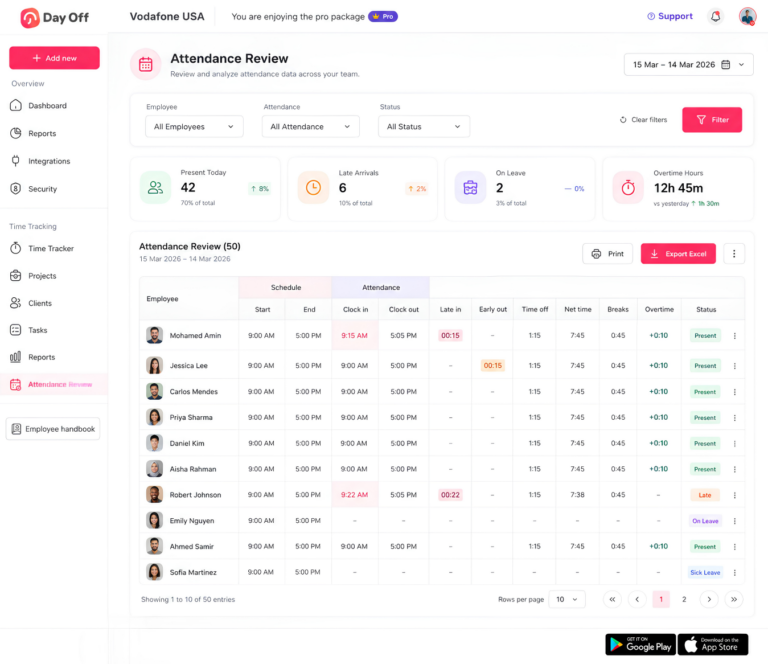
Attendance Review
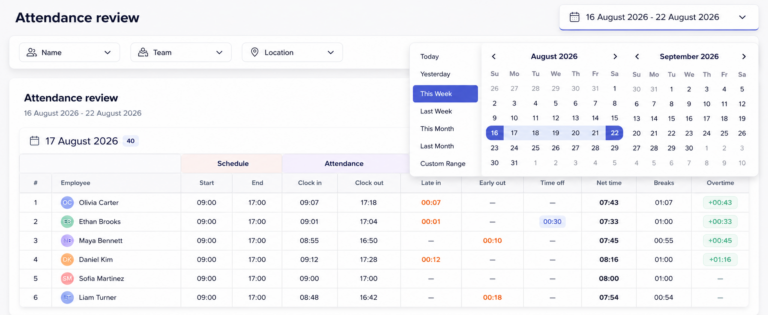
Attendance Review lets managers compare scheduled start and end times with actual clock-in and clock-out data.
Teams can review:
Late arrivals
Early departures
Breaks
PTO
Net working hours
Overtime
Attendance status
HR teams can also filter records by employee, team, or location and export information for payroll reviews and audits.
Work Schedules
Work Schedules help employers establish the expected working pattern before comparing it with attendance data.
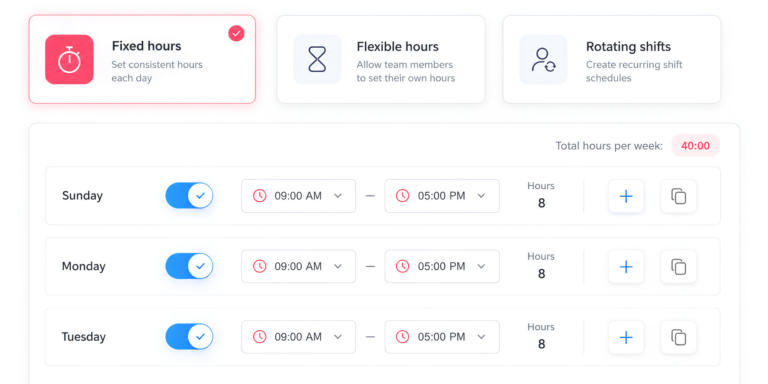
Day Off supports several schedule structures, including:
Fixed days
Fixed hours
Flexible hours
Rotating shifts
Split shifts
When schedules are accurate, unusual work outside expected hours becomes easier to identify.
Shift Planner
The Shift Planner gives managers a weekly view of employee coverage.
Better shift planning can reduce situations where employees feel they must stay beyond their scheduled hours simply because there is nobody available to complete the remaining work.
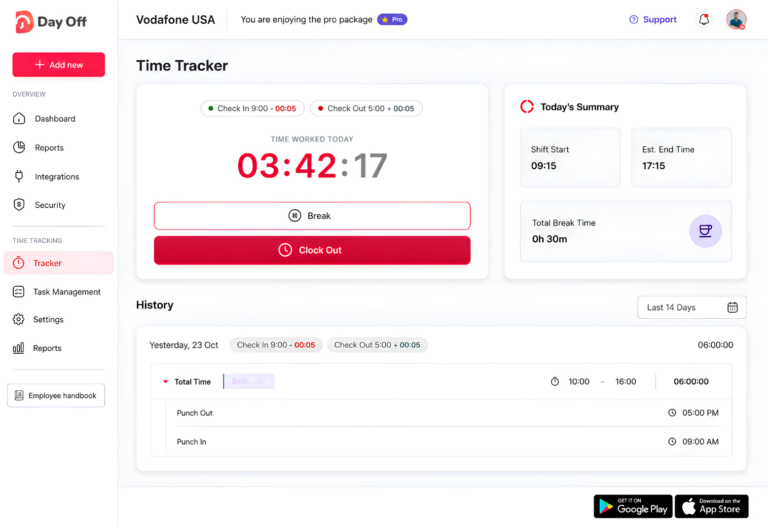
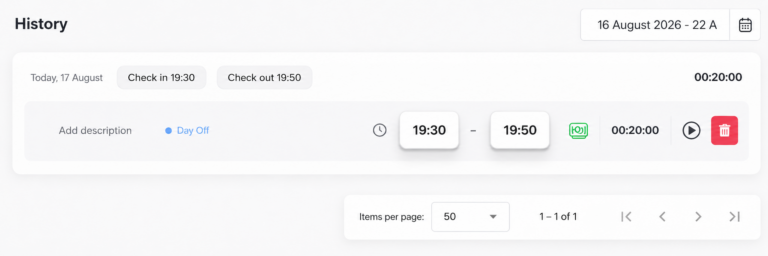
Time Tracker
The Time Tracker records work against projects and tasks using start and stop times.
Instead of relying on memory at the end of the day, employees can create a record of when work happened and how long it took.
That is especially useful for distributed teams where managers cannot physically see when employees start or finish working.
Time Off and Attendance Together
PTO, sick leave, holidays, work schedules, and attendance data can all affect how a workday should be interpreted.
Keeping them together helps prevent situations where:
PTO is mistaken for a missed punch.
Partial-day leave creates an apparent attendance problem.
Scheduled hours do not reflect approved time off.
Payroll teams need to reconcile several disconnected systems.
The goal is not simply to collect more data.
It is to make it easier to identify when the schedule, attendance record, and actual work performed do not match.
Want a clearer view of your team’s working hours? Get started with Day Off and bring schedules, attendance, time tracking, and time off into one place.
Frequently Asked Questions About Off-the-Clock Work
Can employees be disciplined for repeatedly forgetting to clock in or out?
Yes. Employers can require employees to follow timekeeping procedures and may address repeated missed punches through coaching or disciplinary action. However, the employee’s actual working time should still be corrected and paid accurately. Timekeeping mistakes should be treated separately from the obligation to pay for hours worked.
What should an employee do if they forget to clock in but already started working?
The employee should report the missed punch as soon as possible using the company’s correction process. Managers or payroll teams should update the record to reflect the actual start time rather than leaving the employee unpaid for work that was performed.
Can employers require employees to get permission before working outside scheduled hours?
Yes. Employers can require advance approval for overtime, early starts, late finishes, or other work outside the normal schedule. The important distinction is that approval rules control employee behavior, while payroll records must still reflect work that actually occurred.
Should employees record very short work tasks, such as a two-minute phone call after hours?
Employees should generally record work-related activity rather than deciding on their own that a task is too small to matter. Repeated short tasks can accumulate over time, and employers may be subject to stricter state or local rules regarding small amounts of working time.
Who is responsible for correcting an inaccurate timesheet?
Responsibility may vary by company, but the process should be clearly defined. Employees should review their time records and report errors, while managers or payroll teams should verify and correct inaccurate entries. Ideally, the system should preserve a history of every adjustment.
Can an employer change an employee’s timesheet without telling them?
Employers may need to correct legitimate errors, but employees should ideally be able to see changes to their time records. Transparent edits reduce payroll disputes and make it easier to verify that recorded hours reflect the time actually worked.
How often should employers audit employee time records?
A good practice is to review time records during every payroll cycle rather than waiting for an annual audit. Regular reviews make it easier to identify unusual clock-in patterns, repeated missed breaks, frequent manual edits, or unexplained differences between scheduled and actual hours.
What should HR do if an employee reports off-the-clock work from several months ago?
HR should document the report, review the relevant time records and supporting information, and determine whether working time was omitted from payroll. Employers should also review whether the issue affected other employees or resulted from a broader scheduling, management, or timekeeping problem.
Can automatic clock-out systems create off-the-clock work problems?
They can. Automatically clocking employees out at the end of a scheduled shift can create inaccurate records if employees continue working afterward. If an automatic feature is used, employers should have a reliable way to identify and correct situations where actual working time extends beyond the scheduled clock-out.
What information should employees check before approving a timesheet?
Employees should review their clock-in and clock-out times, meal periods, overtime, missed punches, schedule changes, and any manual edits. They should also confirm that work performed outside their normal schedule has been included before the timesheet is finalized.
Conclusion
Off-the-clock work often starts with small, everyday habits: answering one message after hours, finishing a task after clocking out, or working through part of a lunch break. The problem is that when those minutes go unrecorded, they can quickly create inaccurate payroll, overtime issues, employee frustration, and compliance risk.
The most effective way to prevent this is to make accurate time recording part of normal daily operations. Employees should know when to clock in and out, managers should understand that all work must be recorded, and payroll teams should have reliable data to compare scheduled hours with actual working time.
Clear policies, regular audits, transparent timesheet corrections, and simple time tracking tools can help businesses identify problems early and prevent unpaid work from becoming a routine part of the workplace.
When employees can easily record the time they actually work, everyone benefits. Payroll becomes more accurate, managers get a clearer view of staffing and workloads, and employees can trust that their time is being properly recognized and paid.