Role and permission changes are managed through the web platform.
To update a user’s role:
- Go to the Employees Overview
- Open the employee’s profile you want to update
- Change their assigned role (e.g., Employee, Manager, Admin, or custom role)
- Save the changes
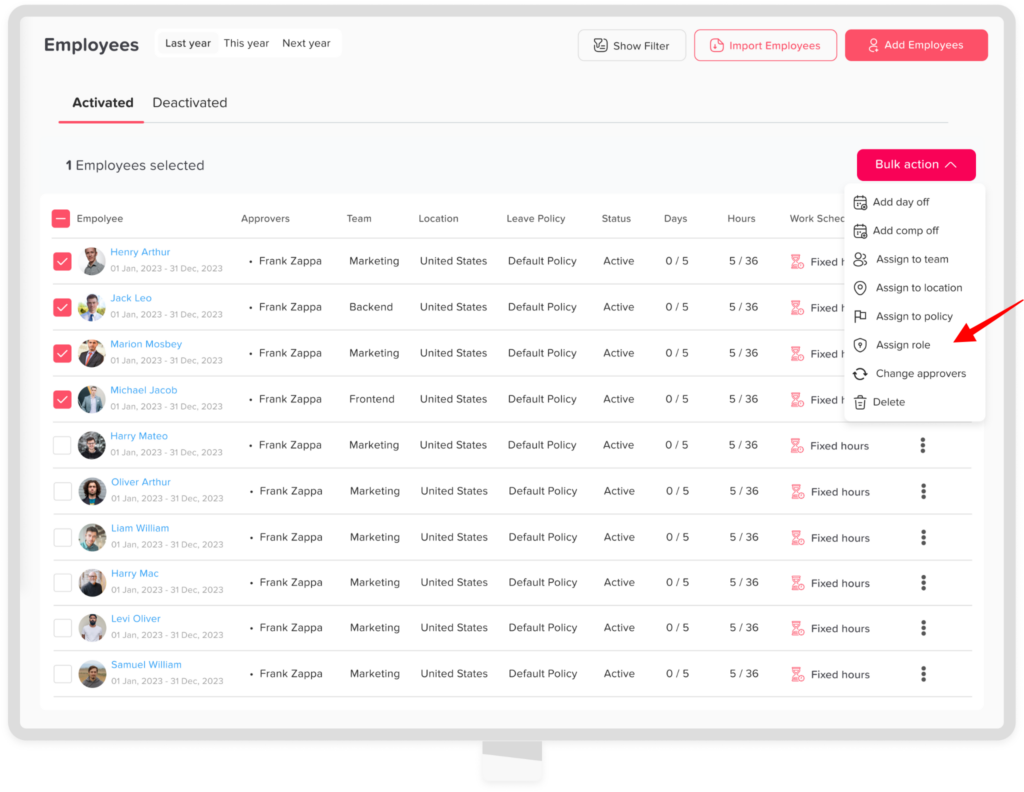
To update a multiple user’s role:
- Go to the Employees Overview
- Select the required employees
- Click on Bulk action
- Choose assign to role
- Choose the role
- Click confirm