Day Off Knowledge Base
-
Permissions
Print
Day Off allows managers to support their team by submitting requests for them, which is especially useful in cases where employees are unavailable or need assistance.
How Managers Add a Request
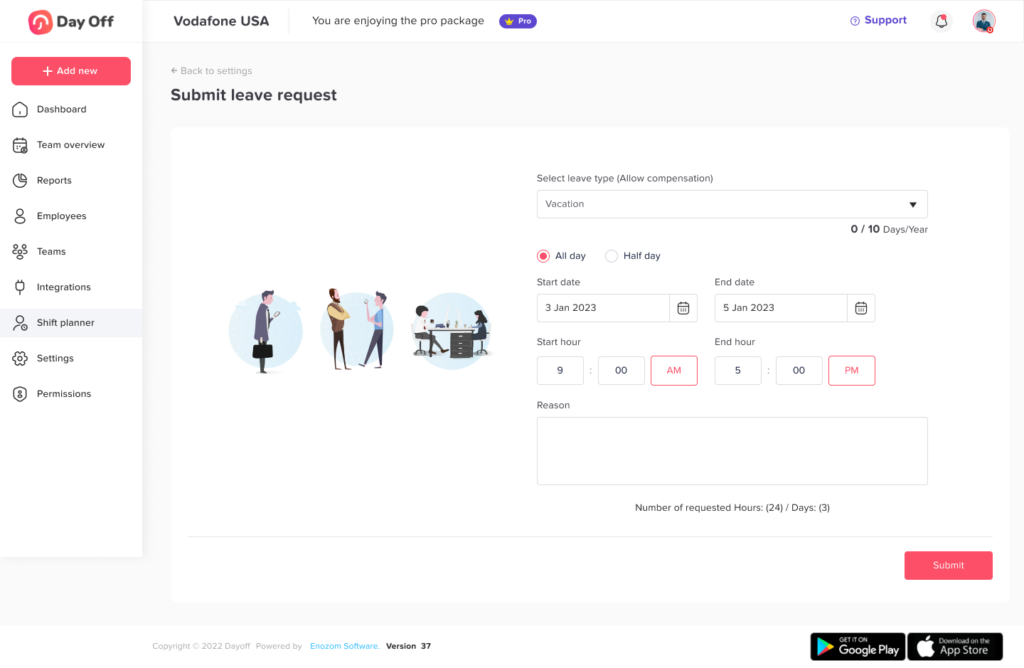
Managers can easily submit a request for any team member from their profile:
- Go to the Employees Overview
- Click on the employee’s name to open their profile
- Click on “Add Day Off”
- Choose the leave type
- Select the start and end date
- Click Submit Request
How the Request is Processed
Once submitted:
- The request is automatically recorded in the system
- It goes directly into the approval workflow
- It is added as an accepted request (not pending)
This makes it faster for managers to handle requests without extra approval steps.
Permission Based Control
This feature depends on role permissions. Admins can enable or restrict whether managers can add requests for their team.
On this page