





-
Permissions
- Can a manager add requests for their team?
- Can a manager view the balances of their team?
- Can I create a "View-Only" role for our external accountant or auditor?
- How Do I Give a Manager Access to Attendance Review for Their Team Only?
- How Do I Give Someone Access to Time Tracker Reports Without Making Them an Admin?
- How Do I Let an Employee Track Time and Use Timesheets?
- How to change a user's role/permissions?
- How to create different roles and access levels in Day Off?
- What Time Tracker Permissions Can I Give in Day Off?
- What's the Difference Between the Projects and Tasks and Manage Projects Permissions?
- Who Can Change the Time Tracker Settings and Clients?
Yes, Day Off allows managers to view team balances and monitor their team’s time off balances so they can make informed approval decisions and avoid scheduling conflicts.
Steps to Enable Access to Team Balances
To allow a manager to view team balances:
- Go to Settings & integrations → Security
- Go to Permissions
- Click Add permission group (or edit an existing group)
- Enable permissions such as:
- View employee data
- View Leave Balances
- Manage employee leave requests
- Click Save
Then assign this role to the manager:
- Go to People → Employees
- Open the employee’s profile
- Select the updated Role
- Click Save
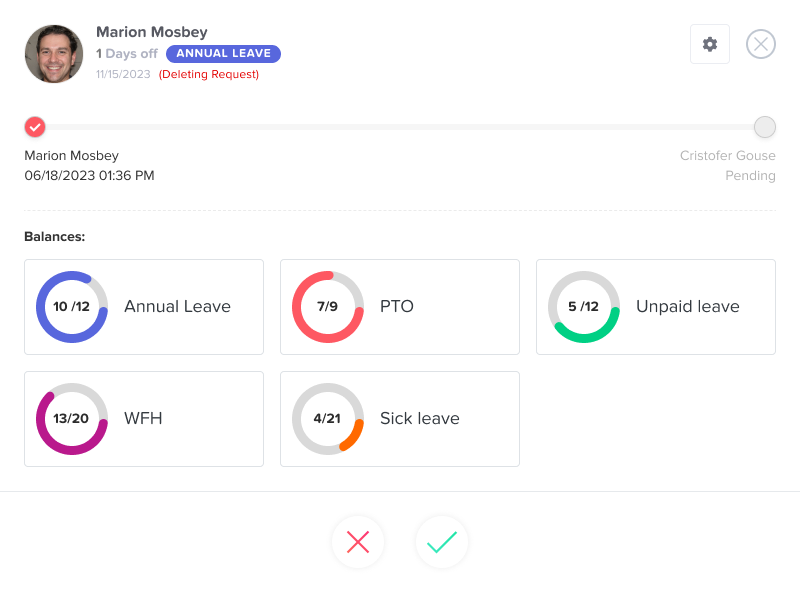
Why Managers Need This Visibility
When a request arrives, a quick look at the employee’s remaining balance helps a manager respond with confidence. For example, they can see if someone is about to run out of paid time off before approving more days.
Balances also support longer-term planning. Managers can notice who has many unused days and encourage them to take a break. As a result, workloads stay balanced and fewer people try to take leave at the same time near the end of the year.
Good Practices for Managers
- Only give this permission to people who manage a team, so employee data stays private.
- Use a dedicated role for managers instead of the Admin role.
- Check balances before approving long requests.
- Review team balances regularly, for example once a month, to spot unused leave early.
To set up the right role, see how to create roles and access levels.
In addition, managers with the right permissions can add requests for their team when an employee cannot do it themselves.
Summary
- Managers can view their team’s leave balances
- Available on both web and mobile
- Helps with smarter approvals and better planning
This ensures managers have the visibility they need to support their teams effectively.